
Oracle Essbase is a business solution that uses a proven, flexible, best-in-class architecture for analysis, reporting, and collaboration. Essbase delivers instant value and greater productivity for your business users, analysts, modelers, and decision-makers, across all lines of operation within your business or government organization.
In this new blog post we will analyze the OCI networking architecture that needs to be in place either for migrating the Essbase from OCI-Classic to OCI or just having a brand new OCI Essbase deployment.
In the past months I received many requests to migrate the OCI-Classic Essbase to OCI and now, I want to share with you the reference networking architecture that I’ve used for Essbase migration. As I said above, the reference networking architecture can be used not only for Essbase migration but for any new OCI Essbase.
That being said, the focus will be on the networking part of the deployment but we will also discuss some of the Essbase basics.
Note: Special “Thank you!” to OCI Essbase team for helping out with Essbase specific networking and connectivity requirements.
Let’s start with the Essbase basics and refer at the very glance to OCI-Classic Essbase.
OCI-Classic Essbase was a fully Oracle managed and provisioned service, means that, no customer action was necessary to create or maintain it. Once the service were provisioned by Oracle, the customer receives all the information to access the service. The OCI-Classic Essbase could be accessed using the Internet or using a dedicated path called Public Peering FastConnect.
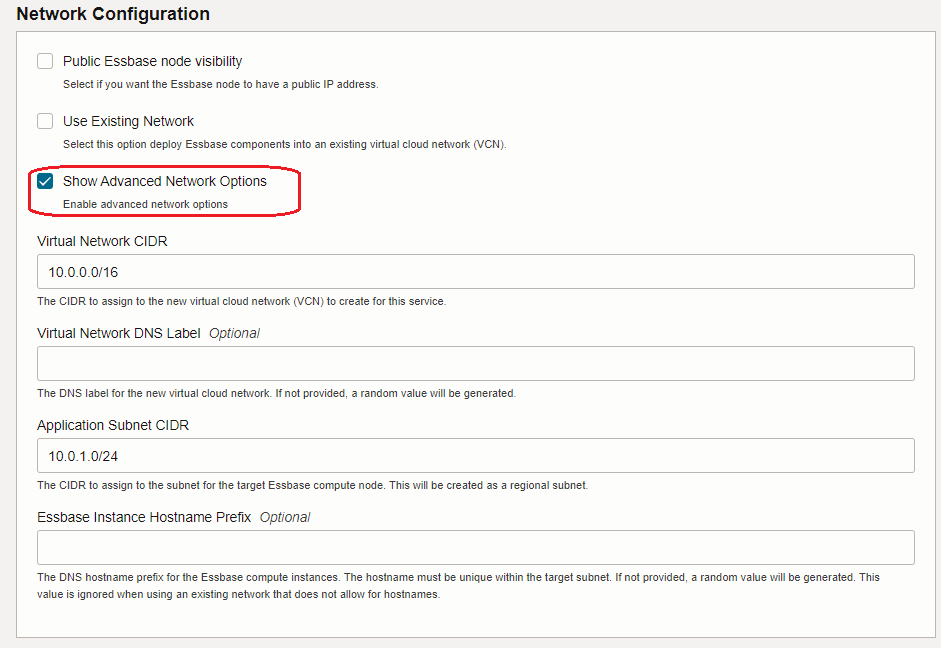
For OCI Essbase the story is different, Essbase stack is deployed from the OCI Marketplace and it is running on a Compute VM. In the deployment phase, the Essbase can automatically create the networking related resources (VCN, subnets, etc.), Autonomous Database (or Database System) for storing Essbase metadata, and Load Balancer (public or private):
Or you can use the networking components, Autonomous Database (or Database System) and the Load Balancer created before provisioning the Essbase stack, thus, the existing ones:
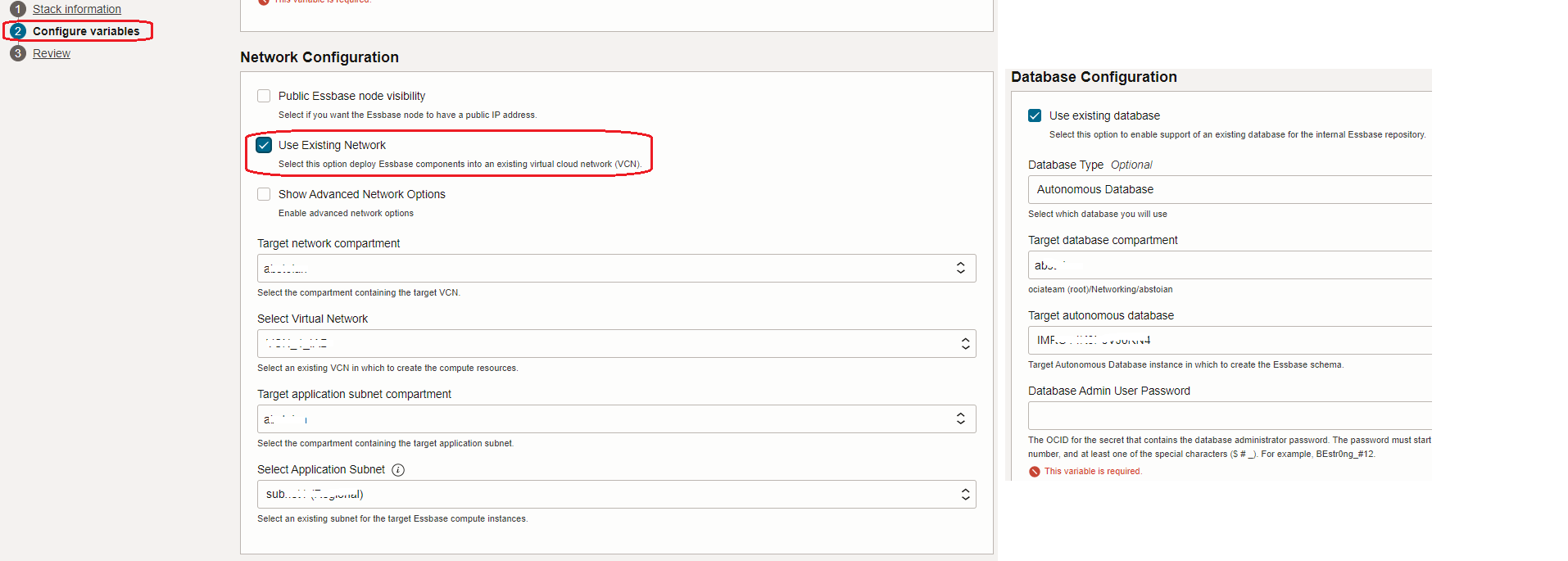
For specific Essbase configuration details please use the OCI documentation at the link or work with your Essbase OCI team for any additional support.
Based on the above information we can define the OCI Networking Architecture for Essbase:
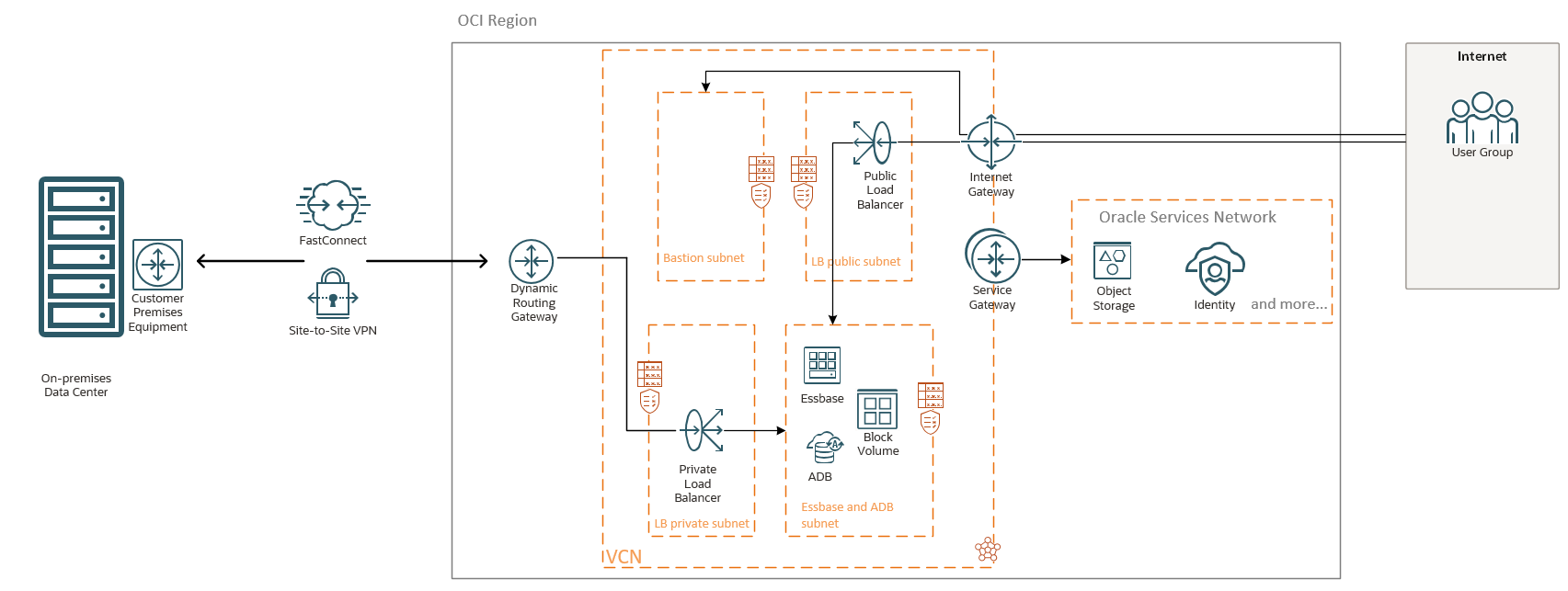
The public and private LBaaS will be used to maintain the SSL certificates and the Essbase VM will be configured as a backend server.
Note: In the above diagram both LBaaS were used since the Essbase needs to be accessed by On-premises users via the FastConnect or IPSec and by the Internet users. If your connectivity pattern requires only public or private access, just only one LBaaS will be used. The OCI WAF and Network Firewall can be used for increasing the security and monitoring.
Essbase needs access to IDCS and Object Storage, thus the Service Gateway is necessary and a route in the route table associated with the Essbase subnet to All Oracle Services Network should be configured.
The OCI Bastion Service should be used to access the Essbase from Internet for configuration purposes.
After the Essbase stack is provisioned, a DNS A record needs to be created on the On-premises DNS to associate the Essbase URL with the public or private IP addresses of your public or private LBaaS.
An important part for Essbase is related to the backup and restore actions. Essbase backup and restore planning is required at both the application and instance level to have full flexibility to manage the life cycle of your Essbase instances, and also to provide disaster recovery. Please work with your Essbase OCI team to plan accordingly the backup and restore part.