
Introduction
In my last blog, we explored how to use GoldenGate to feed your RAG in near real-time. In that blog, we utilized different technologies, receiving vector data from PostgreSQL and using it alongside Oracle vector data to feed the RAG.
In this blog, we will focus solely on how to vectorize data on the target. Regarding GoldenGate configuration, we will create one extract and two replicats.
The extract will have the default configuration. As for the replicats, one is fully dedicated to inserts and uses the new dbunction in GoldenGate. In the first replicat, we map the result of the database function with VECTOR_COL, ignoring all deletes and updates. The second replicat handles update and delete operations exclusively.
In this blog, we will focus on the function and GoldenGate parameters that will allow us to vectorize the data. Please check this blog to see how to configure the ONNX model.
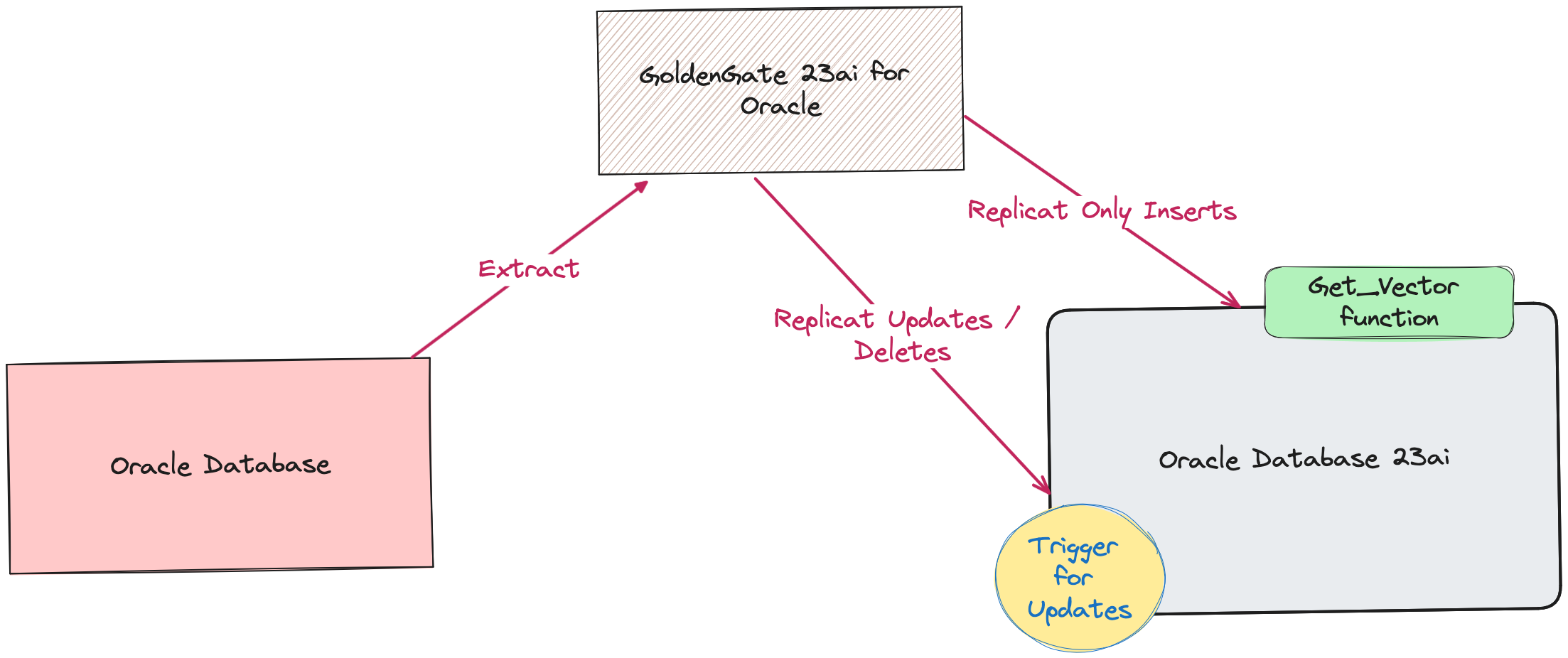
Database Configuration
To vectorize the data, we need to use Oracle Database 23c AI functions such as VECTOR_EMBEDDING and TO_VECTOR. In this example, we create a text with data values to improve the results when querying the database. The database function converts the data into embeddings:
create or replace FUNCTION GET_VECTOR
(
a0 IN VARCHAR2,
a1 IN VARCHAR2,
a2 IN VARCHAR2,
a3 IN VARCHAR2,
a4 IN VARCHAR2,
a5 IN VARCHAR2,
a6 IN VARCHAR2
) RETURN VECTOR
is
VECTOR_OUTPUT VECTOR;
BEGIN
SELECT TO_VECTOR(VECTOR_EMBEDDING(doc_model USING ‘On ‘ || a0 || ‘ the Customer : ‘ || a1 || ‘ placed an order with item : ‘ || a2 || ‘ Inventory Item Identifier: ‘ || a3 || ‘ and Order Number: ‘ || a4 || ‘ This belongs to business unit : ‘ || a5 || ‘ and has an order Count of ‘ || a6 as data))
INTO VECTOR_OUTPUT;
RETURN VECTOR_OUTPUT;
END GET_VECTOR;
The function parameters are the column values from the source table. In this example, I don’t use all the columns. If you have a table with hundreds of columns, ensure you are using the correct column positions. In this example, a0 represents the first column in my source table. This function is used in the first replicat to map the result. Additionally, it’s used in the trigger that handles the vector updates.
create or replace TRIGGER TRG_UPD_VECTOR
AFTER UPDATE ON SALES_ORDERS_VECTOR
FOR EACH ROW
BEGIN
update VECTOR.SALES_ORDERS_VECTOR SET VECTOR_COL = GET_VECTOR(:NEW.FISCALDATA ,:NEW.CUSTOMER ,:NEW.ITEM ,:NEW.INVENTORYITEMIDENTIFIER ,:NEW.ORDERNUMBER ,:NEW.BUSINESSUNIT ,:NEW.ORDERSCOUNT);
COMMIT;
END;
Why Have I Chosen a Trigger for Updates?
During my tests with the dbfunction (get_vector), the updates weren’t working consistently compared to the trigger. This is still an area I am working on, and I will update the blog if needed.
Creating Extract and Replicats
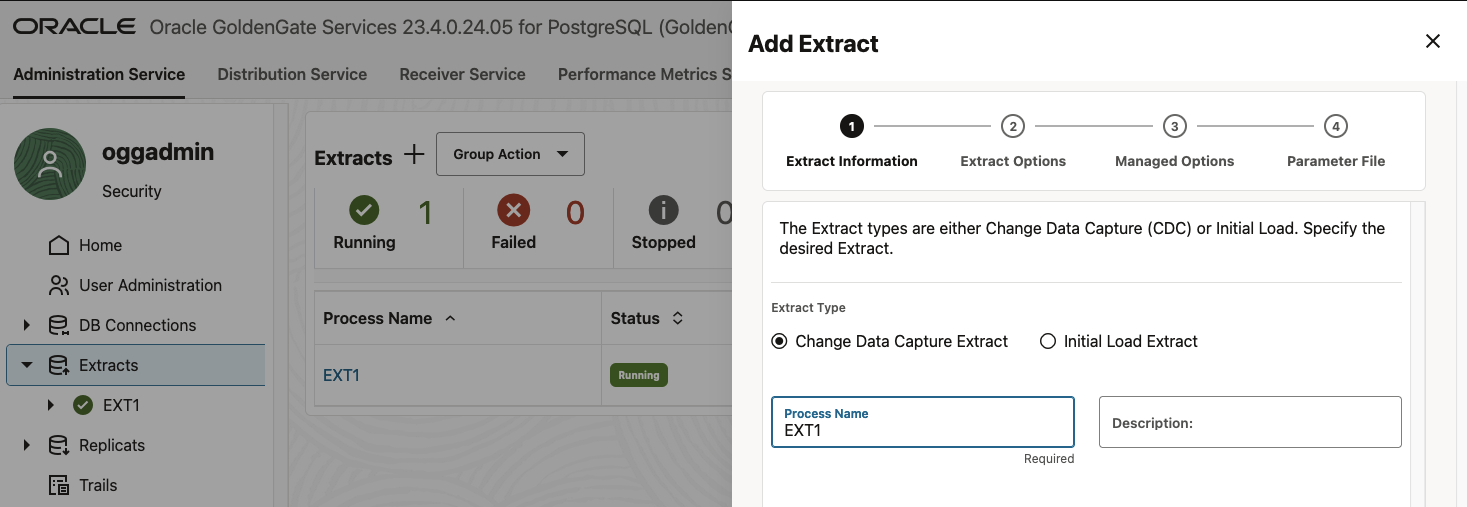
Click Add Extract (plus icon) in the Extracts panel to create either an Initial Load Extract or a Change Data Capture Extract. Select Change Data Capture Extract and click Next.
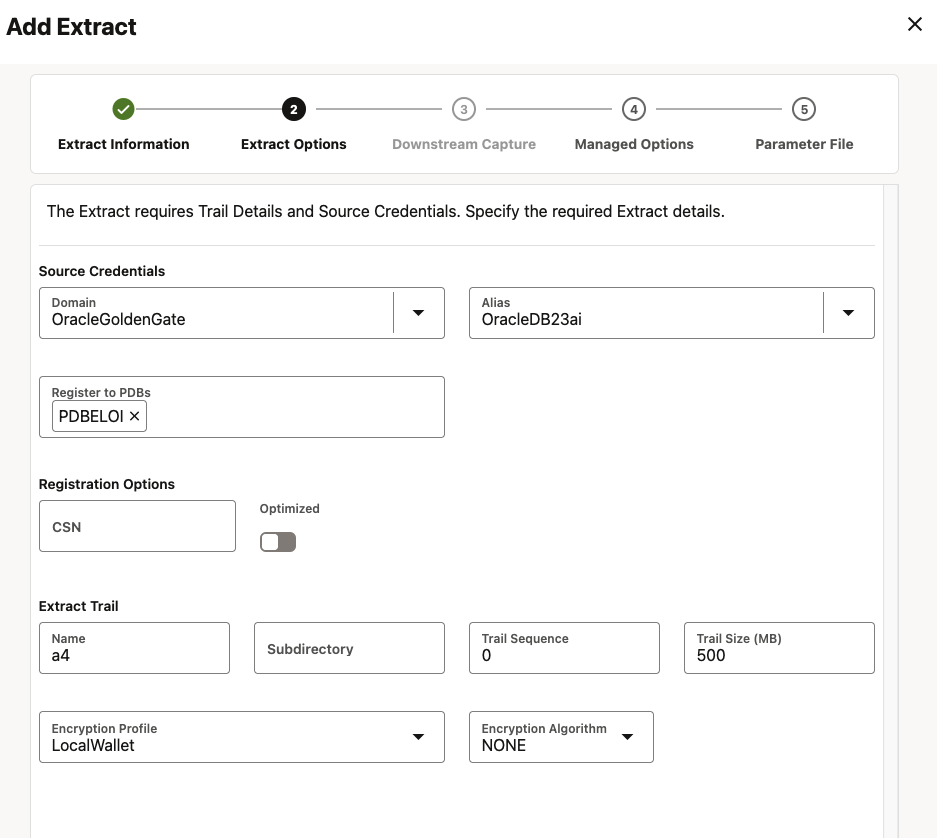
Enter a Trail Name, select the Domain and Alias. Click Next.
Specify which tables and schemas GoldenGate will capture data from in the Parameter Files page, then click Create.
Parameters:
EXTRACT EXT1
USERIDALIAS OracleDB23ai DOMAIN OracleGoldenGate
EXTTRAIL a4
Table pdbeloi.vector.sales_orders;
Creating Replicats
Click Add Replicat (plus icon) in the Replicats panel. Select Integrated Replicat and specify a Process Name for the replicat. Click Next.
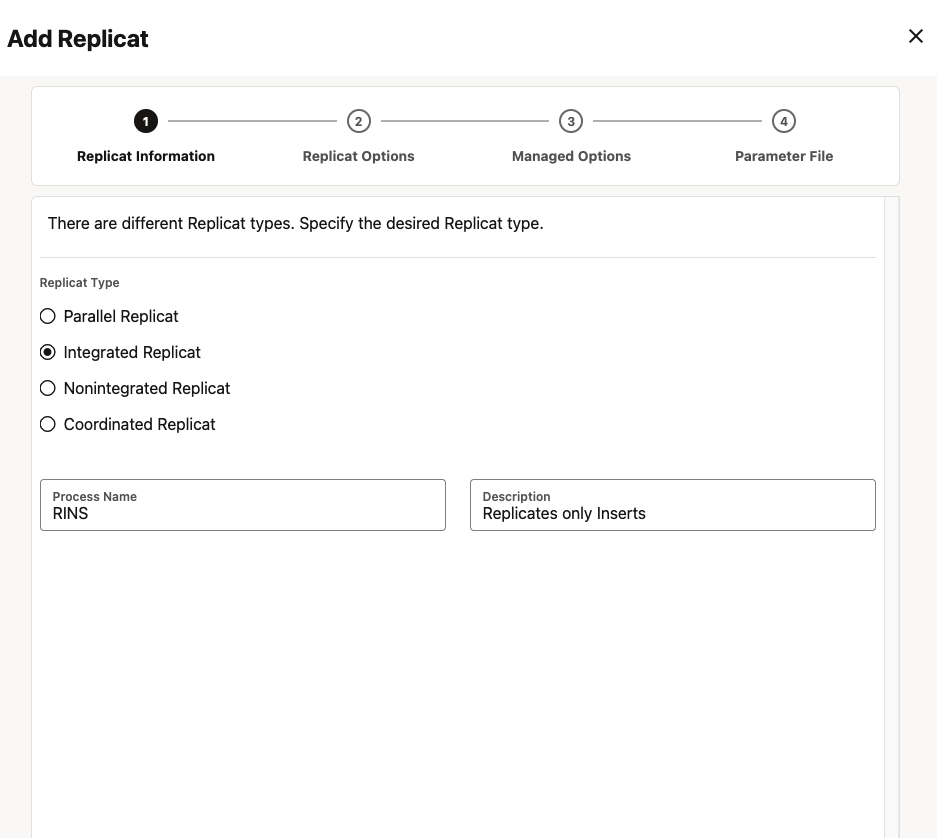
Select a Domain and Alias, and specify the Trail Name (the same one you used for the extract) and Checkpoint Table. Click Next until parameter file.
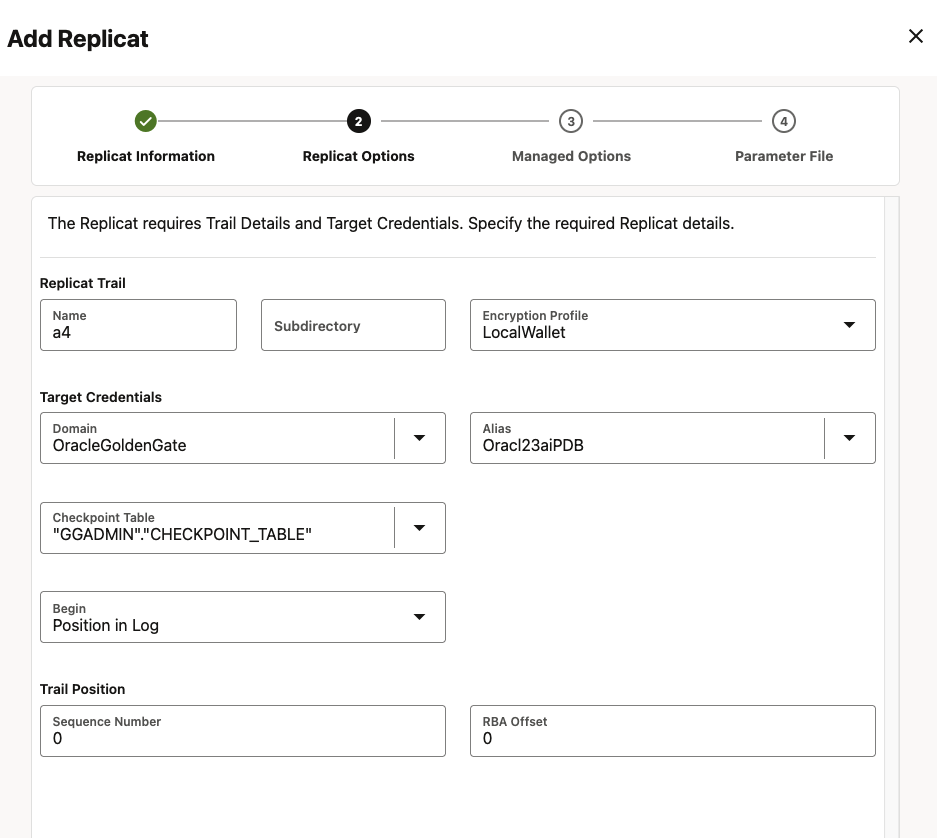
Specify how the source and target tables will be mapped by the Replicat and click Create and Run.
REPLICAT RINS
USERIDALIAS Oracl23aiPDB DOMAIN OracleGoldenGate
IGNOREDELETES
IGNOREUPDATES
MAP pdbeloi.vector.sales_orders, TARGET pdbeloi.vector.sales_orders_vector,
COLMAP (
USEDEFAULTS,
VECTOR_COL = @DBFUNCTION(‘vector.GET_VECTOR(:a0,:a1,:a2,:a3,:a4,:a5,:a6)’)
);
Repeat the above steps for second replicat, except for parameters:
REPLICAT RUPD
USERIDALIAS Oracl23aiPDB DOMAIN OracleGoldenGate
IGNOREINSERTS
MAP pdbeloi.vector.sales_orders, TARGET pdbeloi.vector.sales_orders_vector;
You can watch this short demo with above configuration.
Conclusion
Using Oracle GoldenGate to replicate relational data and convert it on the fly is an excellent option for feeding your AI projects with data from your applications. As with any solution, there are tradeoffs. This blog demonstrates how to leverage the newest capabilities of Oracle Database 23c and GoldenGate 23c. Be mindful that with high data volumes, you may experience some slowness on the target side due to on the fly conversions. Additionally, to avoid performance issues, it is advisable to select only the essential tables for data vectorization.