
There is no denying that human error accounts for one of the major causes of security breaches.
This happens when security controls are complex or when there is no easy way to identify misconfigurations. The best way to prevent human error is to enforce the right security posture from day 1, right when the resources are created.
OCI security zones provide a way to enforce prescriptive security controls that prevent misconfiguration and coupled with OCI Cloud Guard, add monitoring and detective capability.
In Sep 2020, Oracle released Maximum Security Zones service which enforces the highest level of security but many customers need more control over choosing the desired security policies based on their individual requirements. OCI custom security zones service now generally available allows exactly that. Customers get to choose and enforce security policies to desired target compartments. This ensures that resources are never created with weak security and avoids human error from the start.
Security Zones automatically enforce security standards and best practices on resources in selected compartments. Users cannot create or update a resource in a Security Zone if the action violates a Security Zone policy.
A security zone is an association of a security zone recipe to a compartment and a security zone recipe is composed of security policies.
Creating a Security Zone is simple.
1) Enable Cloud Guard in your cloud tenancy – A new security zone becomes a Cloud Guard target and helps with ongoing zone monitoring.
Custom Security Zones paired with Cloud guard support prevention, detection, and monitoring.
When a zone is created and gets associated to a compartment with existing resources, any violations by existing resources will be detected and surface as Cloud Guard problems.
The problems are listed under each security zone and more details become available from the Cloud Guard dashboard.
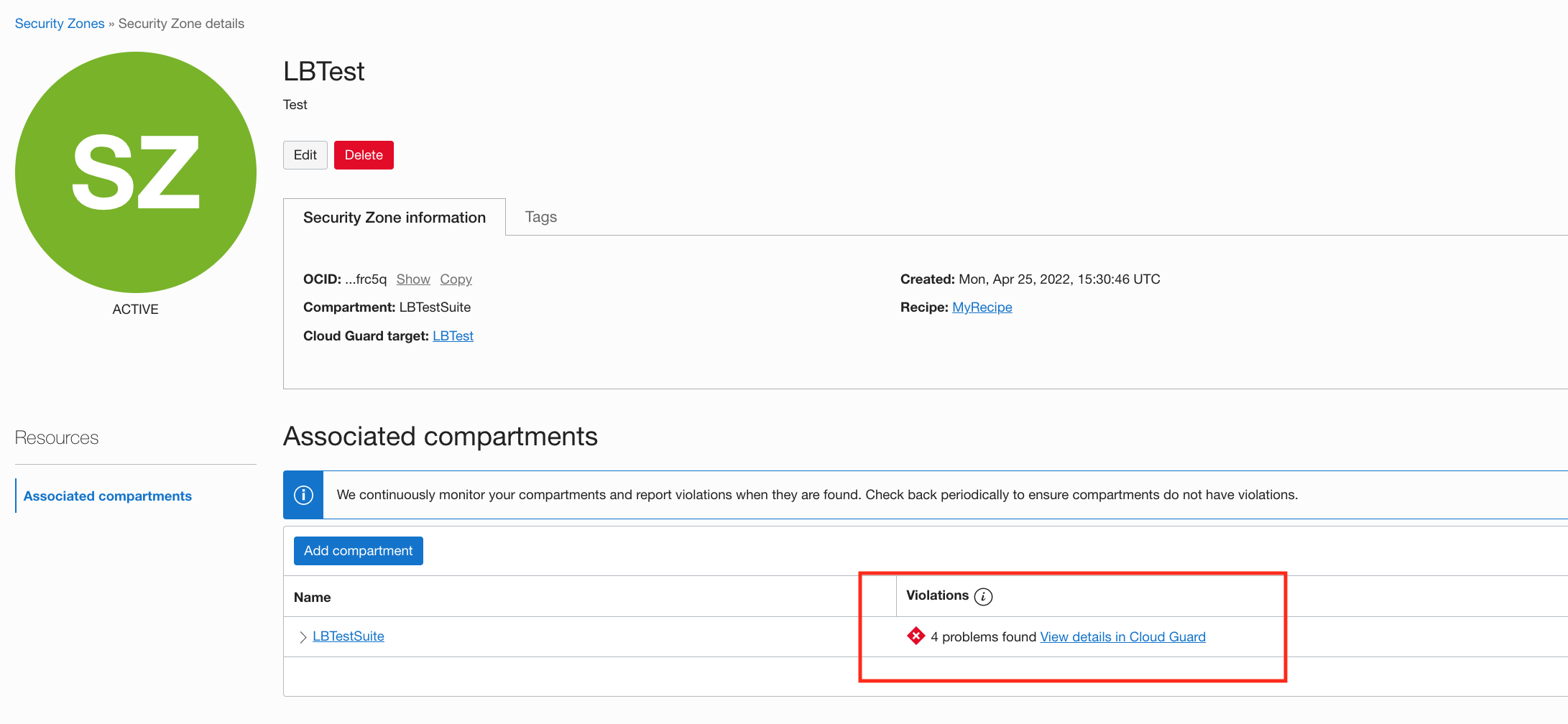
2) Create a new recipe – You may create a new recipe or use an existing recipe in Step 3.
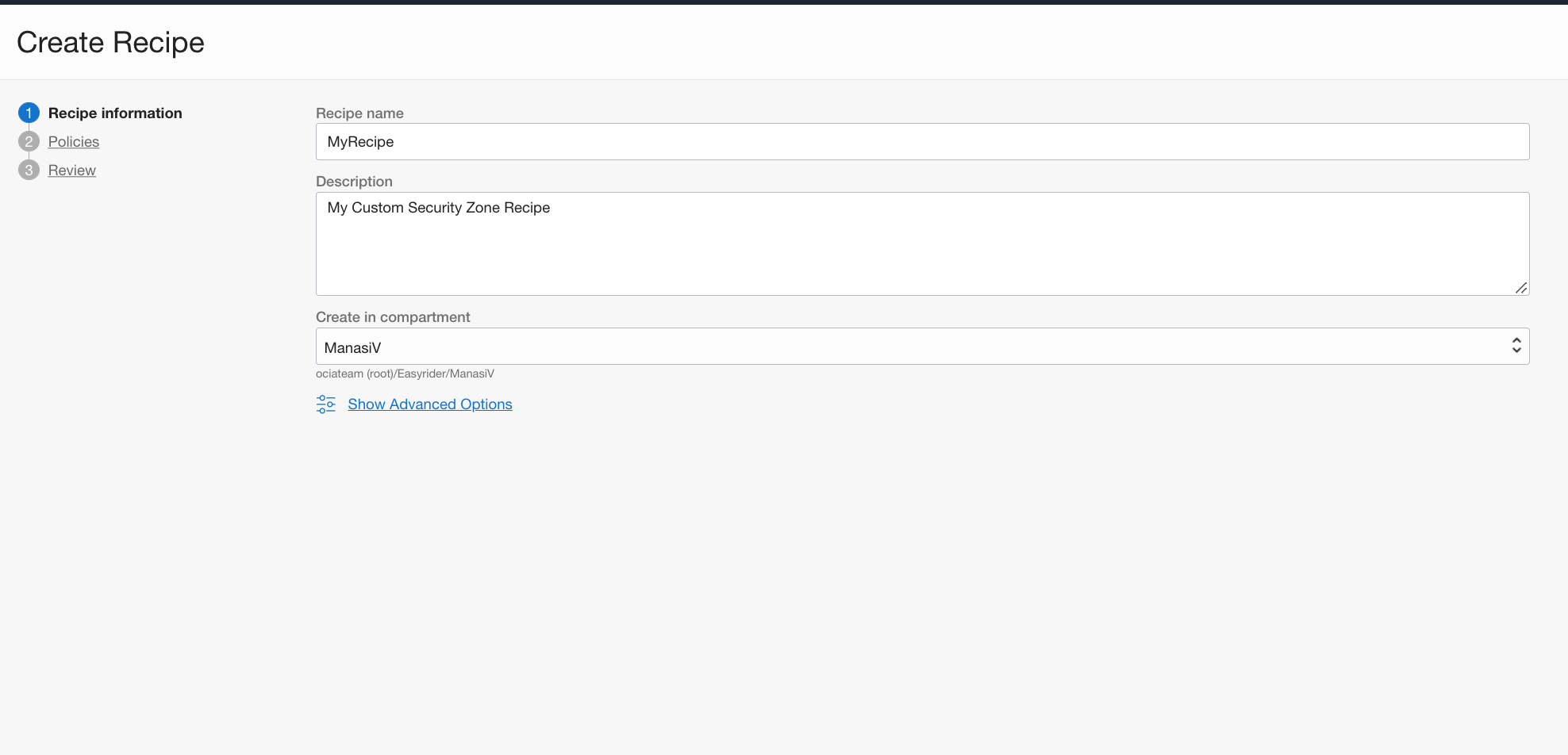
A security recipe is a set of chosen security policies.
To create a new recipe, login and navigate to OCI Console -> ‘Identity and Security’ -> ‘Security Zones’ -> ’Recipes’
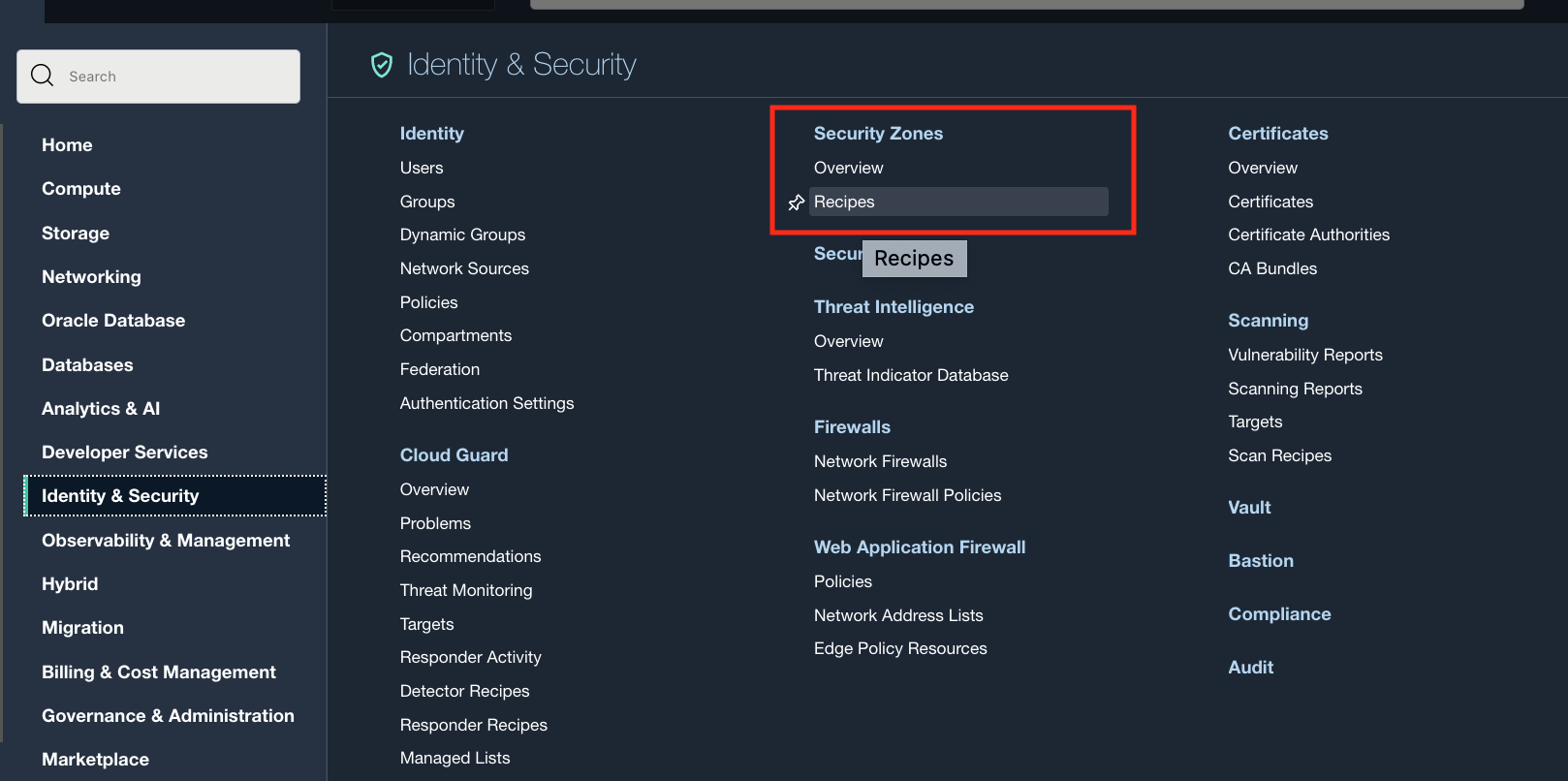
Click ‘Create Recipe’.
Then pick and choose the desired policies.
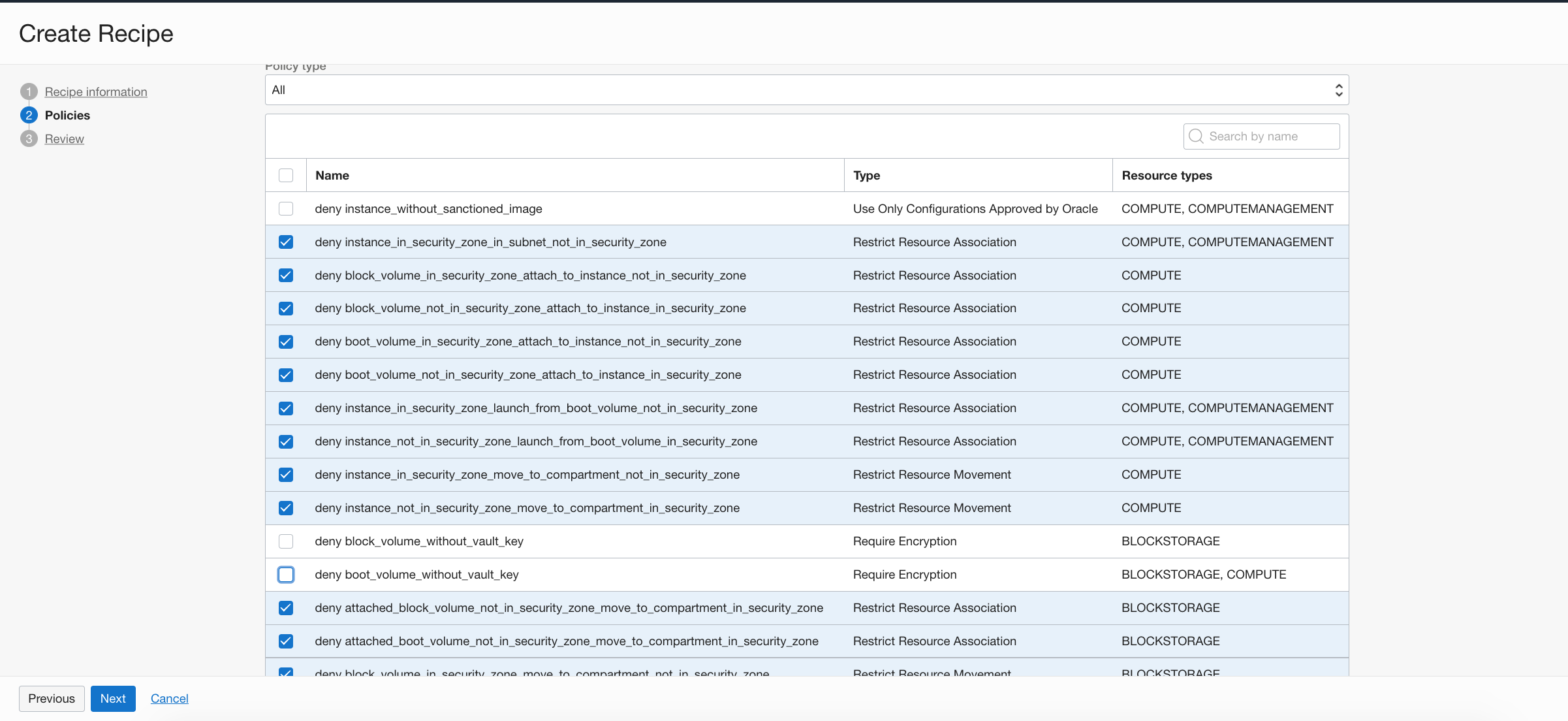
Click Next, Review and Save.
3) Create a Security Zone – Once the desired recipe is created, navigate to OCI Console -> ‘Identity and Security’ -> ‘Security Zones’ -> ’Overview’
Choose the compartment to which you wish to associate a security recipe and click ‘Create Zone’.
You can either choose Oracle-Managed recipe or a Customer-Managed recipe. The recipe we created in Step 2 is a customer managed recipe.
Oracle-managed recipe is most restrictive with all the security policies enabled.
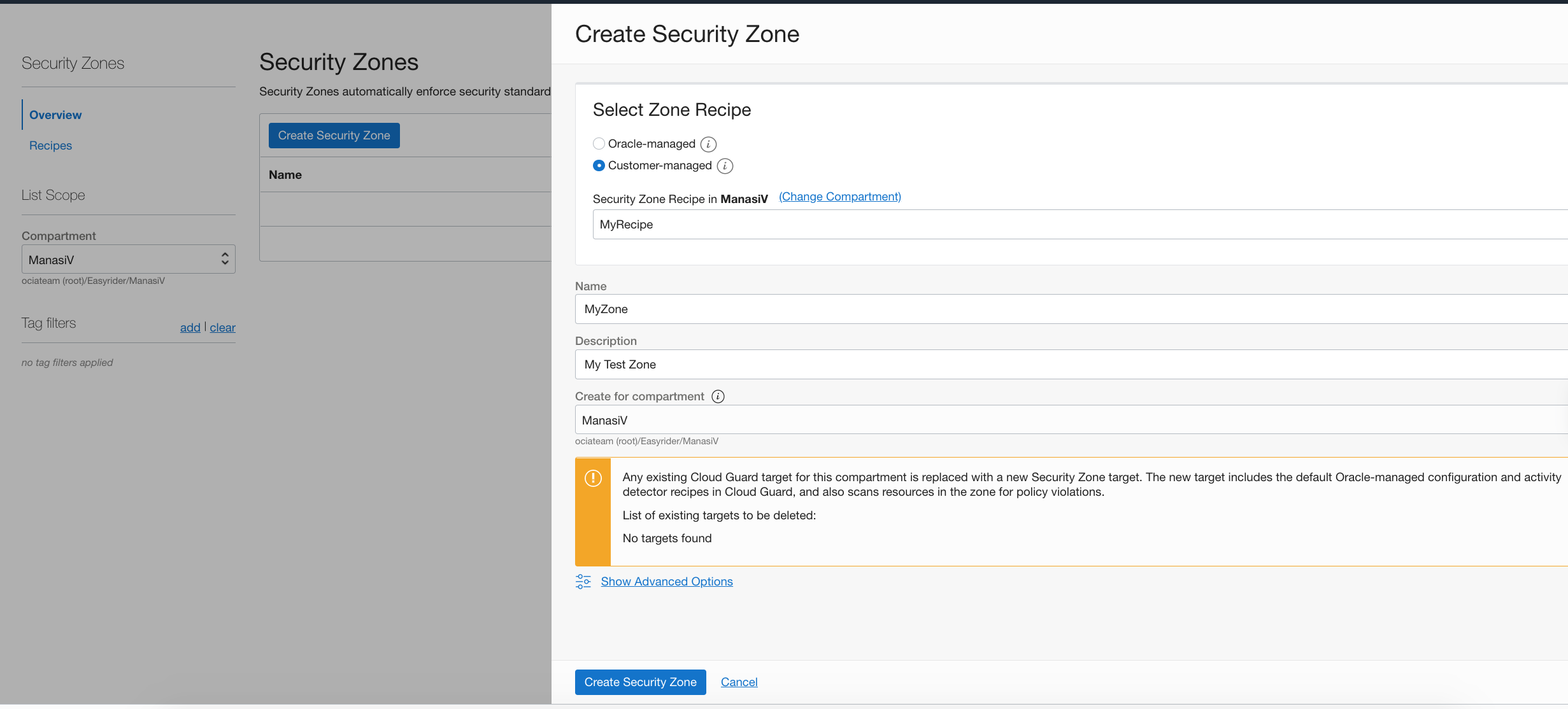
You can only assign a single security recipe per Compartment. Child compartments inherit the security policies of a parent compartment, but you can assign a new recipe to a child compartment if you wish to override.
Once the zone is created, Cloud Guard will continuously monitor and detect any violations that may have occurred because of existing resources in a compartment or if a security policy is updated in a zone.
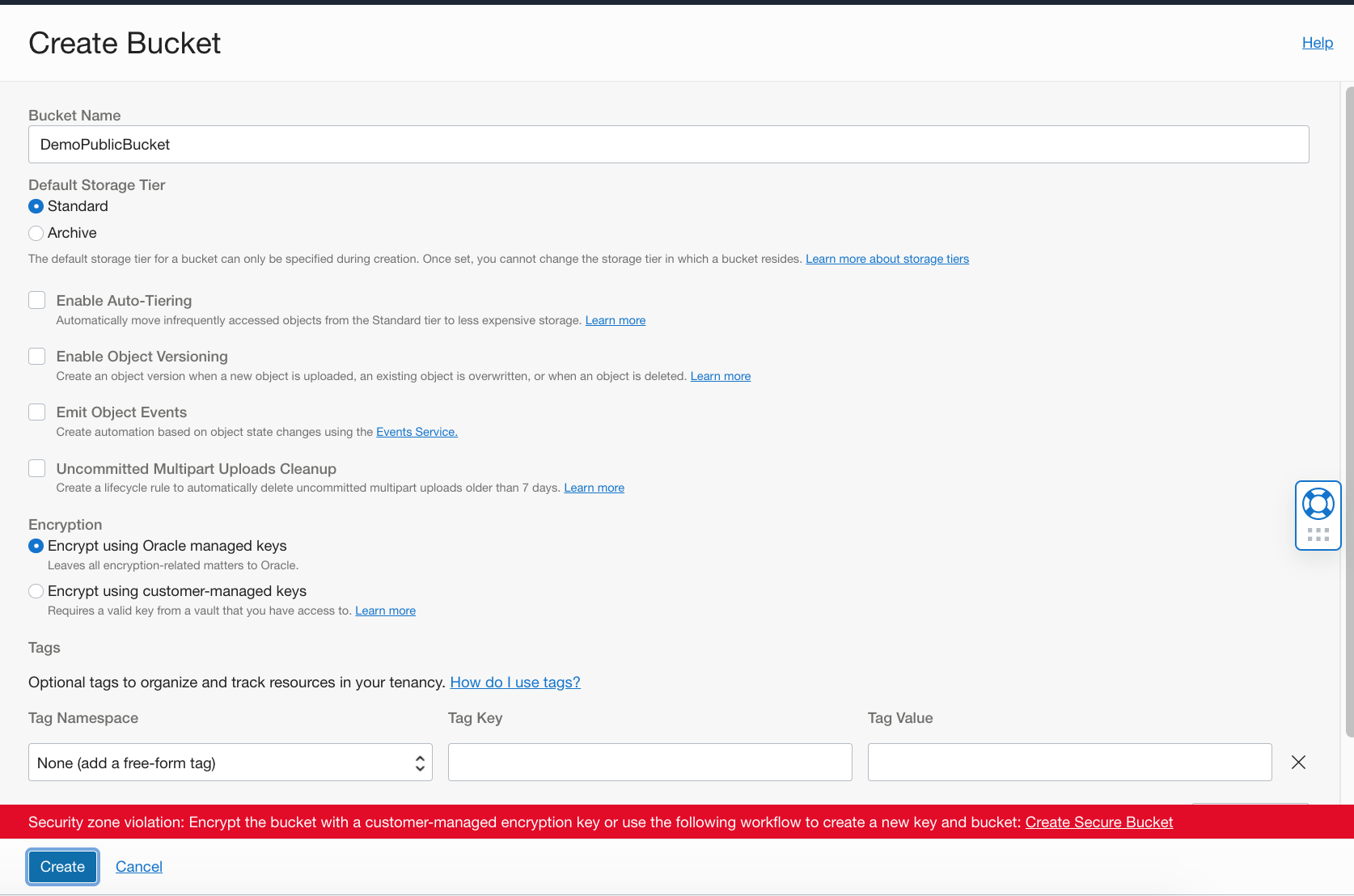
Any new resource creations that violate the security recipe, will not be allowed.
Summary
Custom Security Zones are now generally available and coupled with Cloud Guard strengthen the security posture of a customer’s OCI tenancy.
Custom Security Zones are simple to setup and can be applied to a root or parent compartment to enforce the same set of policies to child compartments or different zones can be added depending on the workloads.
Custom Security Zones service is free of charge, flexible yet simple and powerful to ensure human error and misconfigurations are eliminated from the start. Go ahead and give it a try.