
Use case
Most of the enterprise adapting to Multi Cloud and Hybrid Cloud strategy and their legacy/custom/cloud-native web applications are hosted on different cloud providers and on-prem datacentre. Instead of requiring all applications to add the OpenID Connect flows directly, API Gateway can enforce access in a standardised manner on the network. API gateway can act as centralised security module which implements OpenID connect flow so that the web applications can offload the security implementation to API Gateway. This will optimise the costs associated with implementation, maintenance and complexity.
This blog will discuss steps to secure any web application using the OIDC feature of OCI API Gateway along with logout functionality.
Overview of API Gateway
API gateway is a serverless fully-managed service in OCI that can be used to protect API endpoints and web applications. It provides many security functionalities like rate limiting, authorization enforcement, dynamic routing, SSL enforcement, and many more
Overview of OpenID Connect
The OpenID Connect (OIDC) protocol is a simple identity layer on top of the OAuth 2.0 protocol. OpenID Connect enables different types of applications, such as browsers, mobile applications, and desktop clients, to support authentication and identity management in a secure, centralised, and standardised way. Apps based on the OpenID Connect protocol rely on identity providers to securely handle authentication processes and verify user identities.
If you are interested, you can find more information about the OAuth standard and OIDC here.
Guide to Secure Web applications using OCI API Gateway OpenID authentication
Oracle IDCS Domain Configuration
Please refer the blog and section “Identity Domain Configuration” for IDCS configuration.
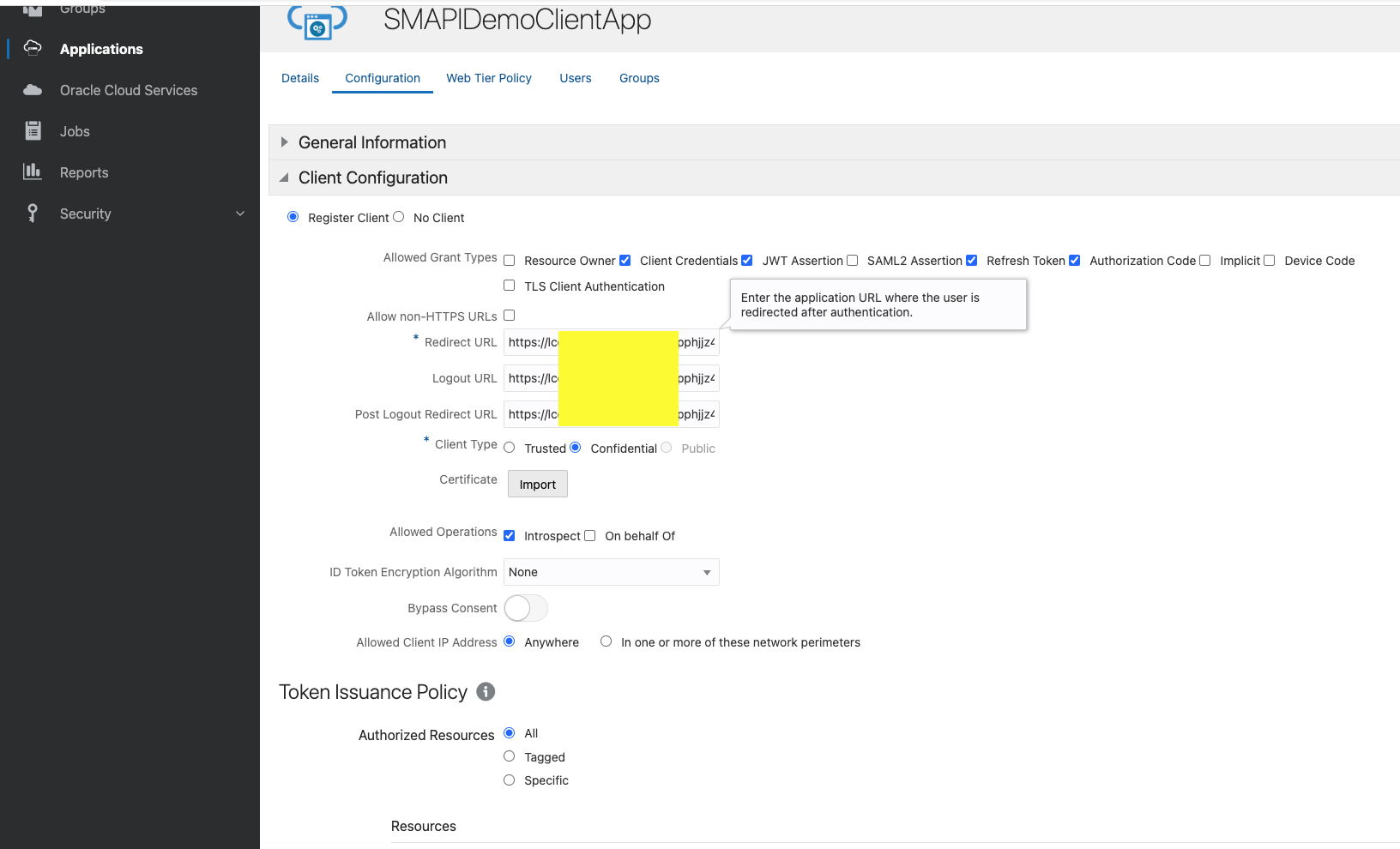
Redirect URL:
https://lcoxxxxxxxxxxxjjz4.apigateway.us-ashburn-1.oci.customer-oci.com/ic/builder/rt/MasterDetailDetail/1.0/webApps/webapp1/
Logout URL:
https://lcoxxxxxxxxxxxjjz4.apigateway.us-ashburn-1.oci.customer-oci.com/ic/builder/rt/logout?postLogoutUrl=https://lco2mfhekpbuunh3f4mpphjjz4.apigateway.us-ashburn-1.oci.customer-oci.com/ic/builder/rt/home
Post Logout Redirect URL :
https://lcoxxxxxxxxxxxjjz4.apigateway.us-ashburn-1.oci.customer-oci.com/ic/builder/rt/home
Create Secret in OCI Vault
Step 1 : Create Master Key.
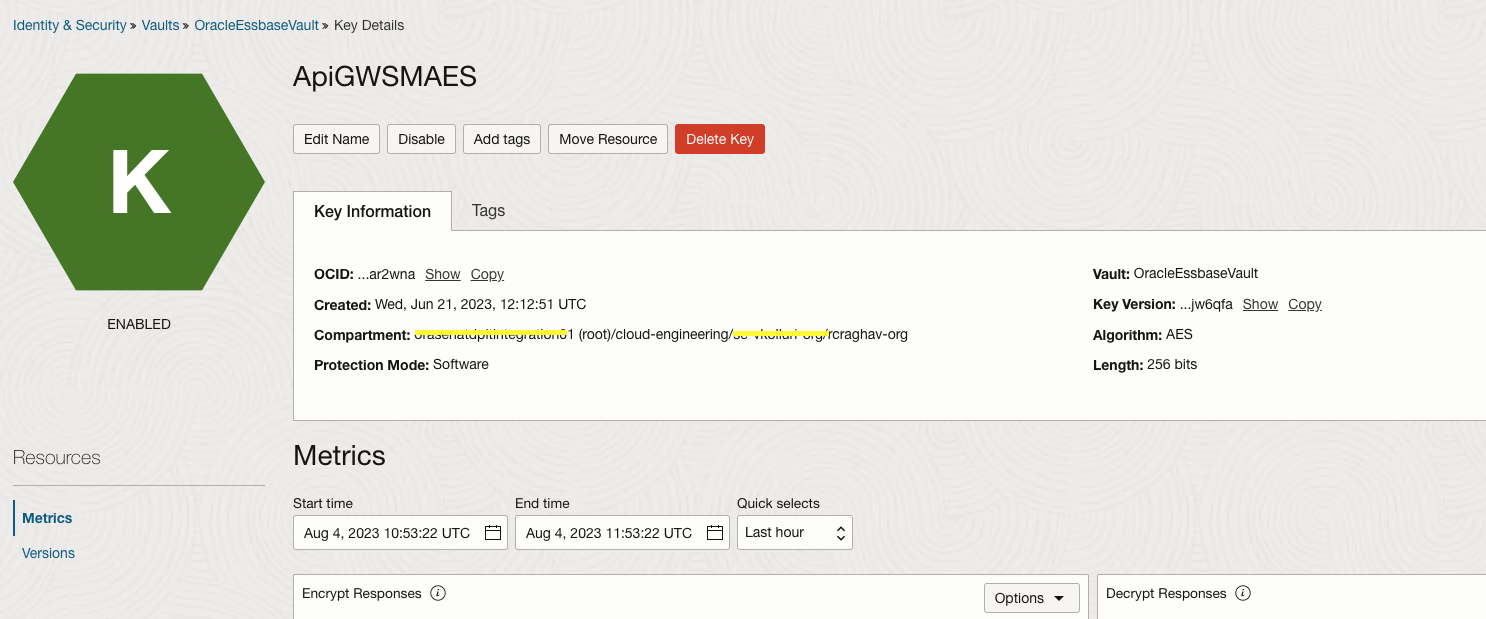
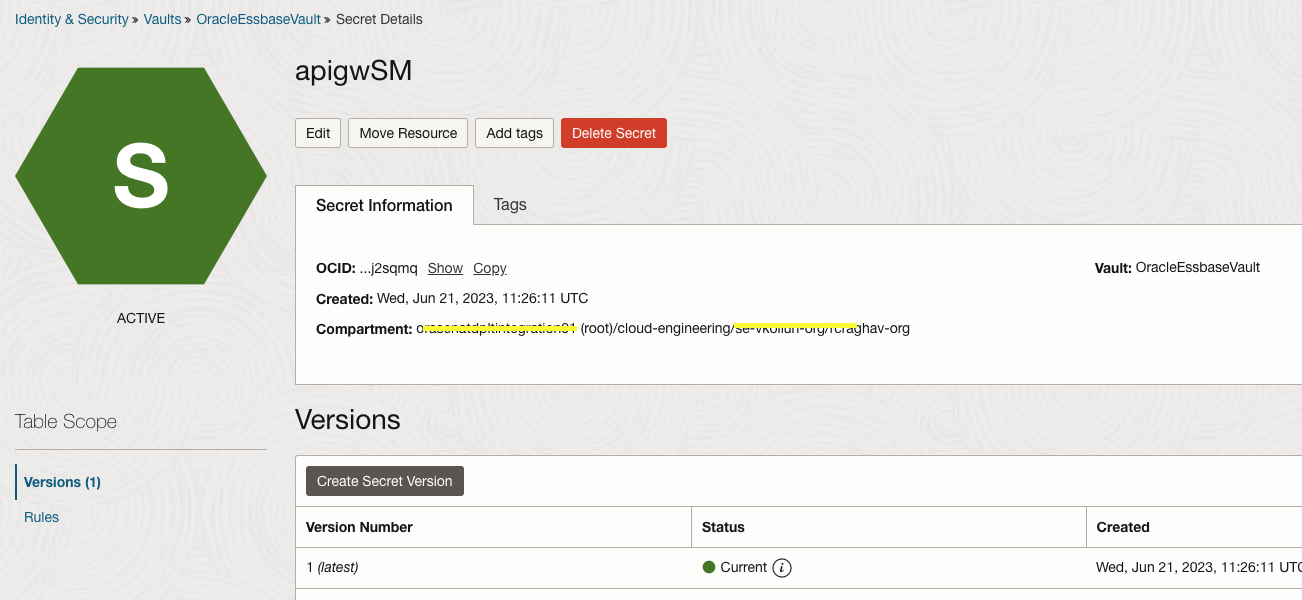
Step 2: Create a Secret
Create Policy:
Note: API gateway requires OIDC client ID and client secret. You have to store the client secret in the OCI vault and create an IAM policy so that the API gateway can read the secret
Step 1 : Create Dynamic Group
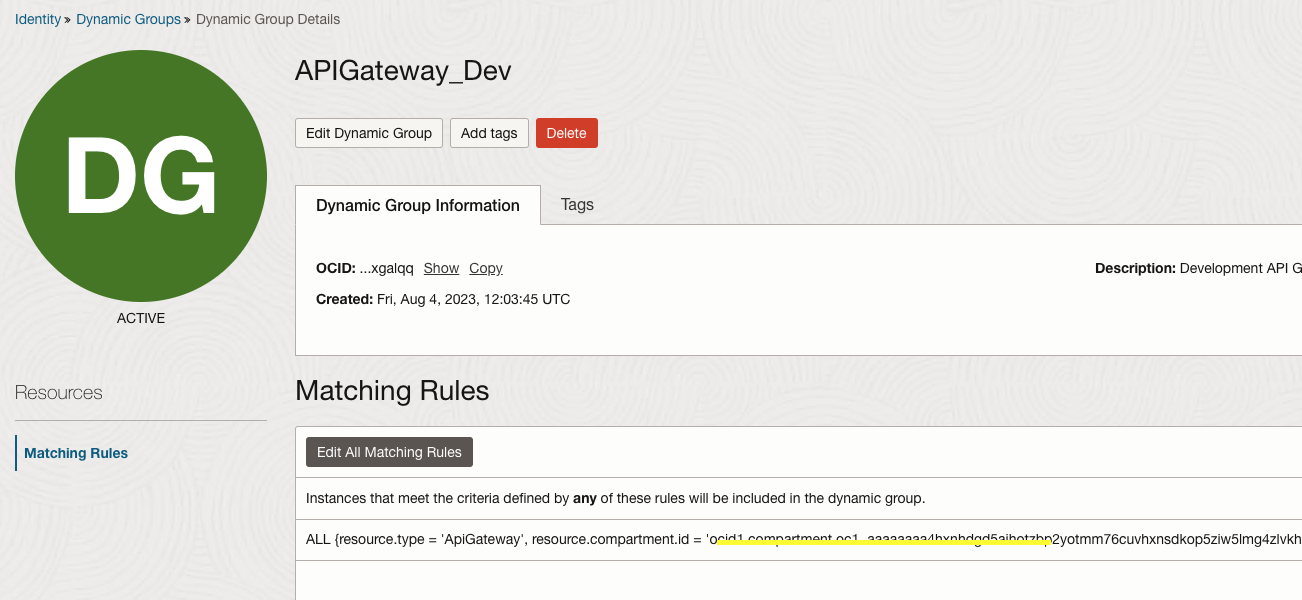
Step 2 : Create Policy
Allow dynamic-group “APIGateway_Dev” to manage secret-family in compartment rcraghav-org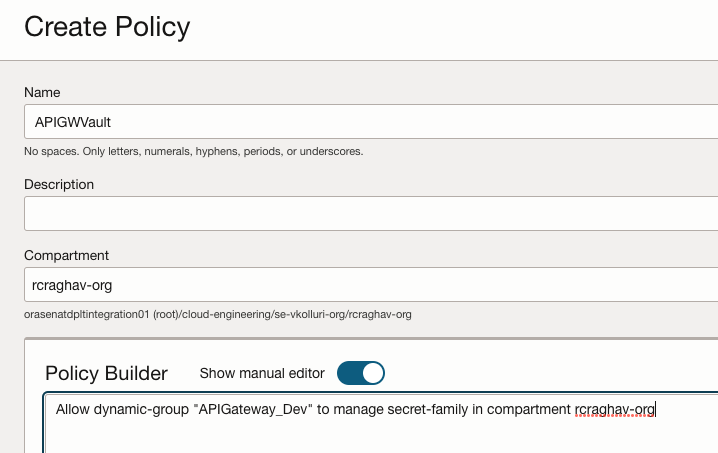
API Gateway Deployment Configuration
You can follow the steps here to create an API gateway deployment.
Step 1 : Edit deployment
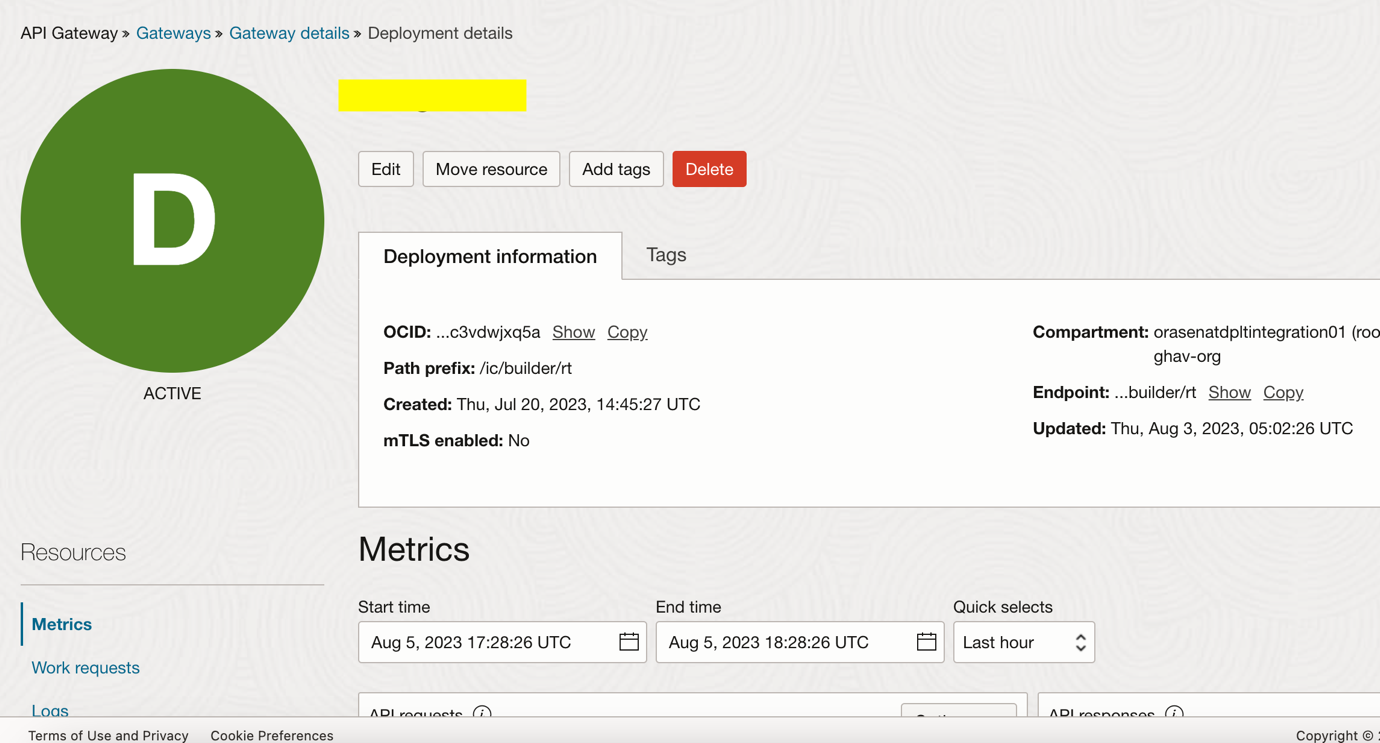
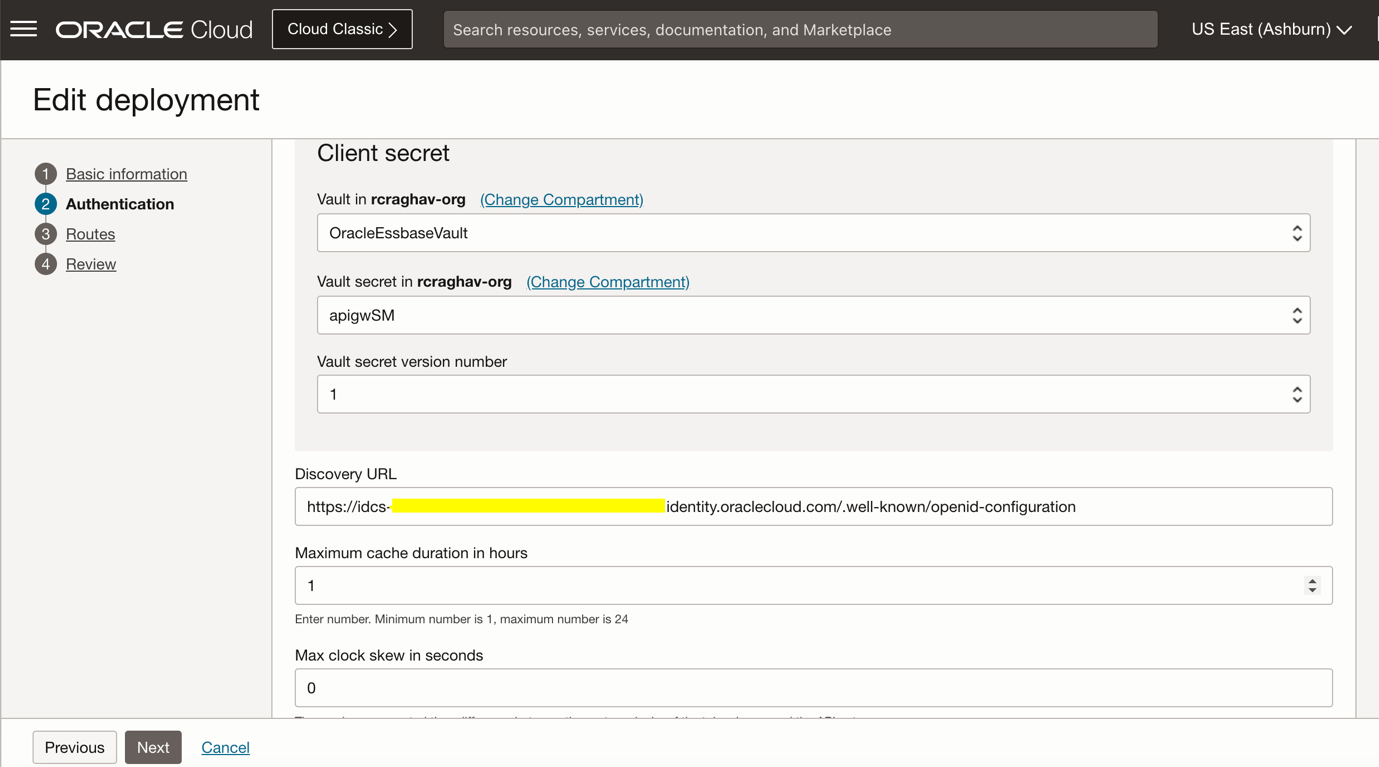
Step 2 : Configure the Authentication section as below.
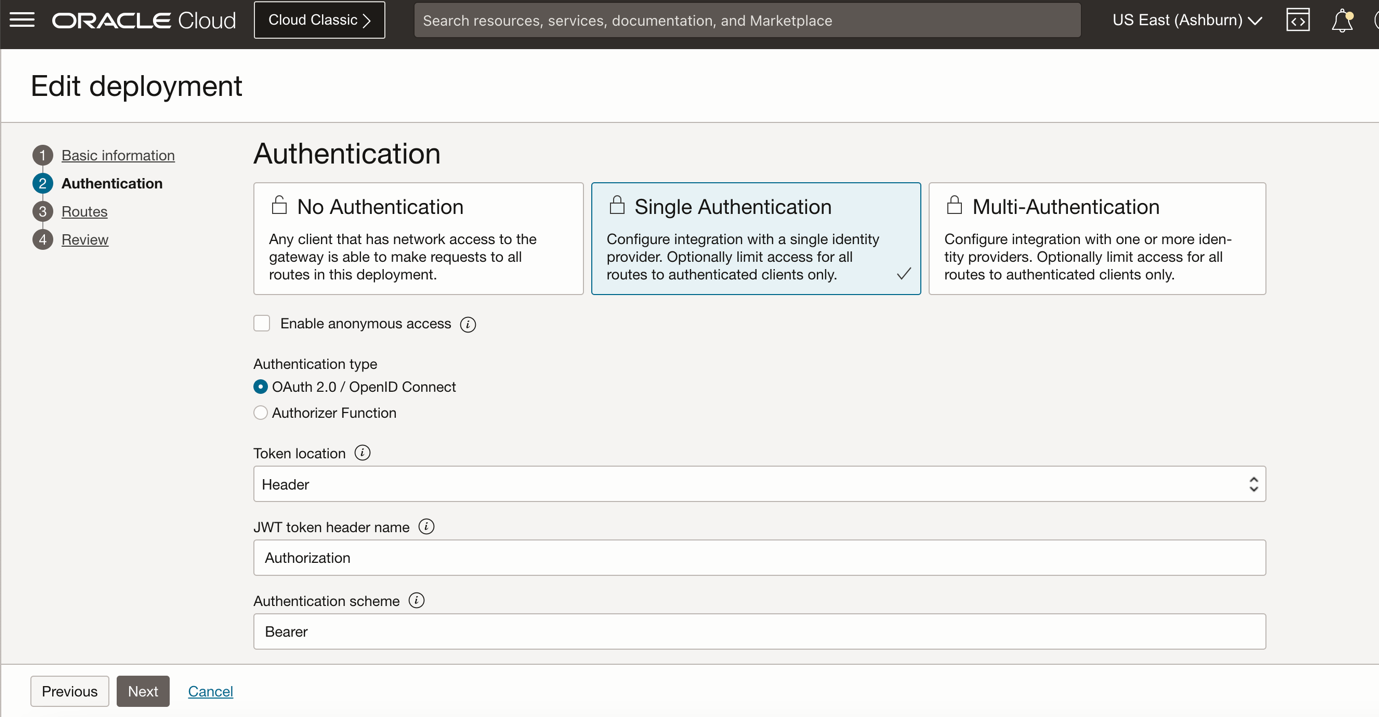
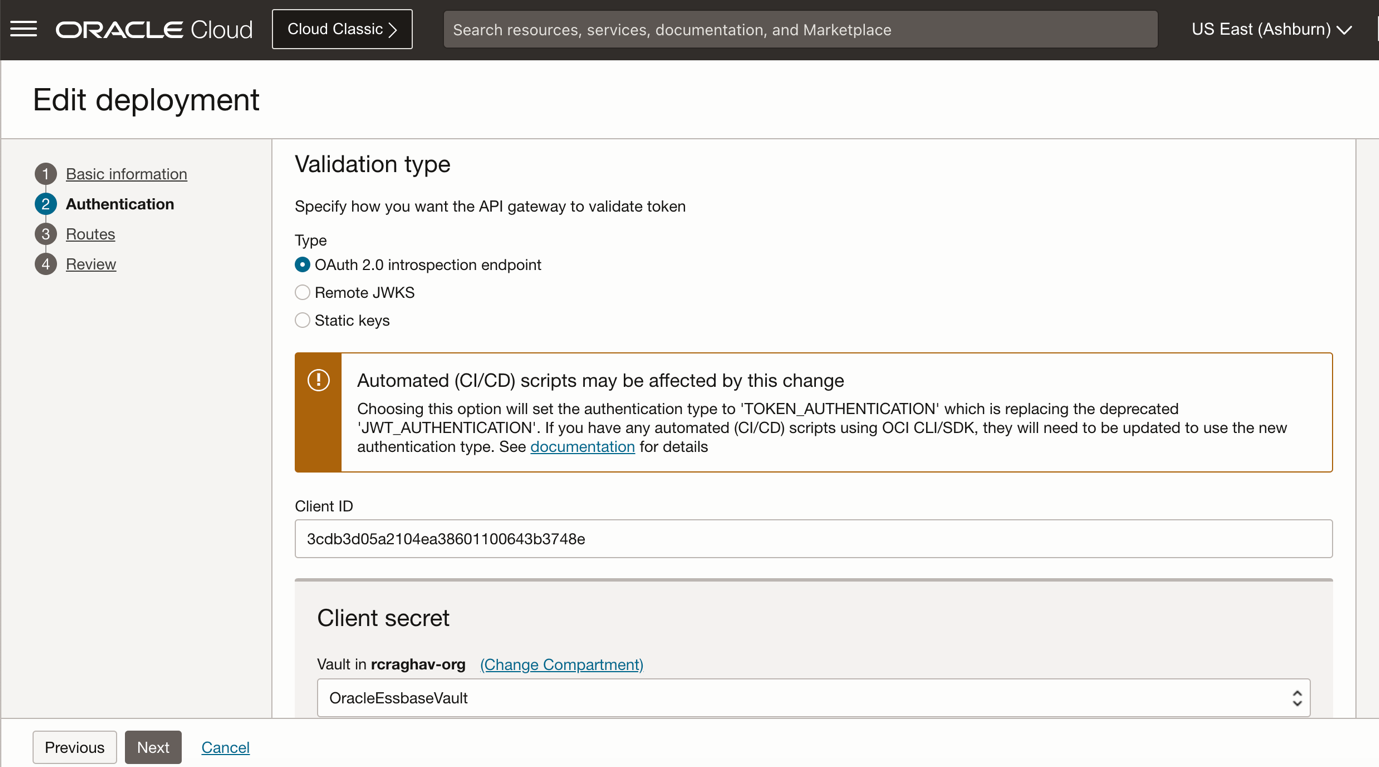
a) Use the Client ID generated from the IDCS configuration from the earlier step.
b) Select the secret that we just created.
a) Configure the IDCS discovery url from your choice of Idp Provider.
https://idcs-4XXXXddcfabc52af290.identity.oraclecloud.com/.well-known/openid-configuration
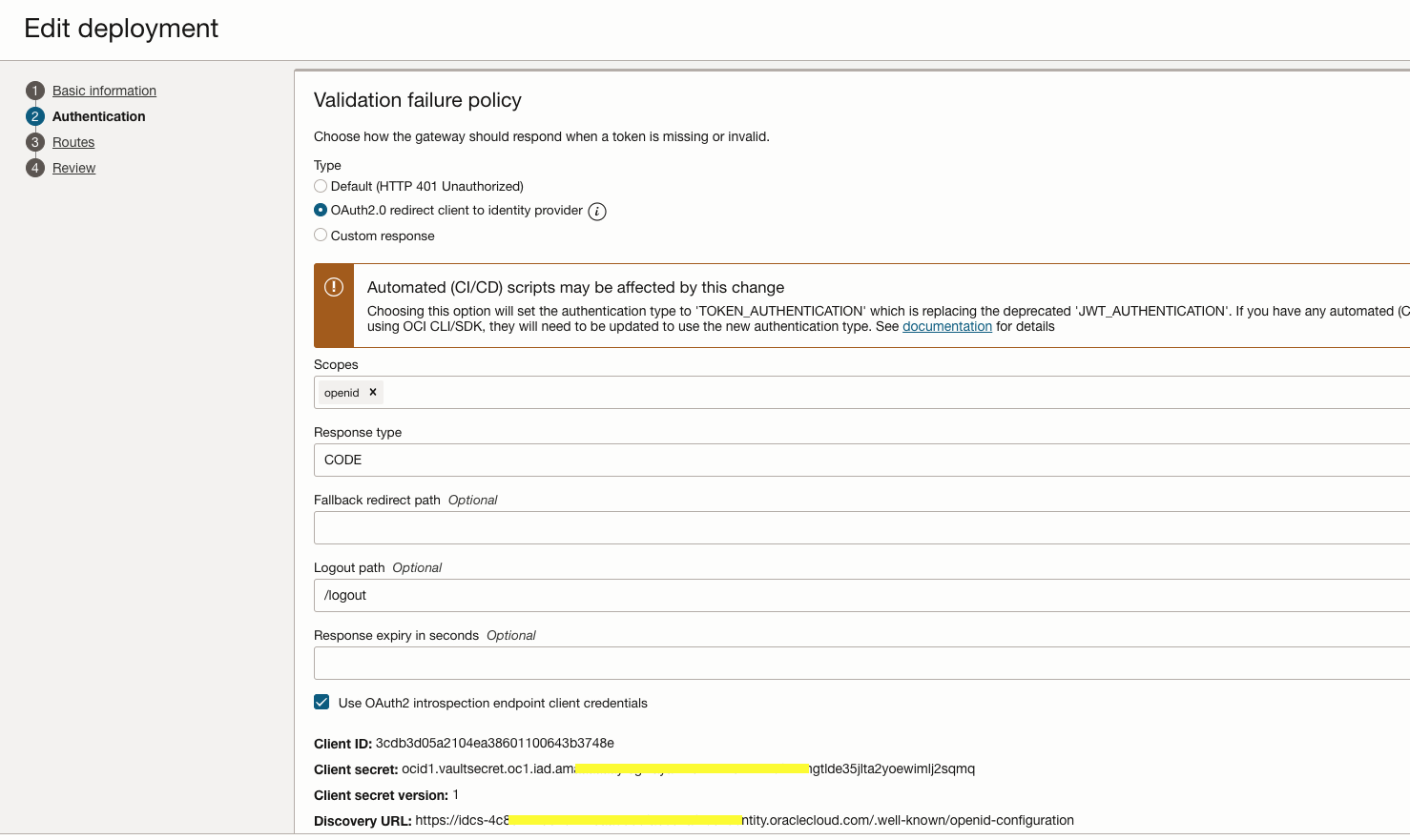
Select the validation failure policy to “OAuth2.0 redirect client to identity provider” and specify the logout path.
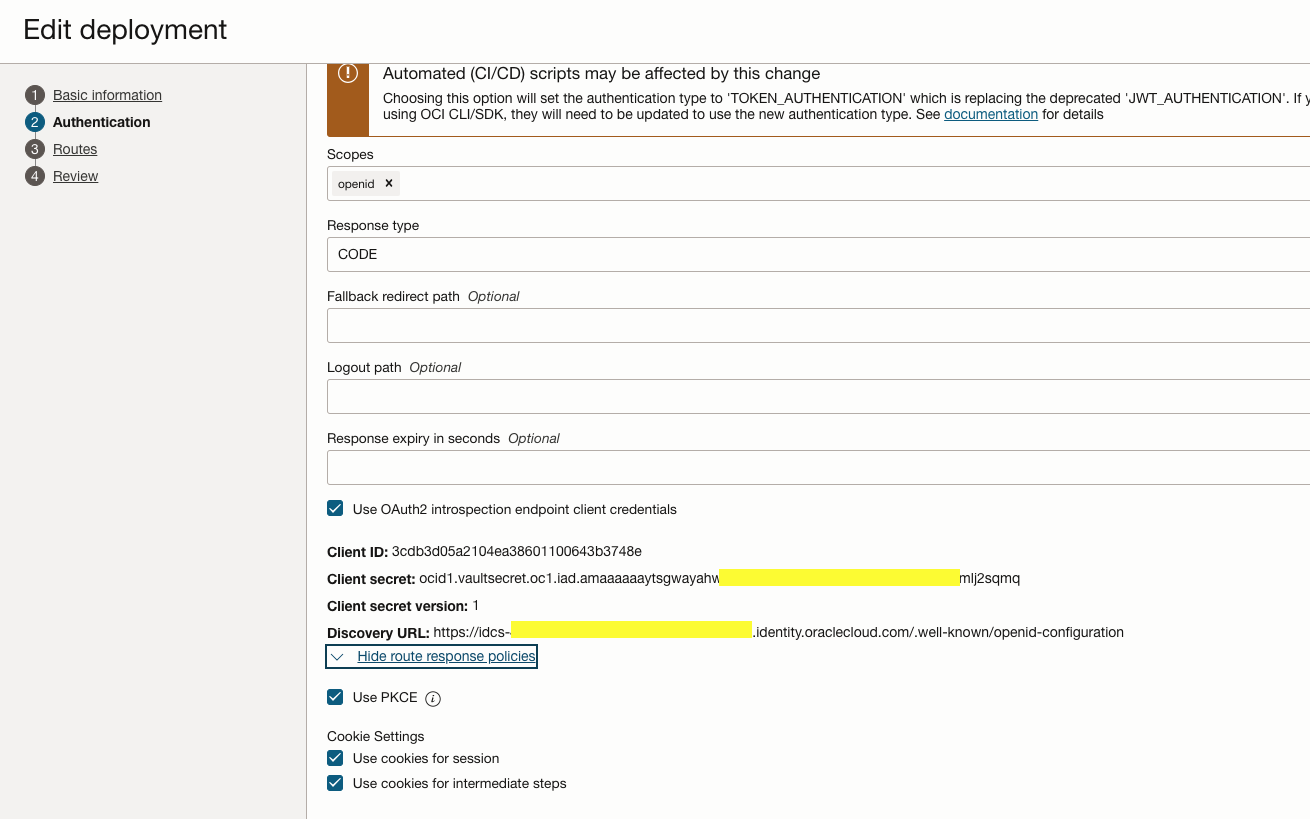
Enable to cookie settings and PKCE.
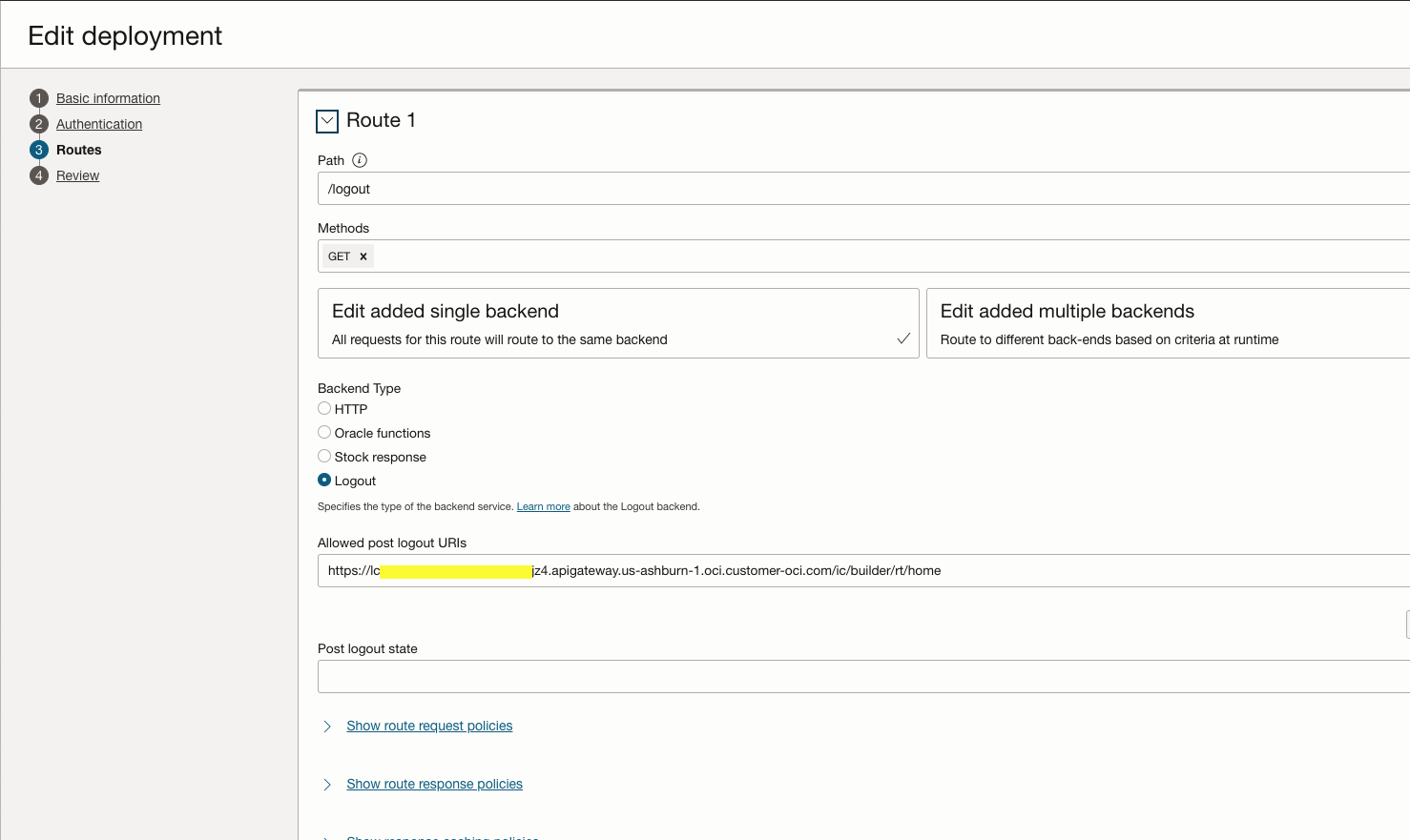
Step 3 : Configure the Route1 as below. This route will be executed for the logout request from the client.
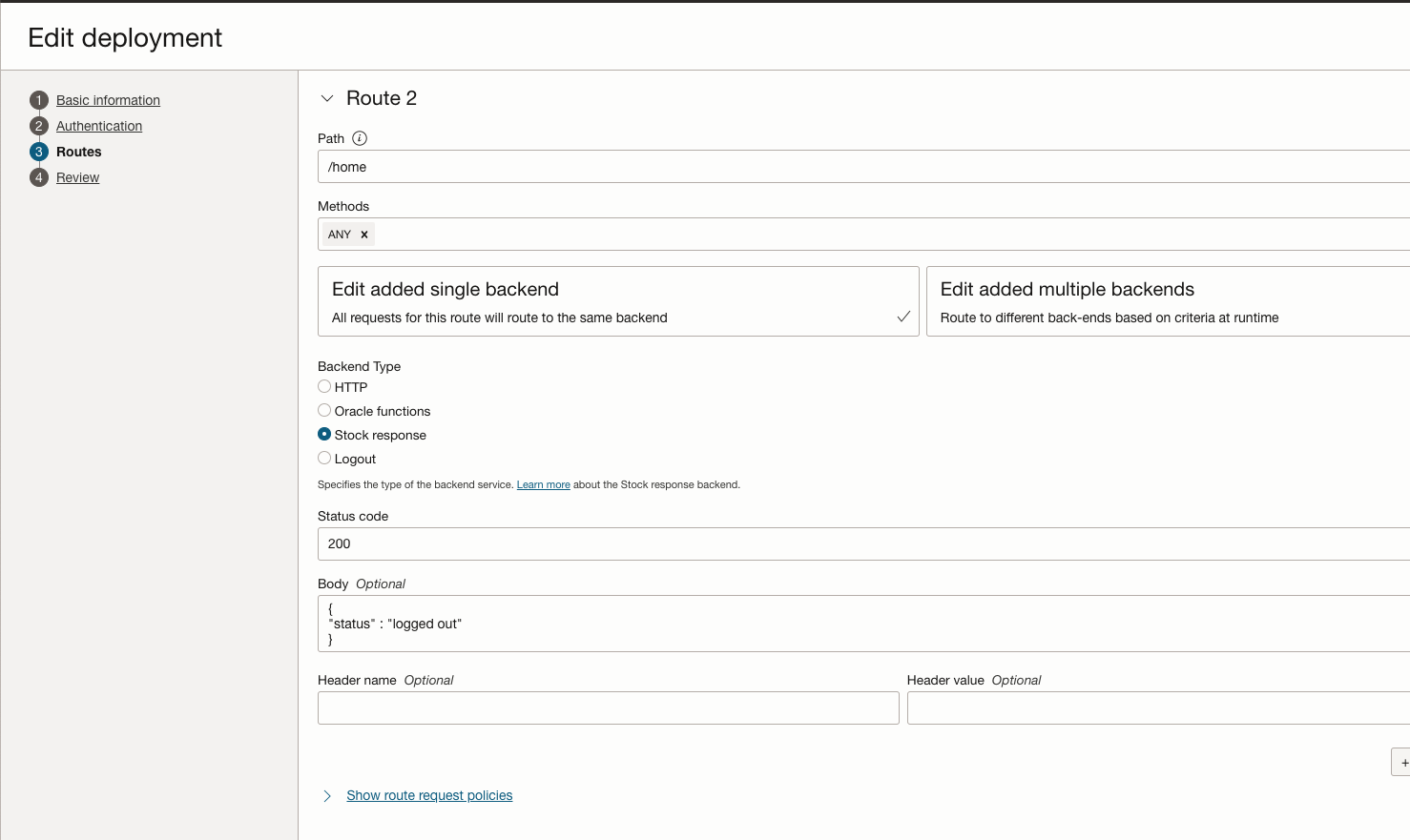
Step 4 : Configure the Route2 as below. This route will be executed on the successful logout of the user session.
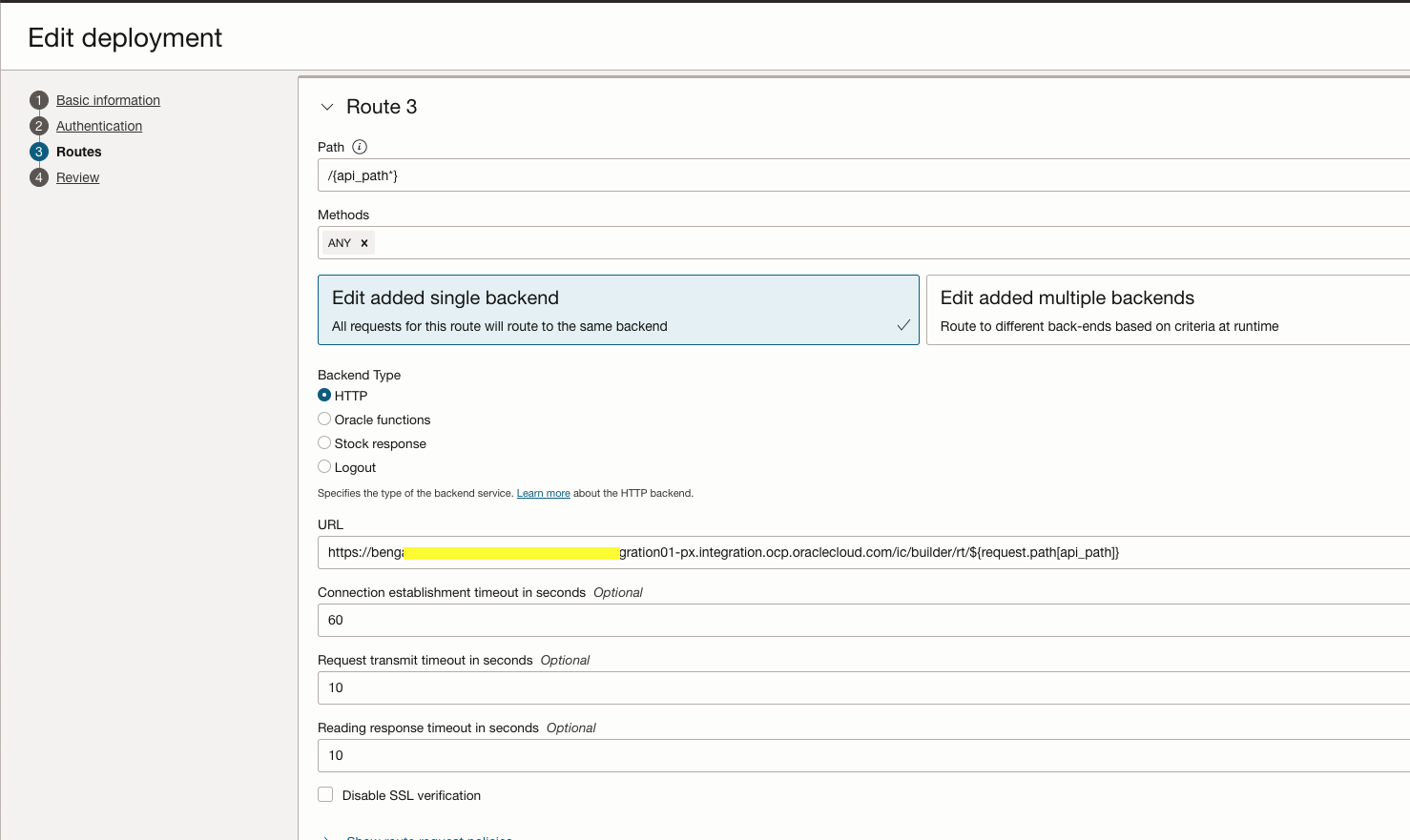
Step 5: Configure the Route3 as below. This route gives the web application access to the user on successful OpenID authentication.
Save the Deployment
Test:
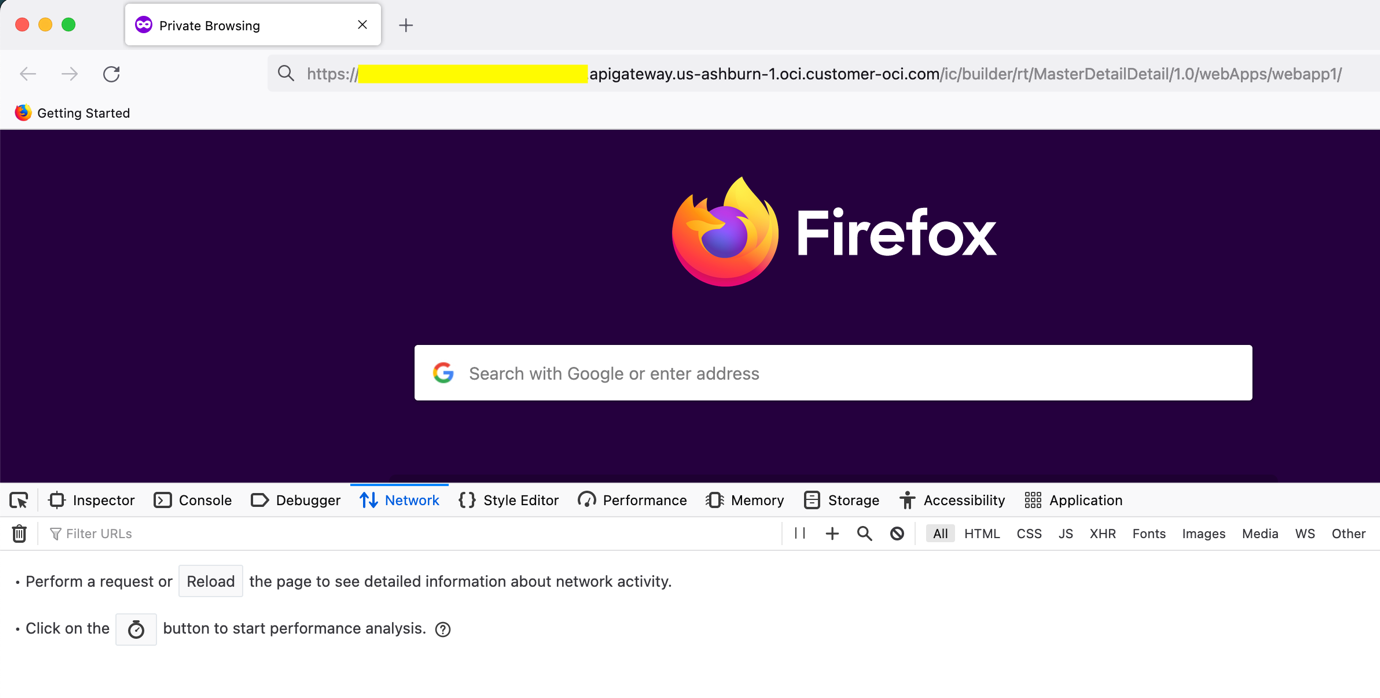
Step 1 : Replace the API gateway hostname in the applications web url and Open from browser.
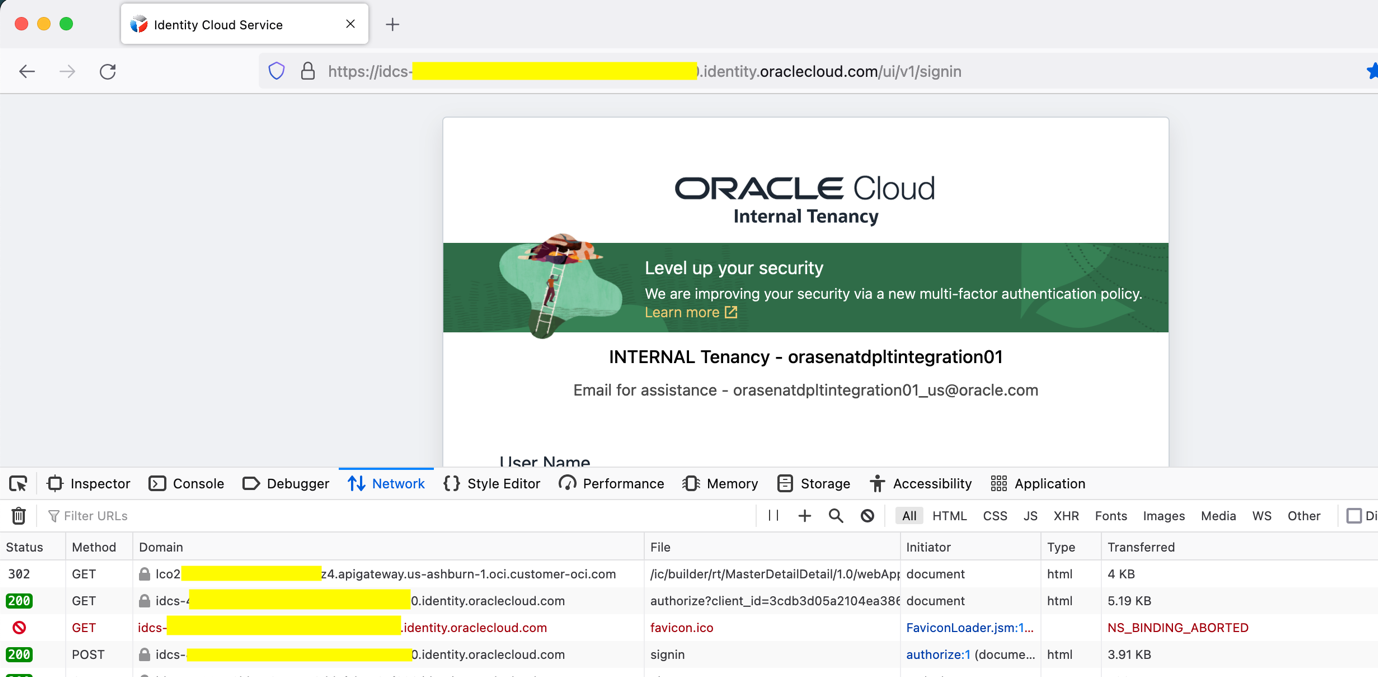
Step 2 : API Gateway redirect the user to IDCS login page as the initial validation fails.
Step 3: User will be redirected to web application home page on successful login.
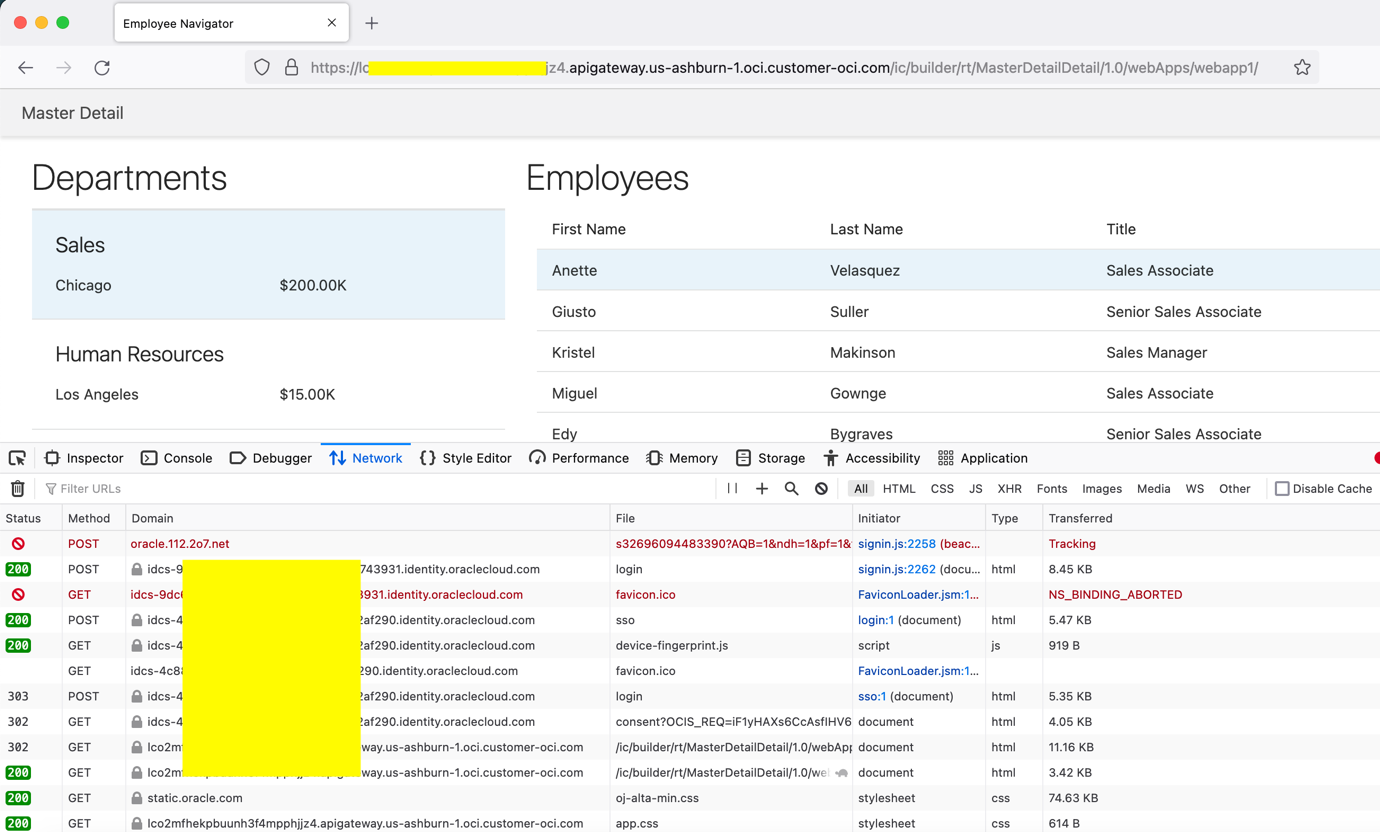
Step 4 : Run the Logout URL (refer IDCS configuration) from the browser . It invalidates the user session , cookies and redirects the page to Post Logout Redirect URL.
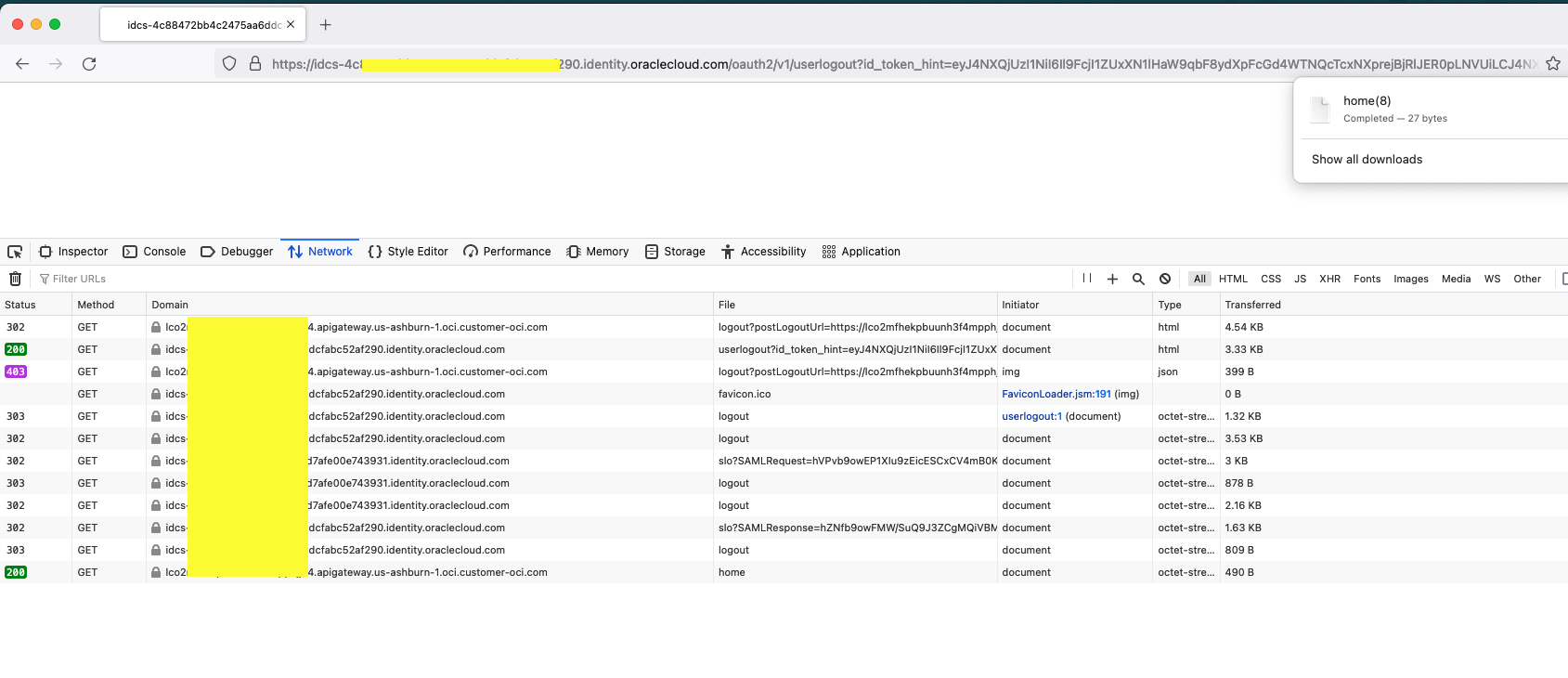
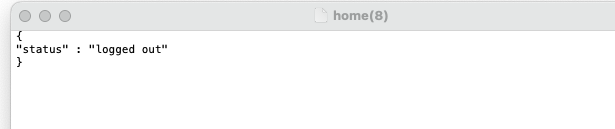
If the user attempt to access the application page again , the user will be redirected to IDCS sign in page for the login again.
Learn more
To learn more about API Management with Oracle Cloud Infrastructure, visit API Management.
API Gateway OIDC support announcement
For details about the OpenID Connect specifications, see OpenID.