
Oracle Cloud Infrastructure (OCI) Resource Scheduler is a service designed to automate the scheduling of actions on OCI resources. It allows users to define and manage schedules for various operations on their cloud resources, helping to optimize resource utilization, manage costs, and improve operational efficiency.
What we aim to achieve is to utilize the Resource Scheduler service to perform actions on a specified service (such as a VM instance). We will leverage the service event rules to invoke a function based on these scheduled actions. Below is a pictorial description of the process.

I wanted to write this blog to explore a method for running a function periodically. The specific use case I aimed to address is ensuring that OCI Tenancy Administrators do not have any associated API keys. API keys can pose a significant security risk if compromised, granting extensive access to OCI resources and potentially allowing unauthorized actions. Managing and minimizing unnecessary API keys is crucial for mitigating unauthorized access risks.
Previously, I wrote a blog on how to check if OCI Tenancy Administrators have API keys. However, a periodic check is necessary to maintain security continuously. Therefore, I developed a function to perform this check, deployed it, and verified its ability to delete API keys when found.
To run this function periodically, We have several options, I chose employing a Resource Scheduler to spin up a VM instance and use the resulting event to invoke the function
High Level steps for this setup would be
-
Create a schedule using Resource Scheduler for a VM instance. The steps to use a Resource Scheduler are detailed here. I have opted to create a free VM instance in Oracle Cloud Infrastructure (OCI). The schedule is set to start the instance at 12:00 a.m. and stop it at 12:05 a.m.
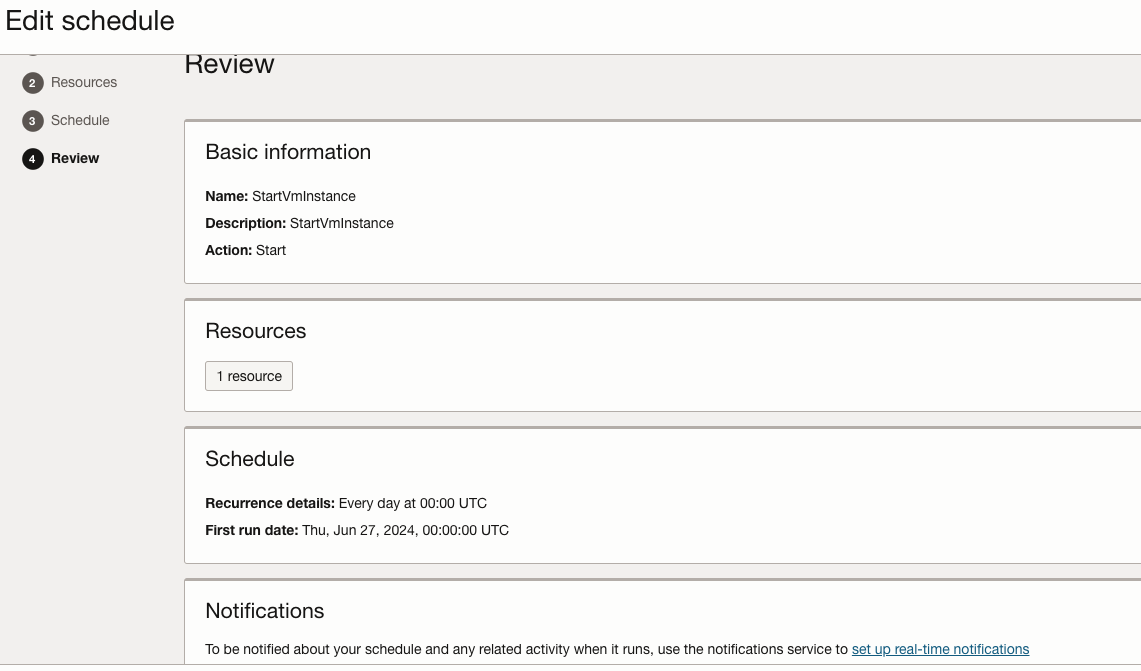
As mentioned earlier, I utilized the Resource Scheduler to shut down the instance after five minutes. As per the documentation, I have created the necessary group and policy to enable its operation.
-
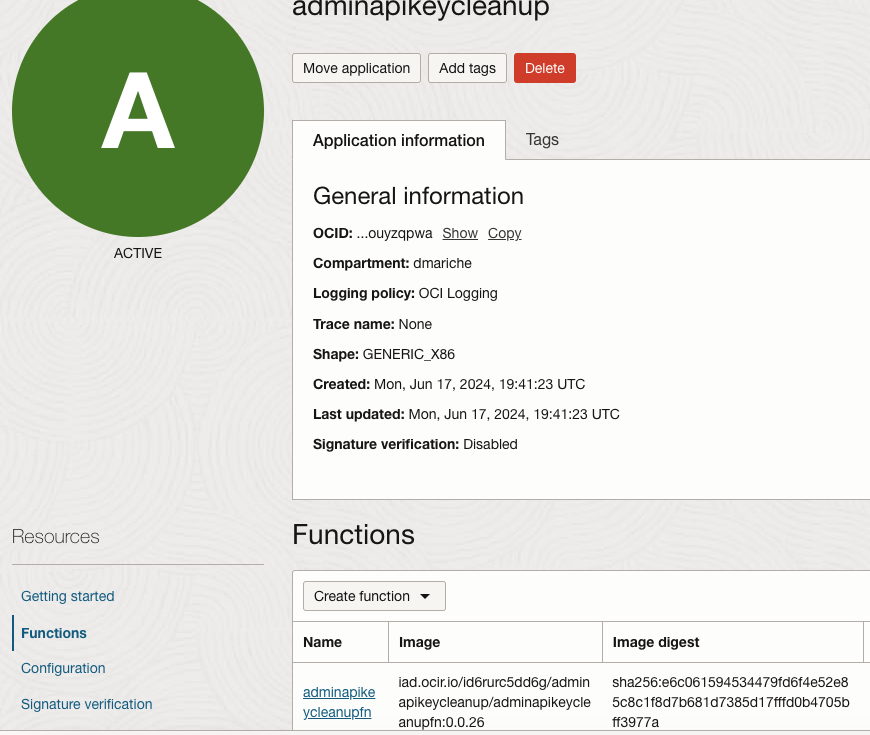
Function Deployment: Create and Develop a function. In this case, I developed a function to periodically check if Tenancy Administrators have any associated API keys and delete them if found. For more details on why administrators should not have API keys, please refer to my previous blog on this topic.
Here is my code, which would check for Tenancy Administrators with API key and would delete the API key:
import oci
import io
import json
from oci.identity import IdentityClient
from oci.exceptions import ServiceError
import logging
from fdk import response
from oci.signer import Signer
Signer = oci.auth.signers.get_resource_principals_signer() # Get Resource Principal Credentials
identity_client = oci.identity.IdentityClient(config={}, signer=Signer) # Initialize client
domain_url=’https://idcs-xxxxx.com’ #OCI default Domain URL
identity_domains_client = oci.identity_domains.IdentityDomainsClient({},signer=Signer,service_endpoint=domain_url) # # Initialize domains client
users_list = [] # Initialize a list to hold user details
compartment_id=Signer.tenancy_id
def list_AdmUsrsWAPIKeys_in_domain():
try:
#LOGGER.info(“Checking for Tenancy Administrators with API Keys in this domain:”)
list_users_response = identity_domains_client.list_users()
while True:
users_list.extend(list_users_response.data.resources)
if list_users_response.has_next_page:
list_users_response = identity_domains_client.list_users(page=list_users_response.next_page)
else:
break
#LOGGER.info(“Administrators with API Keys in this domain:”) # Print formatted Administrative user details with API Key’s
for user in users_list:
user_id = user.ocid
list_user_group_memberships_response = identity_client.list_user_group_memberships(compartment_id=compartment_id,user_id=user_id) # collecting the group membership details
group_memberships = list_user_group_memberships_response.data # collecting the group membership details
for membership in group_memberships:
group = identity_client.get_group(membership.group_id).data
if group.name == “Administrators” and user.urn_ietf_params_scim_schemas_oracle_idcs_extension_capabilities_user.can_use_api_keys == True: # Checking for Administrators who can have API Keys
api_keys = identity_client.list_api_keys(user_id).data
for api_key in api_keys:
user_data = api_key.key_id.split(“/”)
user_id = user_data[1] # User id, if we need it
key_fingerprint = user_data[2]
if(key_fingerprint): # checking if the user has a API key or not
#if (user.name.formatted==”JG”): # Checking against a test account
delete_response=delete_API_key(Signer, user_id, key_fingerprint) # Delete the API Keys
delete_old_key_message = “\n\n” + delete_response[“success”]
LOGGER.info(delete_old_key_message)
except ServiceError as error:
LOGGER.info(f”Error getting users: {error}”)
return [] # Return empty list on error
def delete_API_key(signer, user_id, user_fingerprint):
try:
identity = oci.identity.IdentityClient({},signer=Signer)
response = identity.delete_api_key(user_id, user_fingerprint)
LOGGER.info(“delete_api_key response data:”)
LOGGER.info(response.data)
success_message = {}
success_message[“success”] = “Old key with fingerpring ‘” + user_fingerprint + “‘ deleted.”
return success_message
except (Exception) as ex:
msg = “WARNING: Unable to delete old key for user ‘” + user_id + “‘”
print(msg, ex, flush=True)
raise
def handler(ctx, data: io.BytesIO=None):
global LOGGER
LOGGER = logging.getLogger()
LOGGER.setLevel(level=logging.INFO)
#LOGGER.info(“Function about to start”)
list_AdmUsrsWAPIKeys_in_domain()
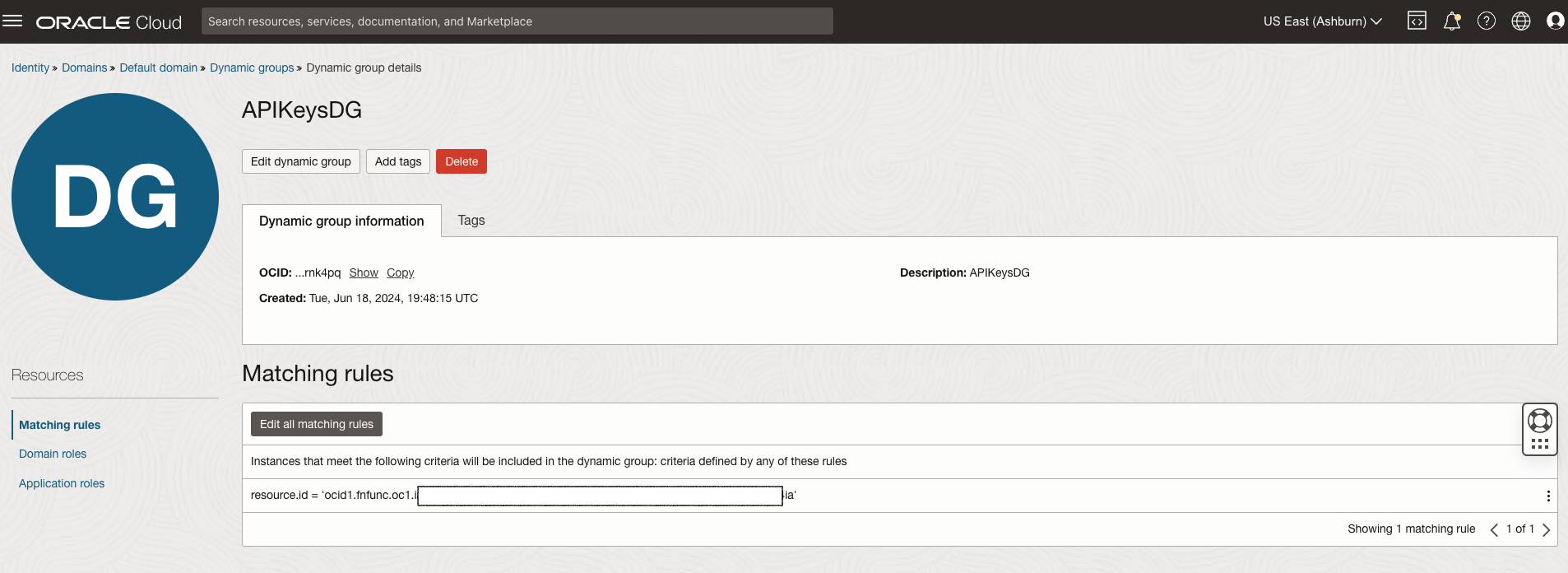
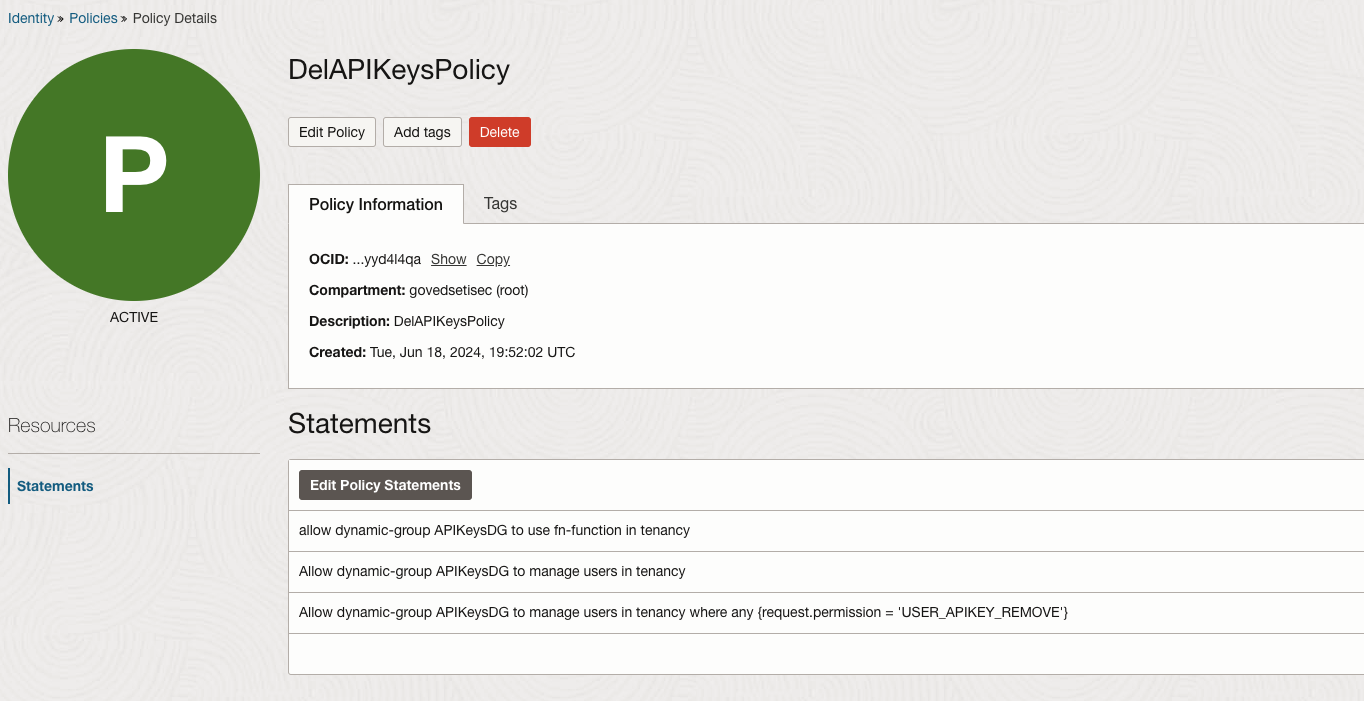
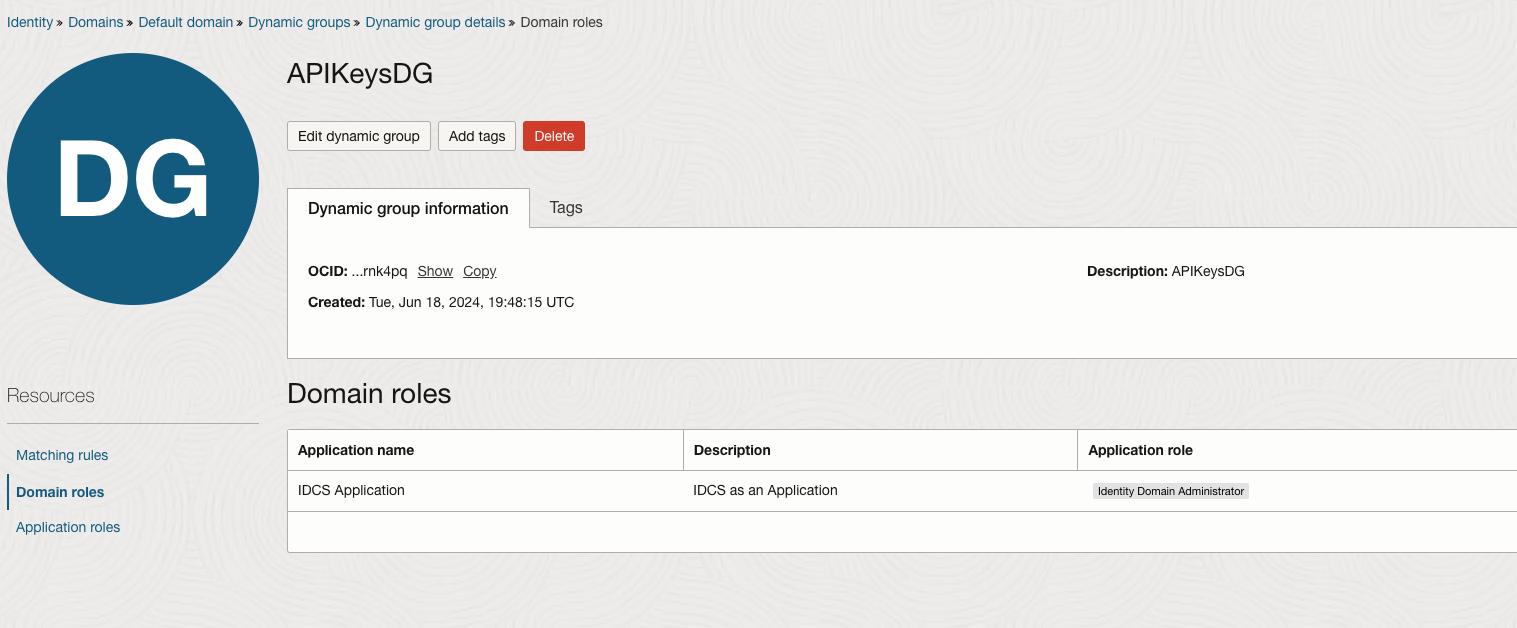
Develop the function and deploy it. Create the required Dynamic Group and Policy and a role for the Dynamic Group.
- Event Rule Configuration: To invoke the function when the VM instance starts, we will use the event generated by the instance startup to trigger the function. This requires creating a rule and defining an action as illustrated below.
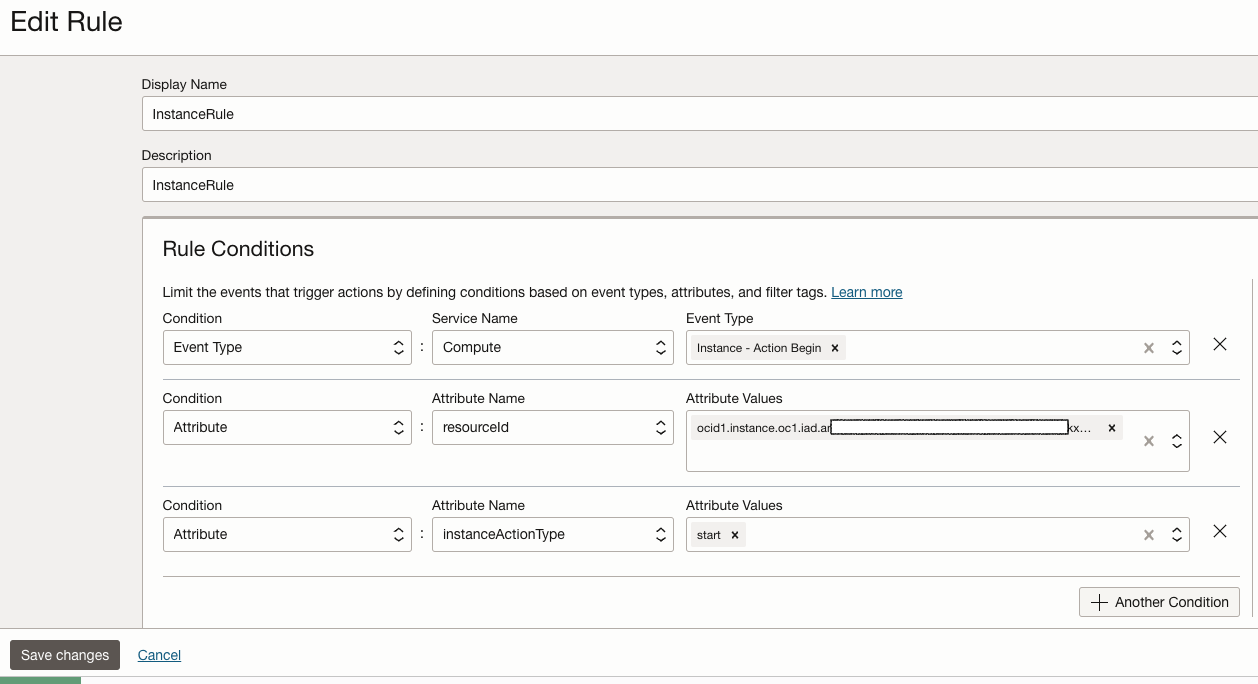

Every time the specified VM instance (as shown in the above screenshot with its OCID) is started, the function is invoked to check for API keys. This method allowed me to achieve my goal and, more importantly, enhance my security posture. Although this approach may seem roundabout for invoking functions periodically, it serves as a practical solution until OCI provides a native mechanism. For now, this method or similar alternatives are necessary.