


Sujay Parikh
Technical Director, Riverbed Technologies
The What and Why
Getting data where it needs to be, when it needs to be there, has never mattered more. AI/ML training and inference, large-scale data transfers, and disaster recovery all depend on it. Increasingly, that data doesn’t live in one place. Organizations are re-architecting around multi-cloud and hybrid cloud environments, which means moving data across cloud boundaries is no longer the exception; it’s the operating norm.
The problem is that this kind of movement, especially at petabyte scale, is challenging. It’s slow, expensive, and consumes resources and attention that IT teams don’t have to spare. So organizations are left looking for a better way: one that keeps data moving securely and reliably, without sacrificing the governance and control they can’t afford to lose.
In practice, that means moving enormous and varied workloads, such as large files, data lake extracts, media assets, backup sets, AI/ML training datasets, analytics workloads, between cloud service providers and Oracle Cloud Infrastructure (OCI). And at that scale, the obstacles can compound quickly: bandwidth limits stretch transfer windows from hours into days or weeks, egress costs climb, and every additional hop adds operational complexity and risk. What organizations need isn’t just a faster pipe. It’s a way to move data that’s secure, reliable, and fully observable from start to finish.
OCI and Riverbed Data Express partner to provide a managed, high-speed data movement capability for transferring large datasets across cloud environments and GPU clusters. Together, OCI and Riverbed support AI, analytics, and cloud migration workflows that require reliable movement of petabyte-scale data, helping teams shorten transfer windows and simplify operational coordination. Data Express provides secure transfers, real-time visibility, and a SaaS-based operating model, enabling customers to move data efficiently while using OCI’s cloud infrastructure and GPU capabilities.
Here’s the How
Setting up a data transfer with Riverbed Data Express is an extremely intuitive process, as it maps with the logical flow of operations: moving data from one cloud/region/storage location (the source) to another cloud/region/storage location – the destination.
In Riverbed Data Express terminology, Data Storage Locations (or Locations, for short) represent where data resides now and where data needs to go. The data movement operation is represented by Data Transfer Profiles (or Profiles, for short) which tie a source and a destination location as a persistent relationship that can be reused to trigger the data movement operation (Data Transfer Job, or Job).
In summary, to initiate any data transfer, you will need to configure a location for the data source, a location for the data destination, and a profile to tie the two directionally. Then press the “Run” button, and let the system perform a secure and fast data movement, while monitoring the progress of the associated job.
Pre-requisites in OCI Marketplace
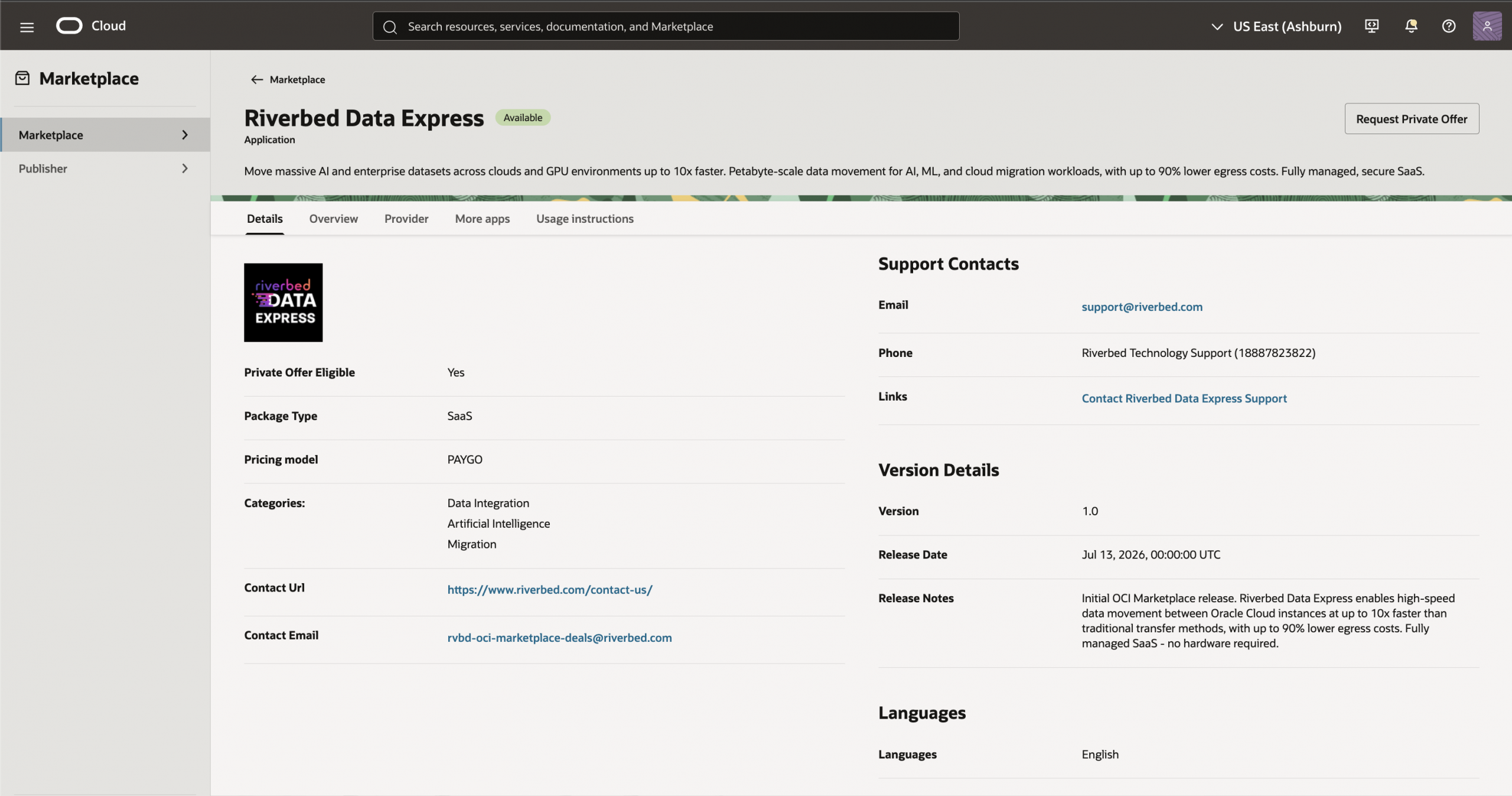
- Go to OCI marketplace, search Riverbed Data Express and purchase private offering.
- Keep the source and destination bucket ready in AWS S3 and OCI object storage respectively.
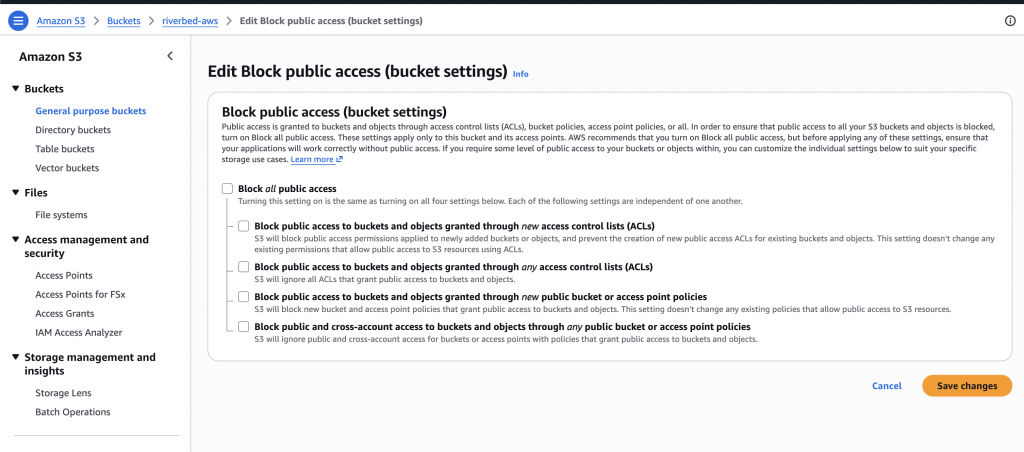
- In AWS S3 bucket configuration, make sure public access is enabled by selecting “block public access” Off and Data Express’s public IPs are whitelisted.
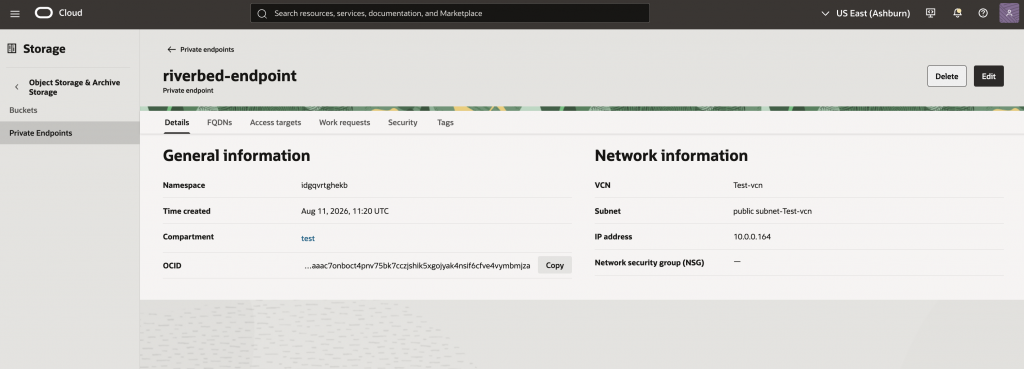
- In OCI Object Storage, create private endpoint in public subnet and whitelist Data Express’s IPs in that subnet’s Security List.
Setting up the Data Express Environment
- Log in the Data Express account using SaaS endpoint provided by Riverbed. Once logged in, go to Locations à Click add Location
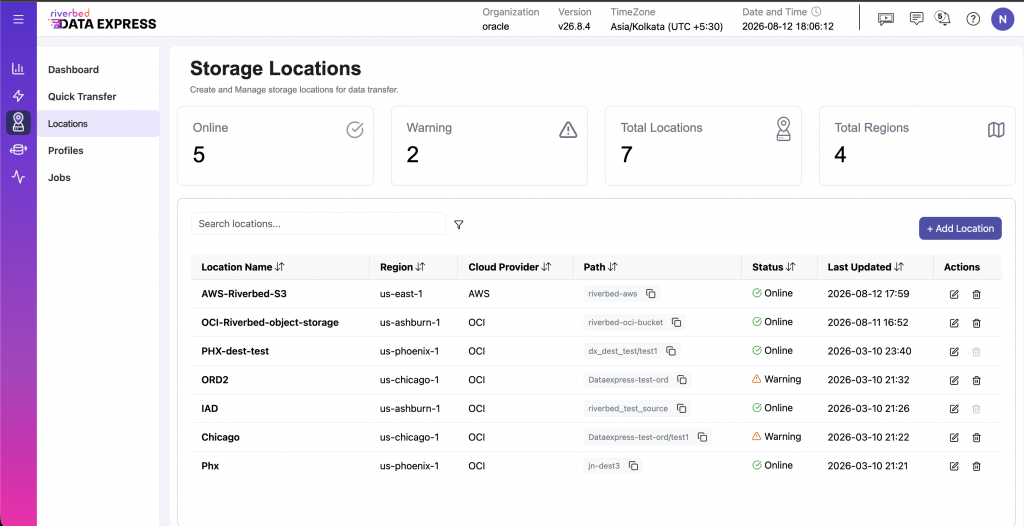
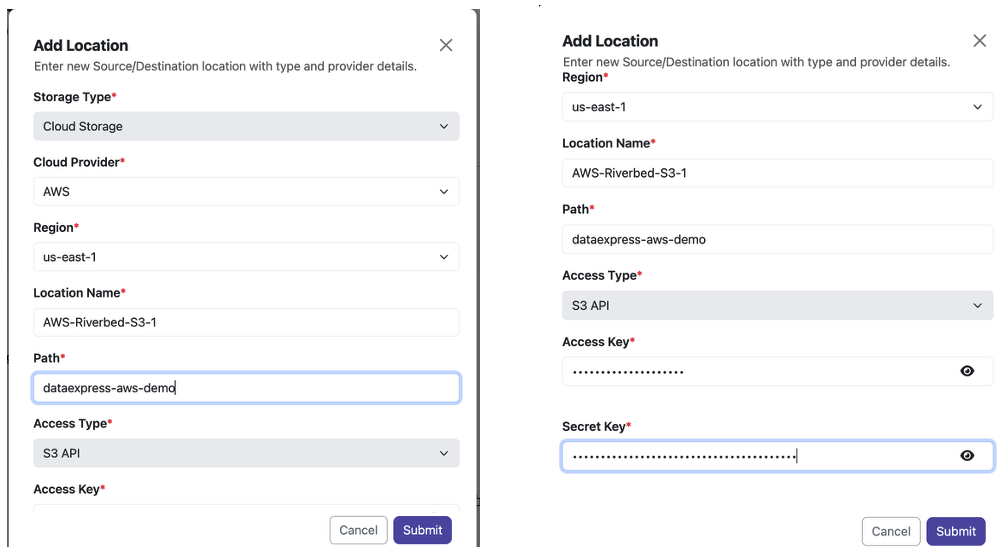
- Create source location of AWS S3 bucket. Add Region, Location name, bucket path and Access key and Secret key.
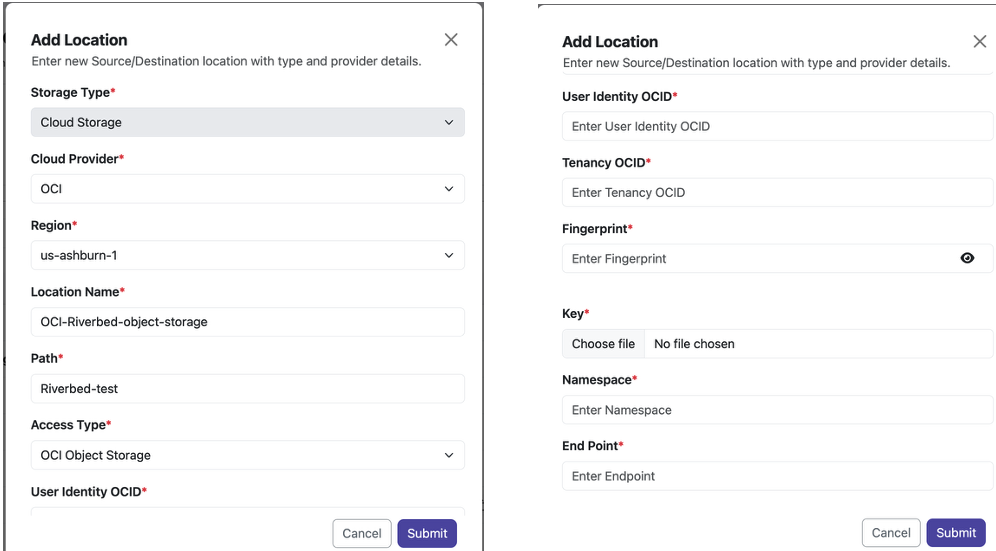
- Create destination location of OCI Object Storage. Add Region, Location name, bucket path, access type and private endpoint. In case of OCI Object storage access type, provide user OCID, tenancy OCID, fingerprint, private key and namespace which are already authenticated to your OCI tenancy.
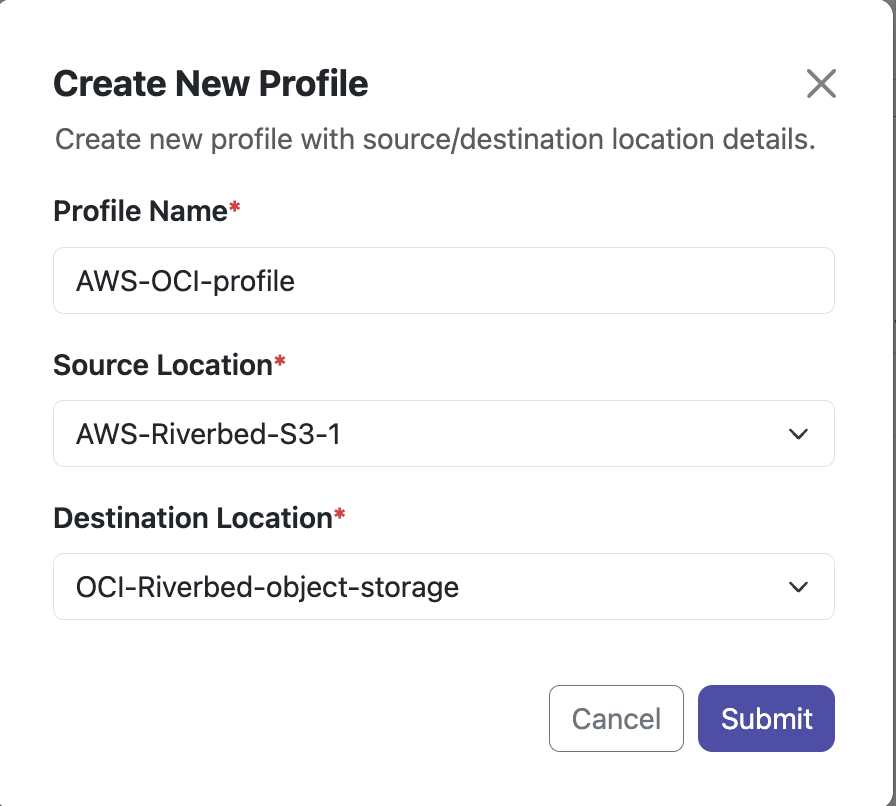
- Navigate to Profiles section, Click on Add Profile. Provide Profile Name, Source Location and Destination Location of the Data Transfer.
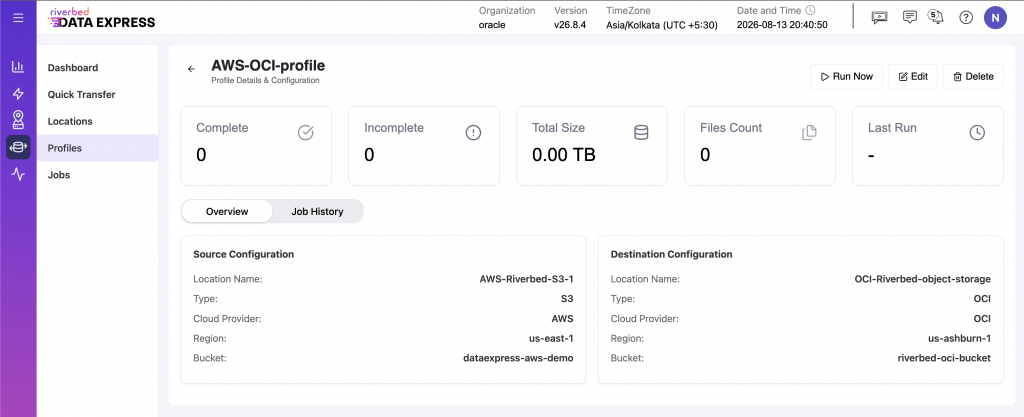
- Click on the profile that you just created, it should look like the example shown below. To start the Data Transfer from AWS S3 bucket to OCI Object Storage bucket, Click on Run Now.
- Once the Job is started, you can track the Job progress and metrics by navigating to the Jobs section and clicking on the Job you started.
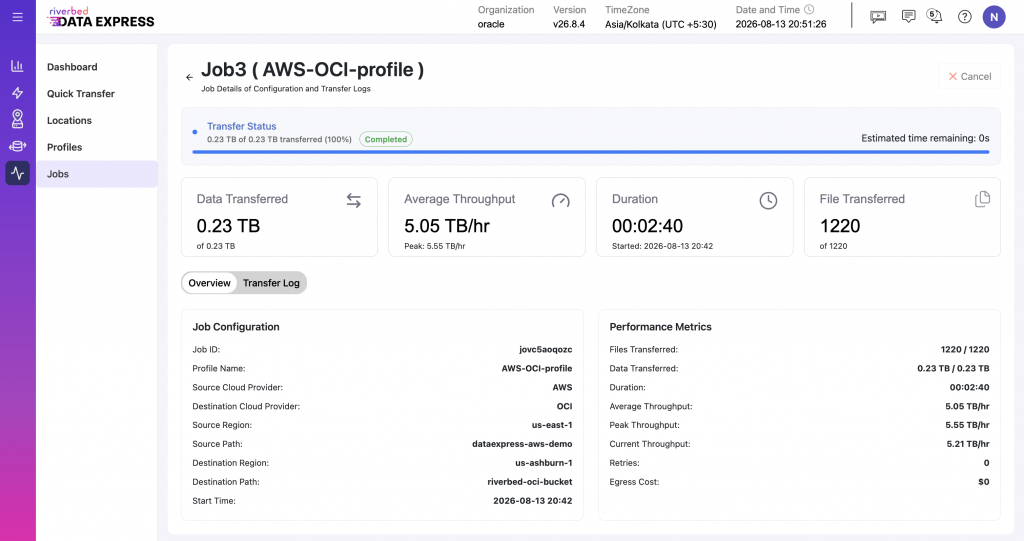
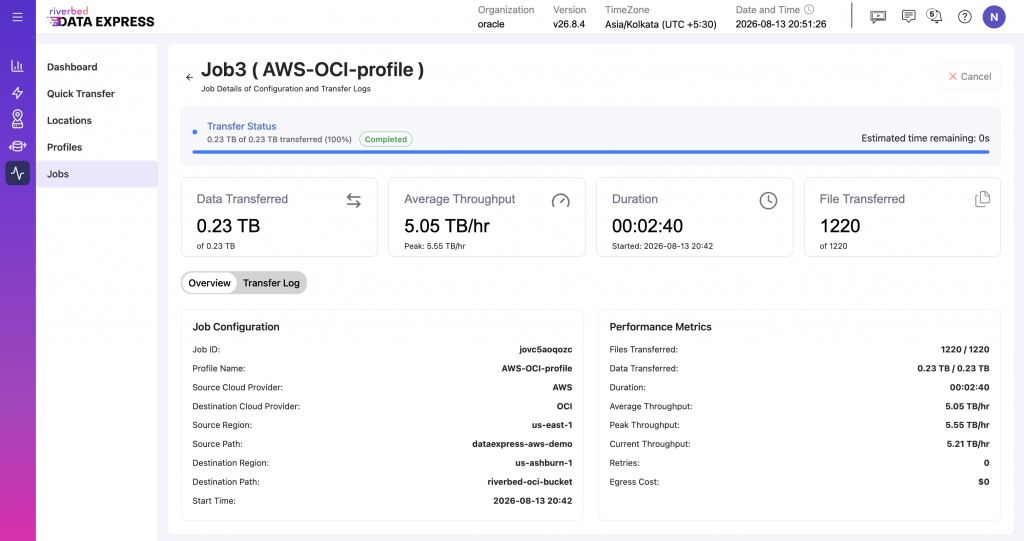
- Below is an example of the completion status for a data transfer job from AWS to OCI, involving 230 GB of unstructured data. The transfer log section provides a sequence of events of the transfer.
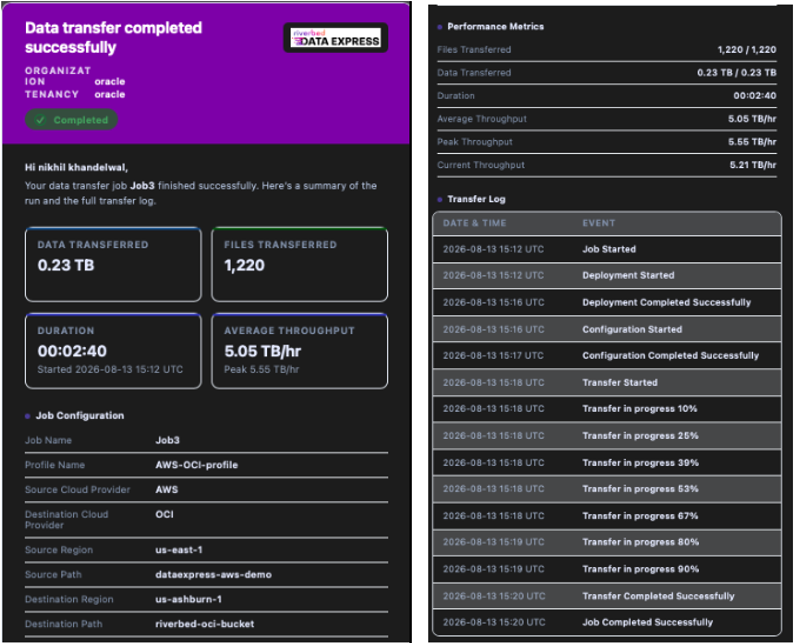
- Additionally, you will receive a Job completion report and metrics sent to the registered email id.
Conclusion
The AWS-to-OCI integration described in this guide provides a practical approach for moving data to OCI when AI/ML workloads, applications, or source datasets remain in other cloud environments. OCI provides the target cloud infrastructure and GPU capabilities, while Riverbed Data Express provides managed, observable data transfers between the environments.
This approach can support cloud migration, AI/ML training, backup and disaster recovery, and ongoing data synchronization without requiring changes to the underlying application architecture.
Sujay Parikh
Technical Director, Riverbed Technologies