
When it comes to secure the Internet ingress traffic to OCI resources, most of our customers are adopting the OCI Network Firewall (NFW) because it is offering the best in class protection. More than that, our customers will focus only on the configuration part, the rest, including any overhead with the maintenance and licensing or any other related tasks does not impose any activity on the customer side.
The other day I just finished a project where the OCI NFW was adopted to secure the Internet ingress traffic for some Oracle Kubernetes Engine (OKE) clusters running on OCI. And because I received the question how to integrate the OCI NFW with an OKE deployment, I decided to create this blog to talk about the solution and what we need to configure for OCI NFW to act as a bump-in-the-wire for Internet traffic reaching an OKE cluster workload.
Some time back I described the configuration to expose a web site hosted on OKE to Internet. The discussion in this blog will be mainly focused on exposing the web site to public Internet with the OCI NFW analyzing the traffic for all incoming Internet requests.
The OKE configuration part is outside of our current blog scope. It can be analyzed at this link.
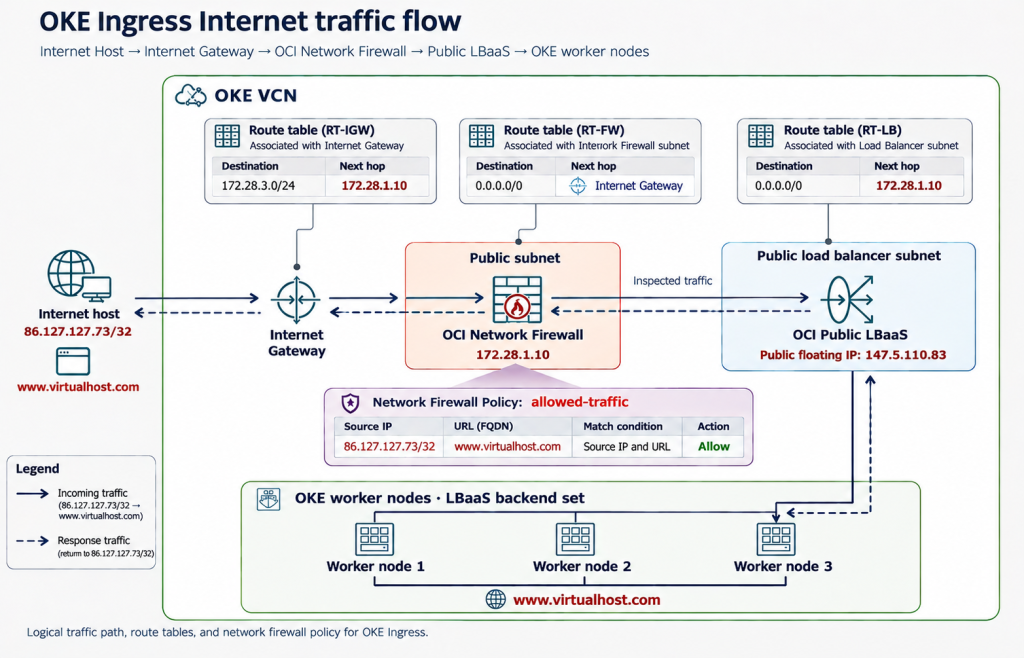
The networking topology used to highlight the main security components is listed below:
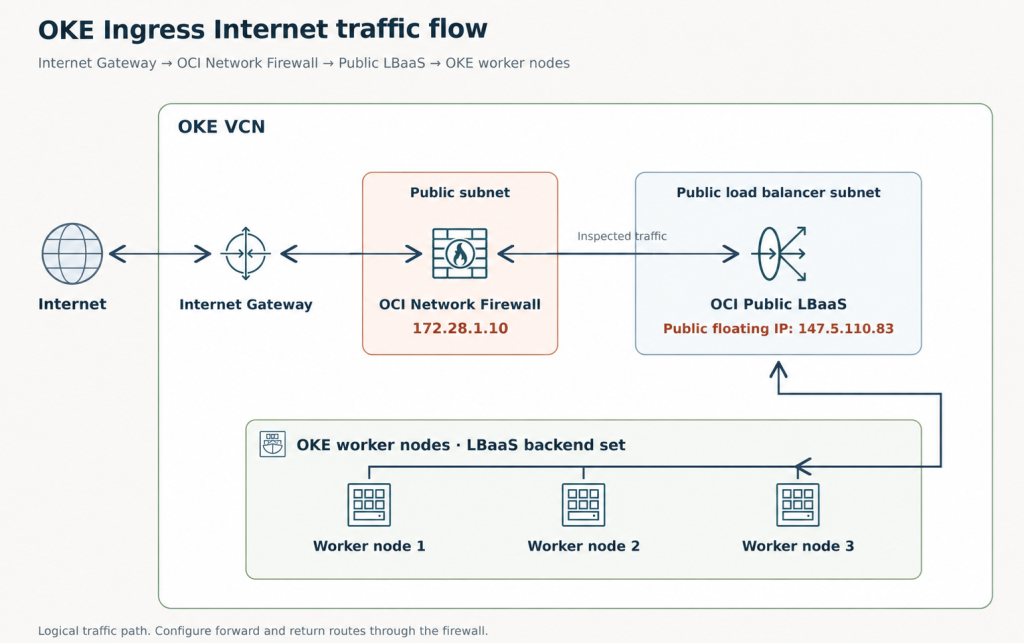
As we might note, this is a simple but yet complete networking architecture where we can discuss the concepts.
The OKE LBaaS is created by OKE using annotations labels, it is not a regular LBaaS created by the user.
In this exercise the OKE cluster was deployed by using the OCI VCN-Native Pod Networking CNI plugin for pod networking.
The web site is deployed on the worker nodes and ready to be accessed (if the firewall permits).
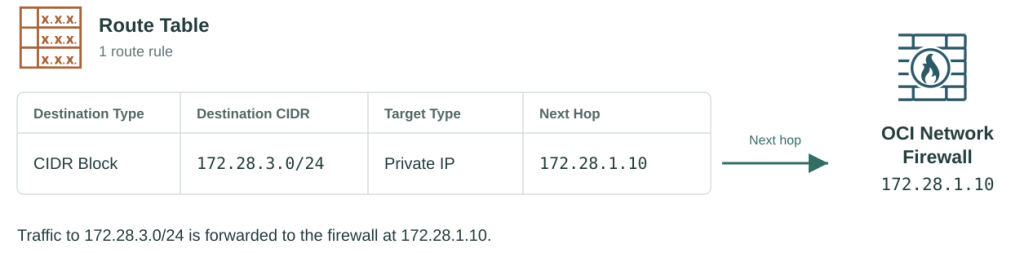
Let’s handle a little bit the routing configuration to direct the Internet ingress traffic to public IP address of LBaaS through the OCI NFW.
For this purpose, a route table will be attached to the Internet Gateway with the following route entry:
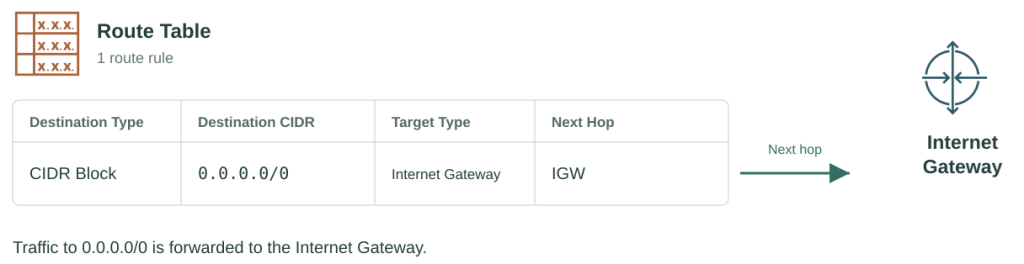
The OCI Network Firewall subnet route table will contain a route entry to send all the Internet traffic through the Internet Gateway as next-hop:
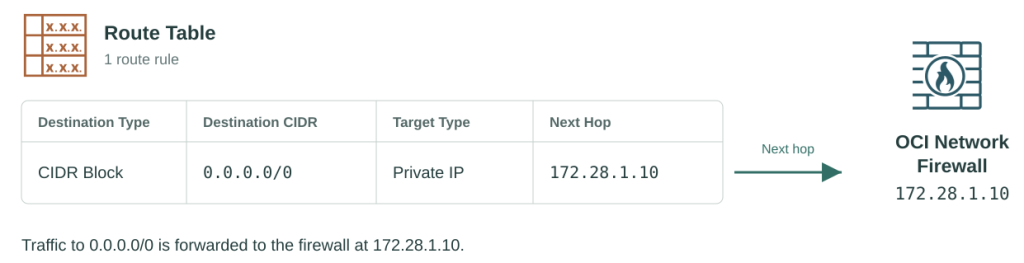
The OKE LBaaS subnet route table will contain a route entry to send all the Internet traffic through the Network Firewall as as next-hop:
Our web site will be accessed by using the URL http://www.virtualhost.com and the OCI Network Firewall will do IP and URL filtering. The Internet host IP address is located at 86.127.127.73.
The second step is to add the source IP address and URL in the OCI Network Firewall policy for the traffic to be allowed and logged:
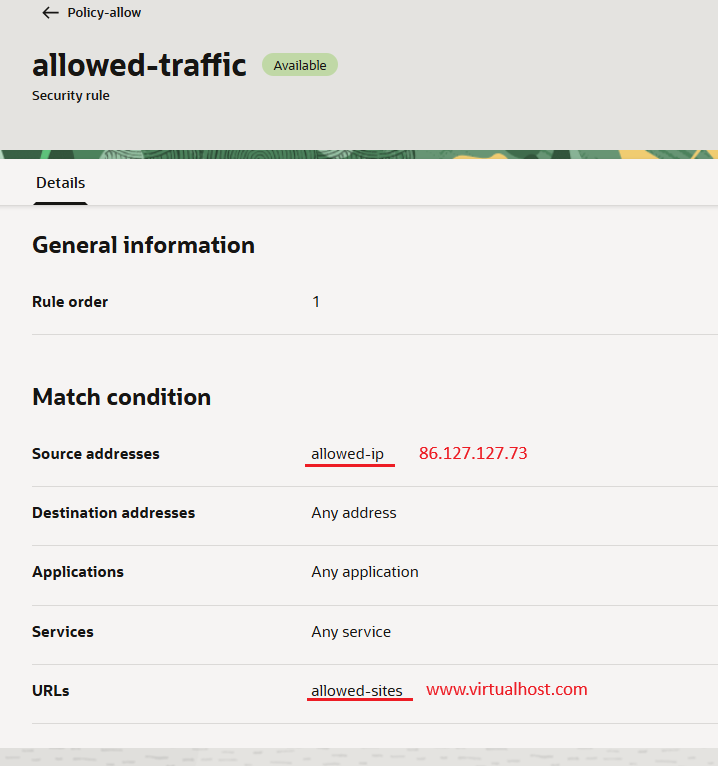
Let’s go and try to establish a new session to the web site from the source IP address listed above and verify the Network Firewall log:
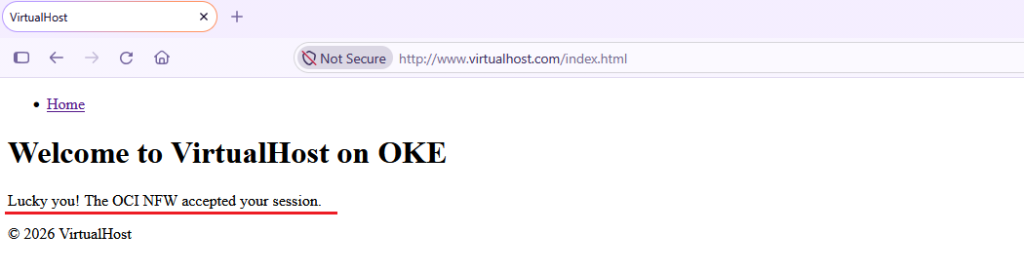
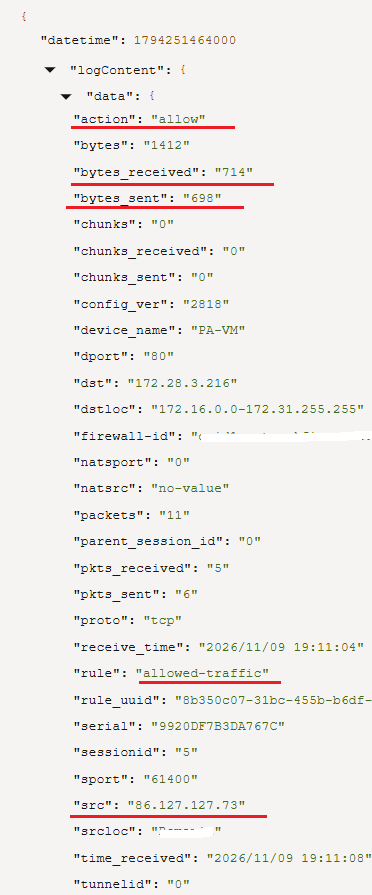
It seems that the connection is successfully established. Bases on the above output, in the OCI Network Firewall traffic log we can observe the logged session:
Now, we have all the pieces and configuration in place, we can summarize our deployment using the below diagram:
In the above NFW traffic log we have the confirmation that no matter if the Internet ingress traffic is for regular OCI or OKE workloads, it can be successfully secured by the OCI Network Firewall.