
Introduction
Oracle Analytics Cloud (OAC) is a fully managed, cloud-native analytics platform that enables organizations to prepare, analyze, and visualize data while leveraging built-in AI and machine learning capabilities. As enterprises increasingly expose analytics services to both internal and external users, providing a branded and user-friendly access URL becomes an important operational requirement.
A Vanity URL allows an organization to replace the default Oracle-generated service endpoint with a custom domain that aligns with its corporate branding. Instead of accessing Oracle Analytics Cloud (OAC) through a system-generated URL, users can connect using a branded, easy-to-remember address, such as: https://analytics.company.com
This custom hostname replaces the default Oracle Analytics Cloud service URL while continuing to route traffic to the same OAC instance.
This approach provides several advantages:
- Improves user experience with an easy-to-remember URL
- Aligns Oracle Analytics Cloud with enterprise branding
- Simplifies user communication and documentation
- Enables organizations to manage SSL certificates using their corporate standards
- Supports consistent access across multiple Oracle Cloud services
In this blog, we’ll walk through the end-to-end process of configuring a Vanity URL for Oracle Analytics Cloud in three common deployment models:
- Public Endpoint
- Private Endpoint
- Hybrid Deployment (Private OAC with Public Access through OCI Load Balancer)
Each section includes the required prerequisites, architecture overview, implementation steps, and verification process.
Public Endpoint Deployment
When Oracle Analytics Cloud is deployed using a Public Endpoint, the service is directly accessible over the internet. Configuring a Vanity URL involves associating a public hostname with the OAC instance, uploading a trusted SSL certificate, and updating the public DNS record.
Prerequisites
Before configuring the Vanity URL, ensure the following requirements are met:
- A Public DNS Zone has been configured for your registered domain.
- A valid SSL certificate issued by a trusted Certificate Authority (CA) has been obtained.
Architecture
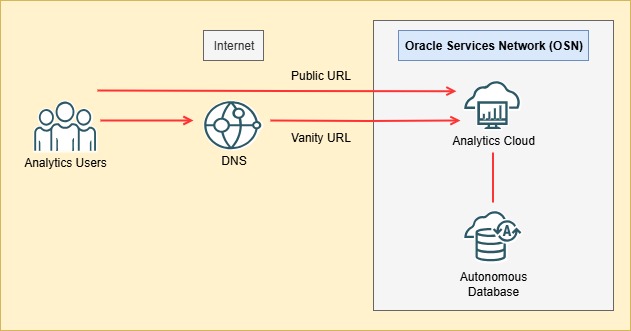
Implementation
Step 1: Create the Oracle Analytics Cloud Instance
Navigate to
OCI Console → Analytics & AI → Analytics Cloud → Create Instance
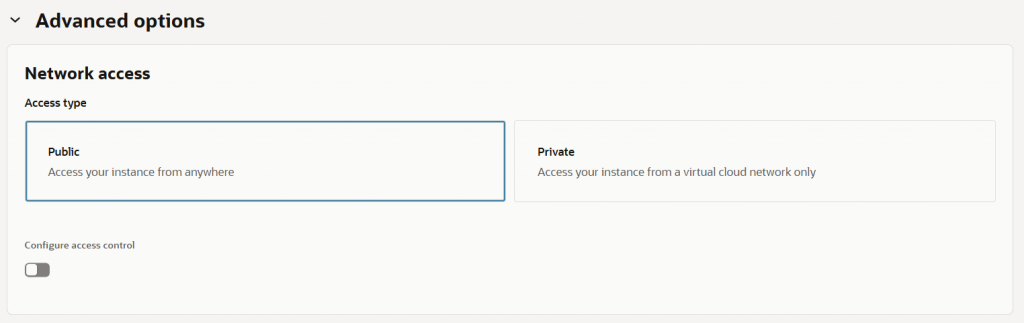
During instance creation, select:
Advanced Options → Network Access → Public
Step 2: Open Instance Details
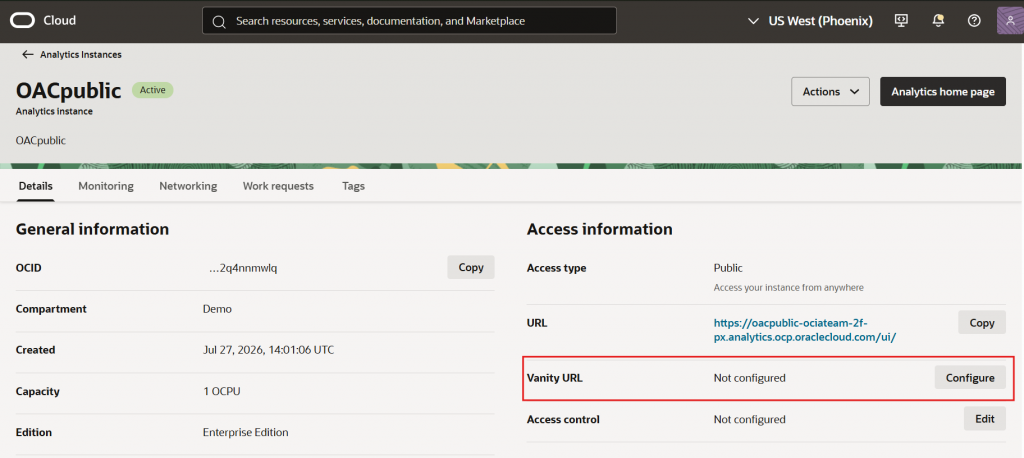
Once provisioning completes, open the Analytics Cloud instance.
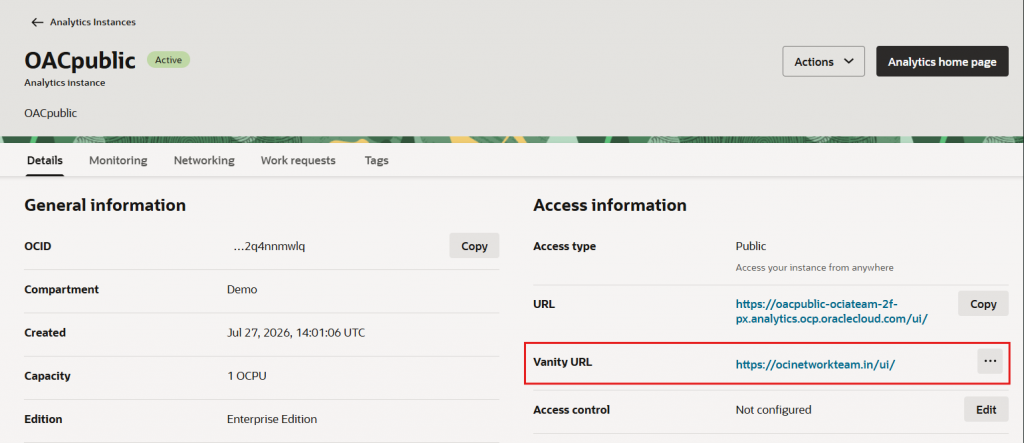
Under Access Information, Oracle displays the default service URL.
To configure a Vanity URL, click Configure under Vanity URL.
Step 3: Configure the Vanity URL
Provide the following information:
- Hostname – The fully qualified domain name that will become the Vanity URL.
- Certificate – Upload the public SSL certificate.
- Private Key – Upload the corresponding private key.
- Certificate Authority Chain – Upload the CA chain and provide the private key passphrase if required.
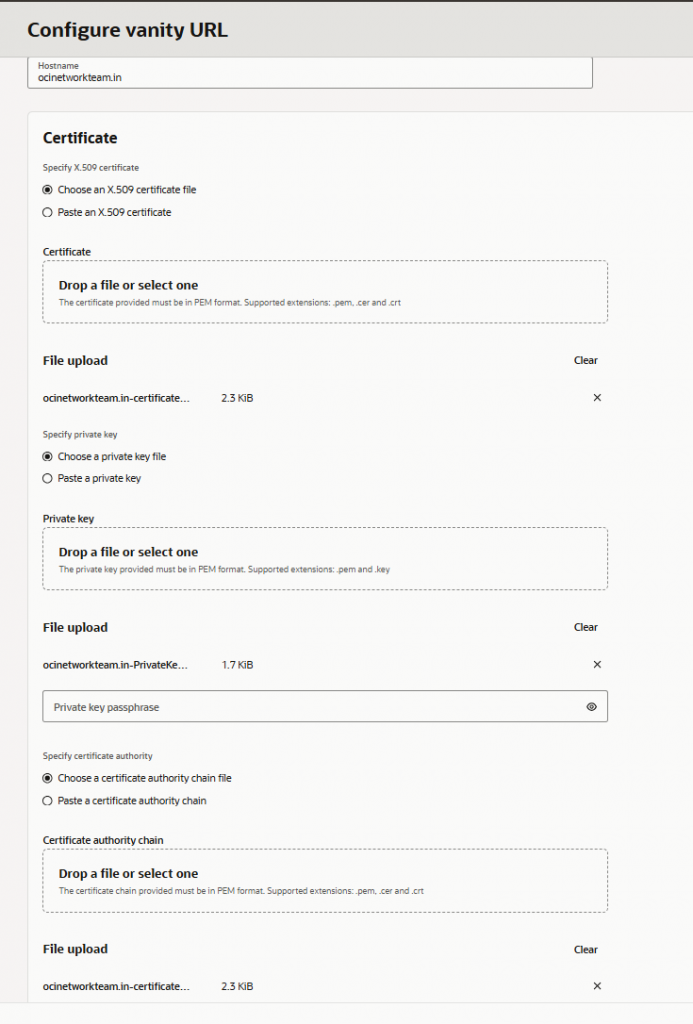
Click Create.
Oracle Analytics Cloud enters the Updating state while applying the configuration.
Once the update completes, the configured Vanity URL is displayed in the instance details.
Step 4: Update DNS
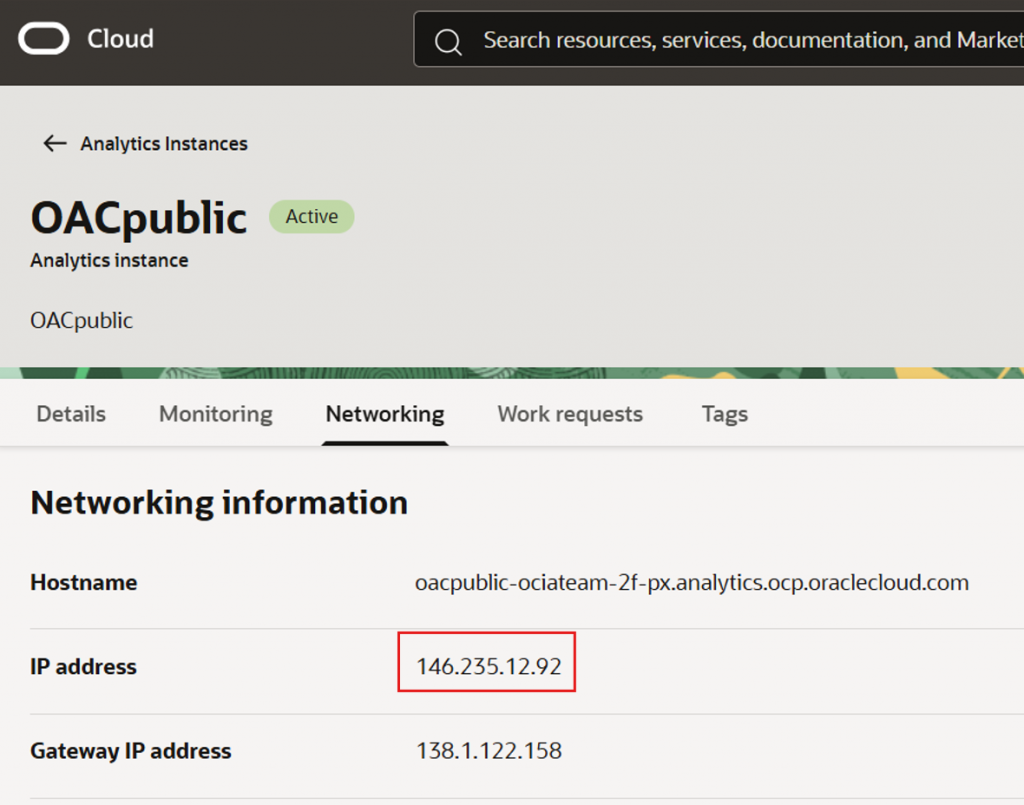
Navigate to the Networking tab of the OAC instance. Locate the service Public IP Address.
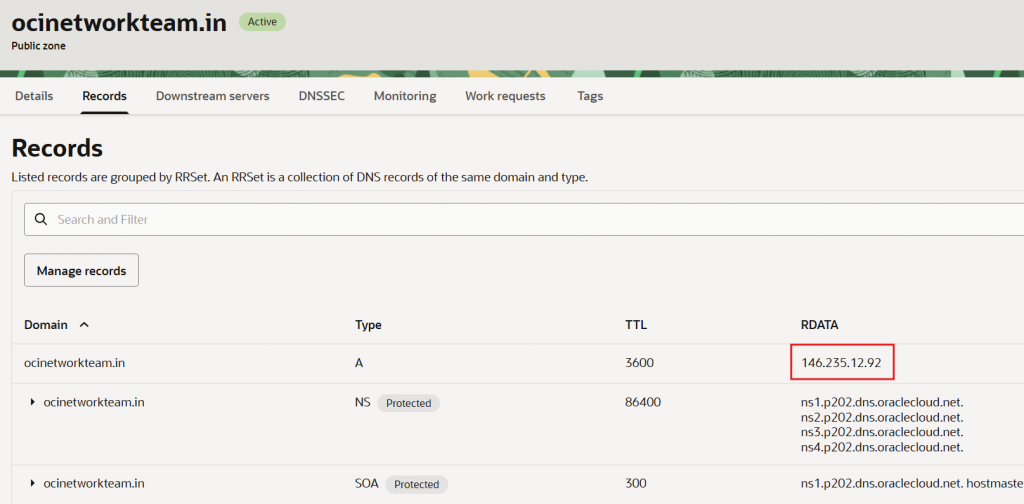
Create or update the DNS A Record in your Public DNS Zone so that the Vanity URL resolves to the OAC public IP address.
Verification
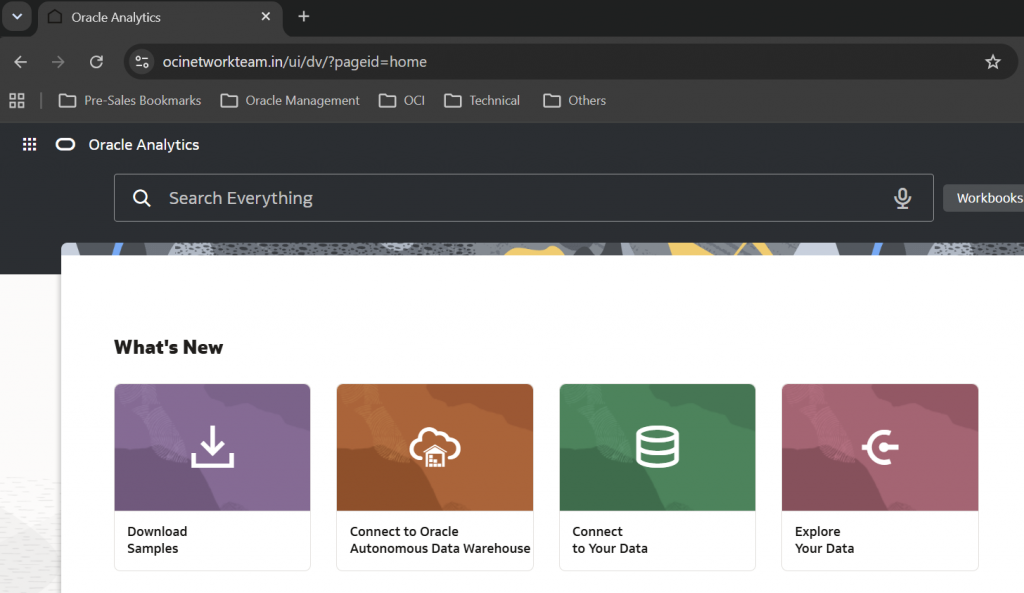
After DNS propagation completes, access Oracle Analytics Cloud using the configured Vanity URL.
If configured correctly, users can now access the service using the organization’s branded URL instead of the Oracle-generated endpoint.
Private Endpoint Deployment
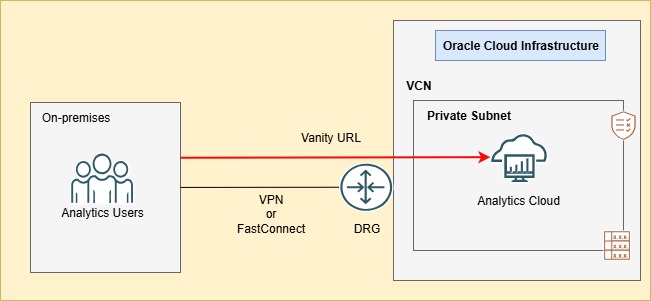
Many organizations deploy Oracle Analytics Cloud using a Private Endpoint to ensure that access remains within their private network through VPN or FastConnect.
In this deployment model, the Vanity URL resolves through a Private DNS Zone and remains accessible only from connected private networks.
Prerequisites
Ensure the following components are available:
- Virtual Cloud Network (VCN)
- Private Subnet
- Route Tables
- Security Lists or Network Security Groups
- VPN or FastConnect connectivity (if on-premises access is required)
- Private DNS Zone
- Valid SSL Certificate (self-signed certificate may be used in this deployment)
Architecture
Implementation
Step 1: Create a Private OAC Instance
Navigate to
OCI Console → Analytics & AI → Analytics Cloud → Create Instance
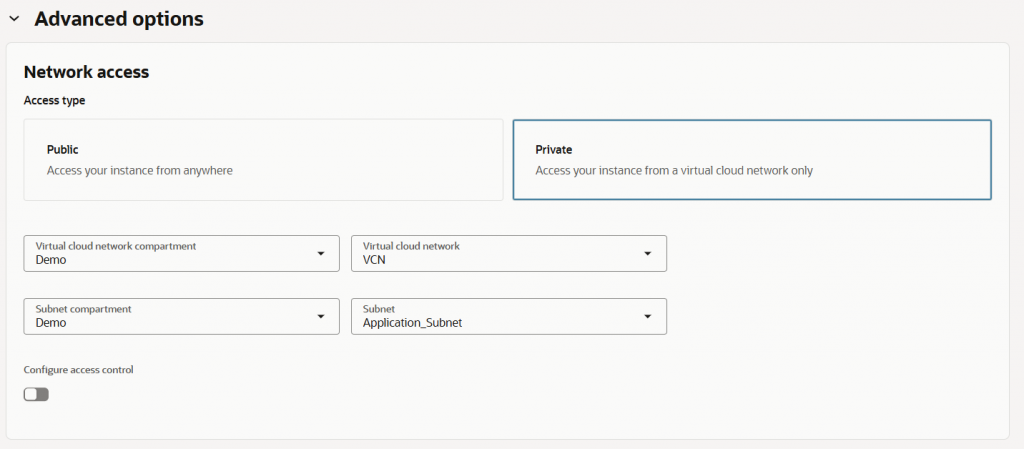
Under Advanced Options, select:
- Access Type = Private
- Select the required VCN
- Select the appropriate Private Subnet
Step 2: Configure the Vanity URL
After provisioning completes, repeat the same Vanity URL configuration process described in the Public Endpoint deployment.
Provide:
- Hostname
- Certificate
- Private Key
- Certificate Authority Chain
Step 3: Update Private DNS
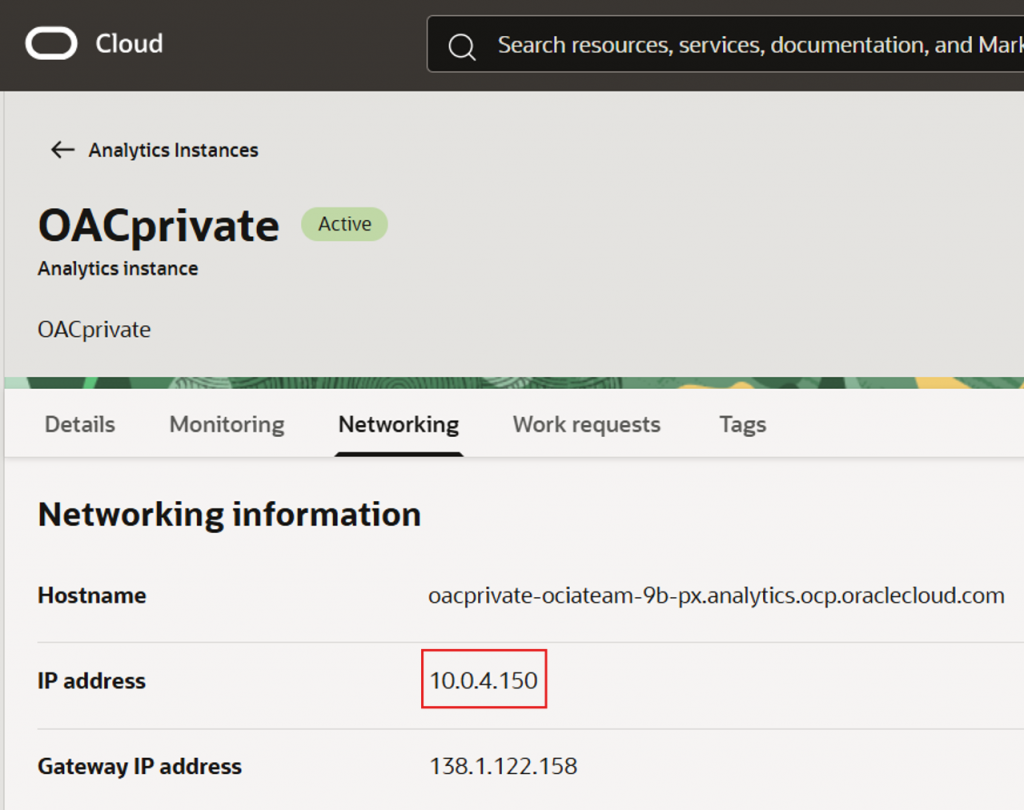
From the Networking tab, note the Private IP Address assigned to the Oracle Analytics Cloud instance.
Update the corresponding Private DNS A Record so the Vanity URL resolves to the private endpoint.
Verification
Verify that users connected through VPN or FastConnect can access Oracle Analytics Cloud using the configured Vanity URL.
The service should resolve to the private endpoint without exposing the Analytics instance to the public internet.
Hybrid Deployment
Some organizations require a hybrid access model.
In this scenario:
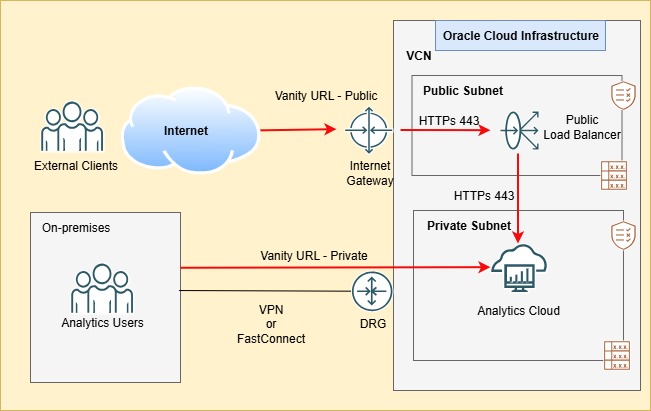
- Oracle Analytics Cloud is deployed using a Private Endpoint
- Internal users access the private endpoint through VPN or FastConnect.
- External users access the same Analytics instance through a public Vanity URL
An OCI Load Balancer provides a public entry point while the Analytics instance remains private.
Architecture
Implementation
Step 1: Create a Public OCI Load Balancer
To give external users access to a private Oracle Analytics Cloud (OAC) instance, provision a public OCI Load Balancer in a public subnet. Configure point-to-point SSL, with SSL enabled on both the listener and the backend set.
Configure the load balancer with the following settings:
- Type: Public Load Balancer
- Subnet: Public Subnet
- Listener Protocol: HTTPs
- Listener Port: 443
- Backend Protocol: HTTPs
- Backend Port: 443
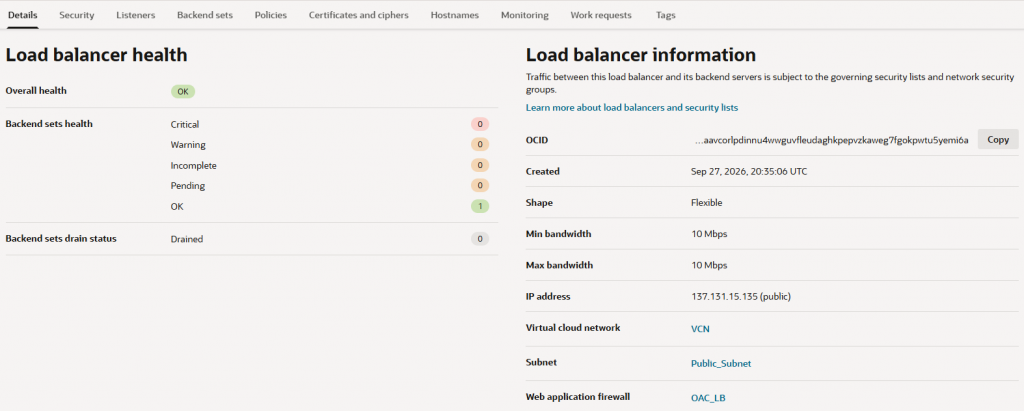
With point-to-point SSL, the client’s SSL connection terminates at the load balancer. The load balancer then establishes a new SSL connection to the Oracle Analytics Cloud backend.
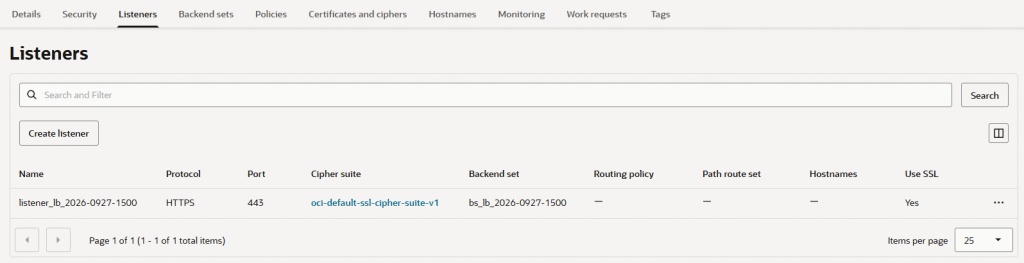
Step 2: Configure Backend
Add the Oracle Analytics Cloud private endpoint IP address as the backend on port 443, with SSL enabled at the backend set.
Confirm that the backend health status is Healthy before proceeding.
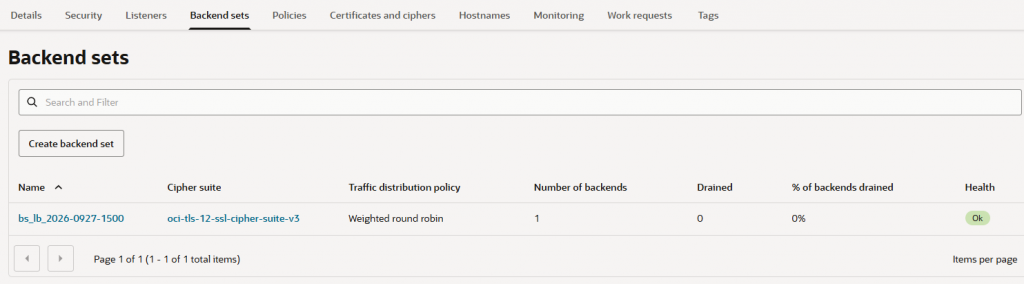
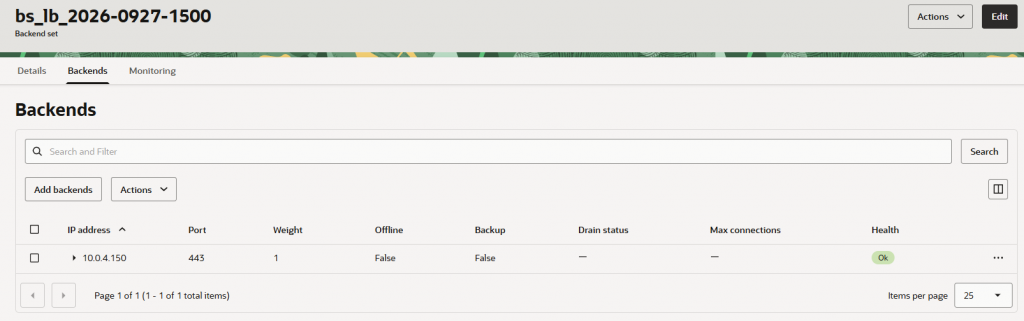
Note: Ensure that the security lists or NSGs for the load balancer and private subnet permit the required TCP traffic on port 443. Check that the backend health check reports the Visual Builder private endpoint as Healthy.
Step 3: Update Public DNS
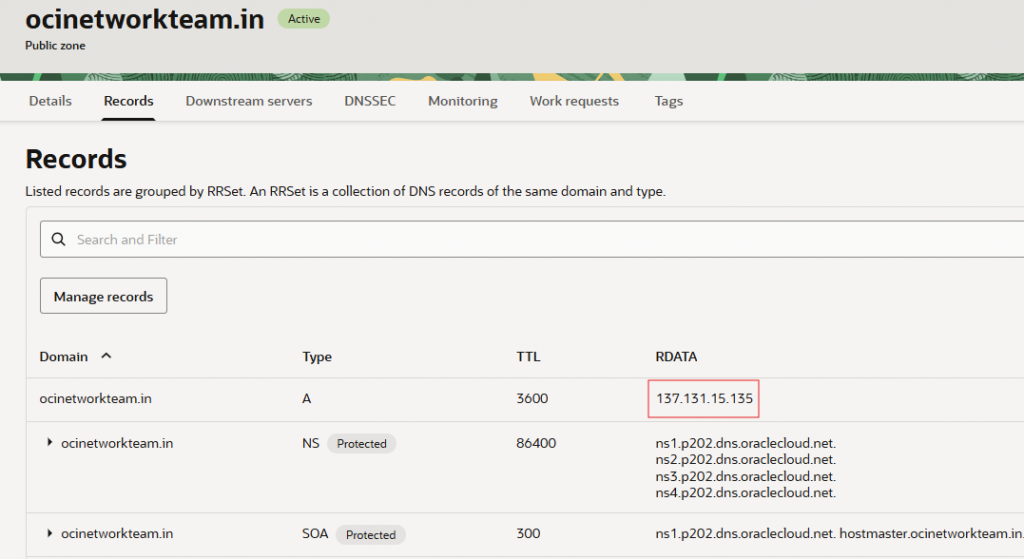
Update the Public DNS A Record so that the Vanity URL resolves to the Public IP Address of the OCI Load Balancer instead of the Analytics instance.
This allows internet users to reach the Load Balancer, which securely forwards encrypted traffic to the private Oracle Analytics Cloud instance.
Verification
Validate both access paths:
- Internal users continue accessing Oracle Analytics Cloud through the configured private Vanity URL endpoint over VPN or FastConnect.
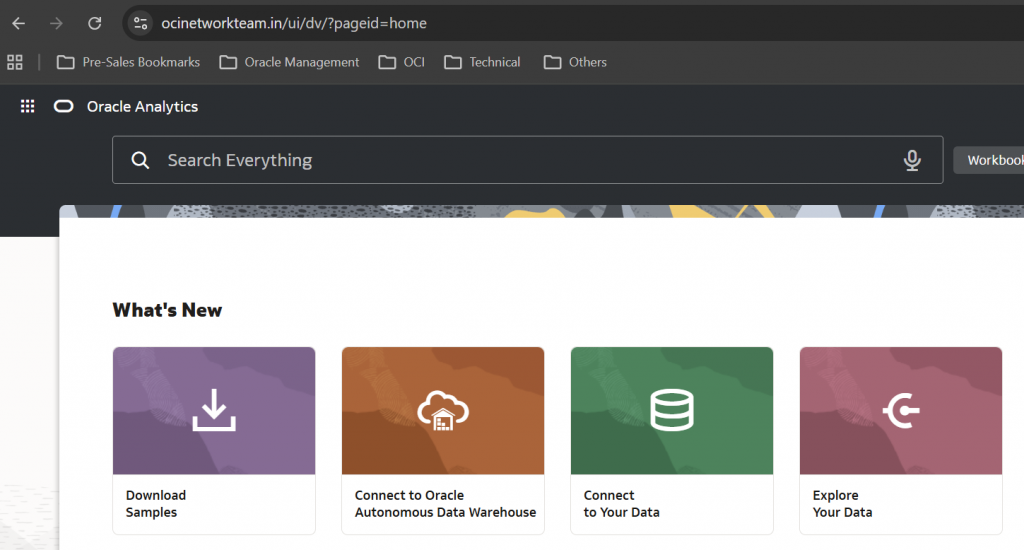
- External users access the same Analytics instance through the configured public Vanity URL via the OCI Public Load Balancer.
This architecture enables secure internet access while preserving the security advantages of a private Oracle Analytics Cloud deployment.
Note:
You can also integrate the OCI Load Balancer with OCI Web Application Firewall (WAF) for an additional layer of security.
OCI WAF inspects web traffic to help protect web applications from threats such as OWASP Top 10 exploits, application-layer DDoS attacks, and malicious bots before they reach your backend servers.
It provides layer 7 security, centralized policy management, and integration with OCI load balancers to support application availability and compliance requirements.
Conclusion
A Vanity URL provides organizations with a secure, branded, and user-friendly way to access Oracle Analytics Cloud while integrating seamlessly with enterprise DNS and certificate management practices.
As demonstrated in this blog, Oracle Analytics Cloud supports Vanity URL configuration across multiple deployment models:
- Public Endpoint deployments provide direct internet access using a trusted SSL certificate and public DNS.
- Private Endpoint deployments keep Analytics services within private networks using private DNS and secure connectivity through VPN or FastConnect.
- Hybrid deployment when External users access the instance through the public OCI Load Balancer, while internal users can simultaneously access it directly from the private network or through VPN or FastConnect.
Whether your deployment is public, private, or hybrid, the right architecture should align with your organization’s network design, security policies, and user access needs. The steps covered in this blog provide a practical foundation for implementing a Vanity URL that brings Oracle Analytics Cloud into your organization’s domain and gives users a familiar, secure way to access their analytics.