
The use case was to create a bucket within an OCI Security Zone to enforce stricter security controls for sensitive data storage and ensure compliance with organizational and regulatory standards. As we know Security Zones provide a granular level of control over OCI cloud compartments. By enforcing security policies, they help mitigate risks and ensure compliance with security best practices. If additional information about security zones is published here. Compartment structure for the use case is as shown below.
Root Compartment
│
├── dmariche
├── Demo
├── SZParentCompartment
├── SZChild2
├──SZChildCompartment1
├── SZChildCompartment2

We have created a security zone with:
1.A custom recipe as shown below on SZChild2 compartment.
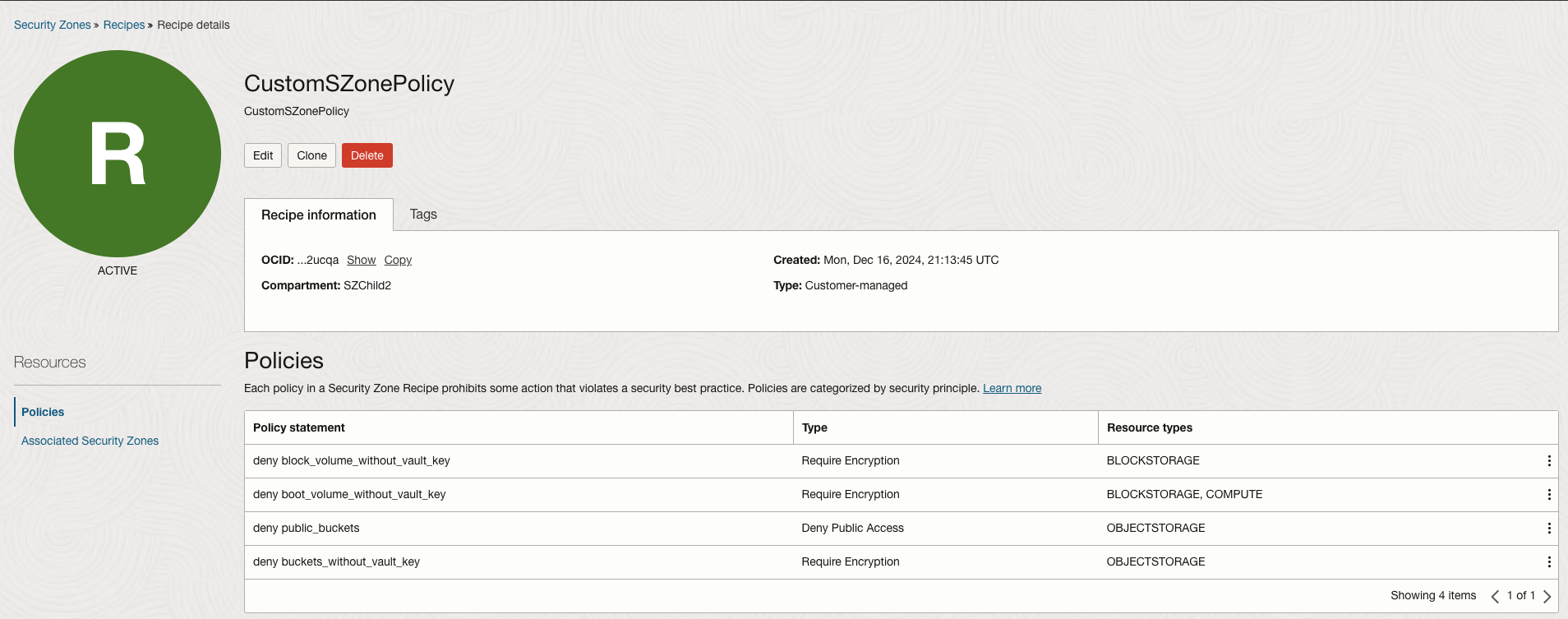
This recipe ensures that:
- Data encryption is enforced using Customer-Managed Keys for block volumes, boot volumes, and Object Storage buckets.
- Public access to Object Storage buckets is denied to prevent accidental exposure.
- These measures collectively enhance the security posture, ensuring compliance with best practices and organizational policies.
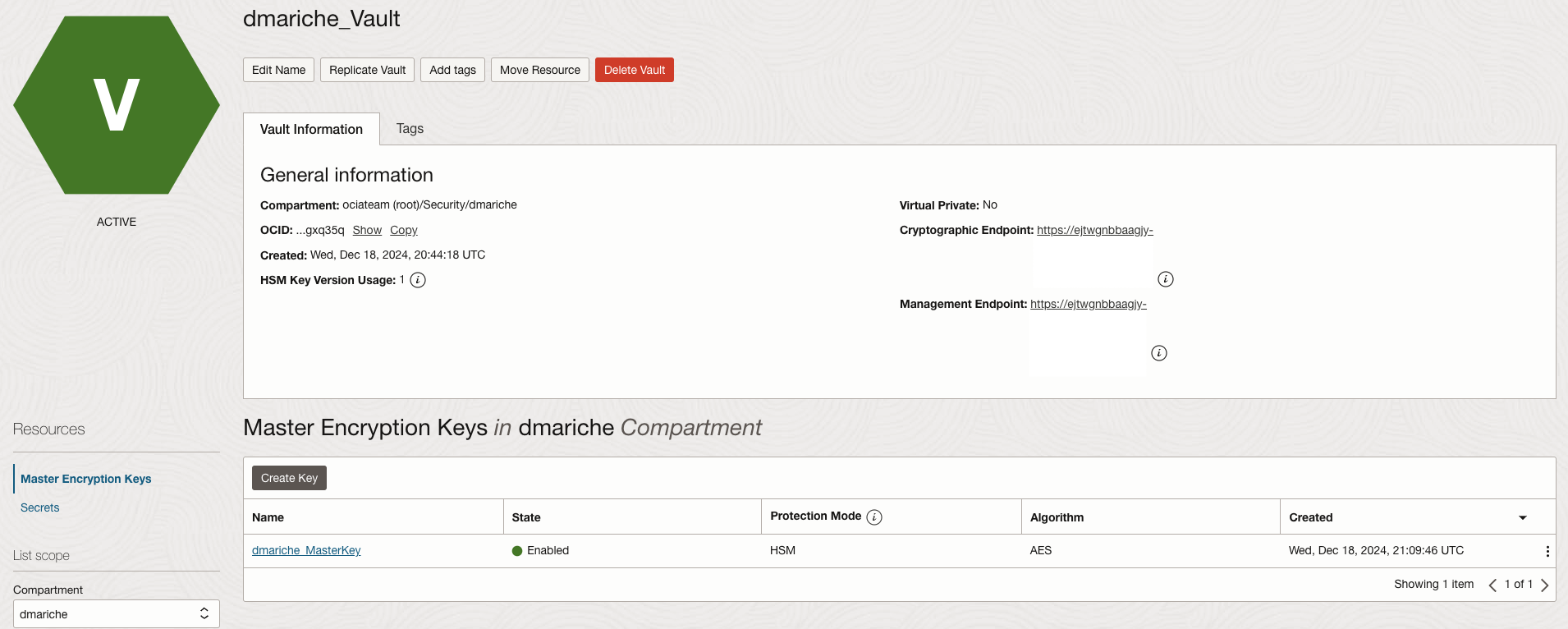
2. Ensure that we have a Vault and key to use for encrypting the bucket. The vault is located in the dmariche compartment (SZChild2 compartment is a child compartment of dmariche as shown above)
3.Created the policies required for the group to create and use the bucket as well the vault and keys
- Allow group bucket-admins to manage buckets in compartment SZChild2
- Allow group bucket-admins to manage objects in compartment SZChild2
- Allow group bucket-admins to use vaults in compartment dmariche
- Allow group bucket-admins to use keys in compartment dmariche
We would believe that this should be enough to create the bucket inside the SZChild2 compartment, but it is not
4. Now when we try to create the bucket in SZChild2 compartment, we get this error
Caught RestClientException exception. (NotAuthorizedOrFoundKmsKey)
5. We need additional policies in place for creating the bucket. Since Object Storage will interact with the keys and Vault, you also need to allow the Object Storage service to use the keys. For example we need to create a bucket in the ashburn region, so the policy would look like below.
- Allow service objectstorage-us-ashburn-1 to read keys in compartment dmariche
These policies would grant the Object Storage service permission to interact with the vault and use keys for encryption or decryption. Check and make sure that the correct objectstorage region is selected when writing the policy, some examples would be objectstorage-us-phoenix-1, objectstorage-uk-london-1…etc.
Now with policy in place we would be able to create the bucket as required in the Security Zone
The same policy would be required for object storage service to use keys in another compartment, this scenario is not specific to a security zone situation
Also another observation is that when creating a compartment within a Security Zone compartment, you need the “use security-zone” policy. This is required because the child compartment must inherit and attach the same Security Zone policies as the parent compartment.
i.e. a policy like this would be needed. “Allow group SecurityAdmins to use security-zone in compartment dmariche”