
Organizations often have business needs to restrict access to IAM and other applications deployed on OCI only from certain IP addresses. For example, they may have multiple office locations in different geographies, and would like to restrict access to OCI only from those office data centers. In this blog post, we will discuss how to restrict access to some OCI PaaS services from certain IP addresses using IAM Domain native capability. In particular, we will look into restricting access to OIC and OAC.
Many of the OCI PaaS services including OIC and OAC, are protected by IAM Domain using OAuth 2.0. This includes not only the service console (service home page) access but also their REST endpoints. During the OAuth authentication and authorizarion flows, if a check can be instated to verify the user/client’s IP address against a list of acceptable IP addresses (office data centers in the previous paragraph), then a suitable action – allow or block – can be initiated. IAM Domain’s Network Perimeter fits the bill here perfectly. Let’s check out how network perimeter can be used to restrict access to both the service console and the REST endpoints.
Restricting access to the Service Console
Since this is a browser based flow, OAC and OIC initiate an OIDC flow. For example, in OAC when a service instance’s home page, say https://amitoac-**********-yu.analytics.ocp.oraclecloud.com/ui/ is accessed, it redirects to IAM Domain.
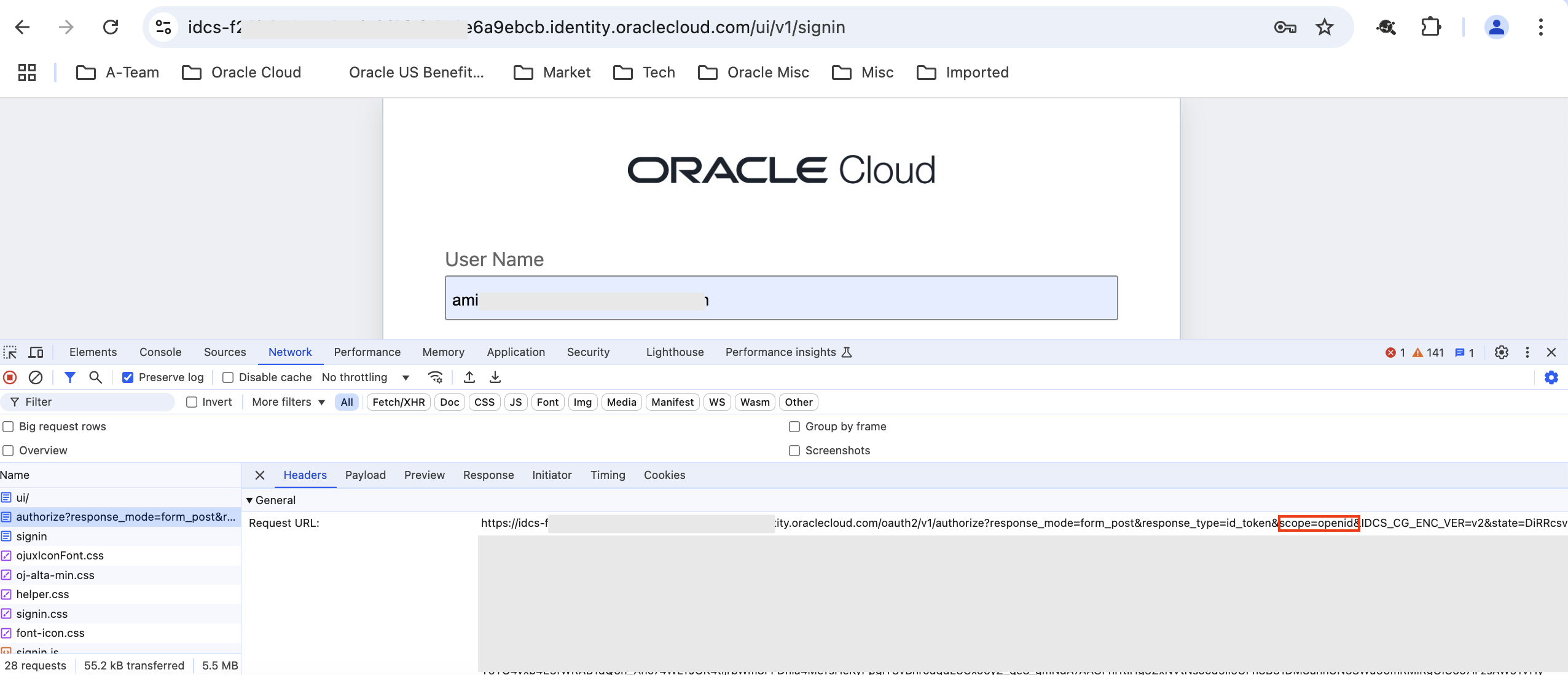
Fig 1
The highlighted parameter ‘scope’ in Fig 1 has the value openid, indicating that the flow is OIDC. After inputting the user id and credentials, IAM Domain would typically redirect the user to the OAC instance’s home page. The same flow occurs for OIC too. So how do you restrict users getting to OAC or OIC from certain IP addresses? To start with, create a network perimeter with all the IP addresses.
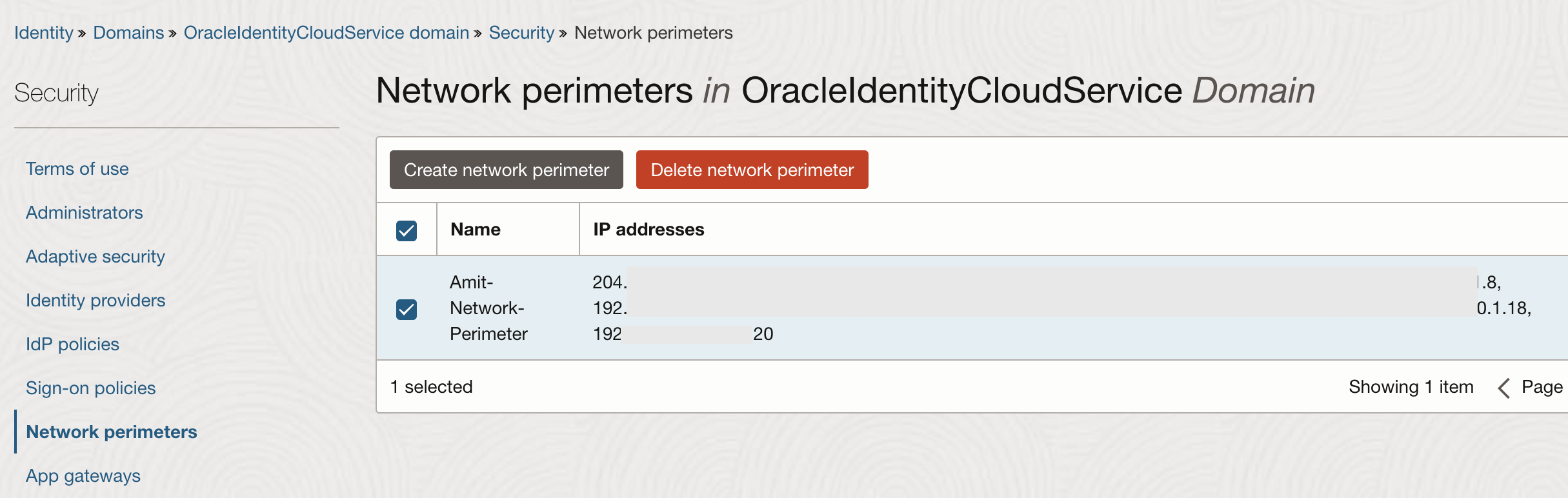
Fig 2
Next, create a sign-on policy with a rule including the above network perimeter.
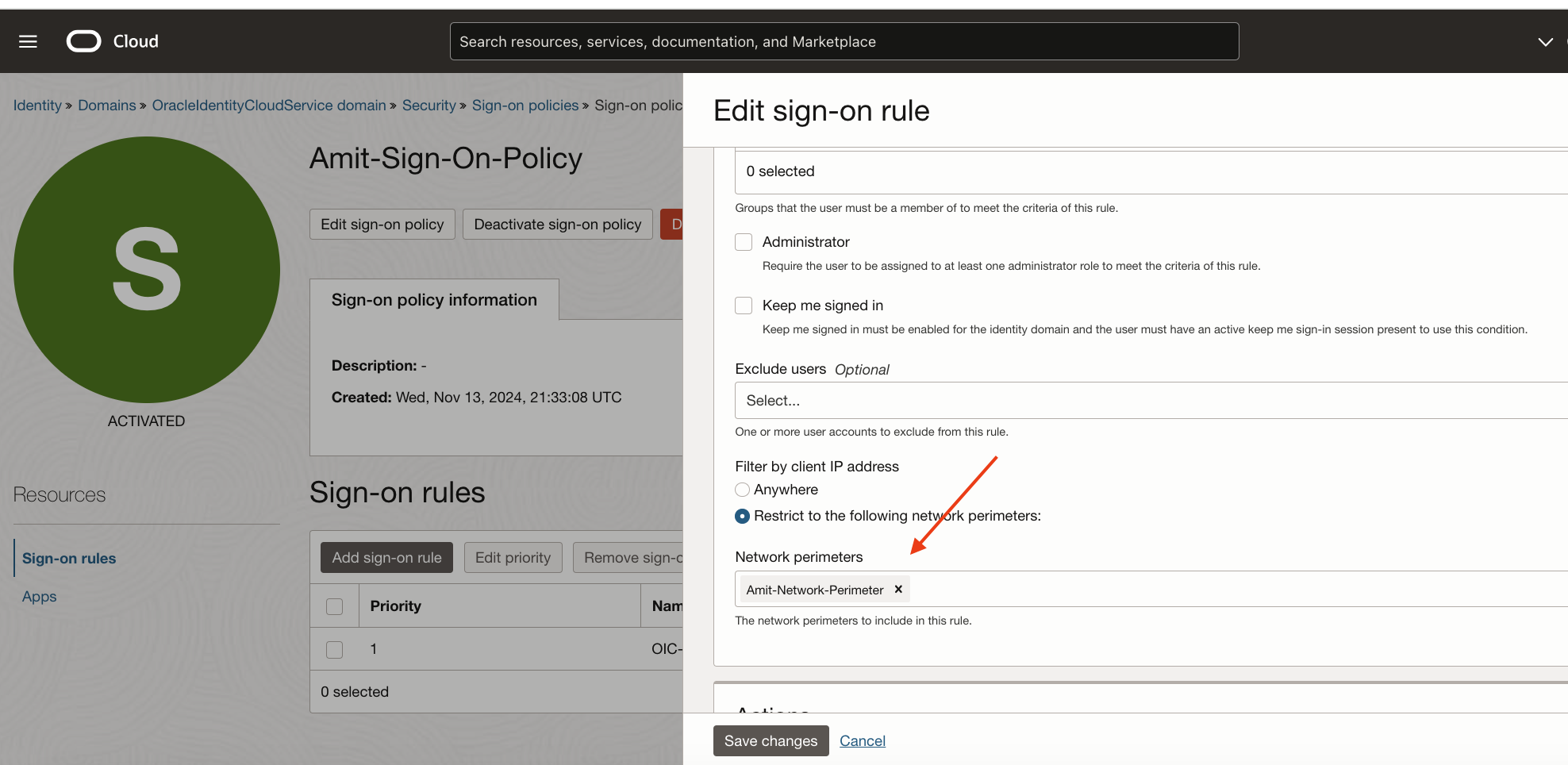
Fig 3
Finally, add the apps to the sign-on policy.
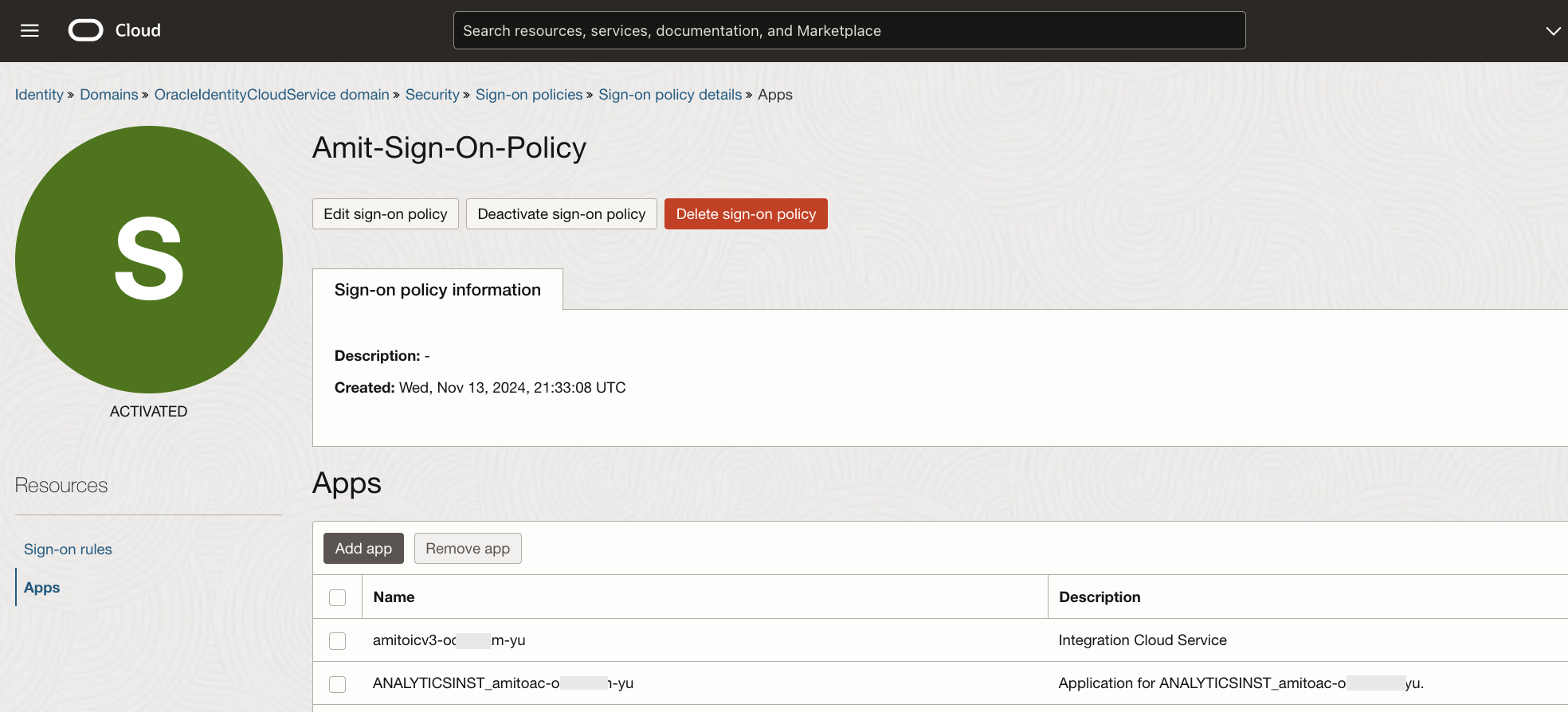
Fig 4
Note that in Fig 4, I have added the OIC and OAC apps. During service creation, I had given ‘amitoicv3’ and ‘amitoac’ as the names of my OIC and OAC instances respectively. IAM Domain creates corresponding OAuth 2.0 applications for each OIC/OAC instance for the OIDC and other OAuth flows. These are the apps which need to be included in the sign-on policy. You can spot them under ‘Oracle Cloud Services’ section, however, they anyway show up in pull down menu while adding the apps (Fig 4).
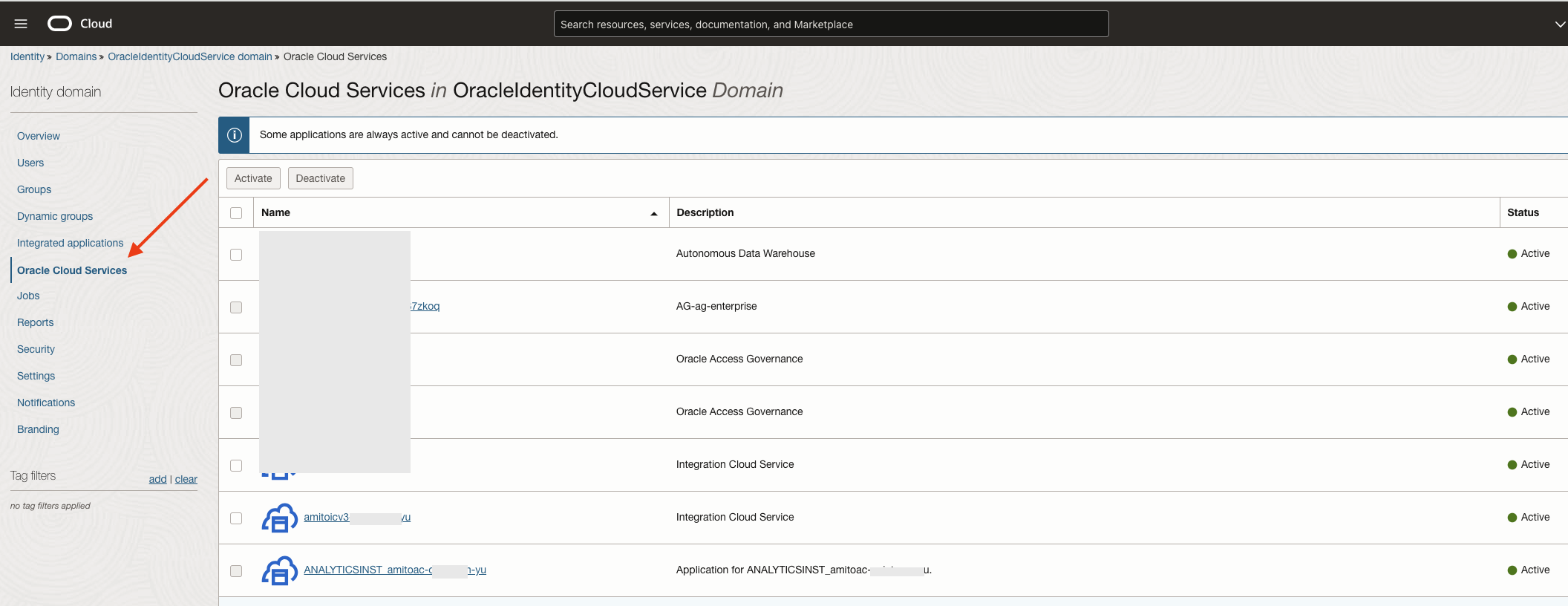
Fig 5
With the sign-on policy in place, accessing the OAC from an address outside the range specified in the network perimeter (Fig 2) results in:
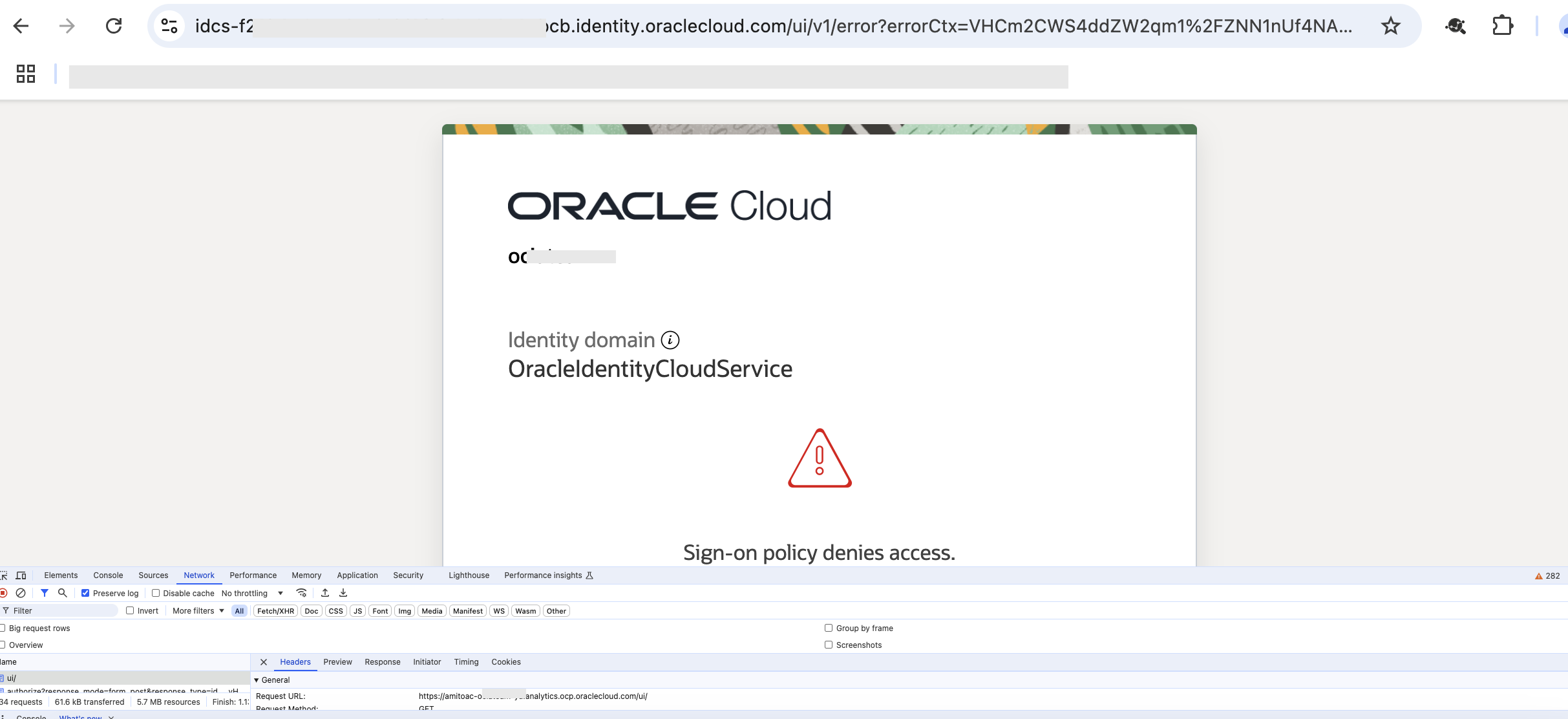
Fig 6
Same experience with OIC:
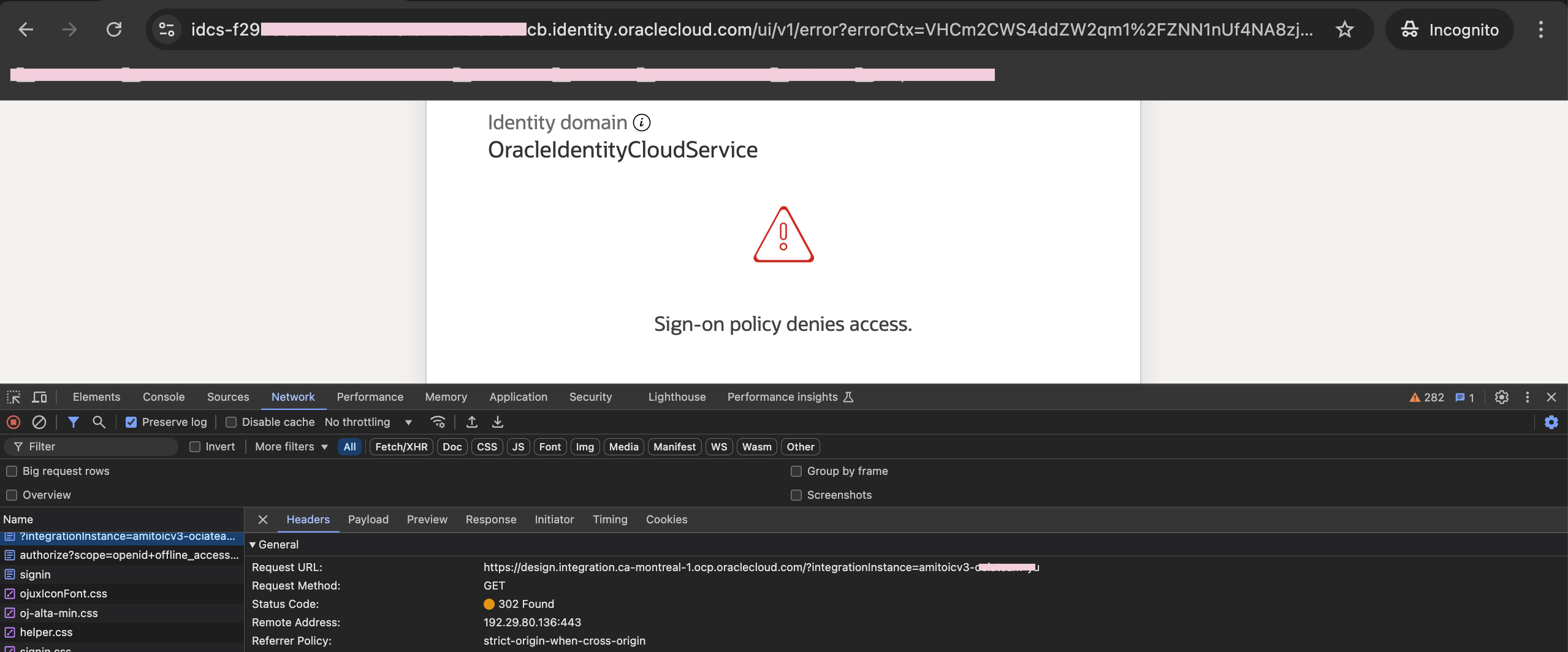
Fig 7
How about the REST endpoints?
Accessing the REST endpoints require a different approach since these are non browser based flows. I had earlier written blog posts on securing OIC and OAC REST endpoints. I had used OAuth 2.0 Device Flow grant type; you may use the Authorization Code grant type also. Irrespective of the grant type used, you will need a client application defined in IAM Domain to execute the OAuth flow. The (REST) client would fetch an access token from the IAM Domain ( which is the OAuth 2.0 authorization server) passing the grant obtained using either Device Flow or the Authorization Code flows. If this client application in IAM Domain is configured to refuse connections from certain IP addresses, then bingo, we have the solution. Indeed, client applications defined in IAM Domain can be configured to restrict connections using network perimeters.
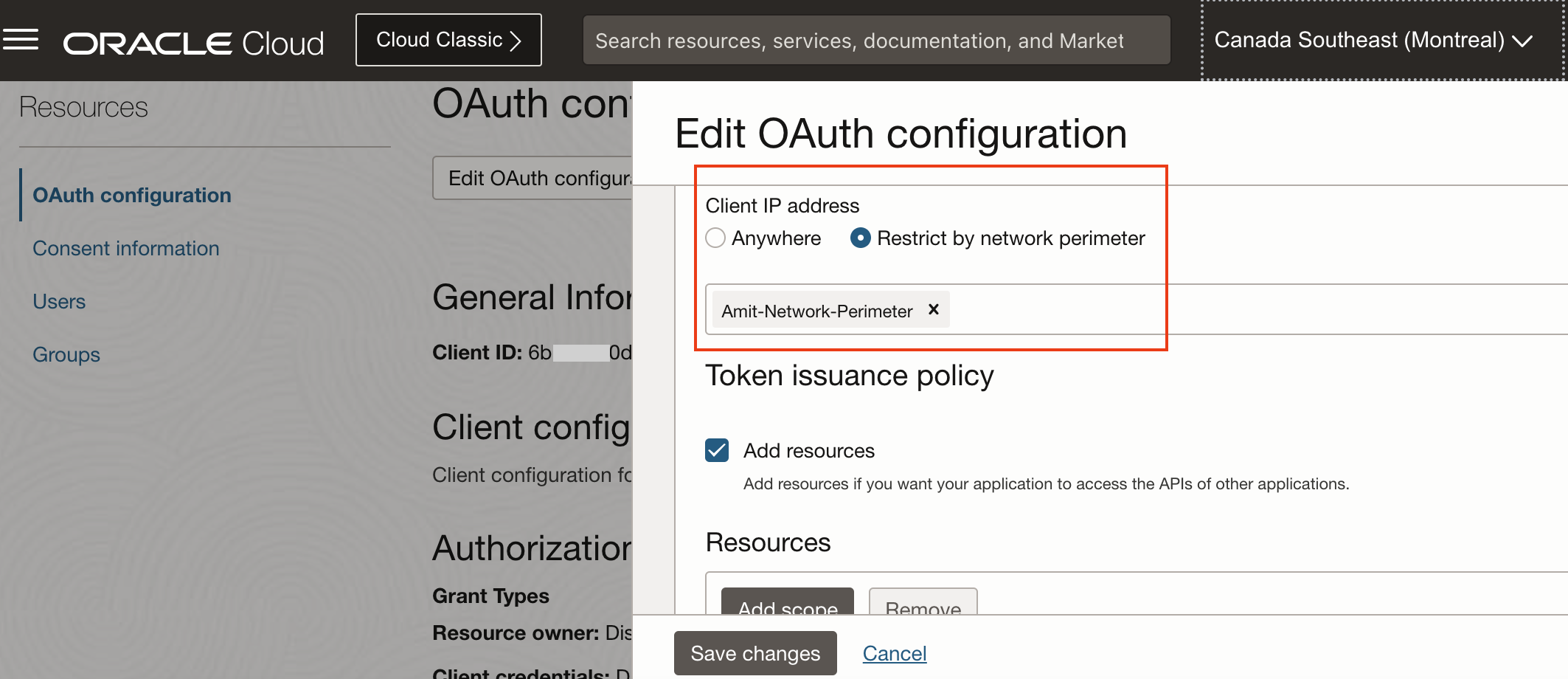
Fig 8
Now using the above application to fetch an access token from a non-permitted IP address should result in an error, and it does.

Fig 9
Summary
In this blog post, we discuss how to restrict access to various OCI PaaS services such as OAC and OIC using IAM Domain network perimeter. This approach can be used for both service console which is browser based as well as REST endpoints.