
Introduction
To improve the availability of their applications, customers are deploying architectures that have redundancy either within a region or between OCI regions. Latency impacts the network throughput as explained in this post by Radu who explored the network stack tweaks on the linux operating system to improve the throughput and overcome network latency. These changes can’t be implemented in most of the production environments due to the high hardware requirements.
Selecting the placement of the applications in OCI is based on finding the best latency between each Availability Domain (AD).
In this post I will guide you to install sockperf on multiple Virtual Machines (VM) in OCI based on Oracle Linux 8 and test the latency across AD.
Prepare the Test Environment
For the test we will use a single Virtual Cloud Network (VCN) configured with Availability Domain (AD) specific subnets.
Sockperf is a client server tool that measures the network latency and the available bandwidth. It provides a histogram with different percentiles of the packet’s latencies
What makes sockperf so special is the usage of messages rather than packages, so we are not getting a raw network throughput, but a more real-life scenario where there are applications calls to another server and not only UDP packets for testing.
There are multiple functional modes for the tests, and I will mention two of them, ping-pong, and under-load. Ping-pong sends one message, waits for the response, and sends the next one. Using under-load, the client sends concurrent messages to the server and will get a response for only 1% of them. This mimics a real life scenario where an application server will send concurrent connections.
The OS used for the VMs is Oracle Linux 8.
Bellow are the steps to install and configure sockperf on the VMs:
– Download sockperf using wget or curl.
wget ftp://ftp.icm.edu.pl/vol/rzm3/linux-oracle-repo/OracleLinux/OL7/developer_EPEL/x86_64/sockperf-3.6-1.el7.x86_64.rpm
curl ftp://ftp.icm.edu.pl/vol/rzm3/linux-oracle-repo/OracleLinux/OL7/developer_EPEL/x86_64/sockperf-3.6-1.el7.x86_64.rpm –output sockperf-3.6-1.el7.x86_64.rpm
– Install sockperf
sudo rpm -i -f sockperf-3.6-1.el7.x86_64.rpm
– Open port 11111 in the firewalld of the VMs
sudo firewall-cmd –permanent –add-port=11111/tcp
sudo firewall-cmd –permanent –add-port=11111/udp
sudo firewall-cmd –reload
– Check NSG attached to the VMs or the Security List attached to the subnet and open port Open port TCP/UDP 11111
Execute the tests
We will execute two types of tests: one latency ping-pong tests between each VM (VM-AD1 and VM-ad2; VM-AD1 and VM-AD3; VM-AD2 and VM-AD3) and one bandwidth test between two VMs (VM-AD2 and VM-AD3).
The first set of test will use the “ping-pong” feature. The results of each test will give us the the rount trip time (RTT) for the connectivity.
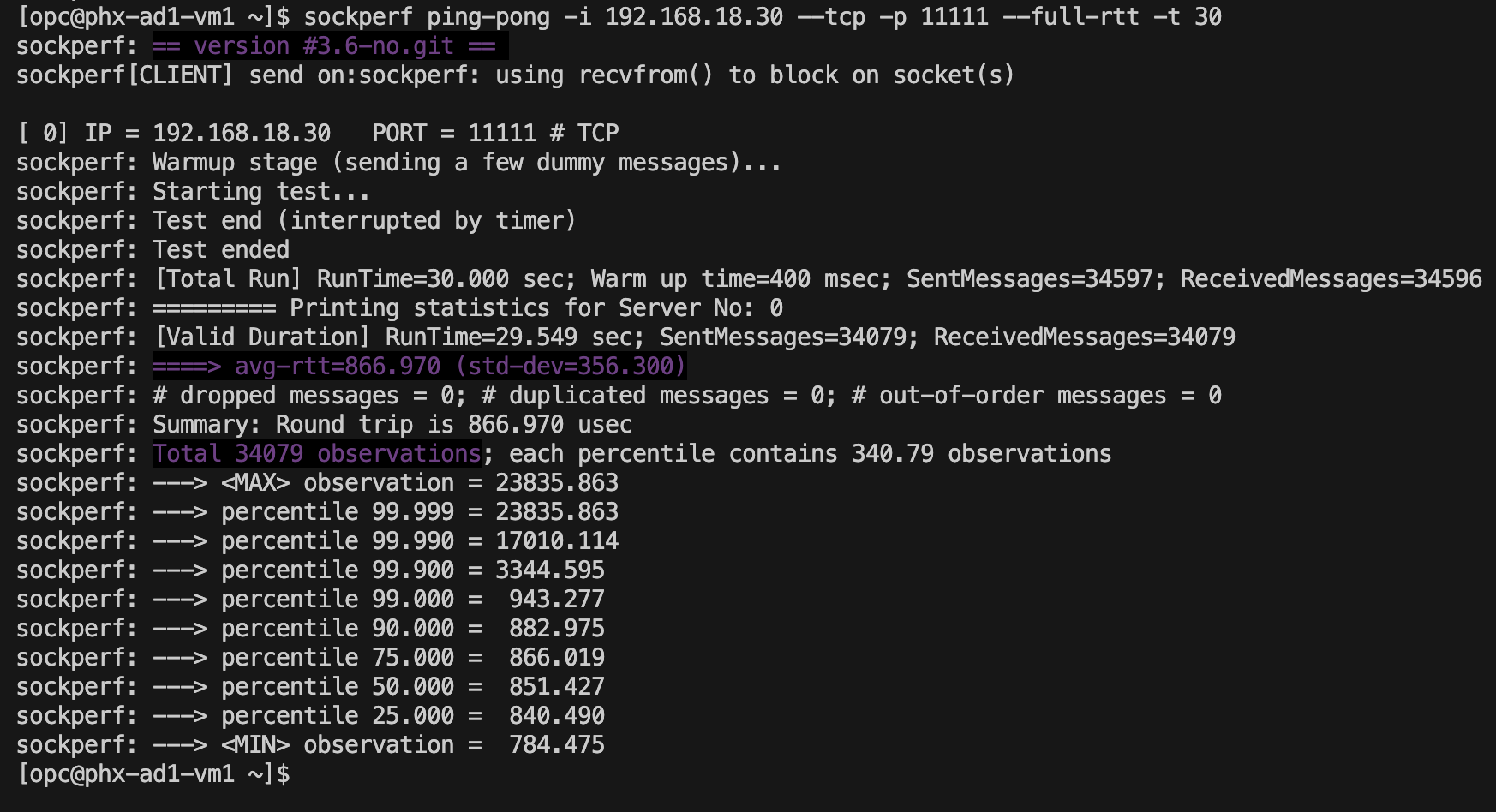
AD1-AD2 – latency is 433,485us (microseconds)
sockperf ping-pong -i 192.168.18.30 –tcp -p 11111 –full-rtt -t 30
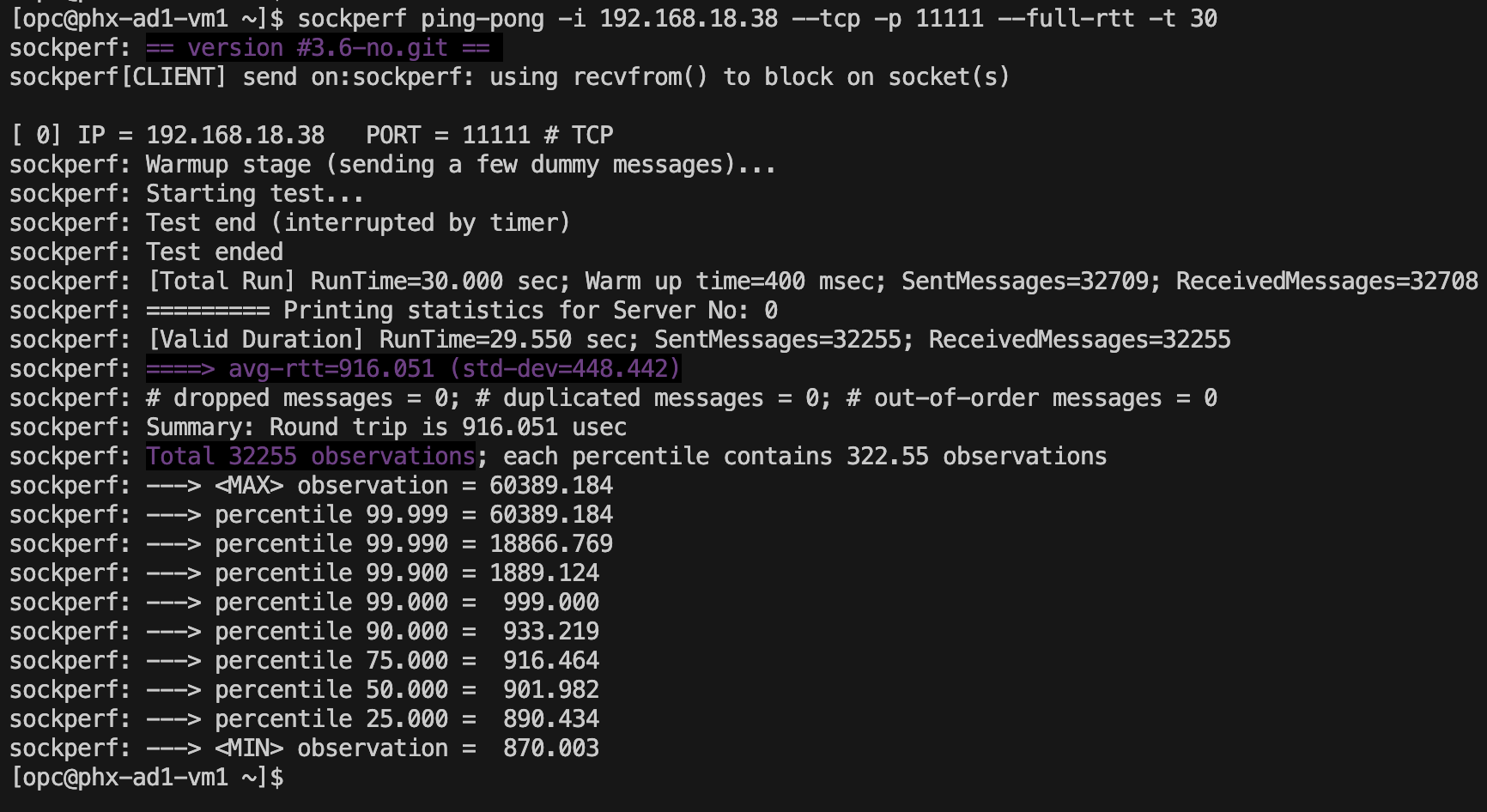
AD1-AD3 – 458,025us
AD2-AD3 – 135,024us
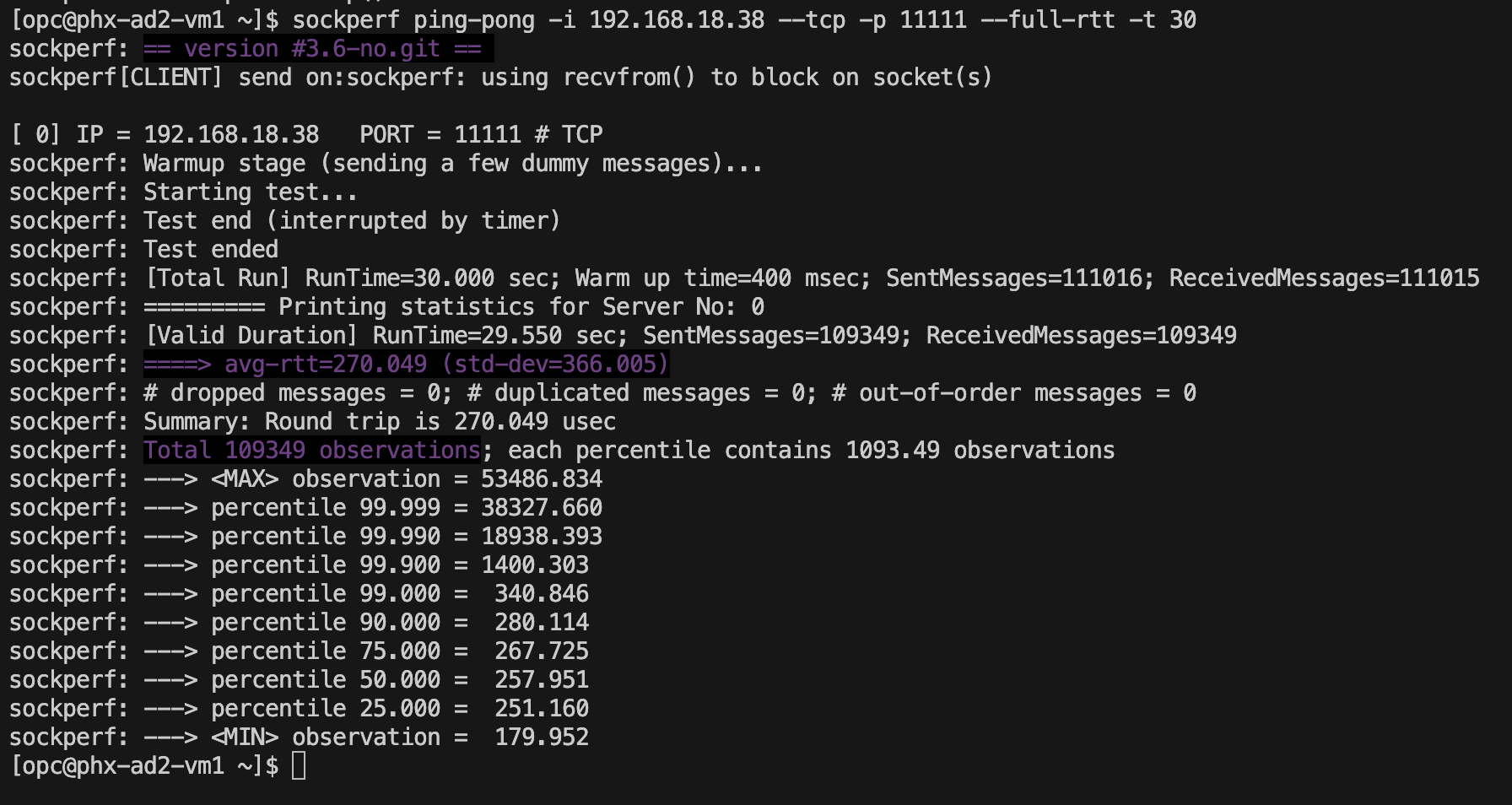
After the test, the best latency is between AD2 and AD2.
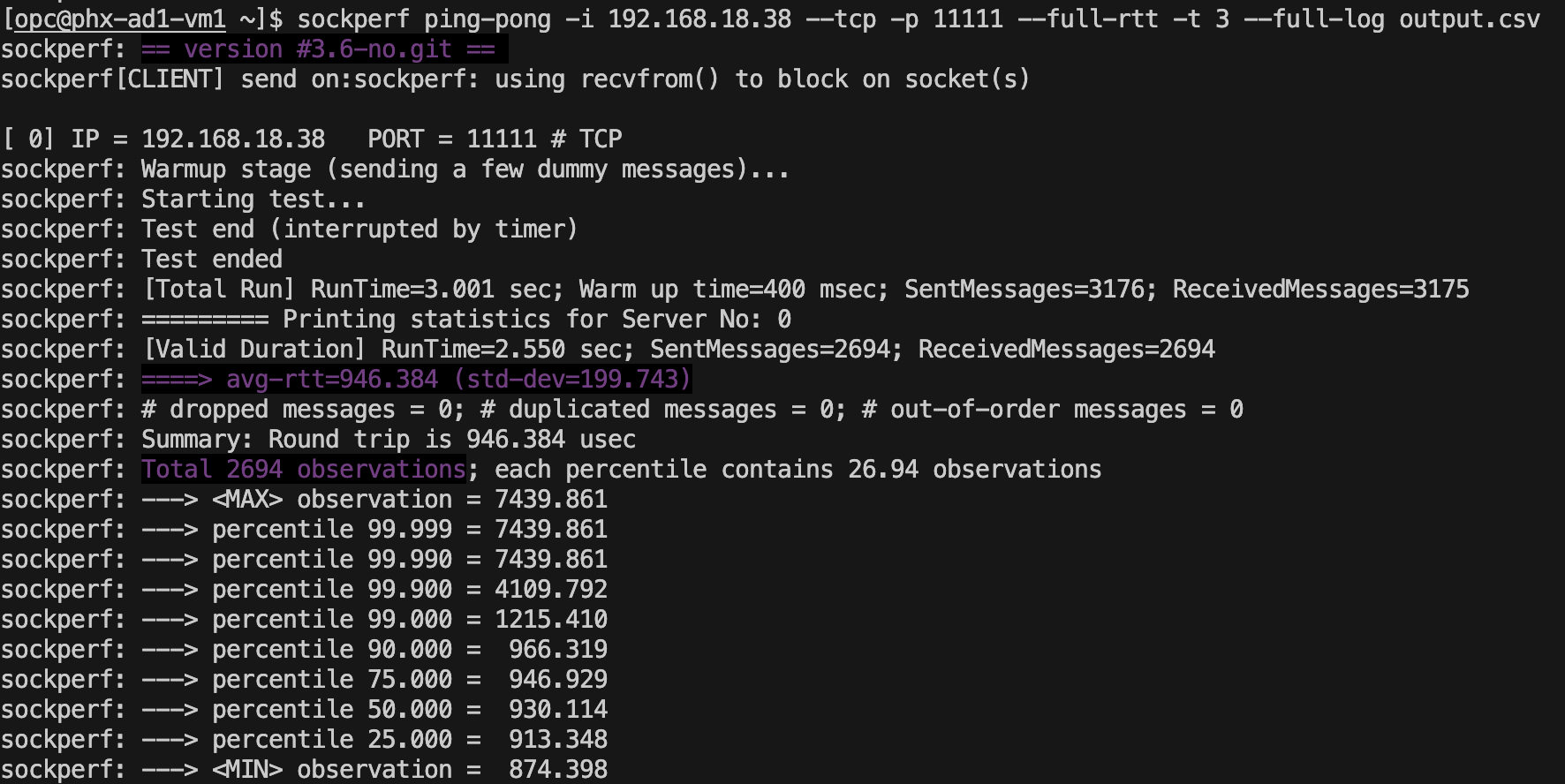
The results of each packet in the test can be recorded and can pe used in grafic representation tool to get a chart with the RTT.
sockperf ping-pong -i 192.168.18.38 –tcp -p 11111 –full-rtt -t 3 –full-log output.csv
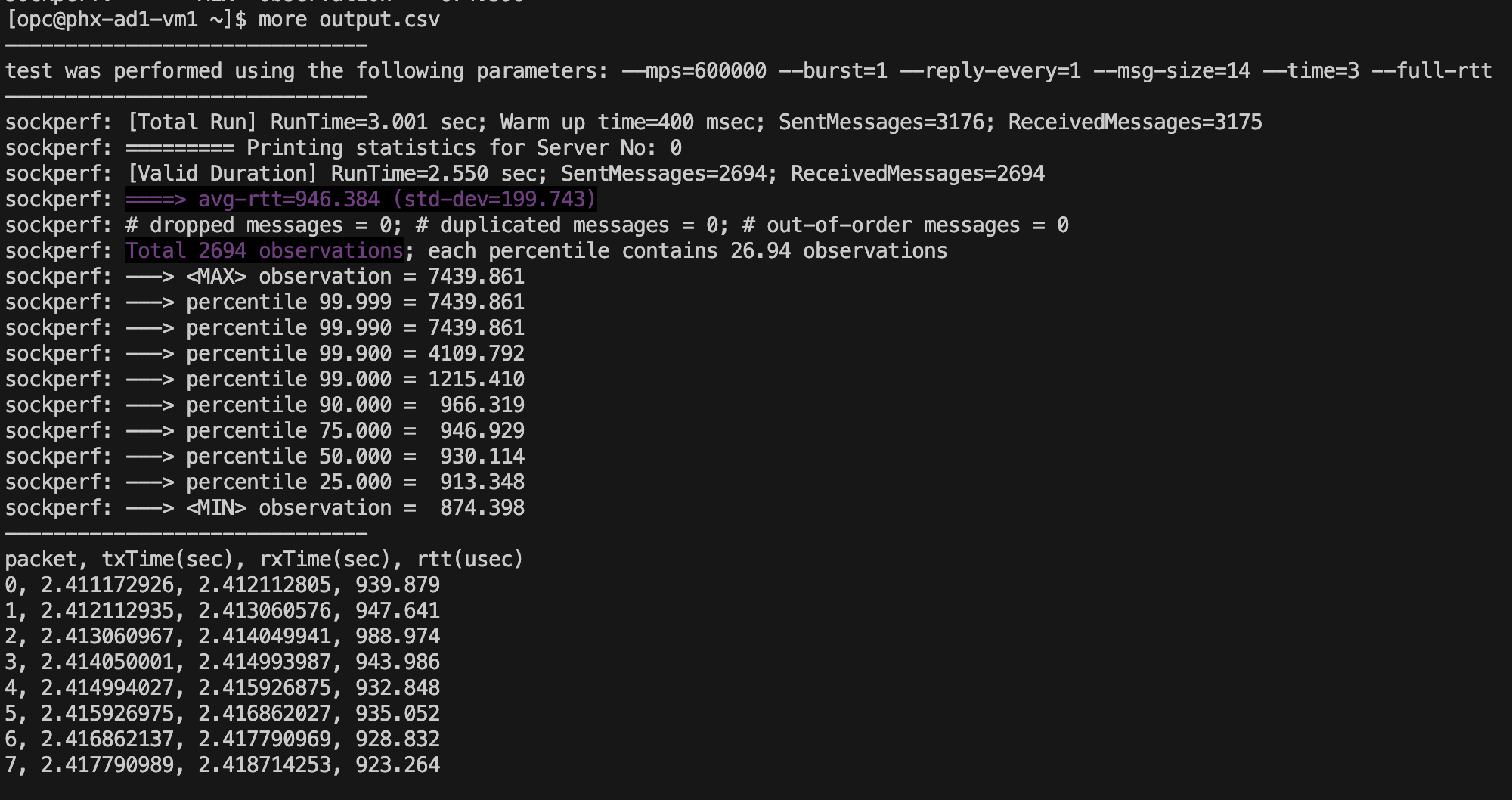
Next we will do a set of throughput test between the VMs from AD2 and AD3 with different sets of message sizes.
Throughput AD2-AD3
sockperf tp -i 192.168.18.38 -m 1472 -t 5
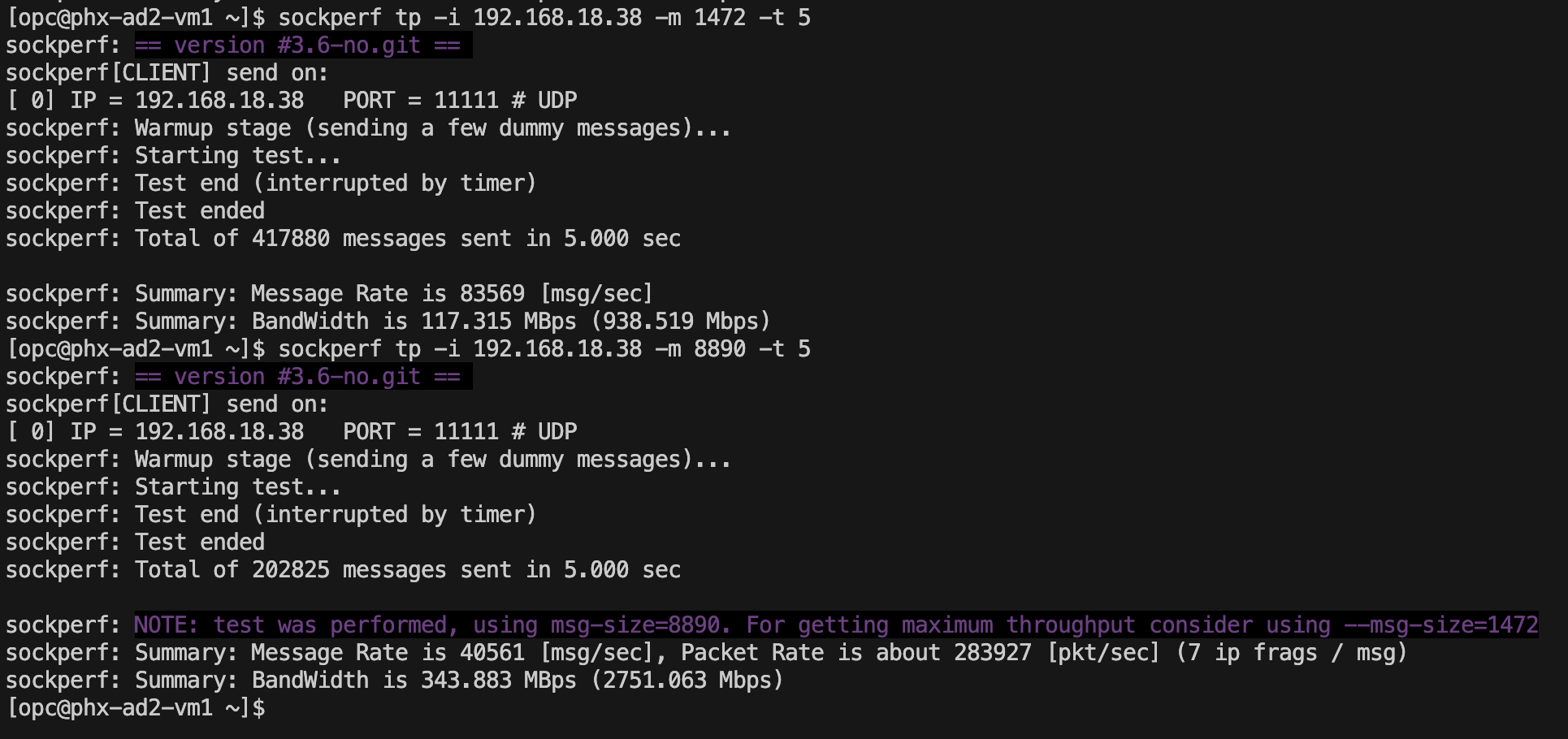
Notice that with a message size of 1472 the bandwidth was 938Mbps and with a sessage size of 8890 the throughput was 2751Mbps. Theese numbers are close to real life situations where an application needs to respond to mesages in order to fill the bandwidth. If another tool like iperf3 is used, better values will be received because that tool si not waiting for any responses in order to calculate it’s numbers.
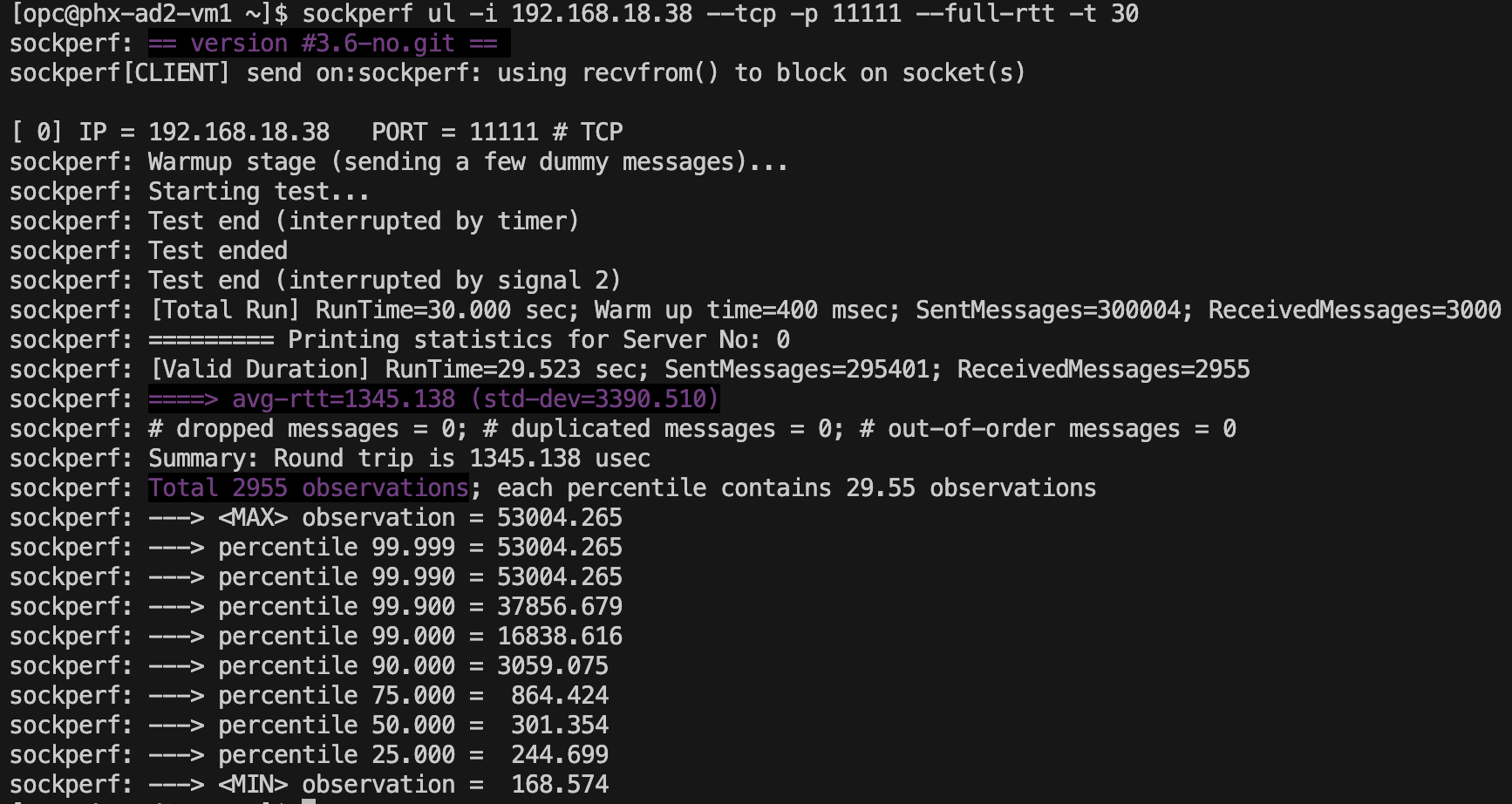
Last test is using the “under load” feature of the tool and in this scenario, the client sends large amount of messages (around 10000 messages/second) and the server will respons to 1% of them but still prcessing all the messages. The test runtime was 30 seconds and we can observe that from a latency of 135,024us recieved in normal conditions without load, the latency goes to 672,569us
sockperf ul -i 192.168.18.38 –tcp -p 11111 –full-rtt -t 30
Conclusion
Unserstanding the latency between each component in ar architecture is very important and mastering tools that can provide these real acurate values is crucial.
In this post we installed and used sockperf to get the best latency between two Availability Domains in OCI.