
This is a continuation of my previous blog post, where we explored handling IAM (Identity & Access Management) events—such as changes to users, groups, policies, and more—using the OCI Events Service.
In this post, we’ll build on that foundation by diving into an interesting real-world use case I recently encountered with a customer. It presented a unique challenge that’s worth sharing with you, and I’ll walk you through the details and explain how we approached and resolved the challenge.
Use Case
When a rule is configured for an event—such as an IAM User update—the rule is triggered whenever a change occurs to any user. The OCI Events service captures this event and, in response, generates a JSON payload describing the event. This data is then sent to you via one of notificaton channels (typically via email), describing what changes were made to the user profile.
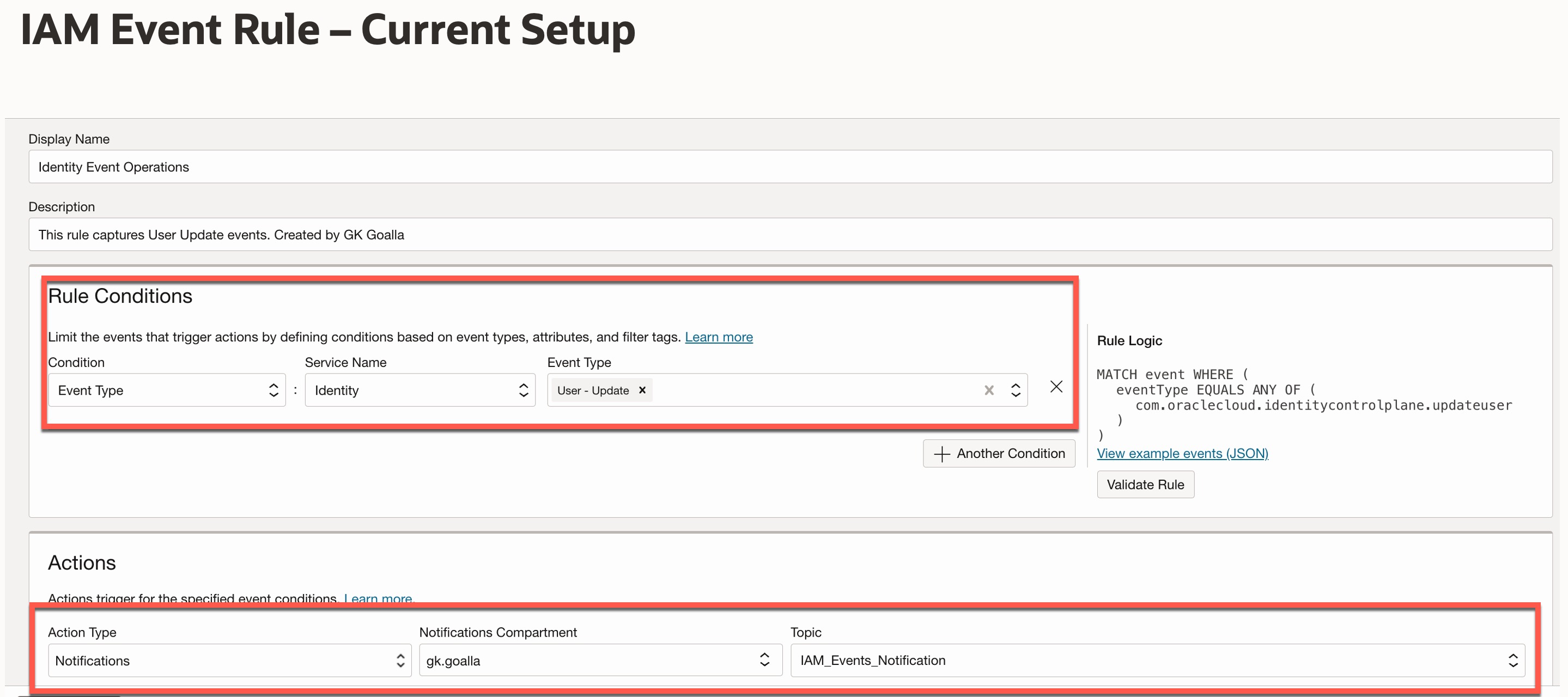
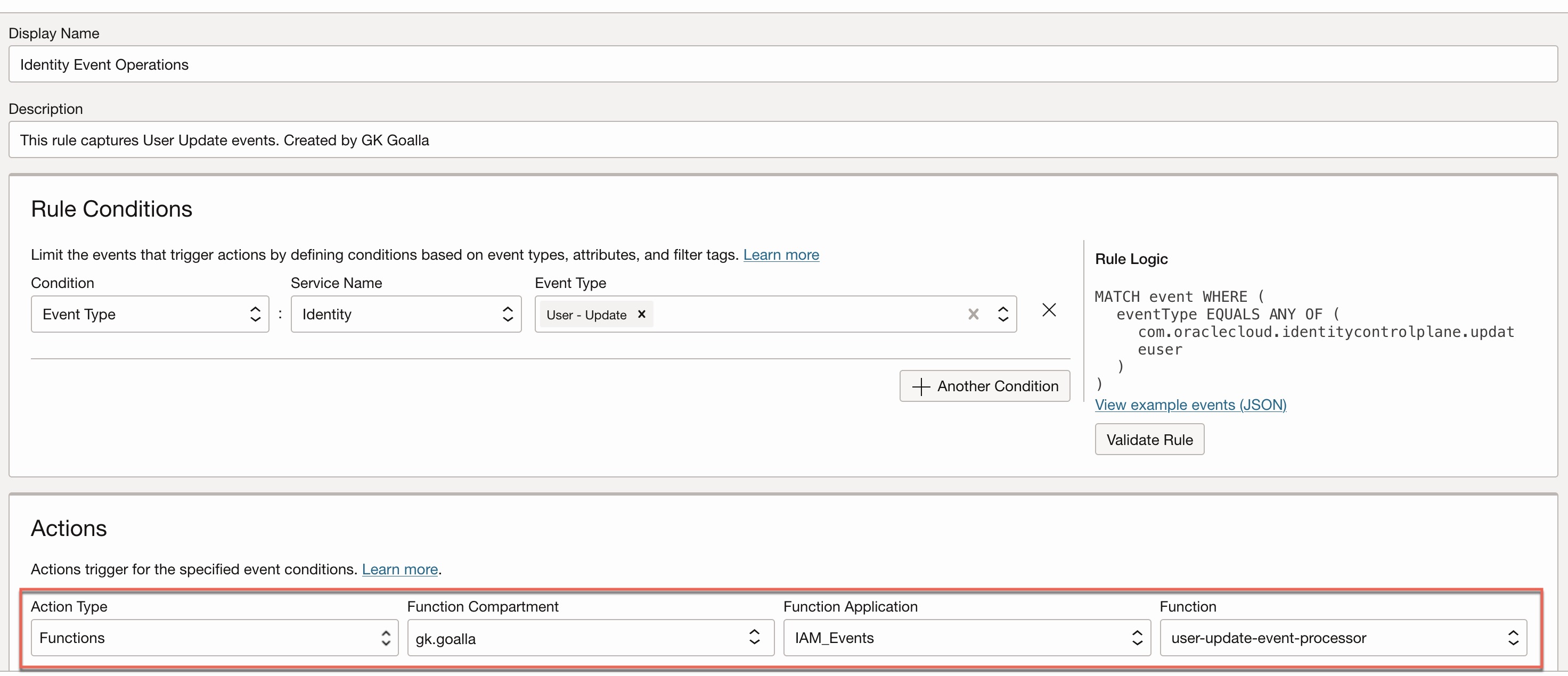
My customer has configured an event rule for IAM User update events, which sends email notifications to a group of individuals responsible for monitoring user changes. Here’s how their rule is currently set up. Pay attention to the “Rule Conditions” and “Actions” in the event rule definition below.
Note: A topic is a set of email recipients who receive notifications about an event.
Challenge
Customer tells that working with raw JSON data is quite challenging and offers little practical value. It often lacks context, is difficult to read, and hard to interpret—particularly when it contains complex nested structures. Even if you are willing to review it line by line, making sense of the full picture can be both time-consuming and frustrating.
Here’s the raw JSON payload that’s generated by default when an IAM user update event occurs.
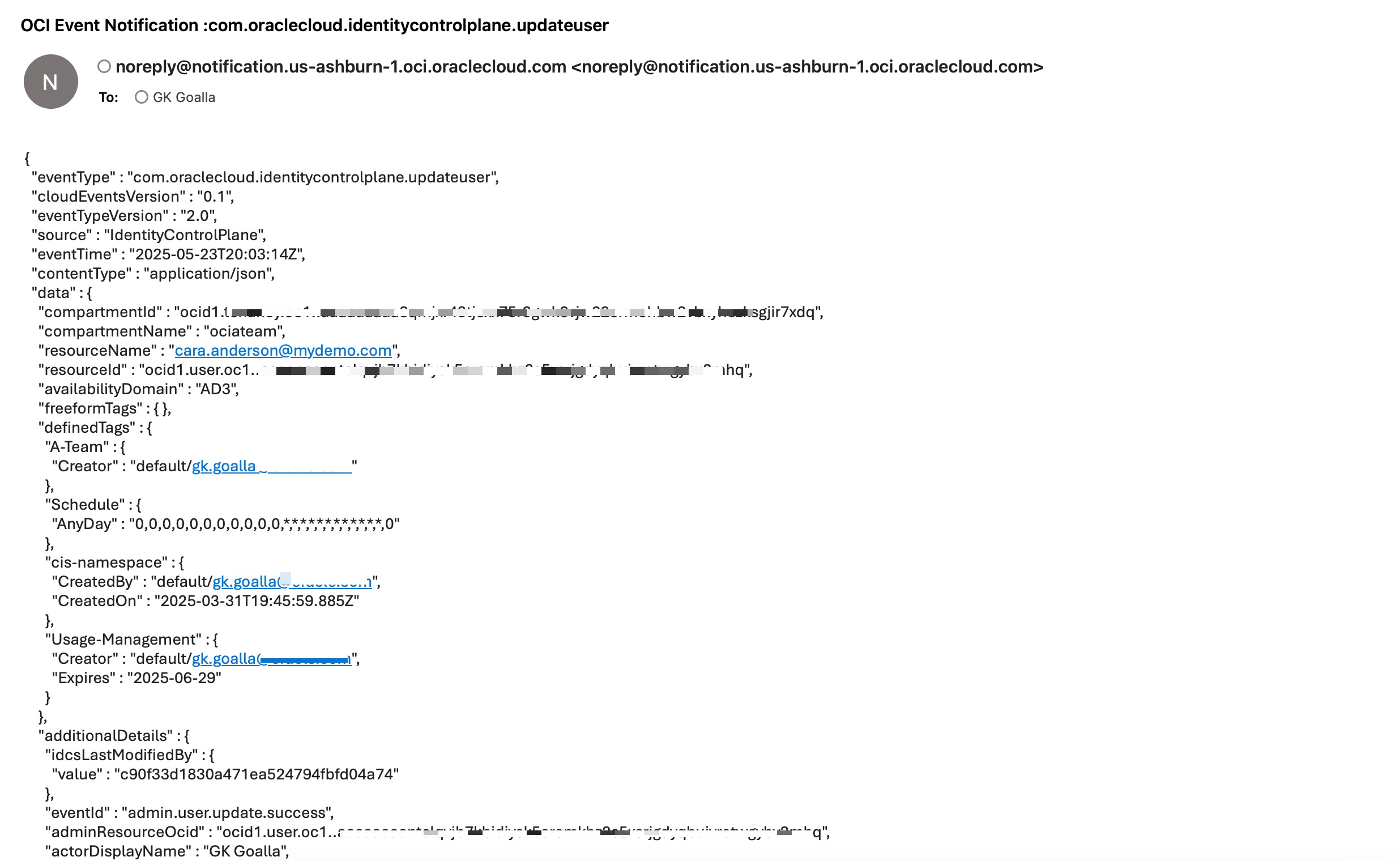
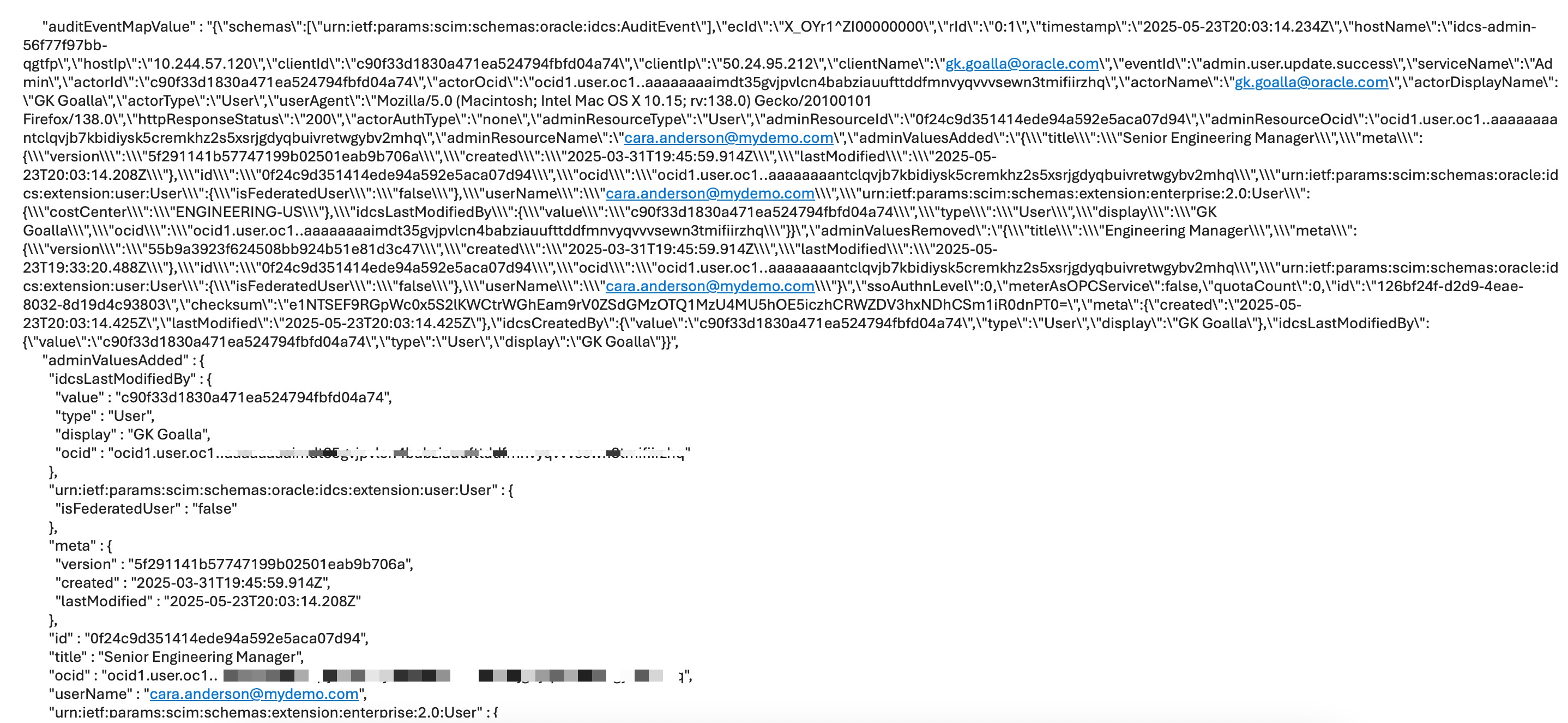
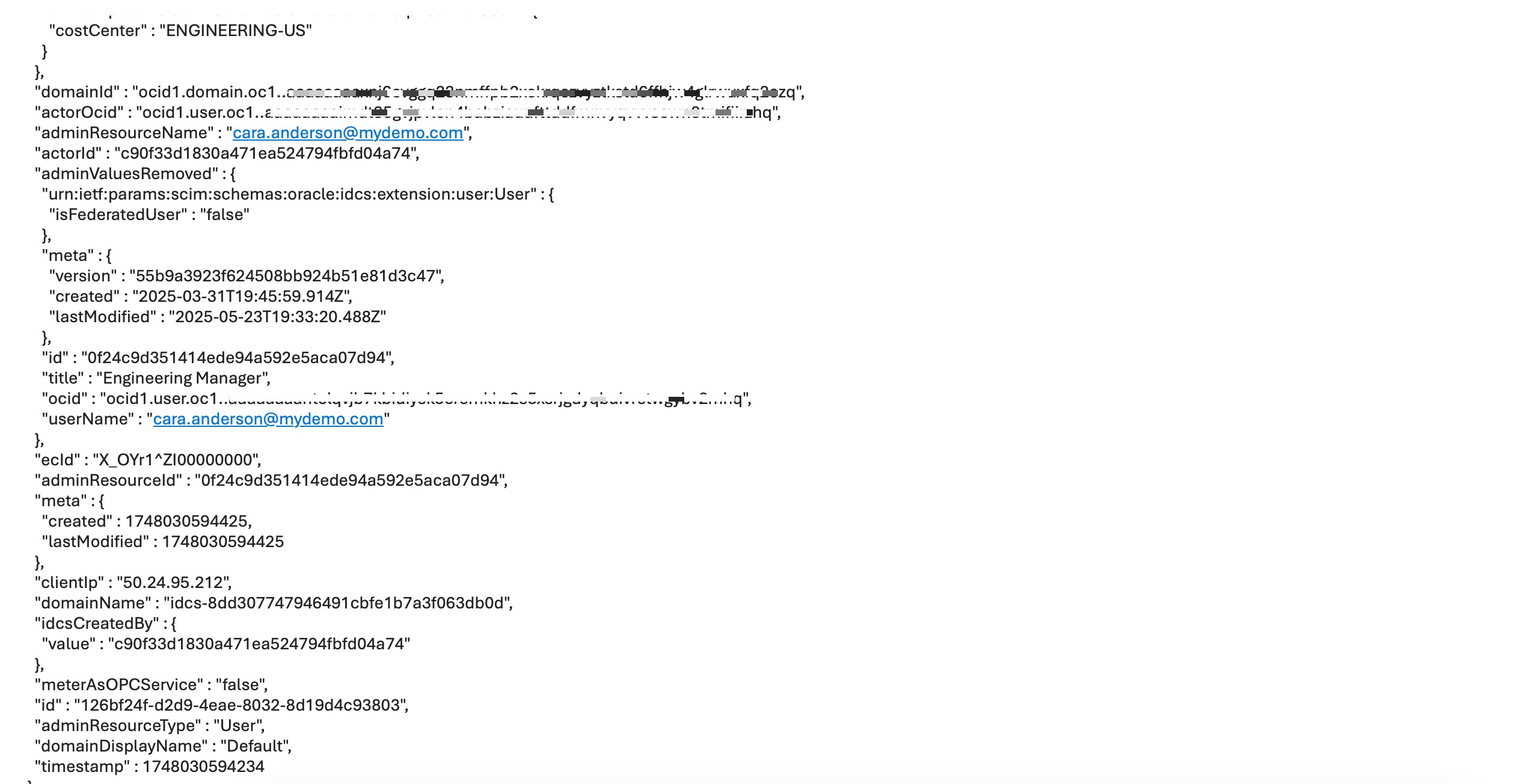
Take a moment to glance at the raw JSON data above. Could you figure out what it was all about?
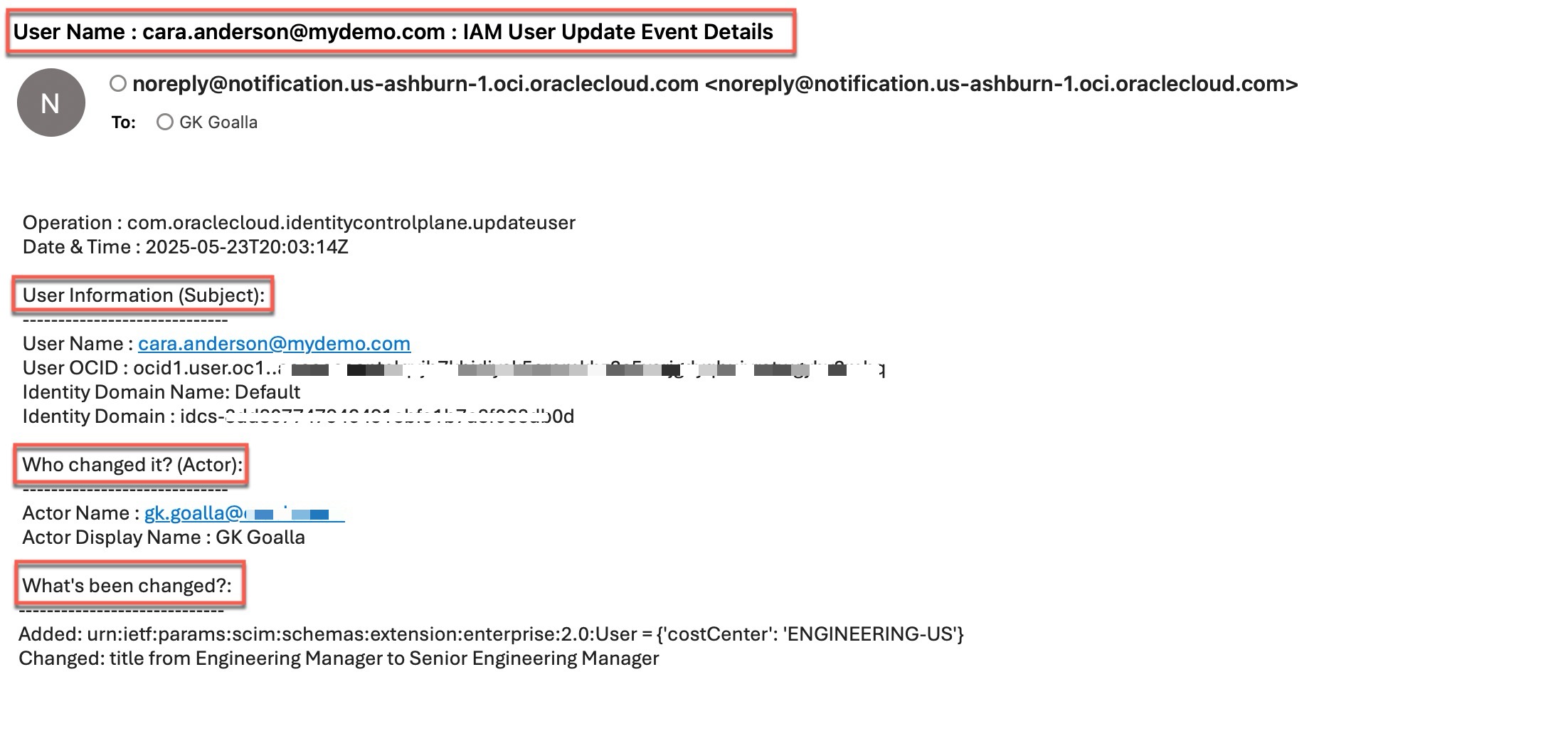
Decoding this tangled mess is no easy feat — and I completely understand the customer’s frustration. They’re asking for something much clearer: a polished, easy-to-read format that answers the key questions —
- What was this event?
- Who’s the subject whose identity changed?
- Who made the change (the actor)?
- And what exactly was changed, with clear before-and-after values?
Converting a raw JSON payload into a user-friendly format is not a native feature in OCI. To achieve this, you need to build a custom solution. I’ve developed one—a custom OCI Function that processes the raw JSON and transforms it into a more human readable format.
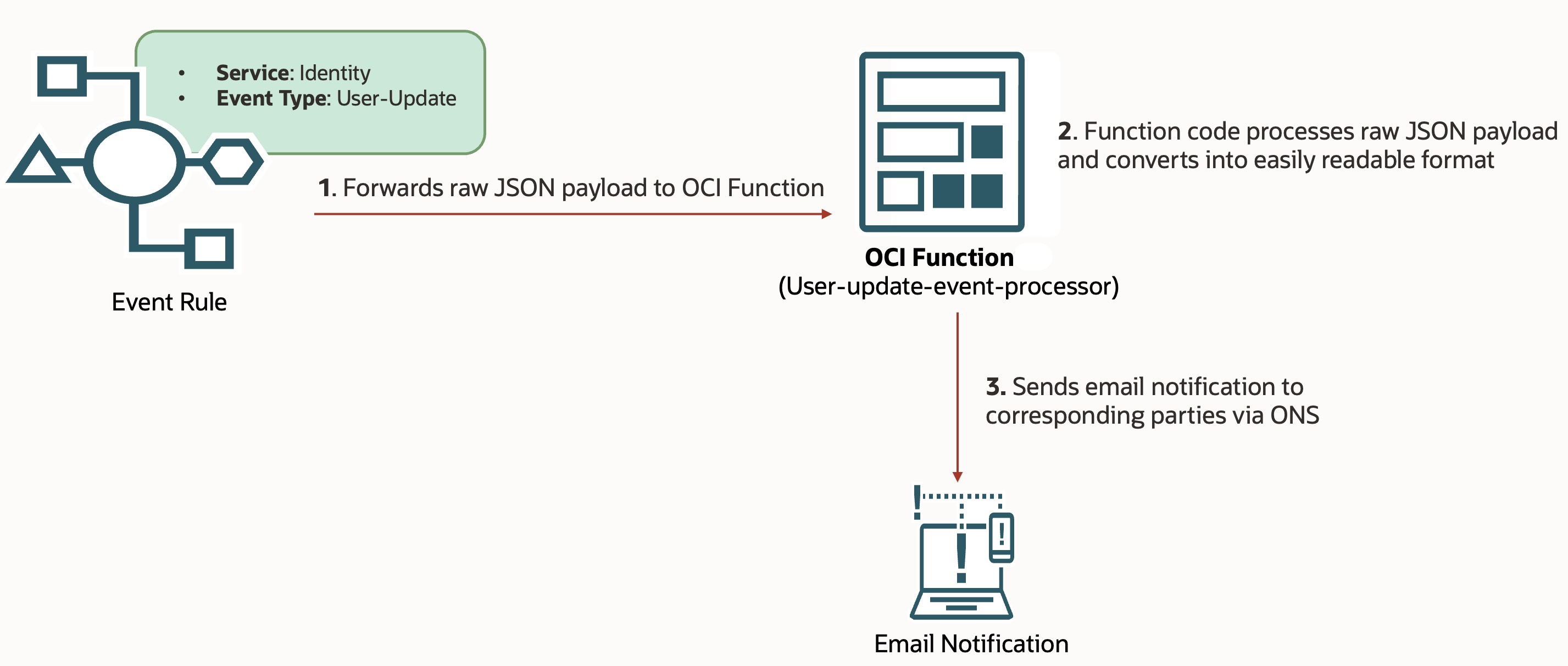
At a high level, the process works as follows:
- Step 1: The Events service now forwards the raw JSON payload to the OCI Function instead of sending it as-is to the target recipients.
- Step 2: The Function processes the payload and converts it into an easily readable format.
- Step 3: The formatted message is then sent to the intended recipients.
To utilize this custom OCI Function and achieve the desired outcome, you need to modify the existing event rule for IAM User update events by changing the “Action Type” from “Notifications” to “Functions” and selecting your custom function. The updated event rule is shown below.
Here’s the end result— a clean, easy-to-read version of the JSON payload produced by the custom function. It clearly outlines the event in plain English and takes less than a minute to understand. This friendly format explains the event: the user ‘Cara Anderson‘ had her title changed from ‘Engineering Manager‘ to ‘Senior Engineering Manager,’ and the ‘Cost Center‘ attribute ‘ENGINEERING-US’ was added to her profile.
Pretty neat, right?
Now, let’s talk about the custom function behind all this. I won’t go into the nitty-gritty of how the code was built—that’s a rabbit hole for another time. But the good news? I’ve attached the complete OCI function details for you here on my Github page. You can take it as-is, drop it into your own tenancy, and simply update your existing event rule as described earlier in this post.
If you’re new to OCI Functions and feeling a bit like “Wait… what’s a function and how to deploy it ?” — don’t worry. Just take a look at this hello-world function example.
Final Thoughts
Transforming raw OCI event data into something human-friendly doesn’t have to be painful. With a little custom logic, you can turn complexity into clarity— using OCI Functions.
Next Steps:
The function code I’ve shared here is built for a specific use case—IAM User update events. But don’t stop there! You can use this as a starting point and tweak it to handle other event types too. Once you’ve got the basics down, expanding it is totally doable.
Useful resources: