
One of the common features you typically find in web applications is to redirect plain, unsecured HTTP requests to the secured site using HTTPS . For example, if a user makes a request to http://www.example.com, the user gets redirected to https://www.example.com instead. In this blog post we will look into how to achieve it using the OCI Load Balancer service. However, there are some caveats in the Load Balancer configuration, which we shall look into and address the same.
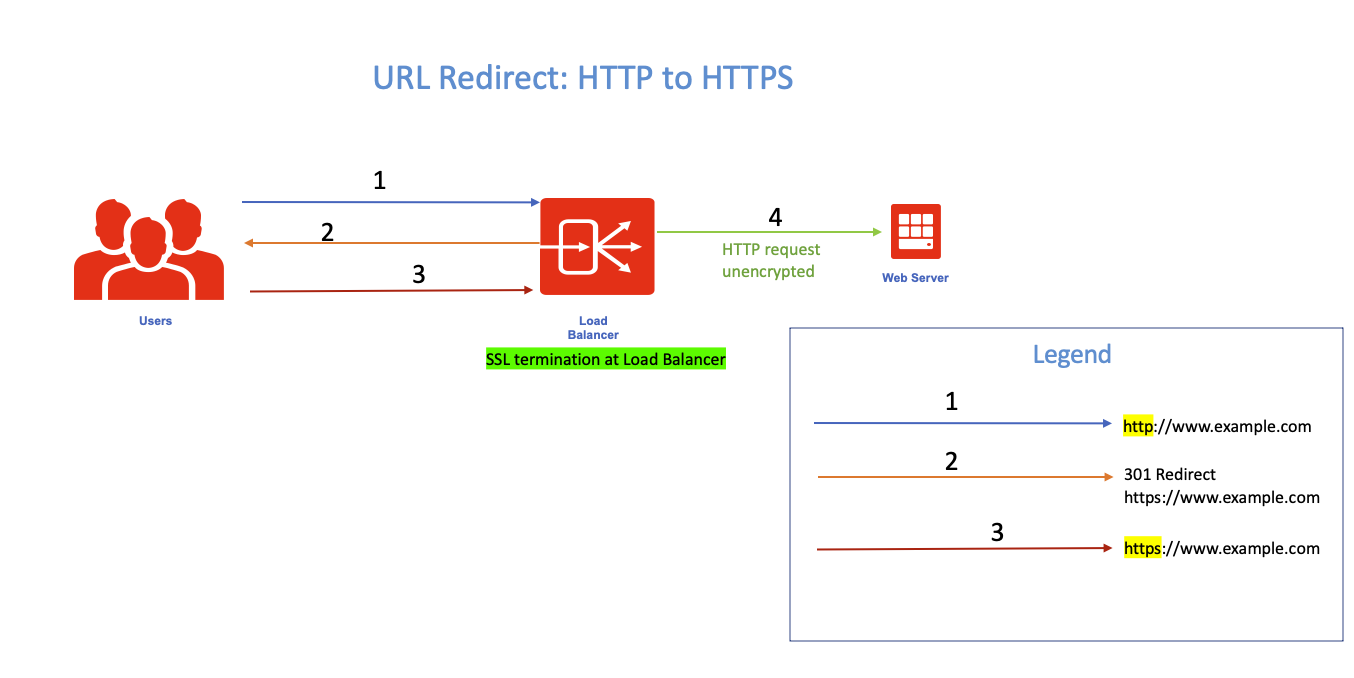
The above figure captures the use case (only one Web Server is shown above for simplicity). For my example, SSL (rather TLS) terminates at the Load Balancer.
Load Balancer Configuration
The Load Balancer service facilitates defining various types of rules to control requests and responses. One of the rule types is ‘URL Redirect’ which as the name suggests, redirects the original request URI to a different URI. This rule is used for HTTP to HTTPS redirection as well.
The configuration steps are as follows:
1. To start with, configure a (Load Balancer) backend set and the backends (our example has just a single Web Server).
2. Next, configure two Listeners, one for HTTPS and the other one for HTTP. The steps are well documented; refer to my blog post for configuring SSL termination in the Load Balancer.
Configuring the Listeners require selecting the backend set. Since the destination or the ‘origin’ server is the same for both HTTP or HTTPS, the obvious choice is to select the same backend set for both the Listeners.
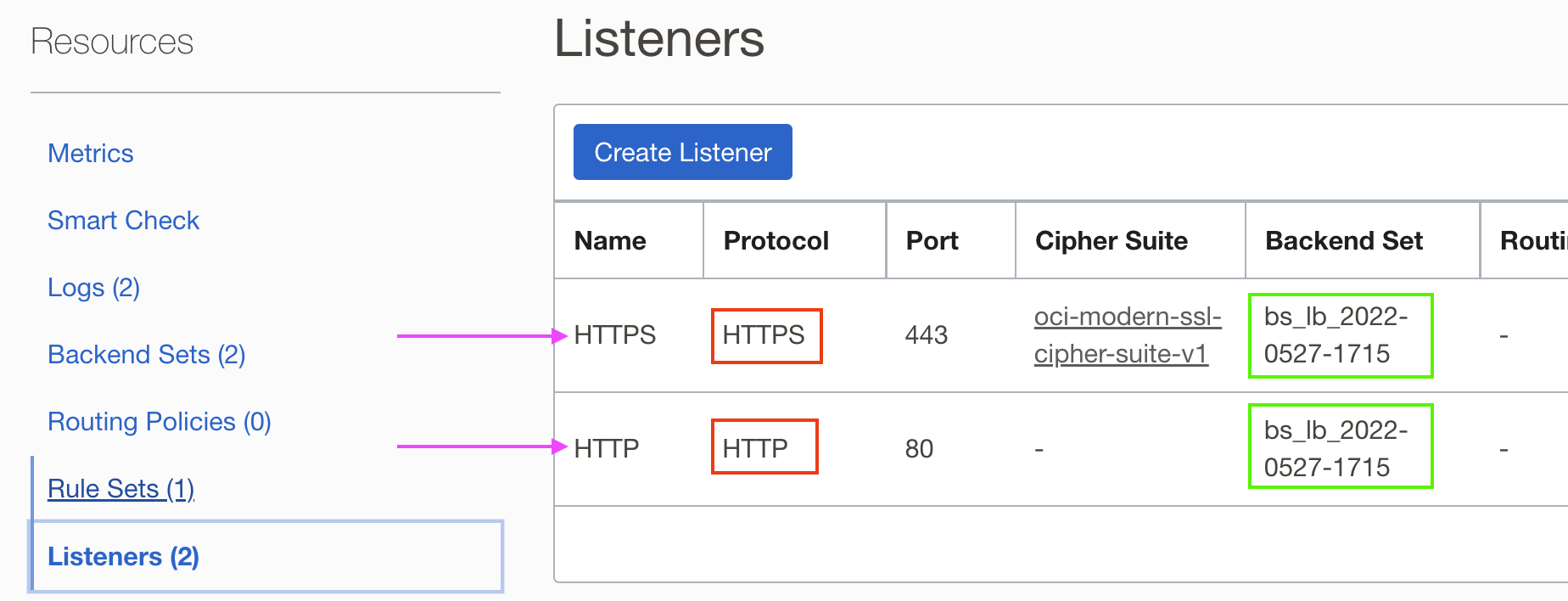
In the above figure, both Listeners – HTTP and HTTPS – point to the same backend set ‘bs_lb_2022-0527-1715’, which points to the origin server. However, doing so has important ramifications which we shall see later.
3. Create a rule set:
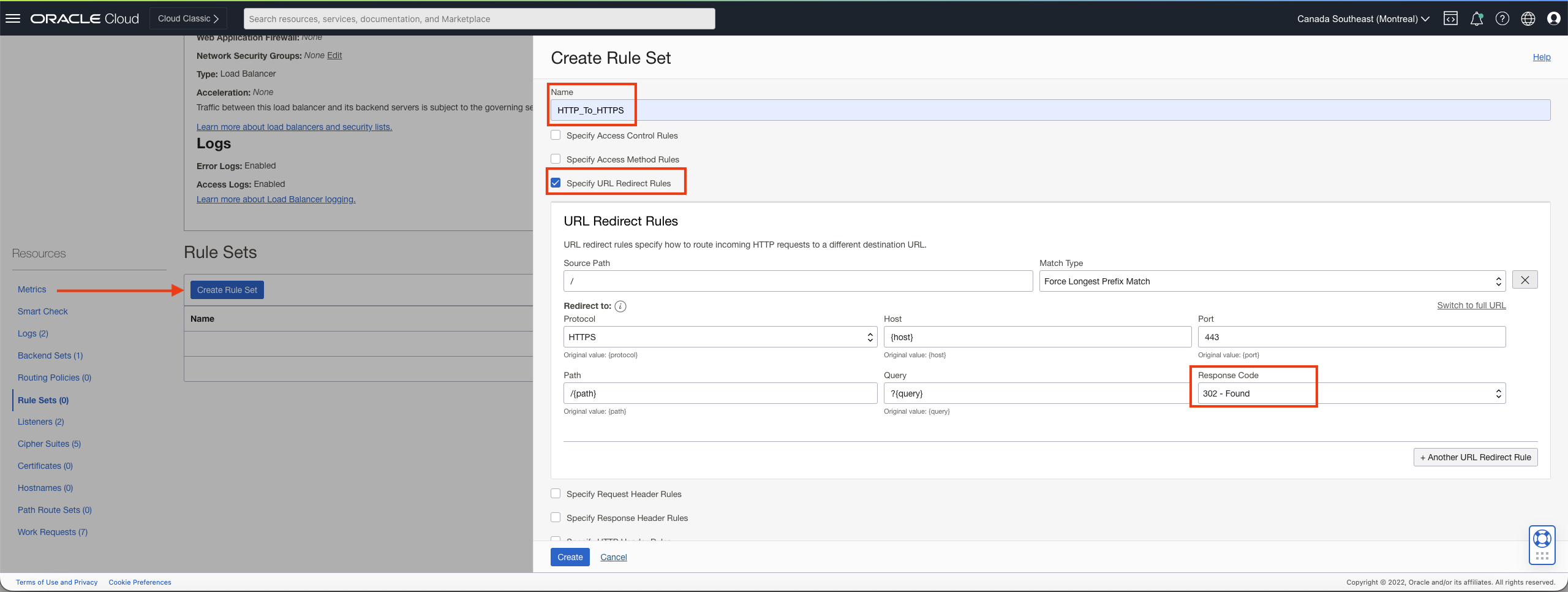
Use the default (pre-filled) values for ‘Path’ and ‘Query’ fields. This will ensure that the original values in the HTTP request will be carried on by the HTTPS one after redirection. Note that I have used 302 for the ‘Response Code’ since that helps during testing (since the browser will not cache the response). However, you may use 301 for permanent redirection – the browser will remember to directly issue the HTTPS request subsequent to the first request. Of course, I am using GET in the calls.
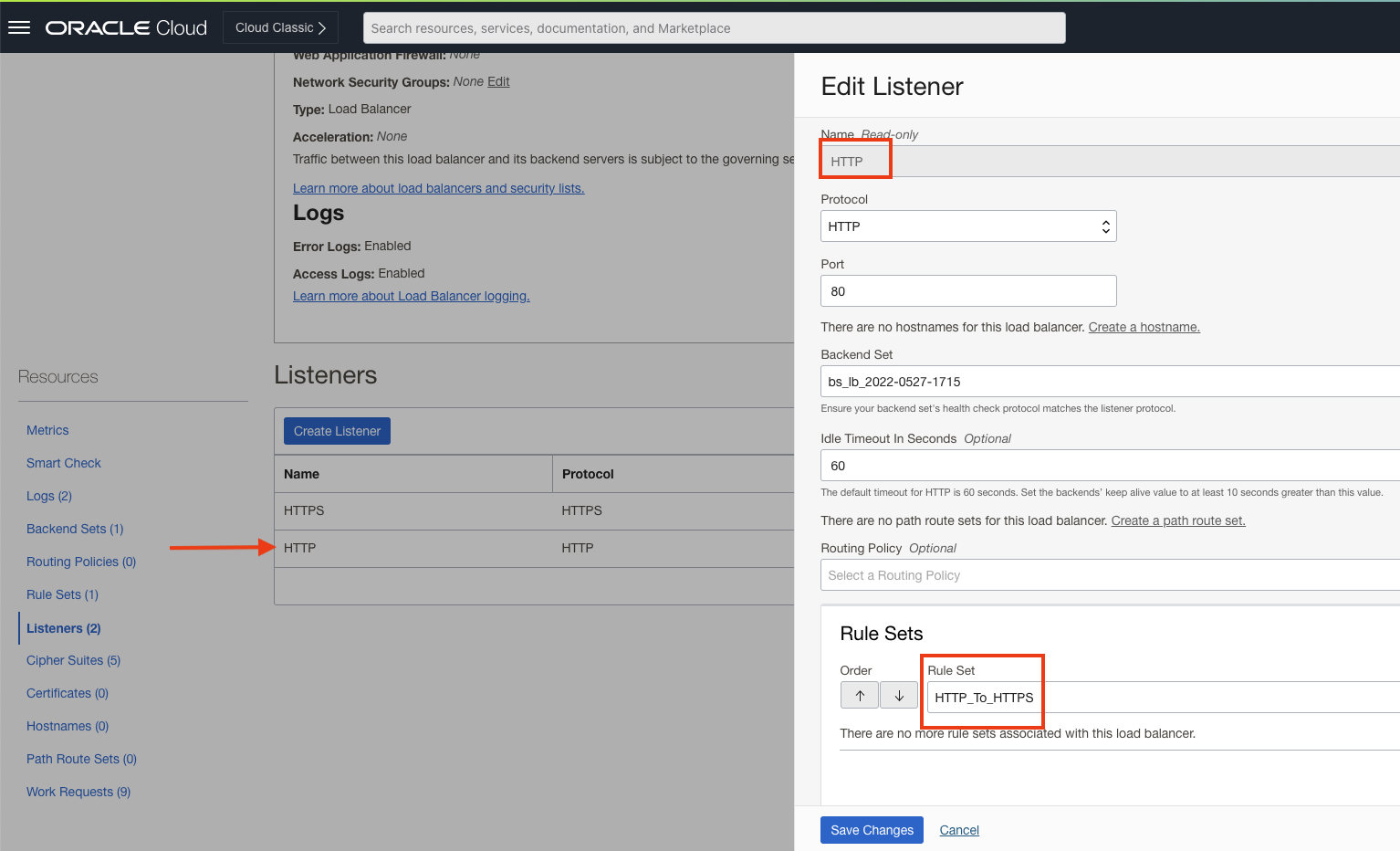
4. Attach the rule set to the HTTP listener.
With all the necessary configurations in place, accessing the unsecured website should get redirected to the secured site. And that is exactly what we observe.
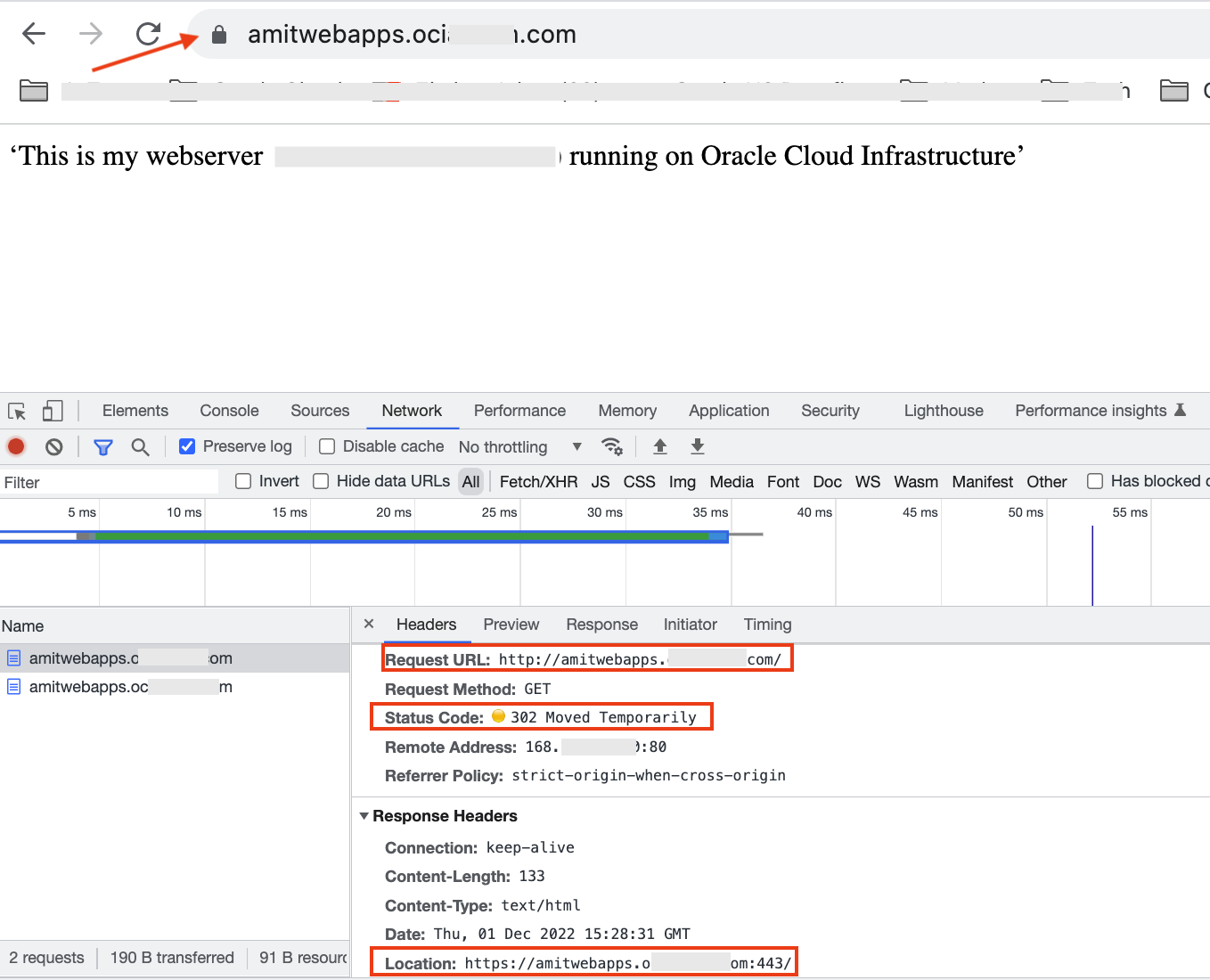
Note that the redirection HTTP code is 302 as defined in the rule set.
Gone Fishing?
With things looking hunky dory, you may be tempted to go fishing now. But not so fast – there is a danger lurking there. The primary reason for the HTTP-to-HTTPS redirction use case is secure transit of data. The linchpin of the redirection configuration is the attachment of the rule set to the HTTP listener. What happens if that association is removed, say inadvertantly? Well you will be able to access the website using HTTP itself!
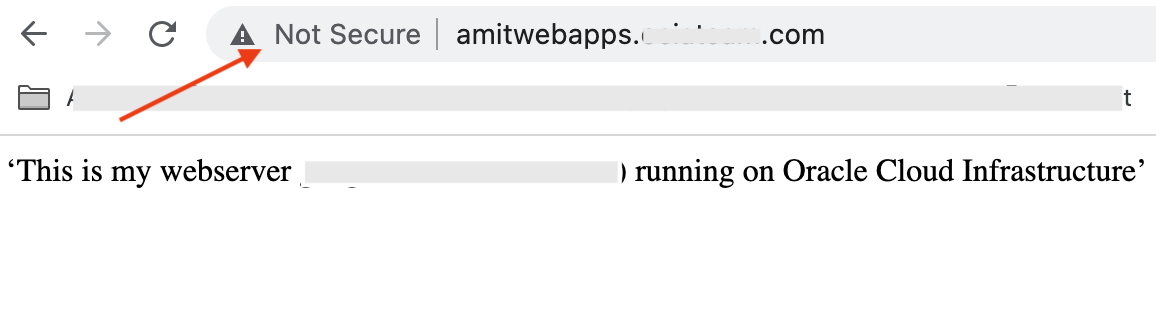
That is definitely a security gap which should be addressed.
Best Practice
The solution is quite simple. Instead of using the actual backend set (with the Web Server backend), create an empty backend set. That is, a dummy one which does not point to any backends. And attach this dummy one to the HTTP listener.
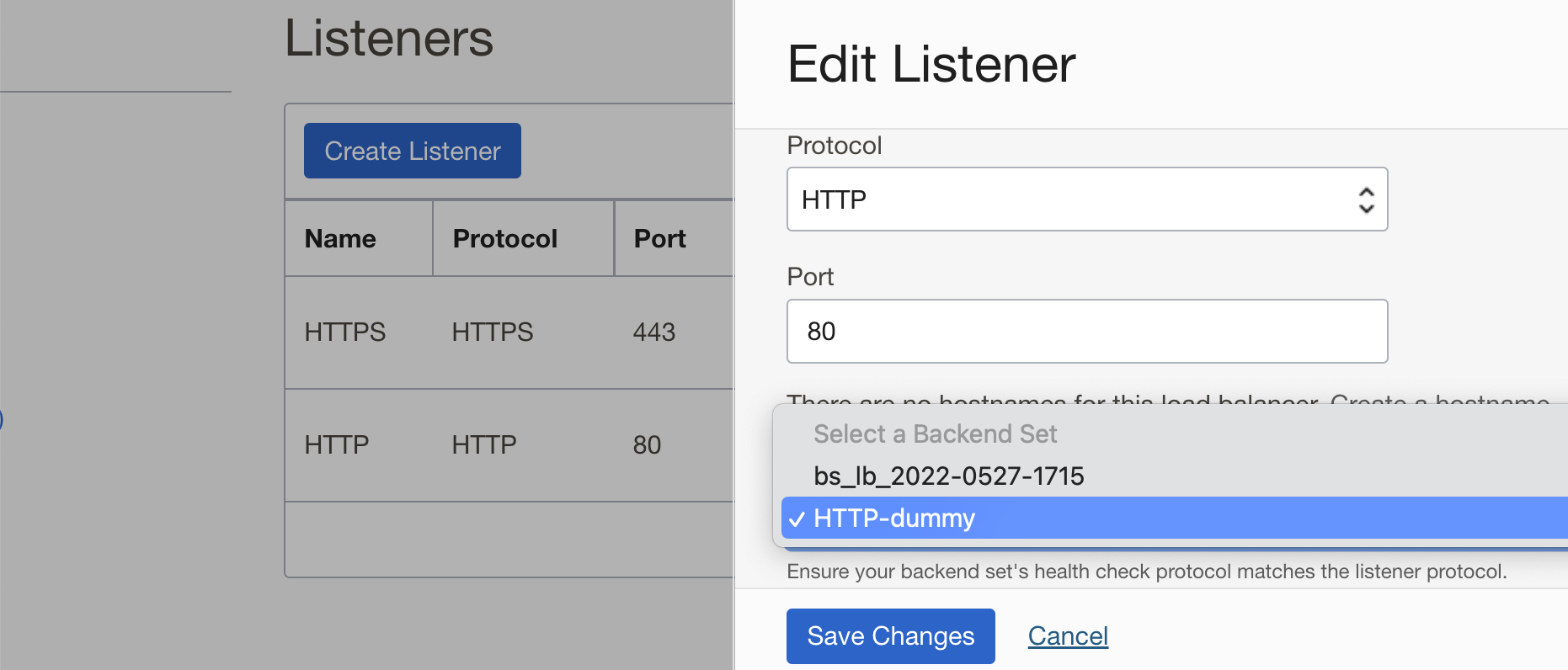
Now if the rule set is missing, the Load Balancer will try to forward the request to the dummy backends, but they will go nowhere.

But with proper rule set, the Load Balancer will do the redirection to HTTPS. So maybe, you can try going fishing on the weekend!
Summary
In this blog post, we looked into the right way to configure an OCI Load Balancer to achieve HTTP to HTTPS redirection. The strategy discussed here will enable you to secure the requests and responses to/from your web applications when front-ended by a Load Balancer.