- At the Identity Domain create an X509 Identity Provider
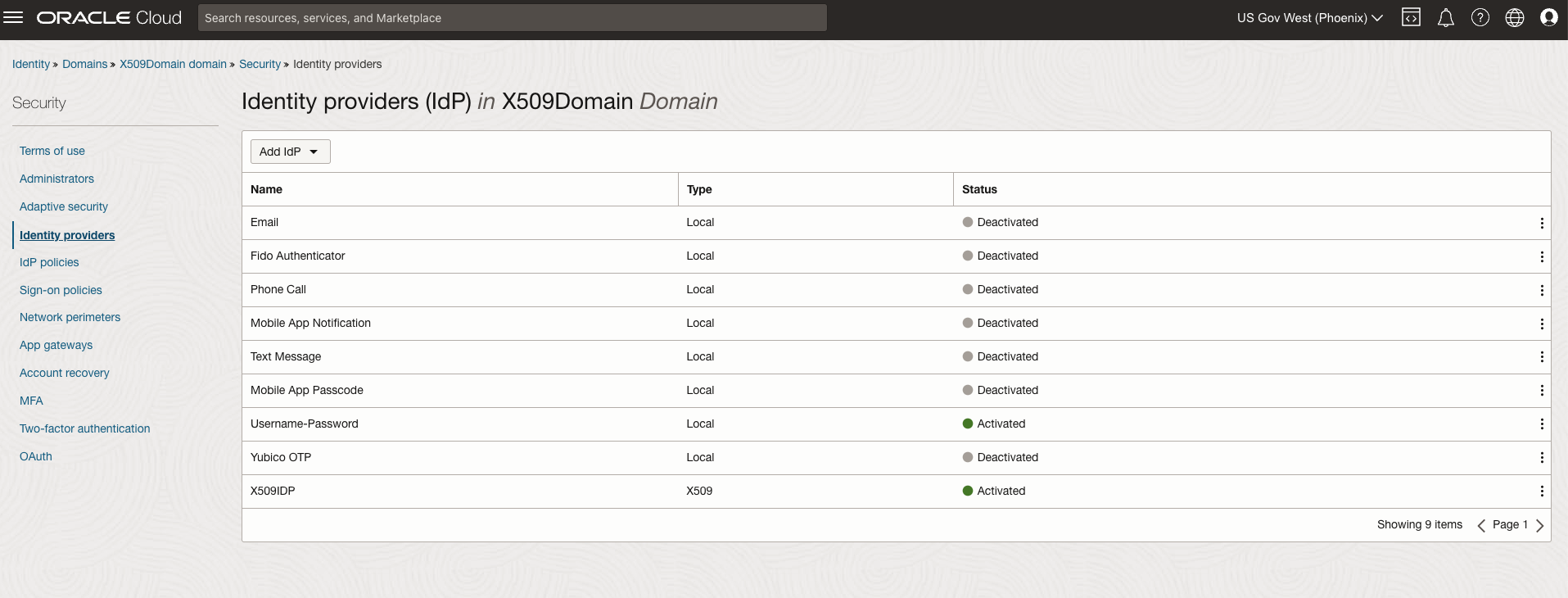
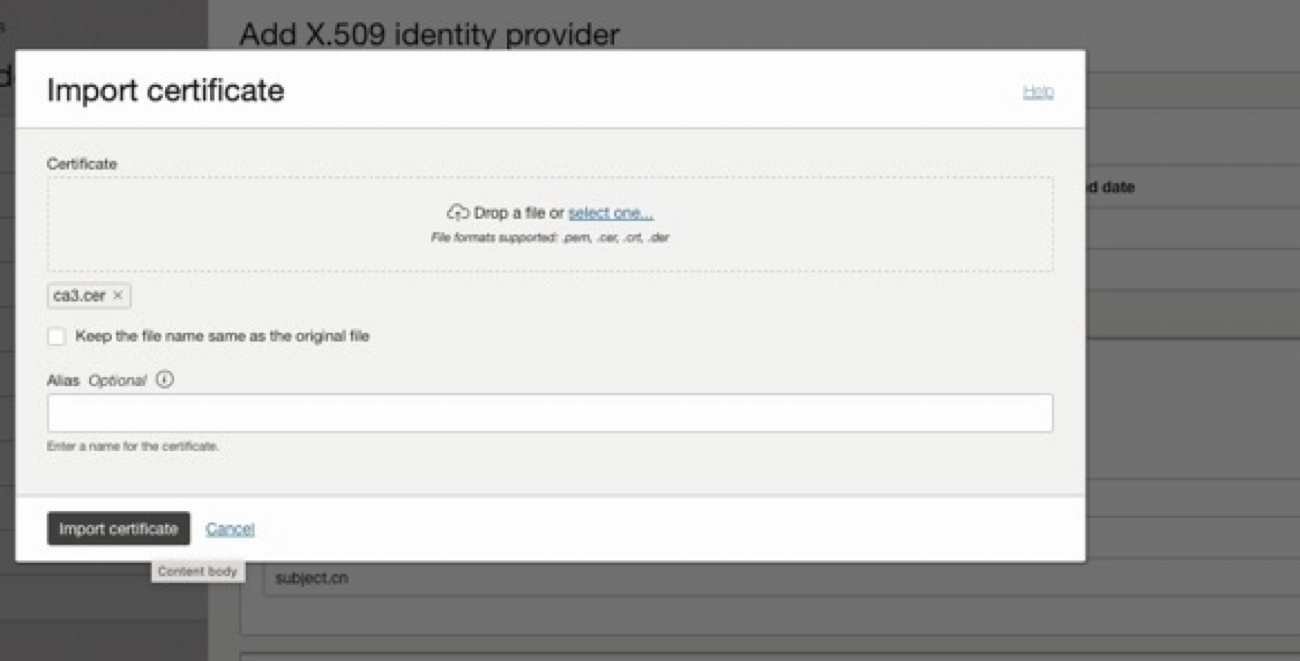
- When creating the Identity import the root CA cert, that is required for the User to sign in.
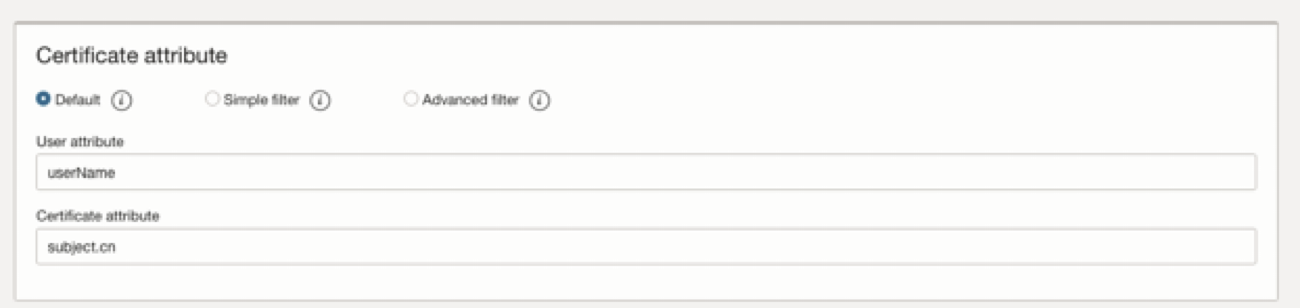
- At “x509 Identity Provider” and set User matching criteria to match Identity Domains Username to “CN” from the CAC-PIV card as the matching attribute.
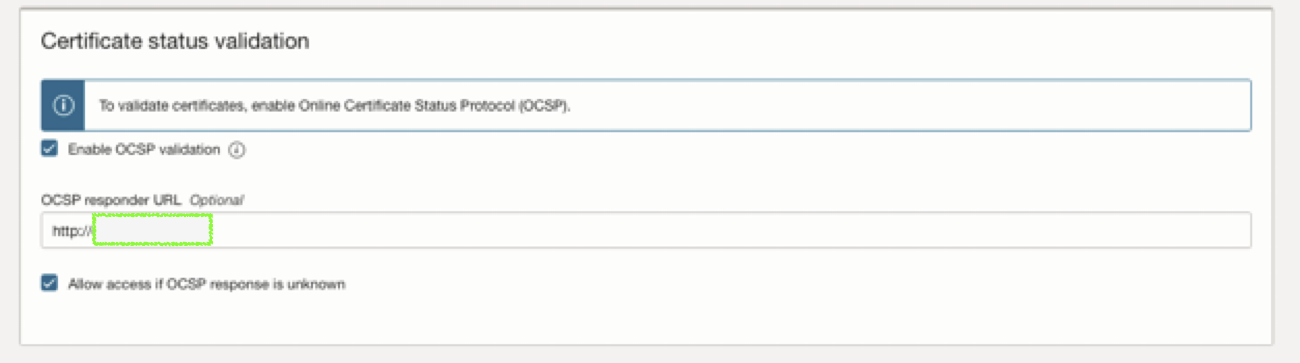
- Enable Online Certificate Status Protocol (OCSP) Validation. Provide the OCSP endpoint.
- Activate the IDP after creating it.
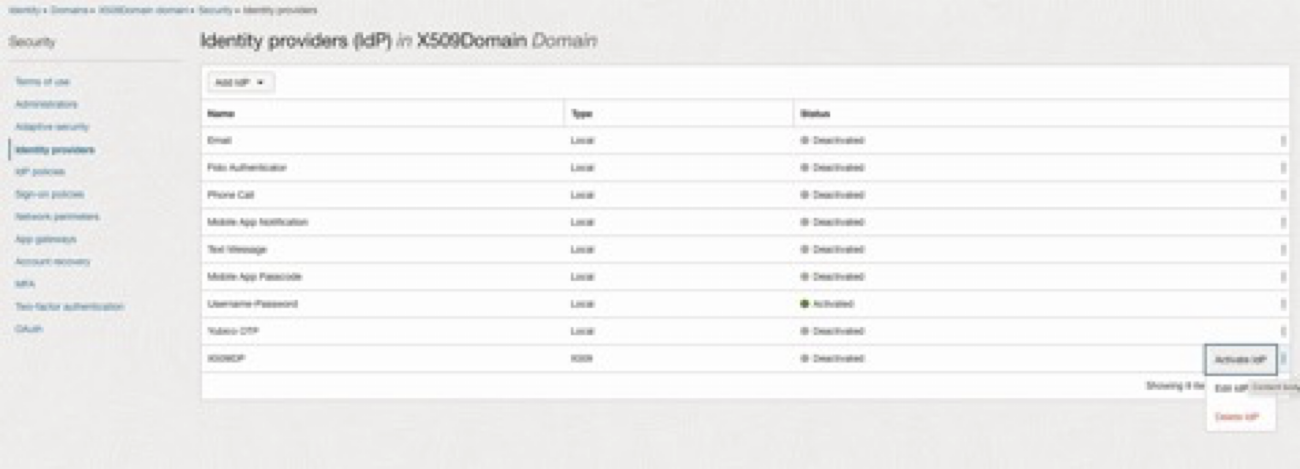
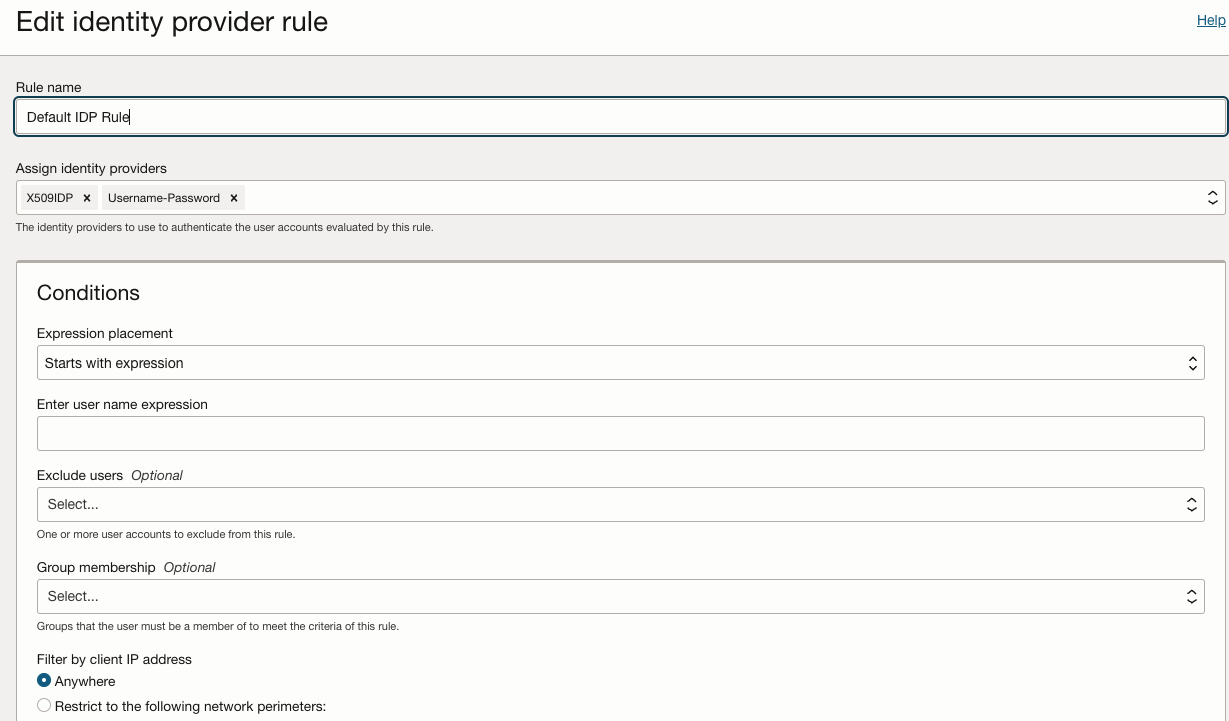
- Edit the IDP Rule to add the X509 IdP that has been created.
- Create the user, for an example user Adam Smith and sets her username to her CN
Eg. Adam.Smith.D0987654321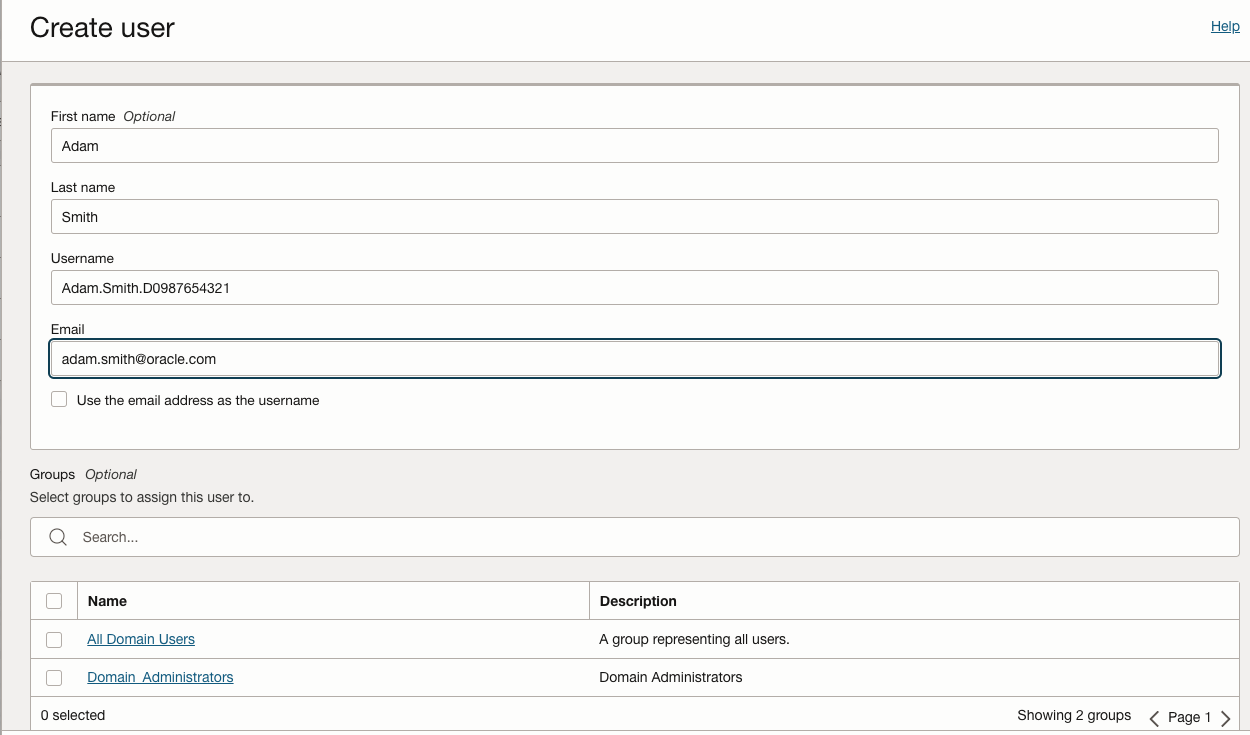
- We are done with the setup at the Identity Domains.
- When a user navigates to console. Example: https://oc2.cloud.oracle.com/
- Provide the tenant name.
- The user is prompted to select the IdP.
- User selects the x509 IdP
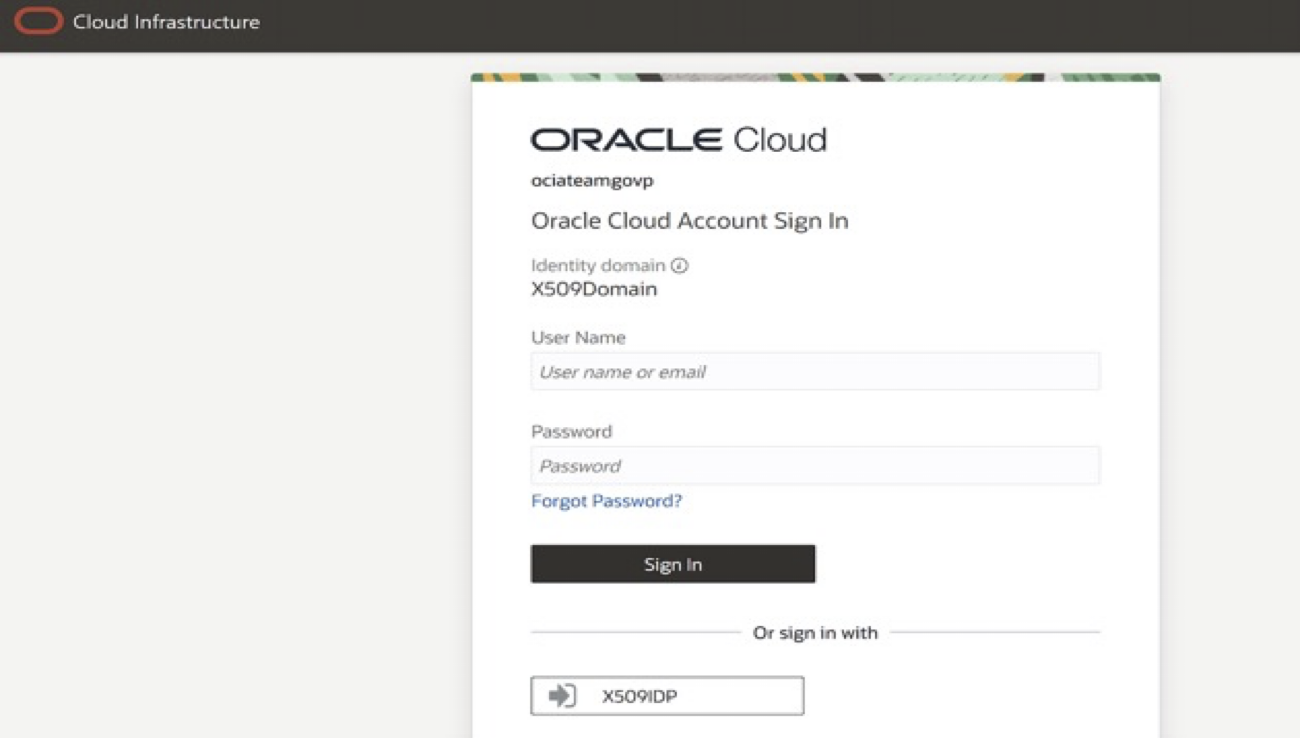
- User selects the x509 IdP
- A prompt pop’s up for the user to plug in their smart card.
- The browser prompts the user to select a certificate from the CAC-PIV card and enter their PIN.
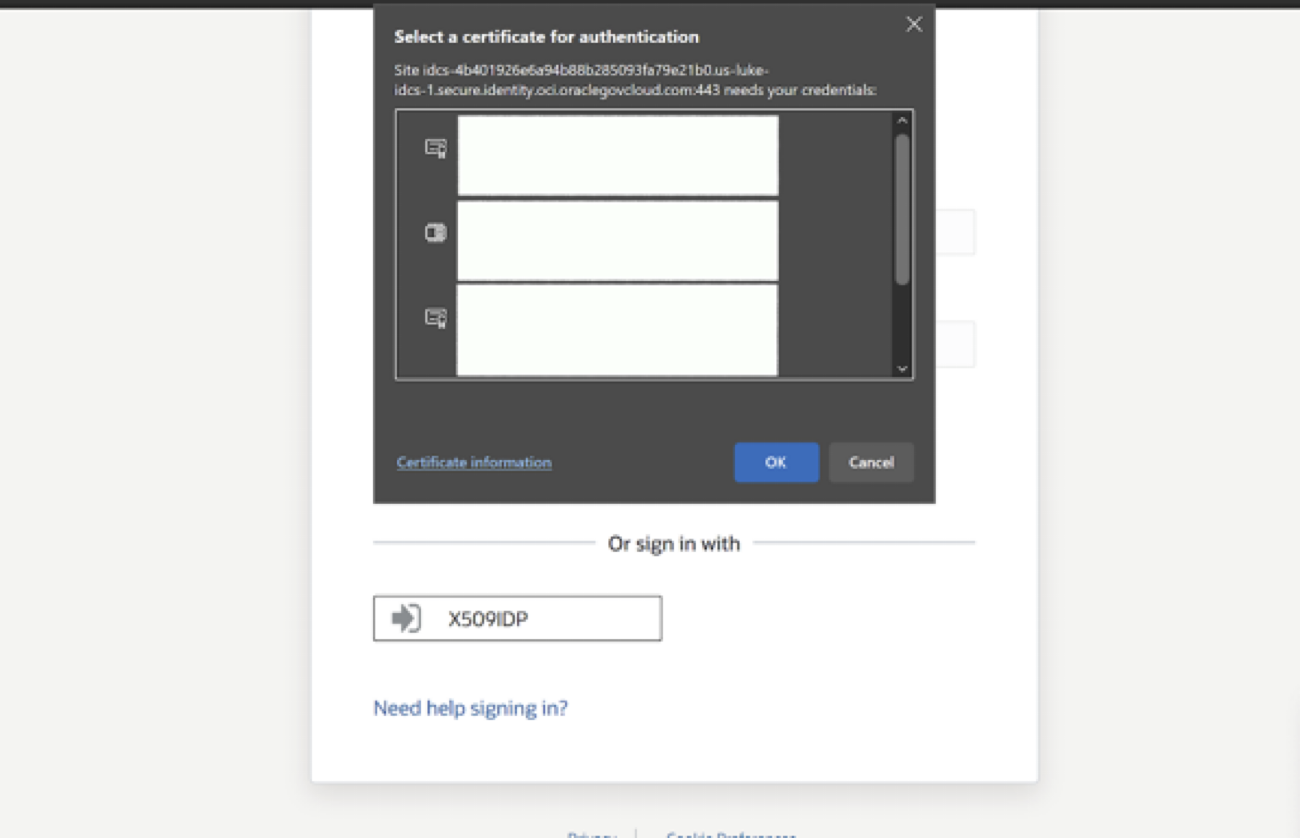
- If CA and user certificate for CAC-PIV card are both registered with the tenant, if the CN’s match, authentication will be successful (Once a user has presented a valid certificate, Identity Domains will match that certificate to a user in the directory using the CN (Common Name) attribute of the certificate) and will redirect the user to Console with an authenticated session.
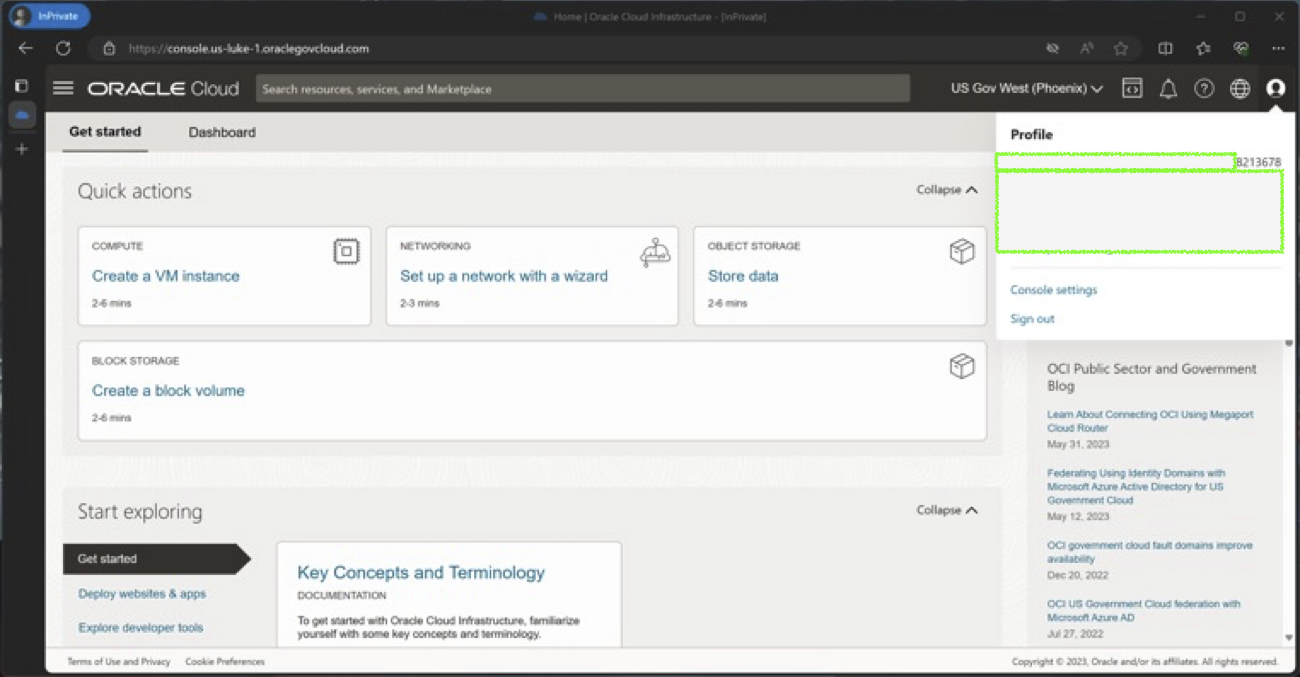
- The browser prompts the user to select a certificate from the CAC-PIV card and enter their PIN.
How to set up x.509 Authentication at OCI IAM (Identity Domains).

Authors
Dinesh Maricherla
Principal Solution Engineer
Dinesh Maricherla is a security professional at Oracle working as a Principal Solution Engineer. Dinesh strives to stay abreast of the latest trends and best practices within the dynamic field of security.
Previous post
Extending Fusion Applications Integration With MIcrosoft Teams Sample Code
Next post