

In this post, we will show you how to connect an Autonomous AI Database on Oracle AI Database at Google Cloud to a Google Cloud Storage bucket by using a Private Service Connect (PSC) endpoint for Google APIs. The setup keeps the database on a private endpoint, forces outbound database traffic to use that private endpoint, publish a private DNS record for the object storage hostname, and then use DBMS_CLOUD with an object-store credential.
The key difference on Google Cloud is that Cloud Storage is accessed through a PSC endpoint for Google APIs rather than a service-specific private endpoint in the same way as Azure Blob private endpoints. On the Oracle Autonomous AI Database side, the private DNS control point remains in OCI because private-endpoint outbound routing uses the OCI VCN resolver.
The walkthrough below assumes that the Autonomous AI Database already uses a private endpoint and that there is private network connectivity between the Oracle-managed network and the Google Cloud VPC where the PSC endpoint is created.
You should familiarize yourself with the networking concepts of this deployment, my suggestion is to start reading the ADB-S documentation for the private endpoints, the DBMS_CLOUD documentation and the “Enhanced Security for Outbound Connections with Private Endpoints” documentation.
Please be aware that after you are modifying the “ROUTE_OUTBOUND_CONNECTIONS” property of the database, all the connections initiated by the ADB-S will use the private endpoint in the VCN from the child-site. Please consult the table summarizing the handling of outbound connections and DNS resolution based on the value of the ROUTE_OUTBOUND_CONNECTIONS database property from the documentation.
Architecture Overview
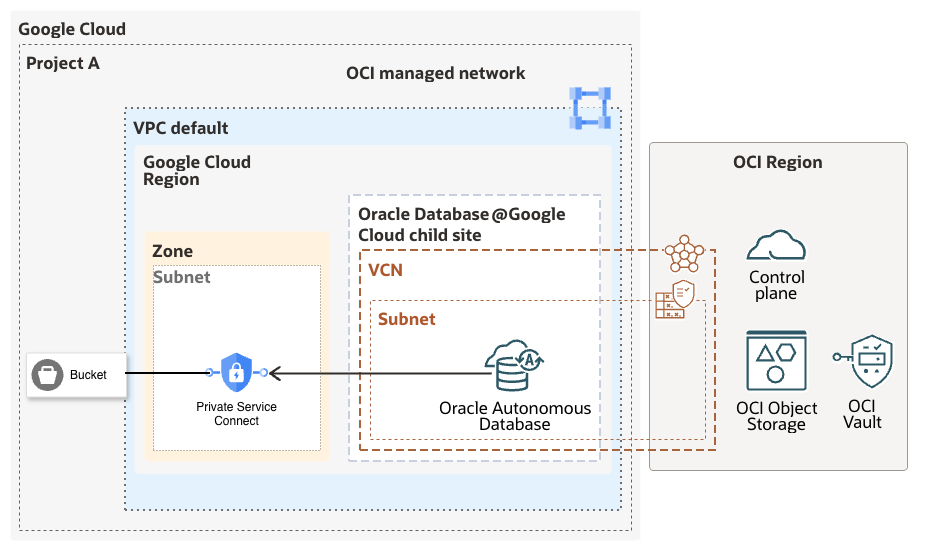
The end state looks like this:
- A Google Cloud Storage bucket stores the files.
- A Private Service Connect endpoint for All Google APIs is created in the Google Cloud VPC
- The PSC endpoint receives an internal IP address.
- An OCI private DNS record maps the bucket hostname to that PSC IP address.
- Autonomous AI Database is configured with ROUTE_OUTBOUND_CONNECTIONS = ENFORCE_PRIVATE_ENDPOINT.
- DBMS_CLOUD connects to the bucket by using the Google Cloud Storage HMAC credential.
Prerequisites
- An Autonomous AI Database deployed on Oracle AI Database at Google Cloud with a private endpoint.
- Access to the OCI console for DNS and Autonomous AI Database configuration.
- Access to the Google Cloud project where the bucket and PSC endpoint will be created.
- A Google Cloud service account that can be granted access to the bucket and can own an HMAC key.
- Network connectivity that allows the Autonomous AI Database private endpoint to reach the PSC endpoint IP on TCP 443.
Step 1: Create the Google Cloud Storage Bucket
In the Google Cloud console, open Cloud Storage > Buckets and create a new bucket. Use a globally unique name. In this example, I will use the bucket name below:
adb-private-gcs-demo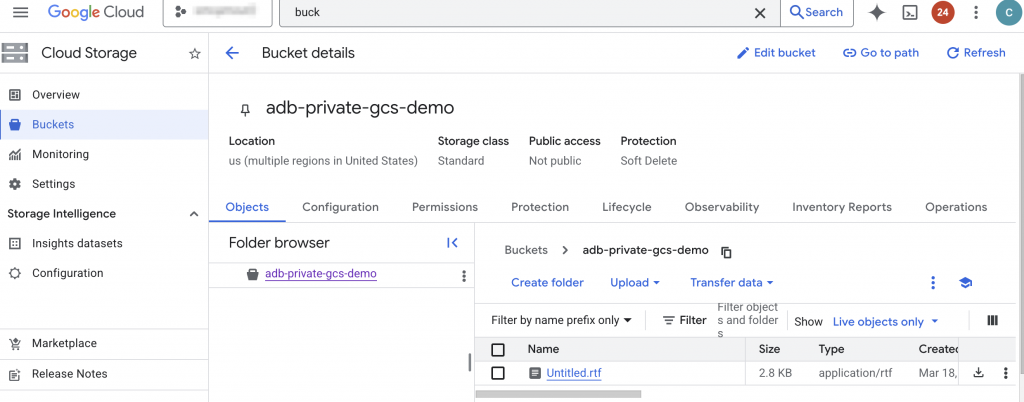
Step 2: Grant Bucket Access to a Google Cloud Service Account
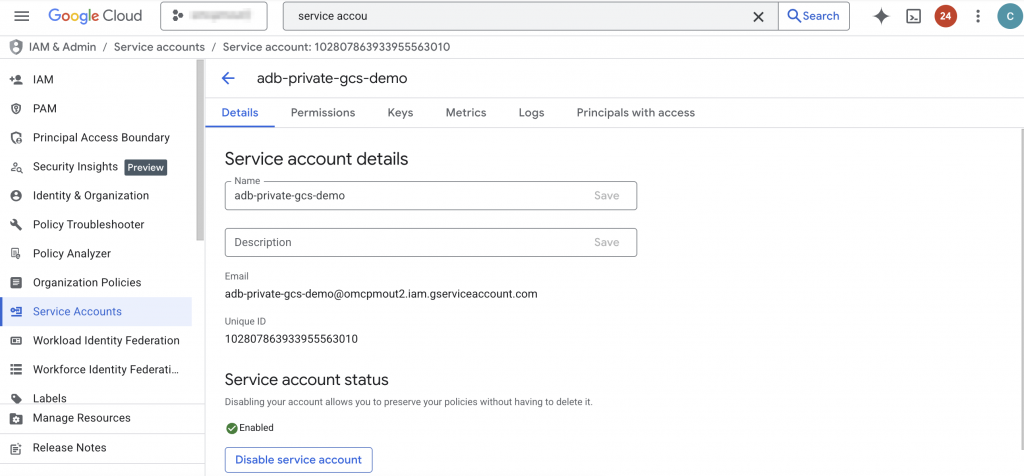
Create a dedicated Google Cloud service account, or choose an existing one, for the Autonomous Database integration. Grant the least privilege required on the bucket:
- Use Storage Object Viewer for read-only access.
- Use Storage Object Admin if uploads, deletes, or updates are also required.
For the examples in this post, read-only access is enough because I will validate the configuration with DBMS_CLOUD.LIST_OBJECTS.
Step 3: Create the HMAC Key for Cloud Storage Interoperability
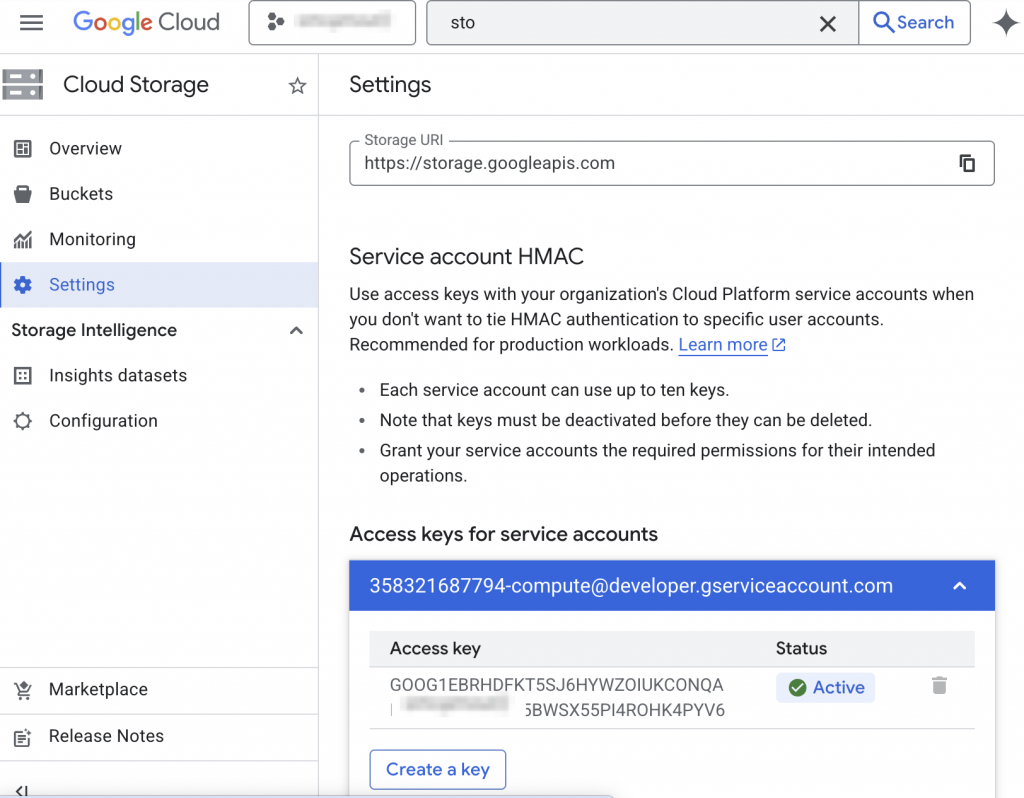
Open Cloud Storage > Settings > Interoperability and create a new HMAC key for the service account from the previous step. Google Cloud will generate two important values:
- The Access ID
- The Secret
Save both values securely when the key is created. The secret is shown only once and it will be needed when creating the DBMS_CLOUD credential in Autonomous Database.
Step 4: Create the Private Service Connect Endpoint for Google APIs
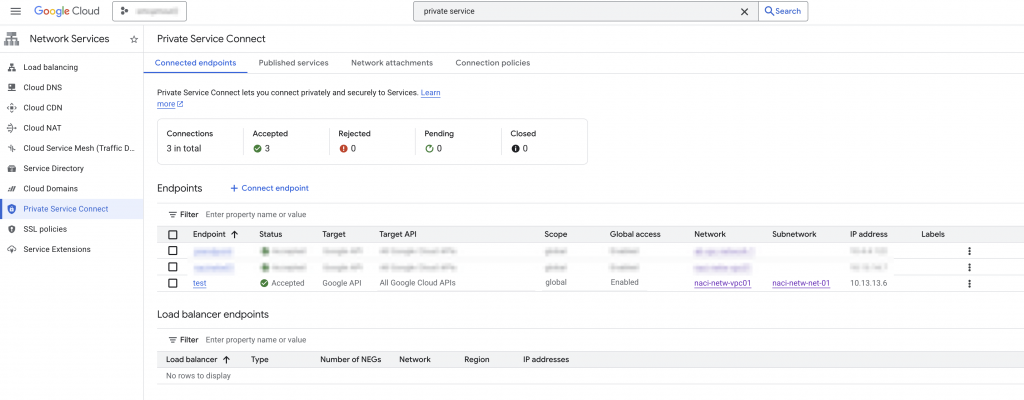
In the Google Cloud console, open Network Services > Private Service Connect > Connected endpoints and create a new endpoint. Select All Google APIs as the target. Assign or reserve an internal IP address for the endpoint.
Record the PSC endpoint IP address. In this example, I will use:
10.13.13.6This is the IP address that Autonomous AI Database will resolve for the bucket hostname through OCI private DNS.
Step 5: Create the OCI Private DNS Record for the Bucket Hostname
This is the most important configuration step on the OCI side. When outbound traffic is forced through the Autonomous Database private endpoint, name resolution uses the OCI VCN resolver. Because of that, the bucket hostname must resolve privately inside OCI.
The bucket URL that DBMS_CLOUD uses for Google Cloud Storage follows this format:
https://<bucket-name>.storage.googleapis.com/For the bucket in this example, the hostname is:
adb-private-gcs-demo.storage.googleapis.comIn OCI, complete the following:
- Open the VCN that is associated with the Autonomous AI Database private endpoint.
- Open the VCN DNS resolver.
- Create or select the private view used by that resolver.
- Create a private zone named storage.googleapis.com.
- Add an A record named adb-private-gcs-demo that points to 10.13.13.6.
The result should be equivalent to this DNS mapping:
adb-private-gcs-demo.storage.googleapis.com IN A 10.13.13.6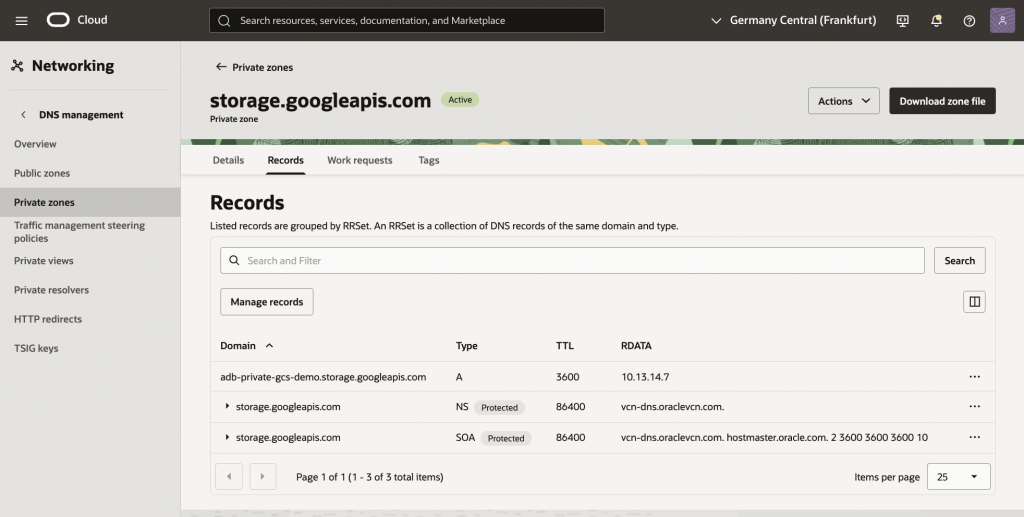
As an alternative configure DNS forwarding from OCI to Google Cloud, review the documentation (Resolution from OCI section).
Step 6: Confirm Egress Rules from the Autonomous Database Private Endpoint
Make sure the NSG or security list associated with the Autonomous AI Database private endpoint allows outbound TCP 443 traffic to the PSC endpoint IP, or to the subnet CIDR where the PSC endpoint IP resides.
If this egress is blocked, the DNS configuration may resolve correctly, but the object storage connection will still fail.
Step 7: Force Outbound Database Connections Through the Private Endpoint
Before moving forward, we will need a working connection from an Oracle database tool to the ADB. The configuration of the specific tool and setup of the connection to the ADB is not in the scope of this blog.
If you want to learn more about the Oracle DB tools please read the official documentation.
For connecting to the database, an SQL client is needed. For the blog, I used a compute Linux VM in GCP’s Compute Engine provisioned in the same VPC where the ODB network that contains the ADB-S is peered. The SQL client used for connecting to the ADB-S was downloaded from here.
Connect to the Autonomous AI Database as ADMIN and set the outbound routing mode to ENFORCE_PRIVATE_ENDPOINT. This is the recommended setting when the target is an external object store accessed by DBMS_CLOUD.
ALTER DATABASE PROPERTY SET ROUTE_OUTBOUND_CONNECTIONS = 'ENFORCE_PRIVATE_ENDPOINT';Validate the property value:
SELECT property_name, property_value
FROM   database_properties
WHERE  property_name = 'ROUTE_OUTBOUND_CONNECTIONS';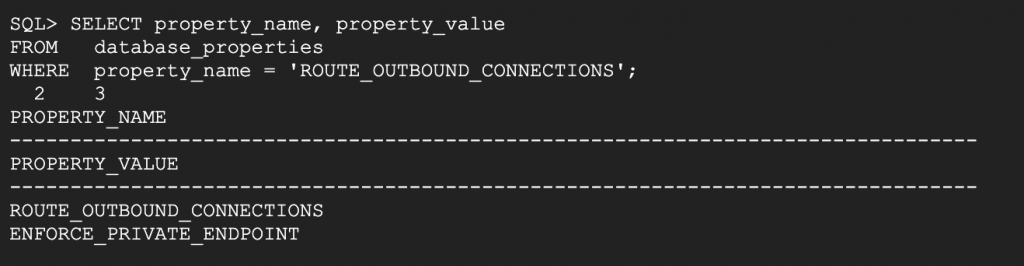
Step 8: Add the Network ACL for the Bucket Hostname
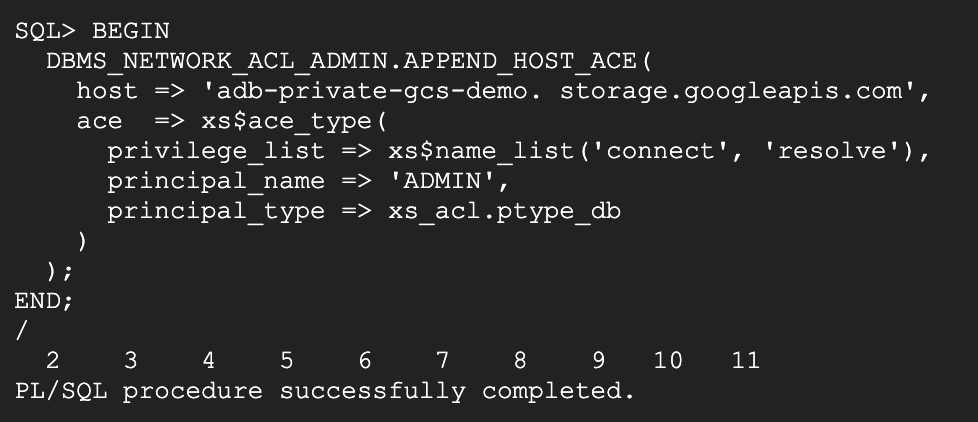
Grant the database user permission to resolve and connect to the bucket hostname. The following example grants the required ACL privileges to the ADMIN user:
BEGIN
  DBMS_NETWORK_ACL_ADMIN.APPEND_HOST_ACE(
    host => 'adb-private-gcs-demo. storage.googleapis.com',
    ace  => xs$ace_type(
      privilege_list => xs$name_list('connect', 'resolve'),
      principal_name => 'ADMIN',
      principal_type => xs_acl.ptype_db
    )
  );
END;
/
Step 9: Create the DBMS_CLOUD Credential
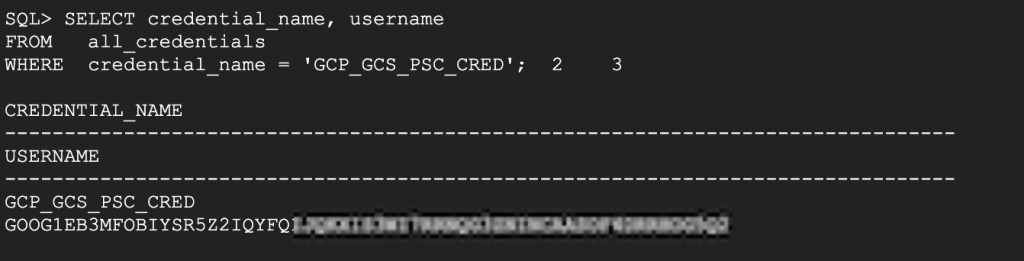
Use the Google Cloud Storage HMAC Access ID as the credential username and the HMAC secret as the password.
BEGIN
  DBMS_CLOUD.CREATE_CREDENTIAL(
    credential_name => 'GCP_GCS_PSC_CRED',
    username        => 'ACCESS_ID',
    password        => 'SECRET'
  );
END;
/
Replace ACCESS_ID and SECRET with the values generated in Step 3.
Step 10: Validate Access to the Bucket
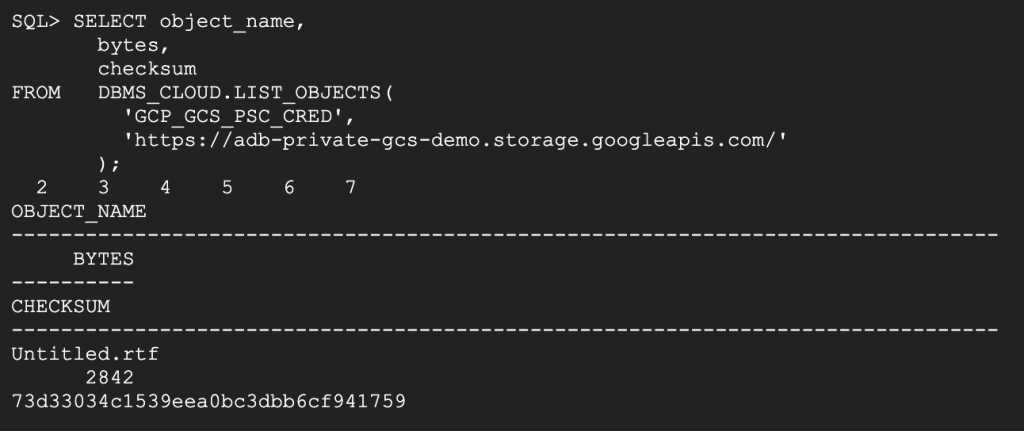
The final validation step is to list the objects in the bucket through DBMS_CLOUD:
SELECT object_name,
       bytes,
       checksum
FROM   DBMS_CLOUD.LIST_OBJECTS(
         'GCP_GCS_PSC_CRED',
         'https://adb-private-gcs-demo.storage.googleapis.com/'
       );
If the query returns data, then the full private path is working: OCI private DNS resolves the bucket hostname to the PSC endpoint IP, the Autonomous AI Database routes the outbound connection through its private endpoint, and Google Cloud Storage accepts the request by using the HMAC credential.
Troubleshooting Tips
- Verify that the bucket hostname resolves to the PSC endpoint IP from the OCI DNS private view.
- Verify that ROUTE_OUTBOUND_CONNECTIONS is set to ENFORCE_PRIVATE_ENDPOINT.
- Verify that the ACL includes both resolve and connect privileges for the bucket hostname.
- Verify that the HMAC key is active and that the correct Access ID and secret were used in the credential.
- Verify that outbound TCP 443 is allowed from the Autonomous AI Database private endpoint to the PSC endpoint IP.
Conclusion
The article walked through the step-by-step setup of connectivity from an ADB to the GCP storage private endpoint, outbound traffic is forced through the private network path, and private DNS is used to make the object storage hostname resolve to a private IP address.
On Google Cloud, the Private Service Connect endpoint for Google APIs is the key building block that makes this work for Cloud Storage. Once that endpoint is in place, the remaining tasks are straightforward: publish the bucket hostname in OCI private DNS, configure outbound private-endpoint routing on the database, add the network ACL, and create the DBMS_CLOUD credential.