
Introduction
As adoption of Oracle Database@AWS continues to grow, network security configuration remains one of the most common topics customers ask about. In many cases, customers need to allow access to custom database ports to support specific application connectivity requirements.
In this blog, we provide a brief overview of how security rules are managed in Oracle Database@AWS and then explain how custom ports can be opened using custom Network Security Groups (NSGs) on OCI.
Before diving in, it’s recommended to review the following blog to build a solid understanding of the underlying networking concepts for this offering:
Networking Fundamentals for Oracle Database@AWS
Network Security Management for ODB@AWS
Let’s take a closer look at how network security rules are managed in Oracle Database@AWS. When the ODB network is created, the following network security groups (NSGs) are automatically provisioned:
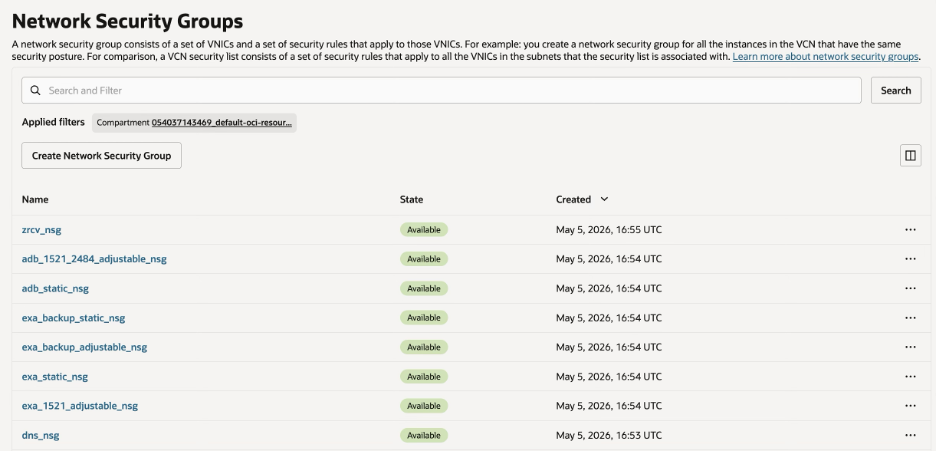
- exa_1521_adjustable_nsg and exa_static_nsg supporting Exadata deployments
- exa_backup_adjustable_nsg and exa_backup_static_nsg supporting back-up operations for Exadata deployments
- adb_1521_2484_adjustable_nsg and adb_static_nsg supporting Autonomous Database deployments
- dns_nsg for DNS resolution
- zrcv_nsg for Recovery Service
To keep the discussion focused, this blog highlights Exadata deployments, specifically exa_1521_adjustable_nsg and exa_static_nsg, which are associated with the VM cluster.
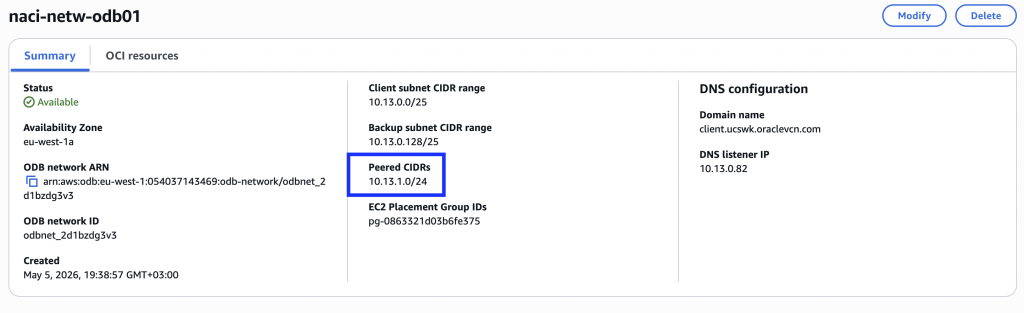
Within these NSGs, a set of rules is automatically created for the CIDR ranges included in the ODB network’s peered CIDR list.
For example, I have created the ODB network with the CIDR 10.13.0.0/25 that is peered with a VPC that uses the CIDR range 10.13.1.0/24:
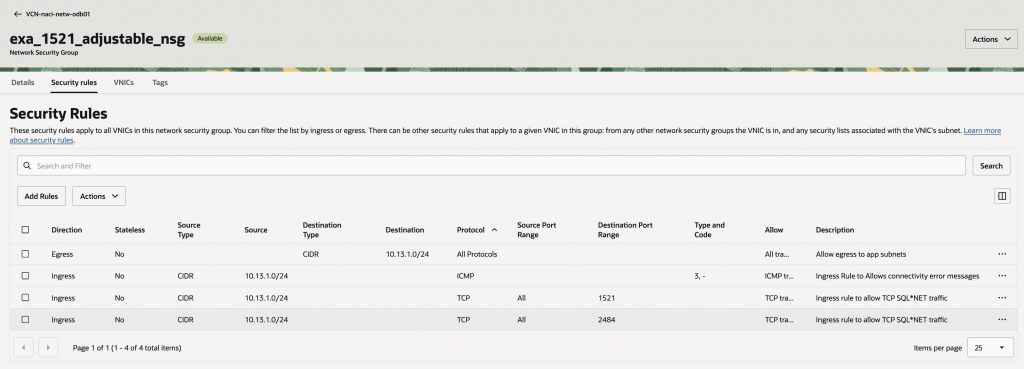
The exa_1521_adjustable_nsg is configured as follows:
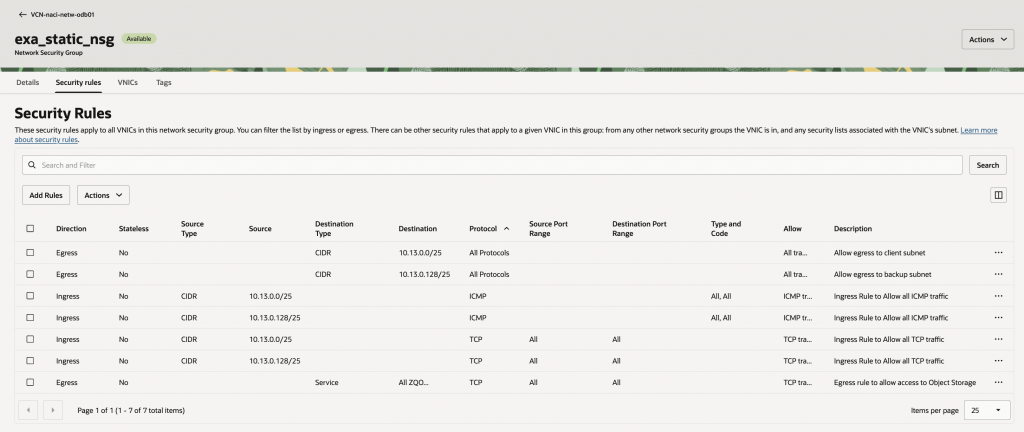
The exa_static_nsg is used for intra-cluster communication and includes the following entries:
Now, consider a scenario where you need to open an additional port, such as port 22 for SSH access.
Although it is technically possible to update an automation-created NSG with a custom rule that permits port 22 access from a chosen source IP range, this is not the recommended approach.
The reason becomes clear when you look at how these NSGs are managed whenever CIDR ranges are added to or removed from the ODB network’s peered CIDR list.
Automated NSG Behavior when the ODB Network Peered CIDR List Changes
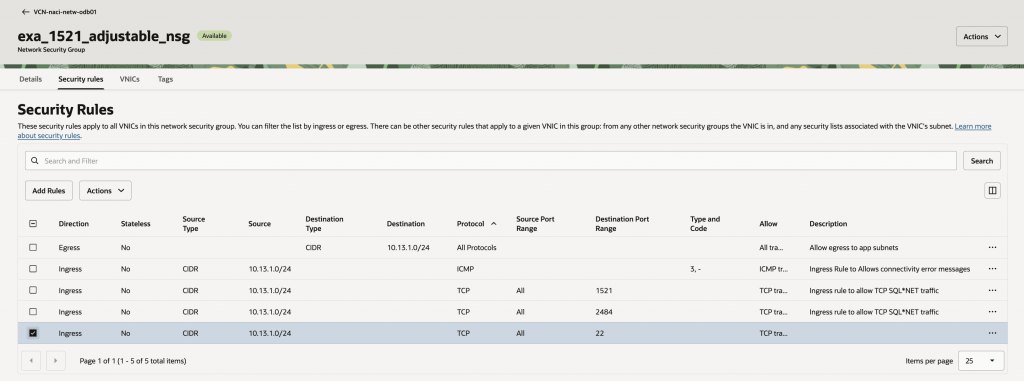
To illustrate this behavior, let’s add a rule that opens port 22 to the peered CIDR range 10.13.1.0/24 in the automation-managed NSG.
Now let’s look at what happens when the ODB network is updated to peer with another VPC that uses the IP range 10.13.2.0/24.
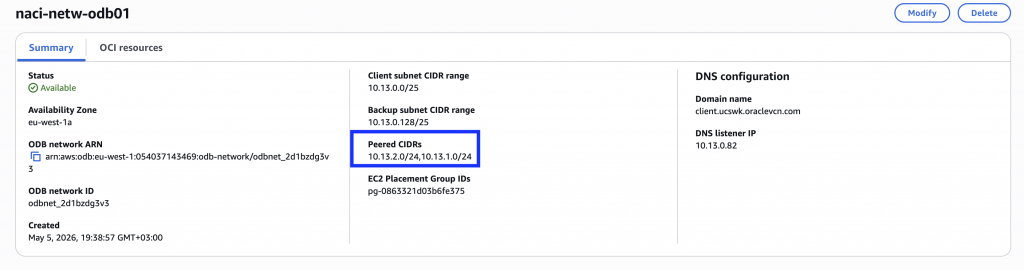
The VPC CIDR range is now reflected in the peered CIDR list. Next, let’s review the NSG configuration in OCI.
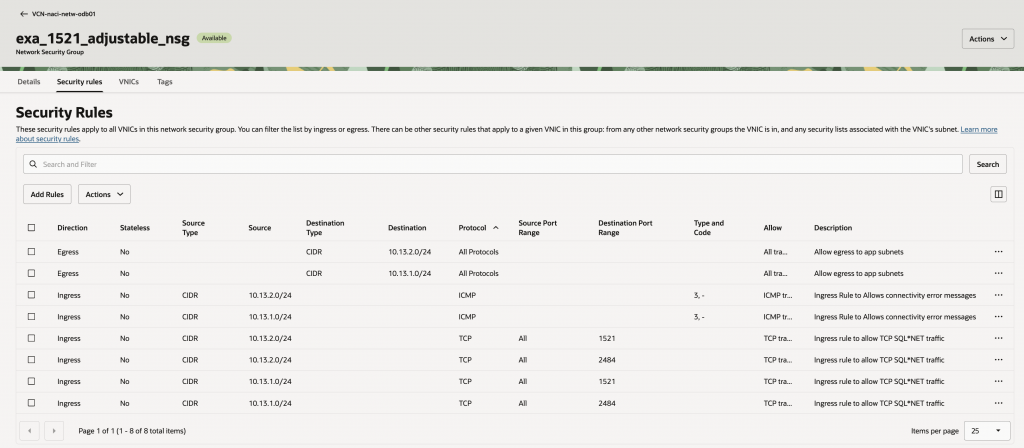
As you can see, the NSG now includes automation-created rules for the newly peered CIDR range 10.13.2.0/24, but it no longer contains the custom rule for port 22 for 10.13.1.0/24.
This behavior is expected by design. Whenever the peered CIDR list on the ODB network changes, whether a CIDR range is added or removed, automation rescans the list and resets the NSG to its original, automation-managed state. As a result, any custom rules added for any of the peered CIDRs manually are removed.
That brings us to the next question: what is the right way to handle additional access requirements?
Solution: Customer Managed NSG
The recommended approach is to create a custom NSG.
In the OCI Console, navigate to the VCN provisioned by automation, open the Security tab, and then select Network Security Groups. Create a new NSG and add an ingress rule for port 22 from the required source CIDR ranges.
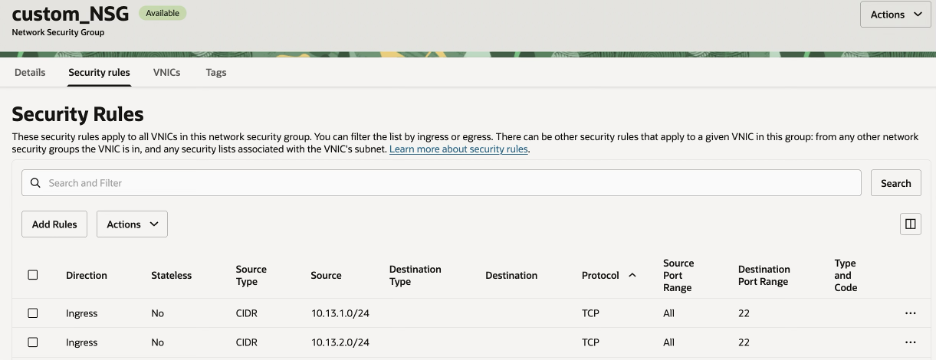
After the NSG is created, navigate to the cluster’s Network section and attach it to the client NSG list. A VM cluster can have up to five NSGs associated with it.
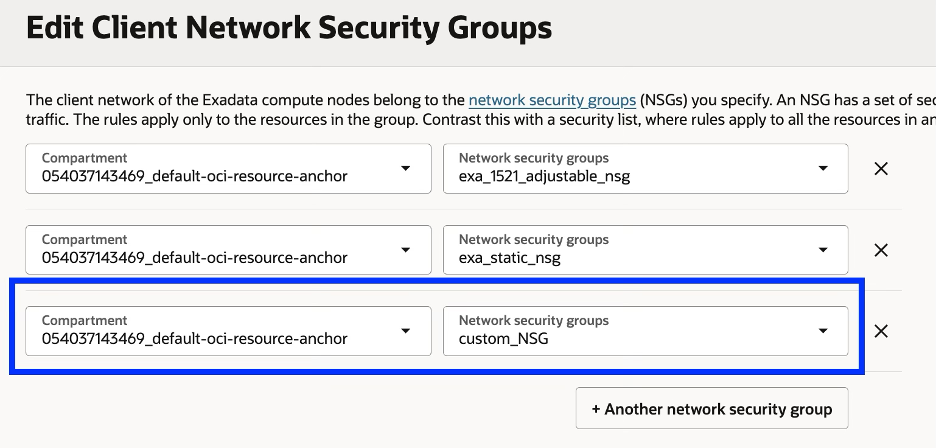

This approach lets you manage custom rules in a dedicated NSG, independently of the automation-managed NSGs.
While this blog focuses on Exadata, the same best practice also applies to Autonomous Database deployments and to other custom port requirements.
Conclusion
In Oracle Database@AWS, automation-managed NSGs are designed to maintain required connectivity and are updated automatically as the peered CIDR list changes. Because manual changes to these NSGs can be overwritten, the recommended approach is to use a dedicated custom NSG for any additional access requirements. This helps you maintain security, avoid configuration drift, and manage custom ports with confidence.