
Use Azure Application Gateway as an HTTPS reverse proxy to configure a Vanity URL for Oracle APEX applications hosted on Oracle Autonomous AI Database@Azure Serverless with private endpoint access.
Introduction
Oracle APEX and ORDS endpoints on Autonomous AI Database are available through an oraclecloudapps.com host name by default. A custom domain, or vanity URL, gives users a cleaner entry point and lets organizations align application access with their own DNS and certificate standards. A blog post detailing this pattern for OCI Load Balancer-based deployments was published here; the same reverse-proxy pattern can be implemented with Azure Application Gateway when Oracle Autonomous AI Database Serverless is provisioned through Oracle AI Database@Azure and the database endpoint is private.
This article focuses on the Azure-side configuration: backend pool, HTTPS listener, backend setting, SNI, host-name override, and health validation. It assumes that Oracle Autonomous AI Database Serverless already exists and that APEX is enabled on the database.
What this configuration accomplishes
- Clients connect to a public vanity URL, for example https://apex.example.com/.
- Azure Application Gateway terminates the client TLS session and opens a new HTTPS connection to the Oracle Autonomous AI Database Serverless private endpoint.
- The backend TLS connection uses the database-assigned oraclecloudapps.com host name for SNI and certificate validation, while the public client-facing host name remains the vanity URL.
- The database remains reachable only through private network connectivity from the Application Gateway subnet or another connected VNet.
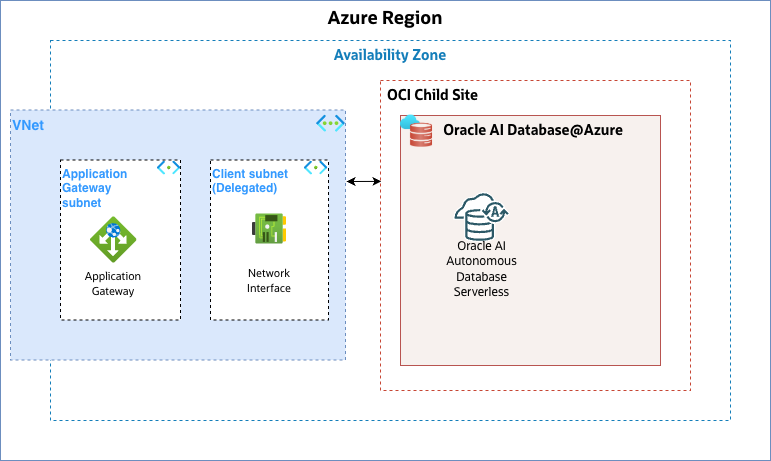
Reference architecture
The tested topology places Azure Application Gateway and the Oracle Autonomous AI Database Serverless private endpoint in the same VNet. Application Gateway can also be deployed in a different VNet, provided that private routing, DNS resolution, and network security rules allow HTTPS connectivity from the Application Gateway subnet to the Oracle Autonomous AI Database private endpoint.
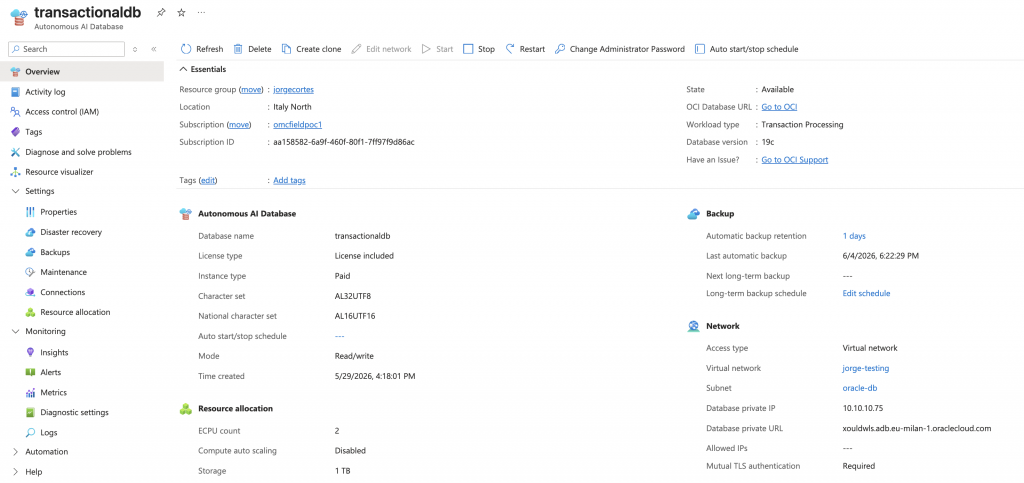
Oracle Autonomous AI Database Serverless network configuration
The database should be configured for private access, this keeps APEX and ORDS traffic off the public database endpoint and ensures that the reverse proxy is the controlled ingress point for browser users.
Application Gateway configuration
1. Create the Application Gateway frontend
Create the Application Gateway using the usual Basics and Frontends steps. Use the v2 SKU for current deployments. Configure a public frontend IP address unless the APEX application is intended to be private-only for internal users. The listener certificate must match the vanity URL presented to users.
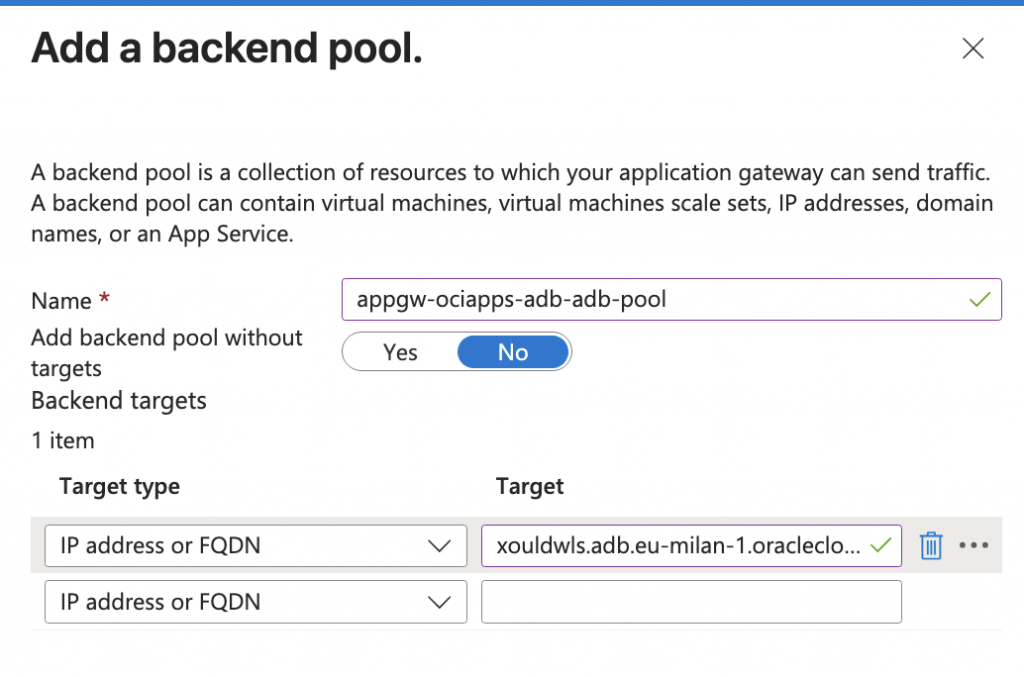
2. Configure the backend pool
Add a backend pool that targets the Oracle Autonomous AI Database Serverless private endpoint. Prefer the database private URL as the backend FQDN. The private IP address can also work, but using the private URL keeps the configuration aligned with the service identity and simplifies TLS/SNI reasoning.
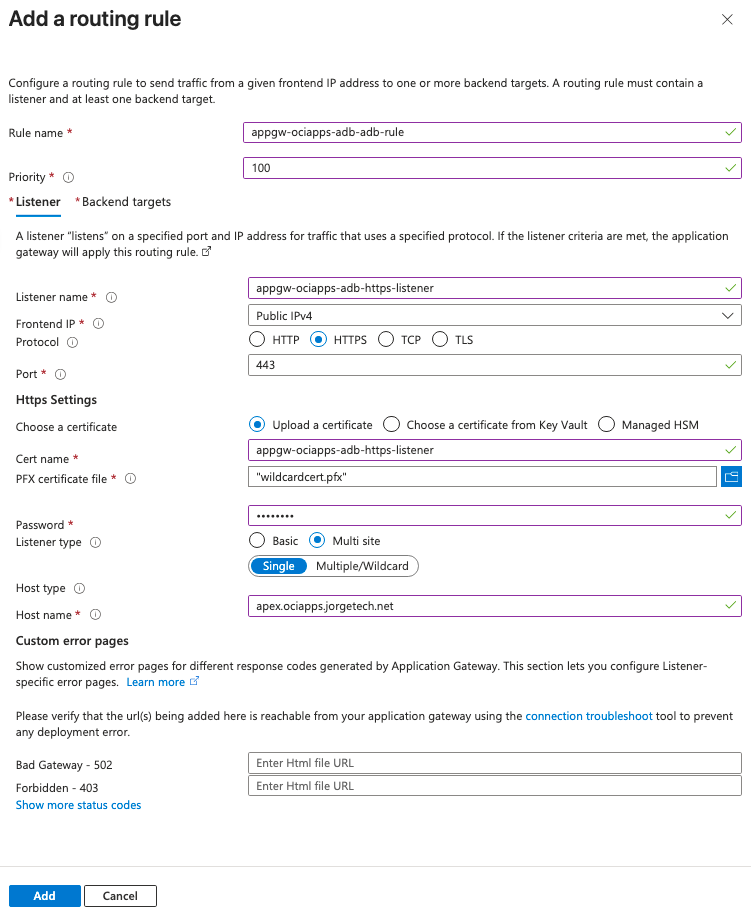
3. Configure the HTTPS listener
Create a routing rule with an HTTPS listener for the vanity URL. Upload or select the certificate for that host name. The listener certificate is the certificate that browsers see when they connect to the vanity URL; it is independent of the certificate presented by the Oracle Autonomous AI Database Serverless managed ORDS endpoint.
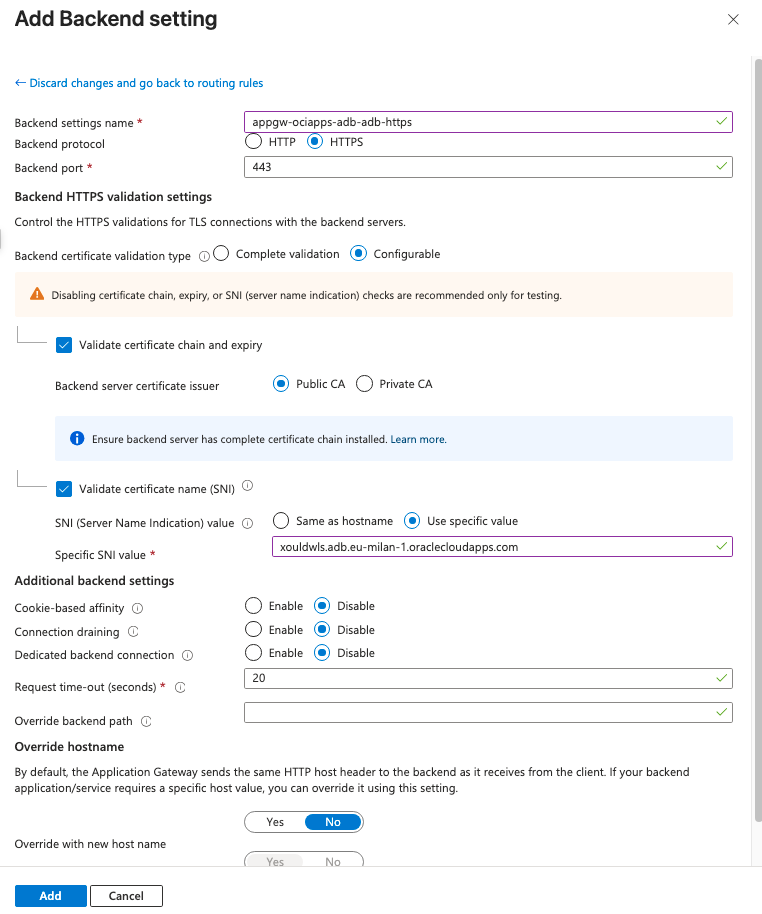
4. Publish and test the vanity URL
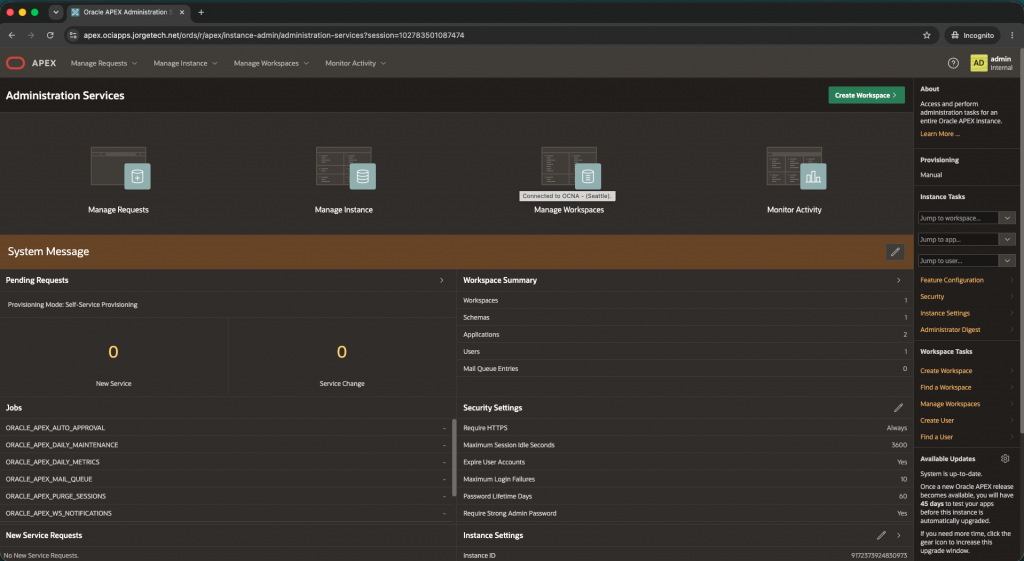
Create or update the public DNS record for the vanity host so it resolves to the Application Gateway public frontend IP address. After DNS propagation, open the vanity URL in a browser and confirm that the request reaches the APEX sign-in page or the intended APEX application.
Conclusion
Azure Application Gateway can be used as the HTTPS reverse proxy for Oracle APEX applications hosted on Oracle Autonomous AI Database@Azure when the database uses private endpoint access. The configuration is straightforward, but the backend TLS details are critical: route client traffic through the vanity URL, then connect to the Oracle-managed backend using the database-assigned private URL and oraclecloudapps.com host name for SNI and certificate validation.