
Field Service is licensed by the number of active users, not the total users in the system. The product makes it easy for customers to monitor their licensing position, by running a report to display the number of active users, as shown below:
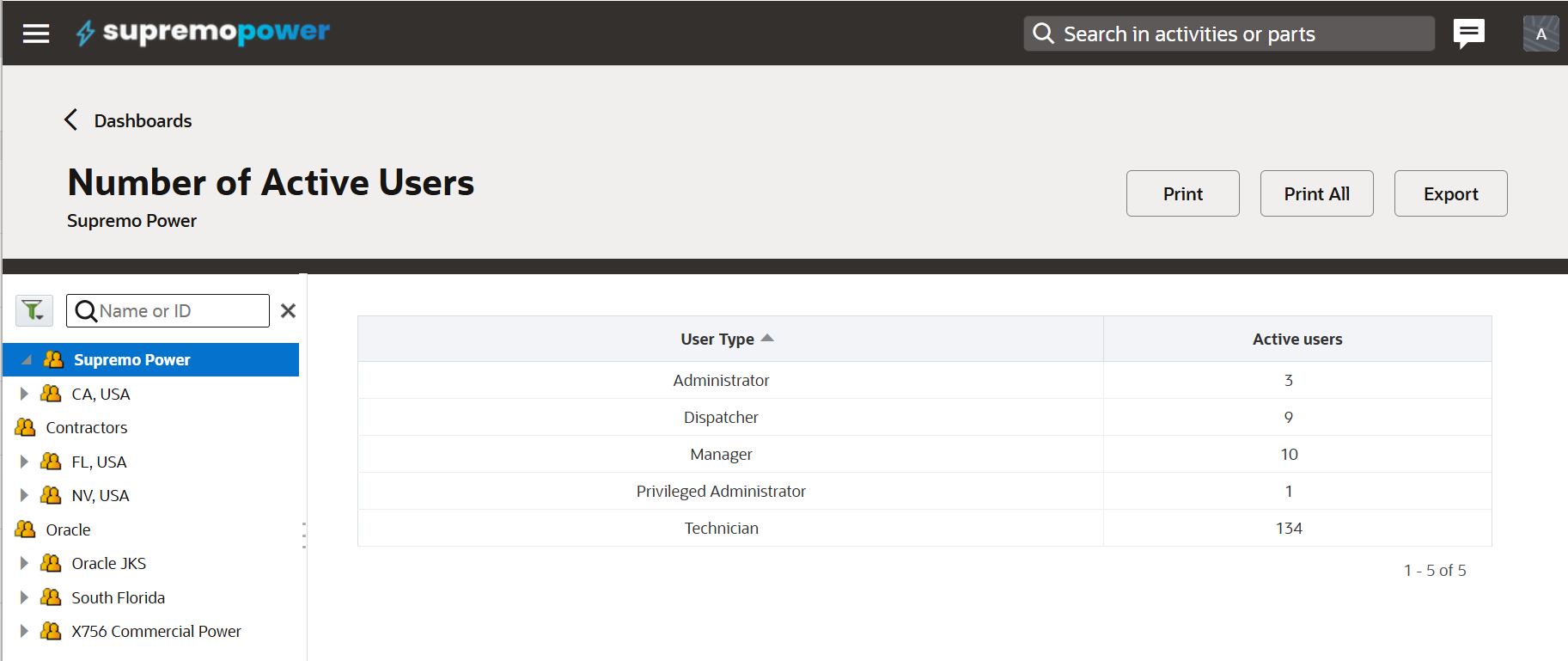
This report is accessible by going to the Dashboards area, and clicking on Admin Reports, followed by the Number of Active Users report (see https://docs.oracle.com/en/cloud/saas/field-service/fasmr/t-number-of-active-users.html for more details).
The report is straightforward in that it lists the number of active users by user type, but it doesn’t tell us anything about whether or not, all of those active users are legitimately active. Since active users is the main licensing metric in OFS, it is important for administrators to ensure that active users are switched to inactive in a timely manner (as company policy dictates).
How do we determine if there are active users in the system, which really should be inactive? Well, the criteria used will vary by company policy, but one example would be to examine which users have been actively using the system. For example, if a user hasn’t logged in for a few months, then it’s possible that they shouldn’t be an active user. The Resources screen can help us filter on users’ last login.
Click into the Resources screen (shown below) and look down the left hand side. There you will see a filter for last login. You can filter using the before or after, a certain date. Using this filter, we can determine which users haven’t logged in for a defined period. These users may require further investigation as to why they haven’t logged in during that period.
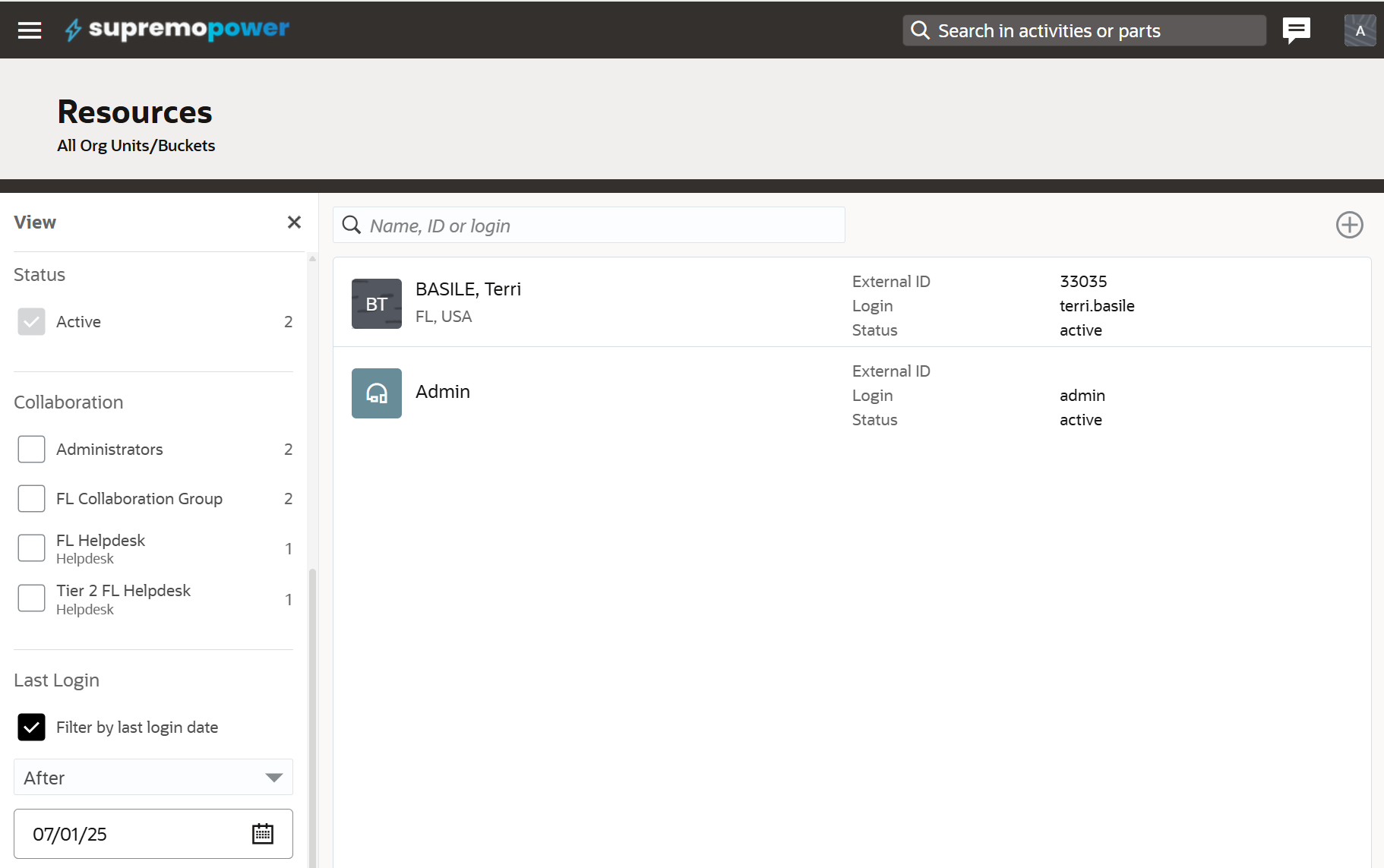
The filter helps us to narrow down when users have last logged in, but it doesn’t tell us exactly when each user last logged in. To help with that we can add the last login field into the resource/user information screen. This will give us more information when deciding if a user should be made inactive.
As stated before, company policy will determine when a user should be made inactive. The purpose of this article is to show that OFS has the data to help with that decision making process.