
If you want to achieve sub-millisecond latency and highly consistent database performance for your Oracle workloads on AWS, then Oracle Database@AWS high performance networking is a feature you should explore.
Oracle Database@AWS brings Oracle Exadata infrastructure directly into AWS data centers, enabling low-latency connectivity between Oracle databases and AWS services like Amazon EC2, Amazon ECS, and Amazon EKS.
In this blog, we’ll cover:
- How Oracle Database@AWS high performance networking works
- Key benefits
- Basic Configuration steps
How It Works
ODB@AWS high performance networking uses Amazon EC2 Placement Groups to place application instances physically closer to Oracle Exadata infrastructure within the same AWS Availability Zone.
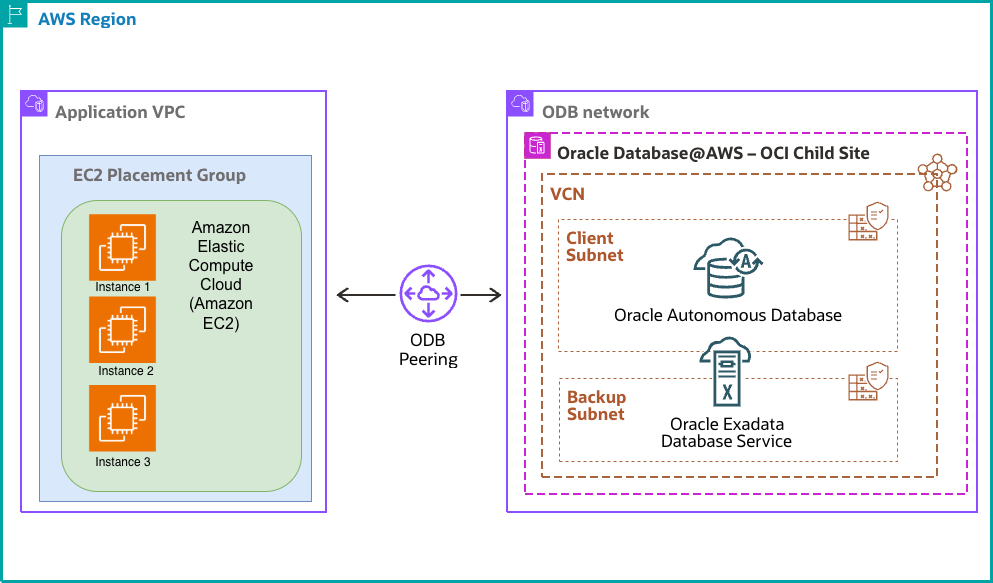
This reduces network hops and delivers:
- Consistent sub-millisecond latency
- Reduced network variability
- Better SQL*Net performance
When a new Oracle Database@AWS network (ODB) is created, AWS automatically provisions and associates a placement group with it.
You can retrieve this placement group using the AWS CLI or console and use it while launching EC2 instances.
Key Benefits:
Automatic Placement Group Creation
Placement groups are automatically created for every new ODB network.
Consistent Low Latency
Applications running on EC2, ECS, or EKS experience predictable and reliable database connectivity.
Seamless EC2 Integration
Works with existing EC2 workflows, APIs, AWS Management Console, On-Demand Capacity Reservations, Savings Plans, and Reserved Instances.
No Additional Cost
High performance networking is available at no extra charge beyond standard EC2 usage.
Getting Started:
Step 1: Retrieve the Placement Group of ODB Network
Use the AWS CLI or console to identify the automatically created placement group.
Using AWS console:
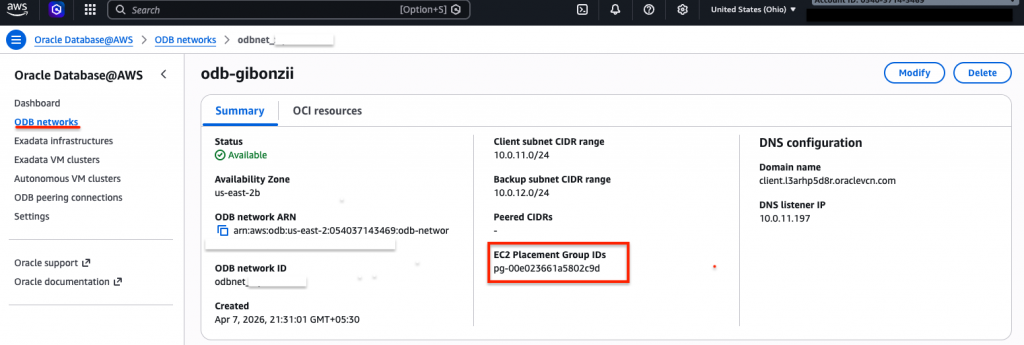
Using CLI:
aws odb get-odb-network --odb-network-id <ODB Network ID>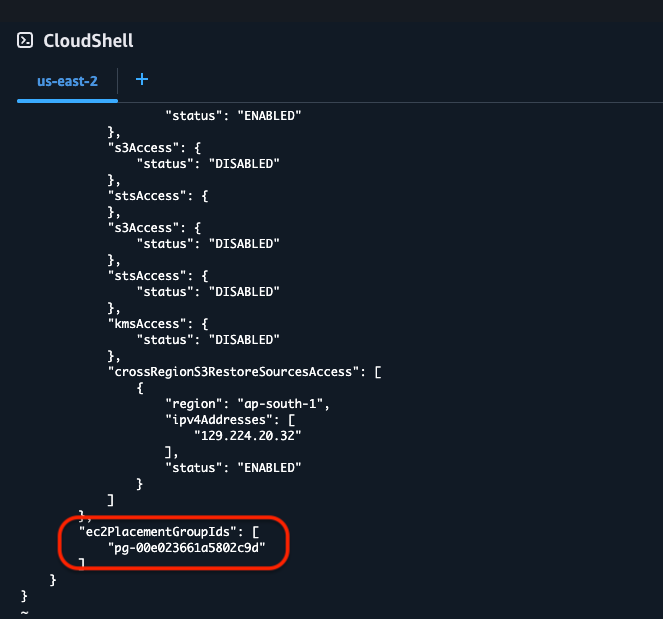
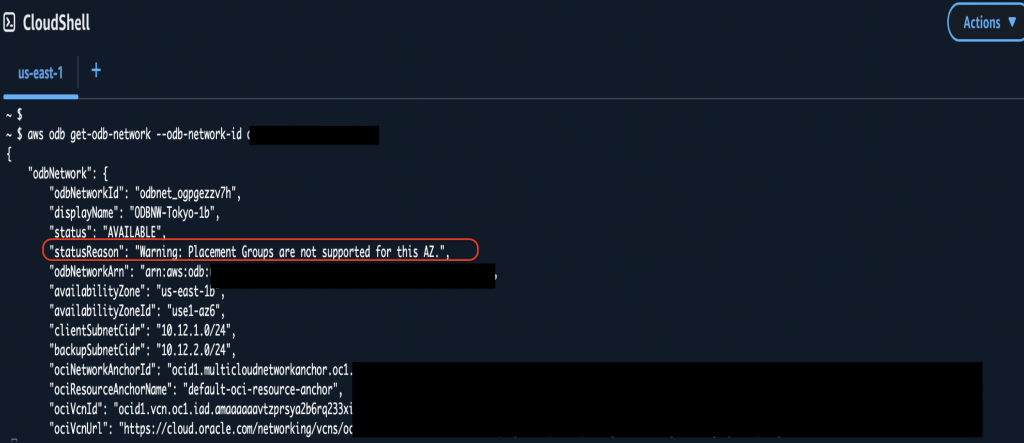
If you are querying an ODB network in an unsupported AWS region, the CLI output shows the warning of unsupported AZ.
Step 2: Launch EC2 Instances
Launch EC2 instances using the same placement group ID as the ODB network.This option is available under the “Advanced details” while launching the instance.
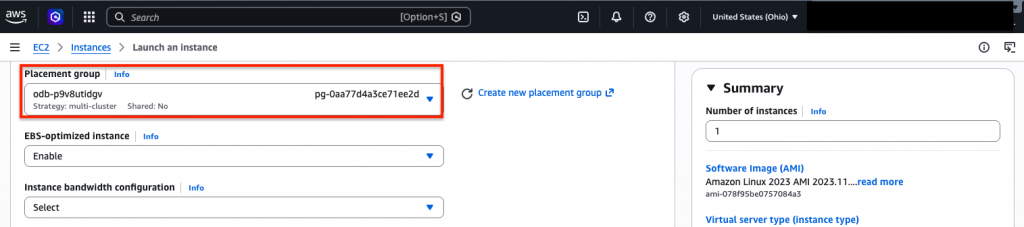
For ODB networks the instances use Cluster placement strategies. It packs instances close together inside an Availability Zone for tightly-coupled node-to-node communication that is typical for high-performance computing applications.
Step 3: Connect Applications
Applications can now communicate with Oracle Database using Oracle SQL*Net over TCP/IP with optimized low-latency connectivity.
Key Notes:
- This feature is currently available only for new Oracle Database@AWS networks (ODB networks) created on or after April 1, 2026.
- You can share the Oracle Database@AWS placement group across AWS accounts in the same AWS organization using AWS Resource Access Manager (AWS RAM).
- The availability of this service is limited to specific AZ at the time of writing this article. Check the AWS documentation for finding the unsupported Availability Zones.
Conclusion:
Oracle Database@AWS high performance networking helps organizations run mission-critical Oracle workloads on AWS with predictable performance and ultra-low latency.
By automatically optimizing placement between EC2 applications and Oracle Exadata infrastructure, businesses can improve application responsiveness without adding operational complexity or extra cost.