
DNS in its current implementation is based on the trust; it has no way for your compute to verify that IP address it received from the DNS is actually the correct one and no DNS hijacking or DNS cache poising has taken place. These attacks are basically exploiting this lack of verification that we have in the existing DNS systems.
DNSSEC was created to fix this problem by adding verification to the DNS lookup process. It doesn’t encrypt the data, but it acts like digital vault to providing two pieces of information.
- Data Authenticity: Confirms that the DNS data came from the legitimate domain owner.
- Data Integrity: Ensures the data hasn’t been altered or corrupted in transit.
DNSSEC works by using digital signatures. The domain owner signs their DNS records with a private key, and DNS resolvers use the corresponding public key to verify those signatures. This process creates a chain of trust from the domain up to the top-level domain (for example, .com). If a signature fails to validate at any point in the chain, the resolver recognizes the data as invalid and rejects it, protecting the end user from tampered or forged DNS responses.
DNSSEC introduced a new zone record DNSKEY which has two parts
- Key Signing Key (KSK): a public-private key pair used to sign the DNSKEY record of a zone
- Zone Signing Key (ZSK): a private key used to digitally sign the records within a DNS zone. ZSK digitally signs DNS resource record sets (RRsets) (a set of records with the same name and type). This signature is then stored in the RRSIG record.
Now that we have established why DNSSEC is needed let’s discuss how this can be implements in OCI
OCI is not a domain registrar so customer will have register their domain at domain registrar and then update domain registrar DNS to point to OCI name servers. For this test i have a test domain oci-example.site and for validation will be using an online tool available here
Let’s see what is the current status for our test URL.
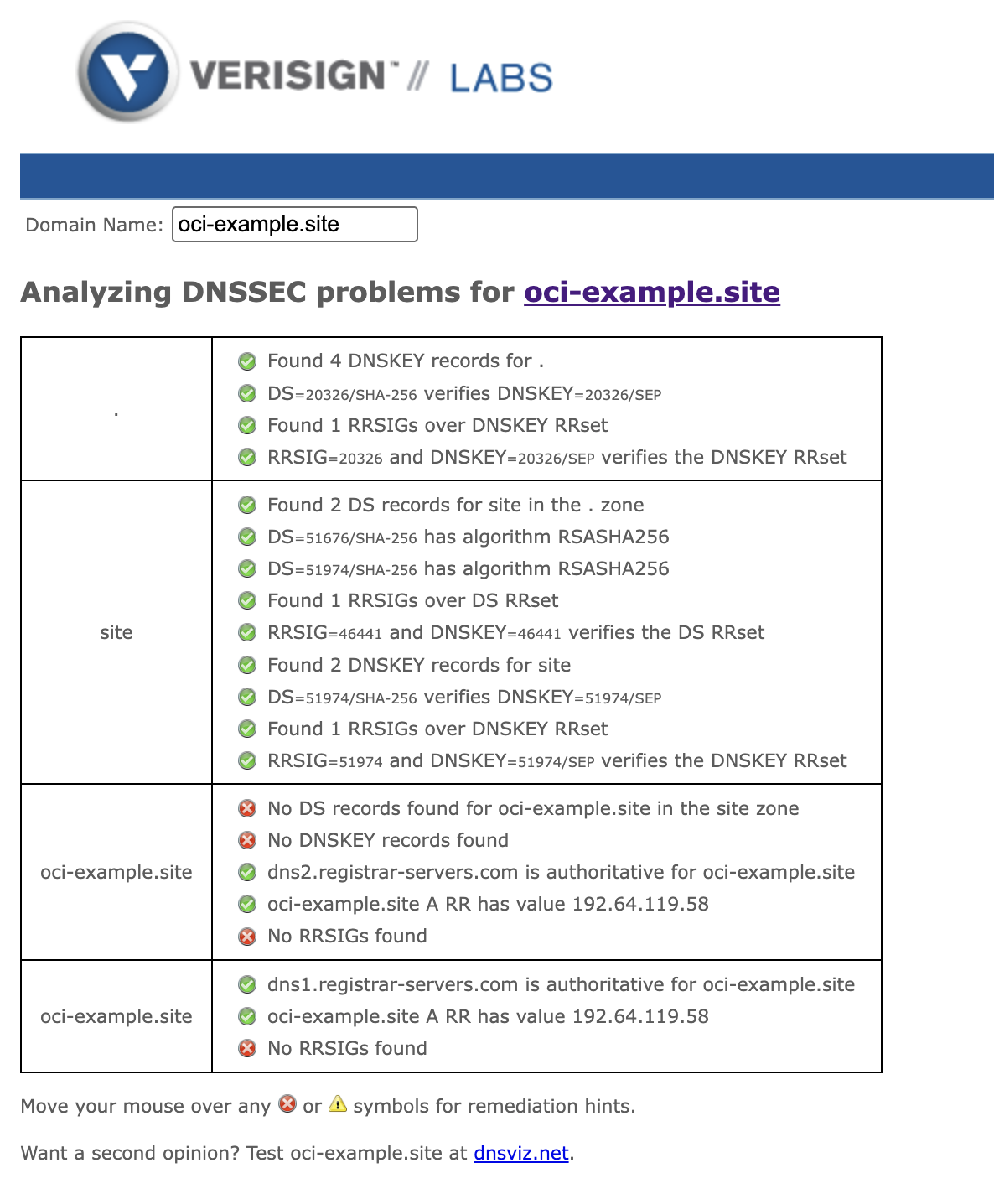
As excepted its failing validation no DS records or RRSIG records.
Lets enable DNSSEC in OCI.
Enable DNSSEC in OCI Zone config
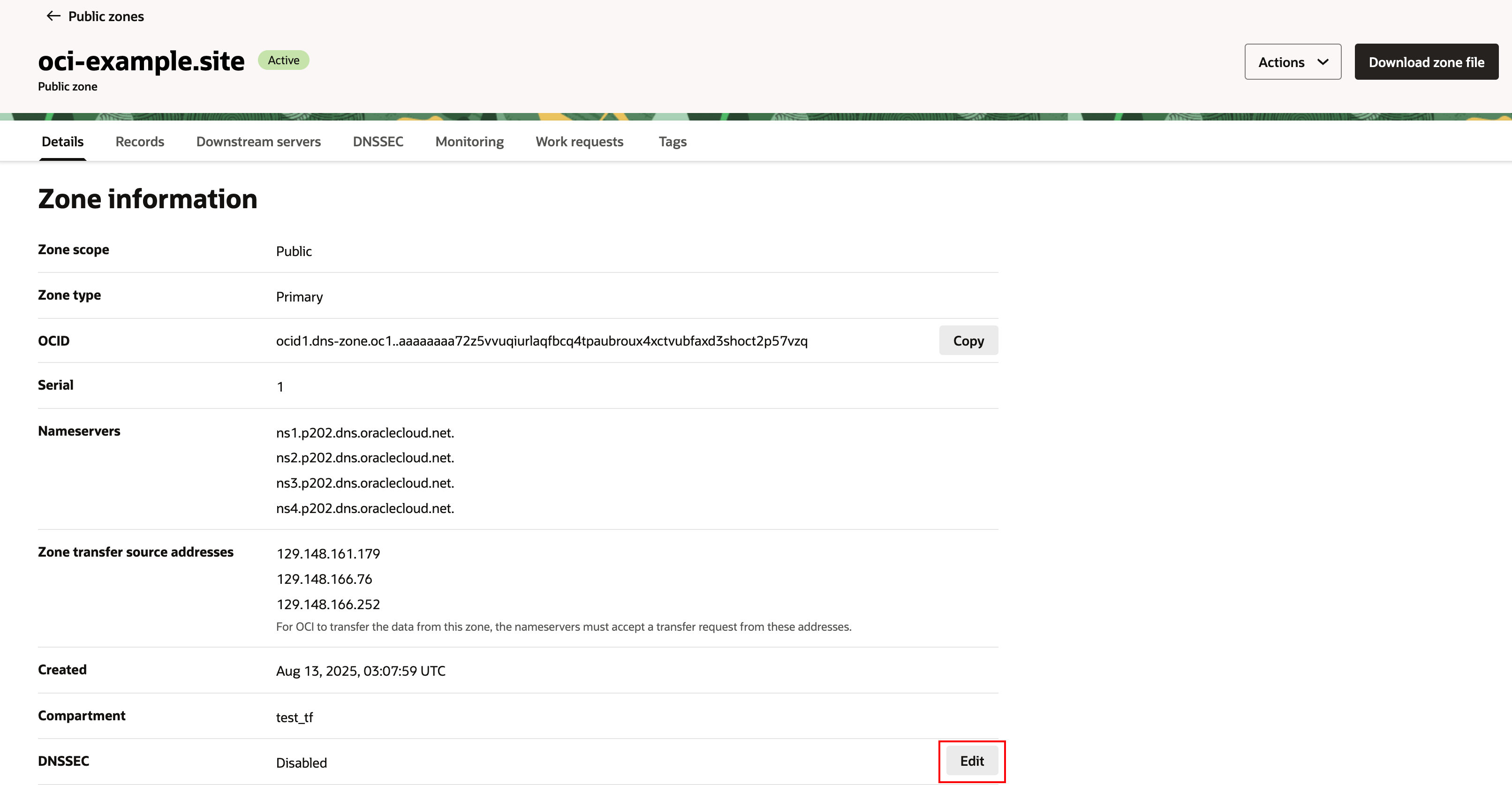
- Navigate to Networking -> DNS management -> Zones.
- In Zone information, under DNSSEC, click Edit.
- Click the DNSSEC switch to Enabled. OCI will automatically generate the required keys (KSK and ZSK) and sign your zone. This can take a few minutes.
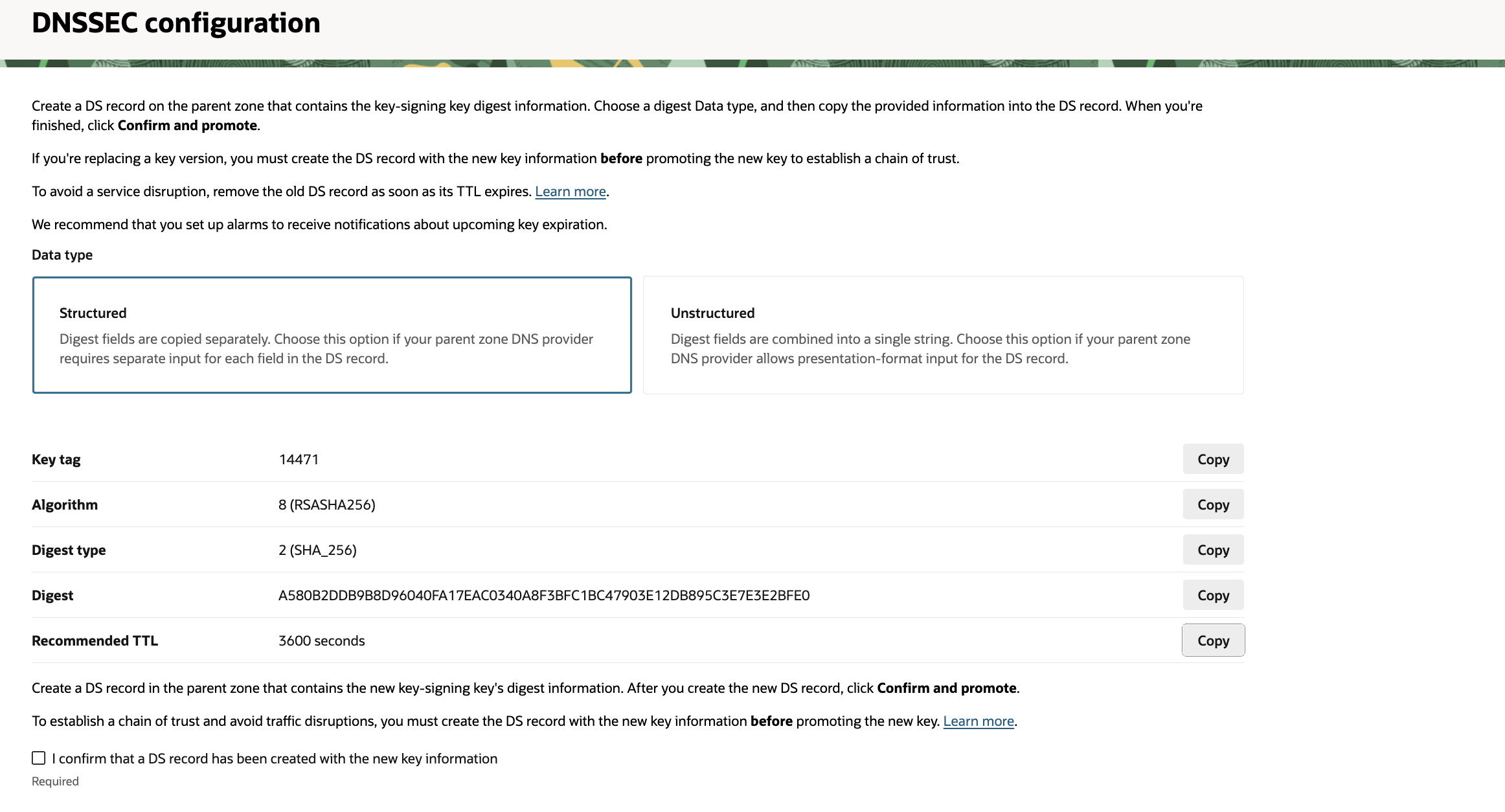
Get the DS Record:
- Once the process is complete, the status will show as “Enabled.” OCI will now display the public key information as a DS Record.
- You need to copy these four values:
-
- Key Tag: A numeric value (e.g., 2371).
- Algorithm: A number representing the algorithm (e.g., 13 for ECDSAP256SHA256).
- Digest Type: A number representing the hash type (e.g., 2 for SHA-256).
- Digest: A long hexadecimal string.
-
For this blog I am using Namecheap as the domain registrar so will have to add the DS record in the registrar’s authoritative DNS server.
Final Step: Add DS record to the domain registrar’s name server
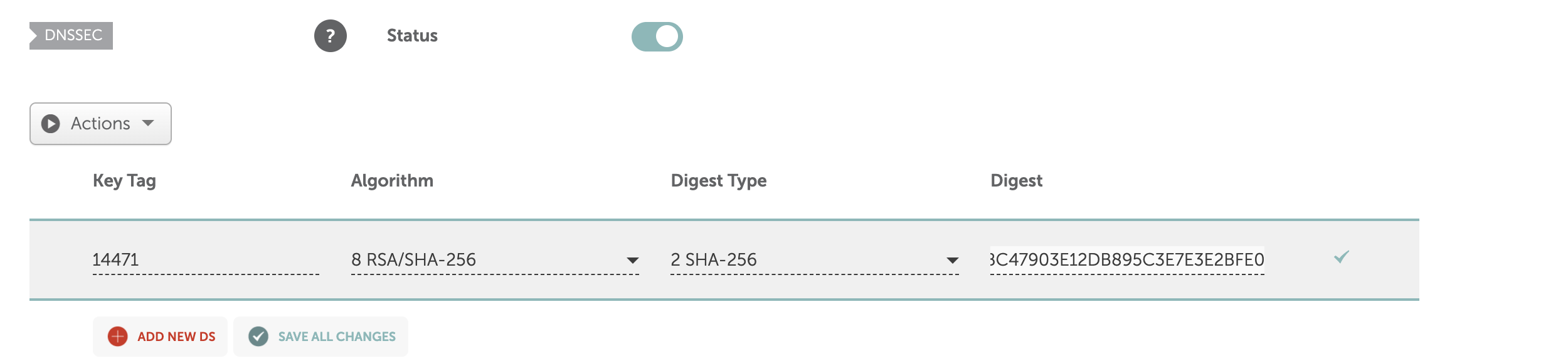
This completes the config required to enabled DNSSEC. Lets validate.
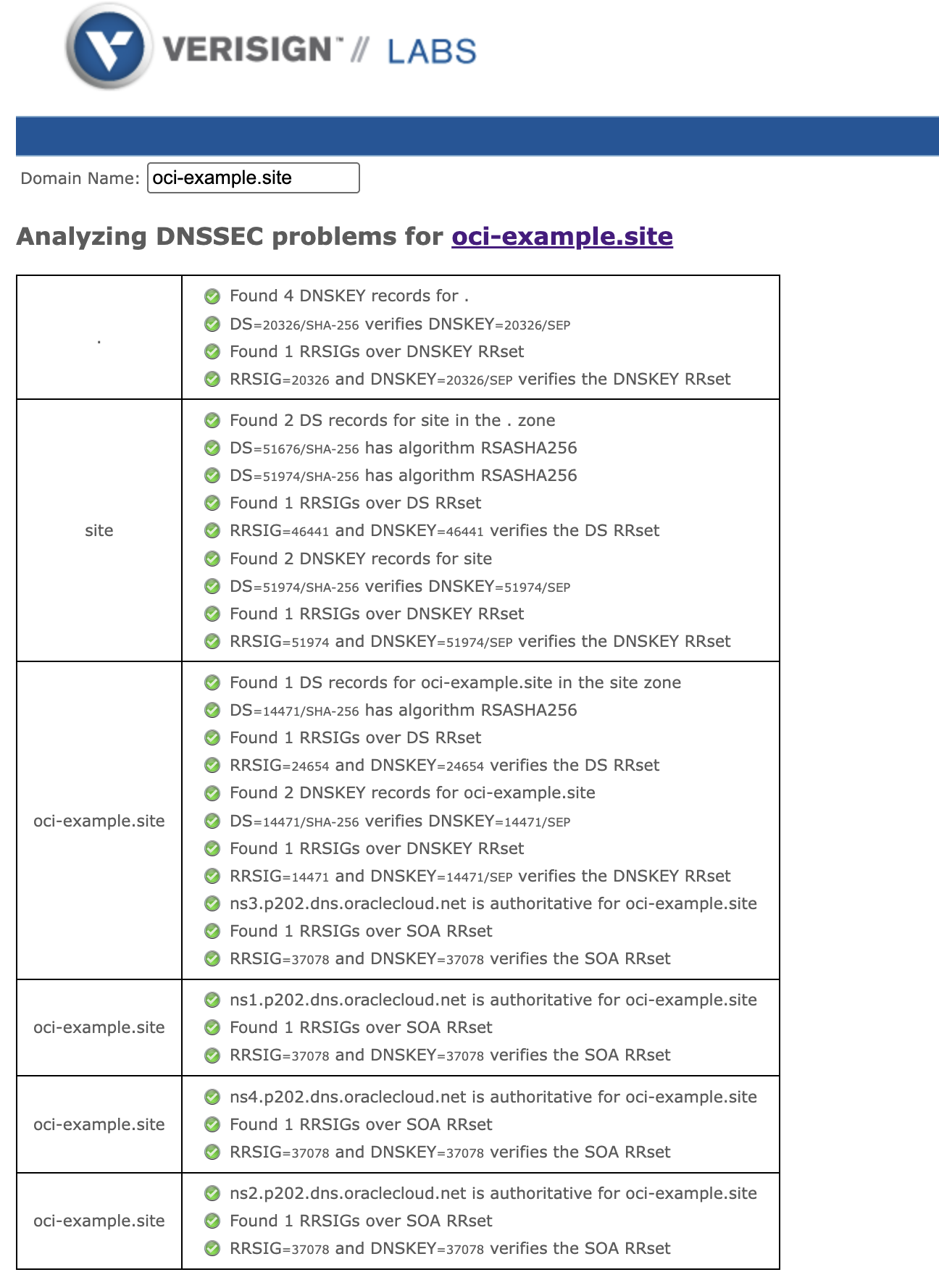
Since all the records have been updated, RRSIG and DNSKEY are valid.
Useful Links
https://docs.oracle.com/en-us/iaas/Content/DNS/Concepts/dnssec.htm
https://docs.oracle.com/en-us/iaas/Content/DNS/Tasks/dnssec-enable.htm