
Introduction:
Welcome to the 2nd part of the Palo Alto Hub and Spoke deployment on OCI blog-series.
You can read main page and 1st part of the series here:
Palo Alto Hub and Spoke deployment on OCI – Main Page
Palo Alto Hub and Spoke deployment on OCI – Part 1
In this blog, we will cover the scenario where we extend the Palo Alto interfaces individually in the spoke VCNs.
This configuration is ideal when there is a requirement to isolate the network segments based on security zones. This approach can be expensive but gives better performance.
Pre-requisite:
Before reading this blog, please visit the main page of this blog-series as a pre-requisite:
Palo Alto Hub and Spoke deployment on OCI – Main Page
Main page covers the scope, and all the baseline configuration required for this blog.
Network Diagram:
In this blog, we will explore the 2nd scenario mentioned in the main page.
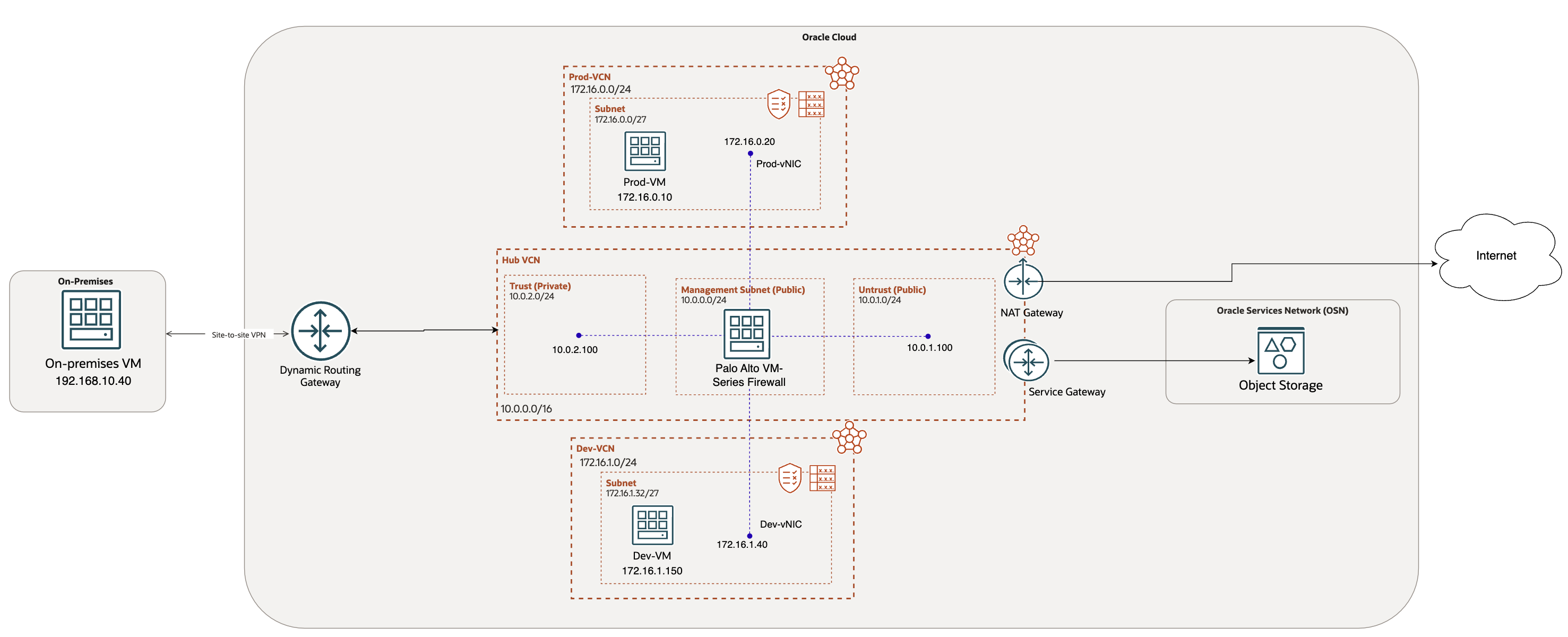
We have already covered baseline configuration required in the main page.
For this use case, I have additionally provisioned:
- 2 VCNs: Prod-VCN and Dev-VCN
- 2 VMs: Prod-VM and Dev-VM deployed in their respective VCNs
OCI Configuration:
Let’s start with the configuration required on OCI. Please note that we do not need the spoke VCNs to be peered together.
- Interface configuration:
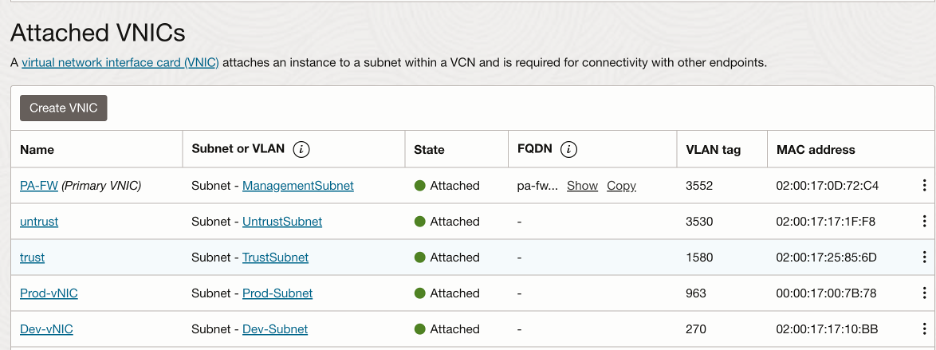
Along with trust and untrust, we need to create 2 additional interfaces in the 2 spoke VCNs (Prod-VCN and Dev-VCN).
Navigate to the Palo Alto VM and click on ‘Attached VNICs’ under resources.
Make sure to select ‘Skip source/destination check’ for both the interfaces and deploy them in the respective subnets in the spoke VCNs.
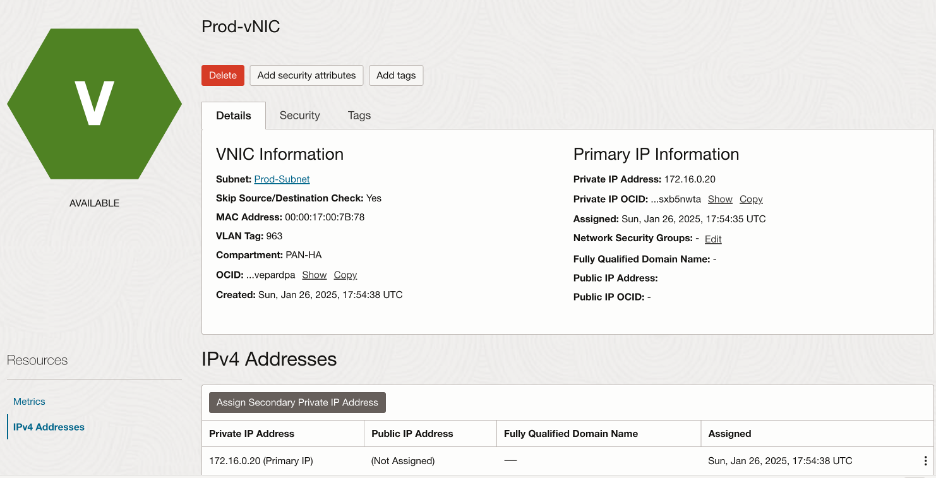
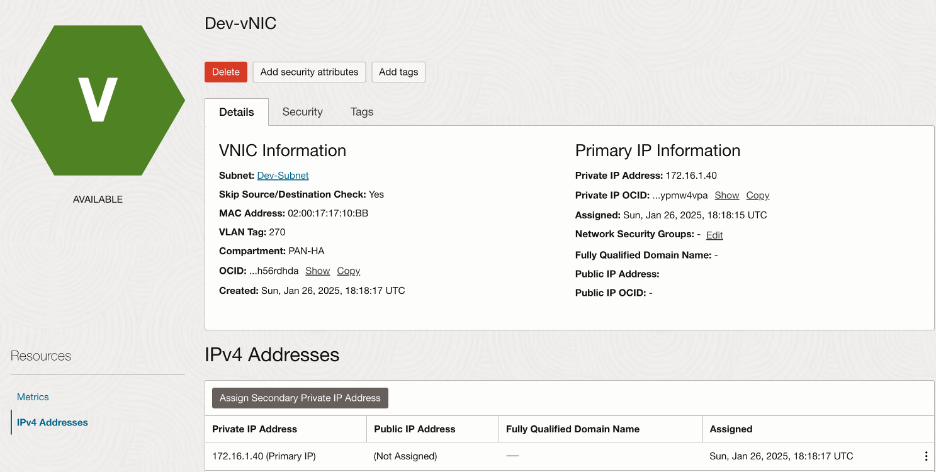
Summary of the interfaces:
- OCI Routing:
- Spoke VCNs (Prod and Dev) routing:
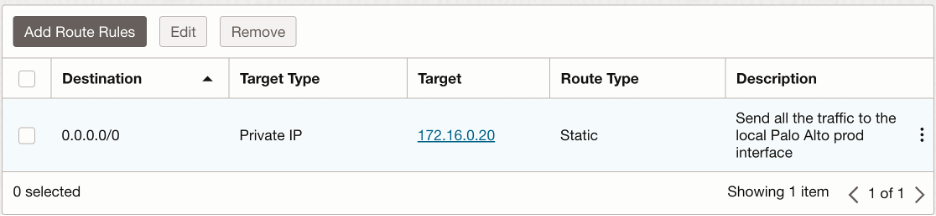
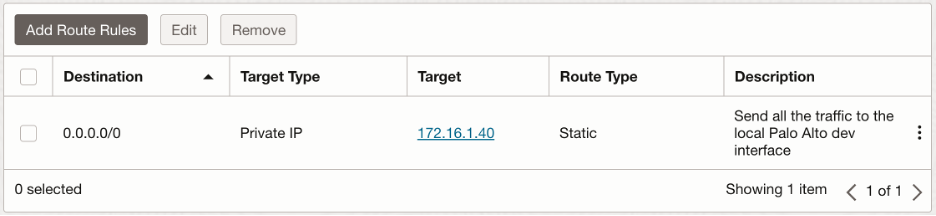
All the outgoing traffic from the spoke VCNs will be sent to the respective Palo Alto interfaces.
Prod-VCN subnet route table:
Dev-VCN subnet route table:
- Trust Subnet route table:
We send:
- Traffic towards on premises CIDR range to the DRG
- Traffic towards Object Storage to the Service Gateway

- Untrust subnet route table:
We want to send all the outbound traffic to the public internet via NAT Gateway:

- DRG routing:
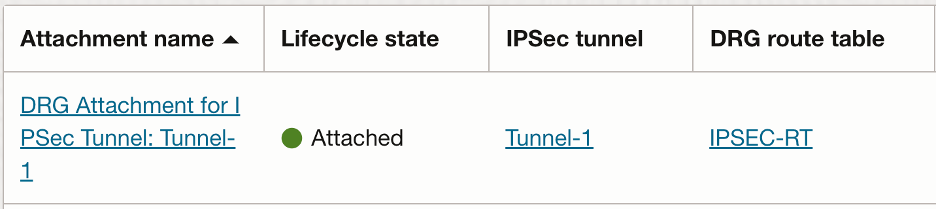
Since spoke VCNs are not attached to the DRG, we only have Hub (Palo Alto) VCN and VPN attachments at the DRG. Both the attachments import routes from each other. Let’s have a look at the configuration for each of those:
- Hub-VCN attachment:
In Hub VCN, we need to create a new route table, which we will associate with Hub VCN attachment at the DRG (Transit routing via private IP). We want following traffic to be inspected through the trust interface:
- Towards the spoke VCNs (Prod-VCN and Dev-VCN)
- Towards the Object Storage
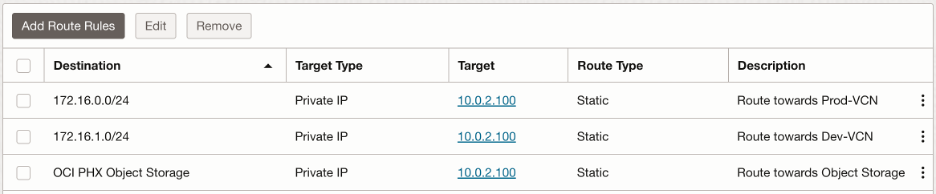
This route table is associated with the Hub-VCN attachment as the VCN route table.
Import route distribution:
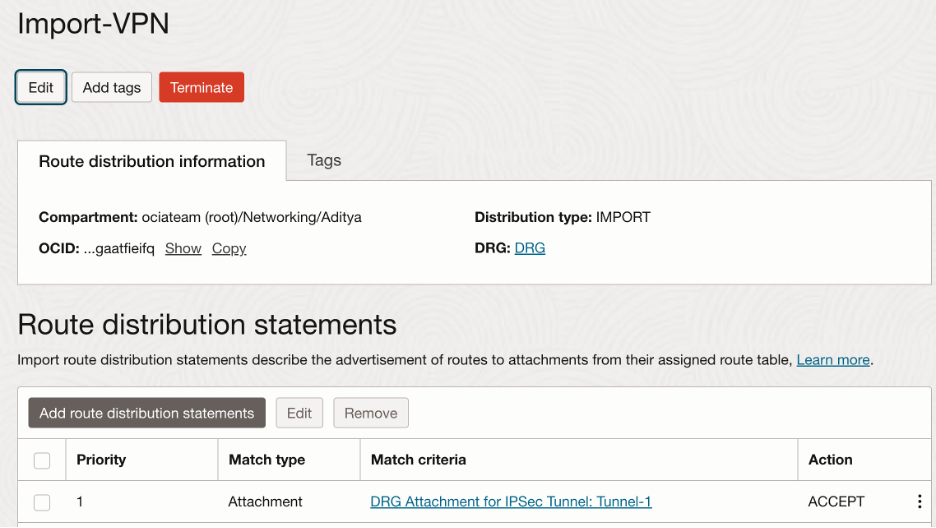
Hub-VCN DRG route table:
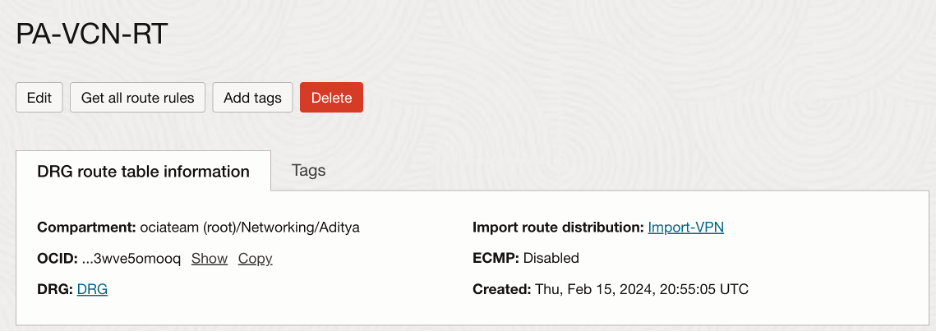
Summary of the attachment:

- IPSec VPN attachment:
Import route distribution:
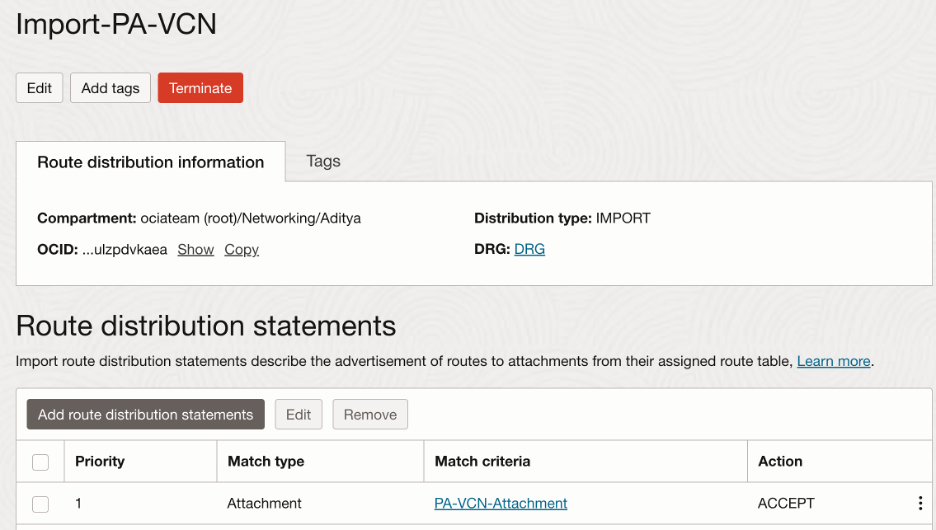
VPN tunnel DRG route table:
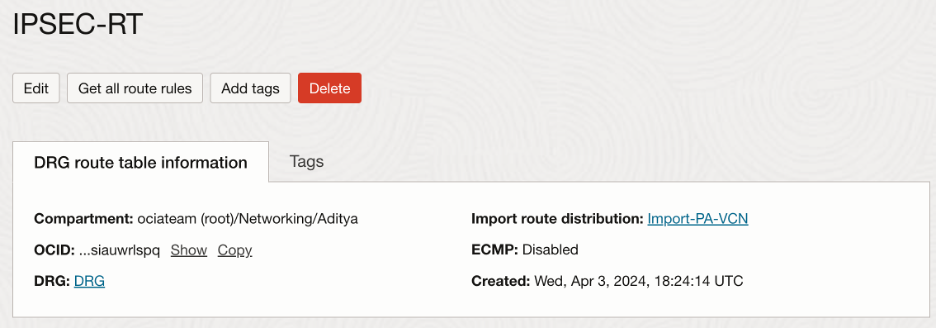
Summary of the attachment:
Palo Alto Configuration:
- Interface Configuration:
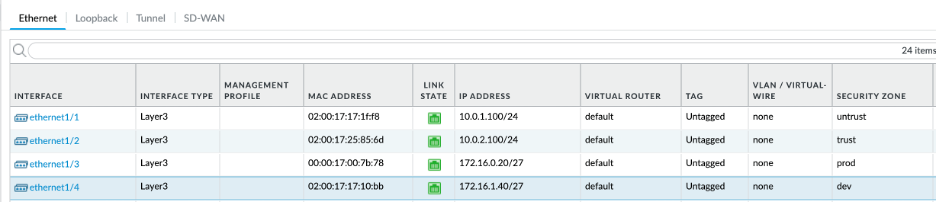
Along with trust and untrust interfaces, we need to configure additional interfaces that we configured in OCI for Prod and Dev. Since we already have configured untrust and trust interfaces for ethernet1/1 and ethernet1/2 respectively, let’s configure ethernet1/3 for prod and ethernet1/4 for dev to honor the order that they were created on OCI. Please note that the interfaces for Prod and Dev are assigned to their own security zones.
Final ethernet interface configuration should look as follows:
- Routing:
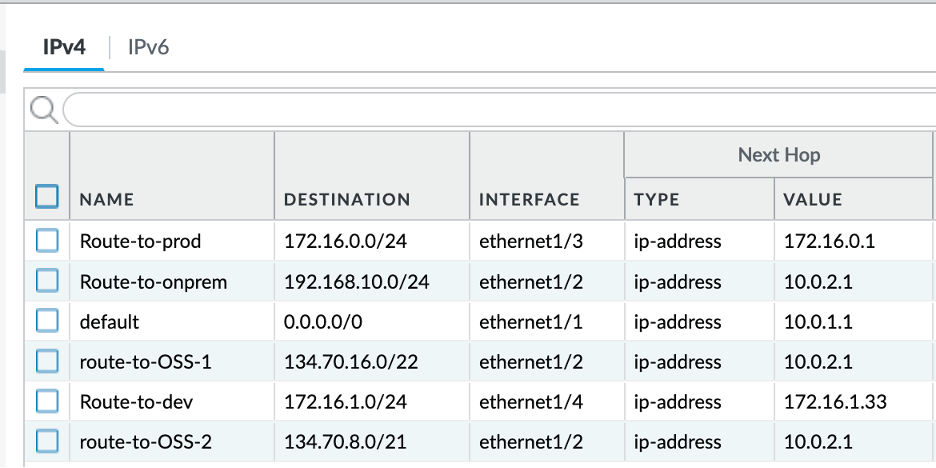
We need following rules in the Palo Alto router:
- Traffic towards on-premises and Object Storage to be sent to the trust interface subnet gateway (10.0.2.1)
NOTE: You can get all the OSN public IP ranges, including those for Object Storage in:
https://docs.oracle.com/en-us/iaas/tools/public_ip_ranges.json
- Traffic towards the Prod-VCN to be sent to the prod interface subnet gateway (172.16.0.1)
- Traffic towards the Dev-VCN to be sent to the dev interface subnet gateway (172.16.1.33)
Verification:
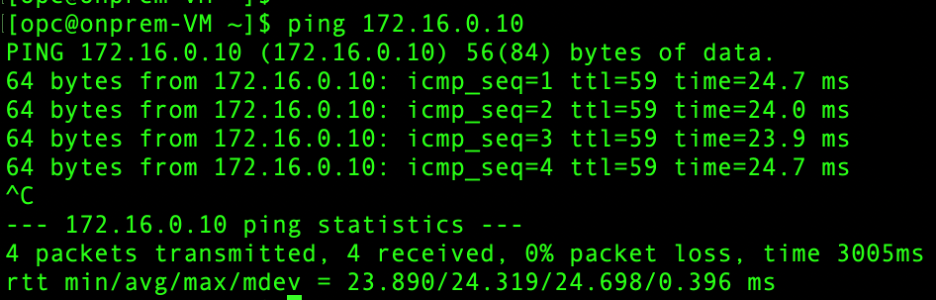
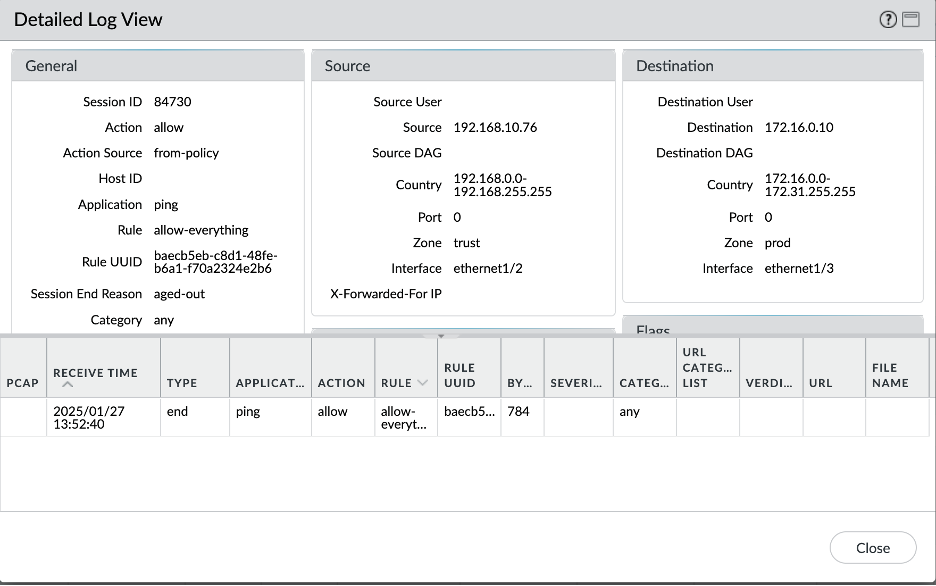
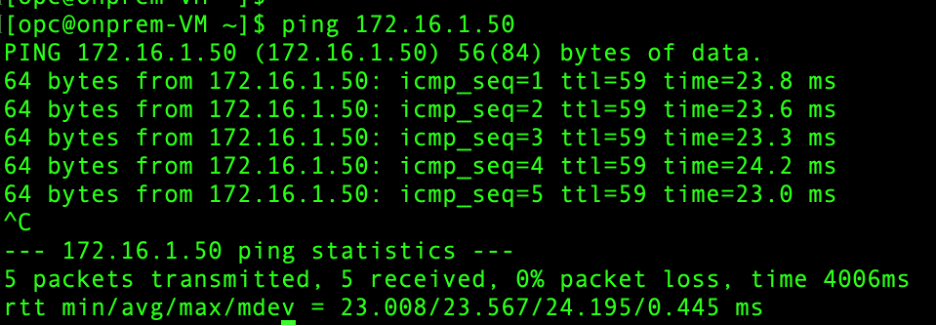
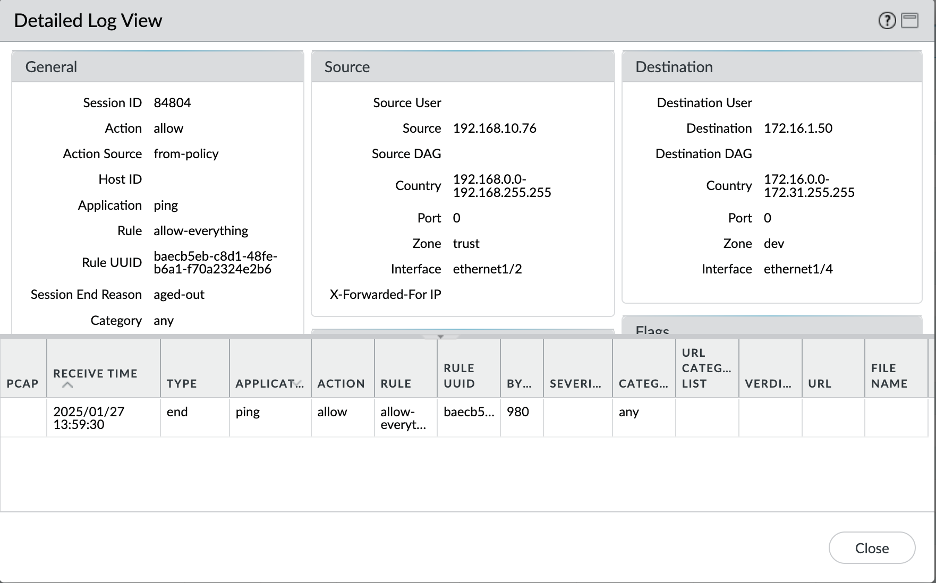
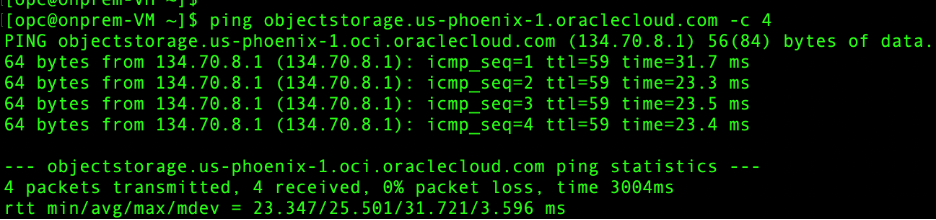
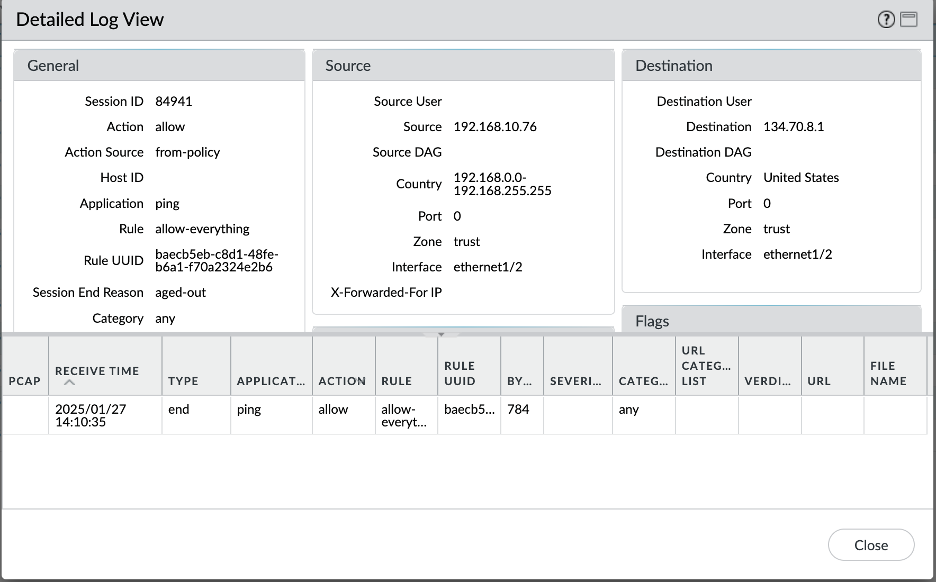
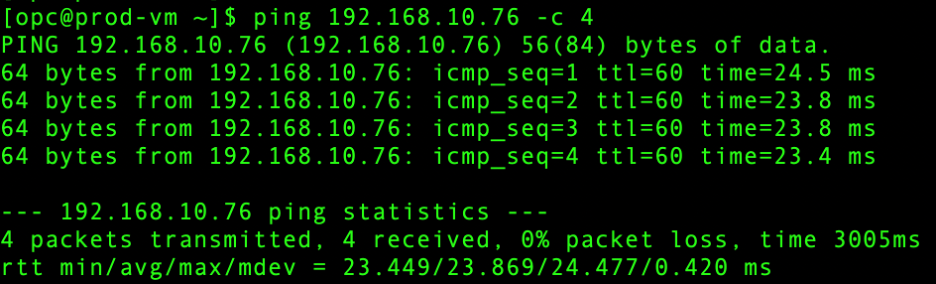
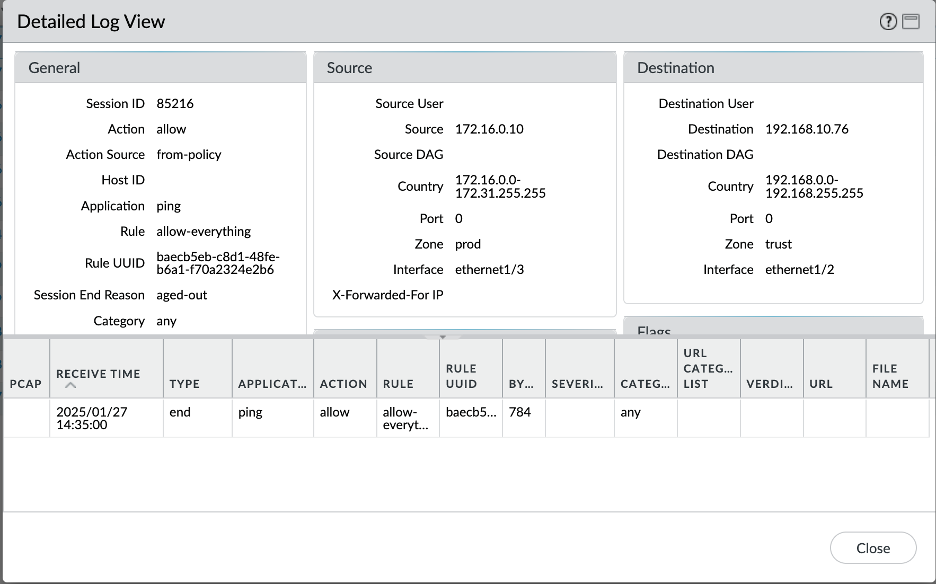
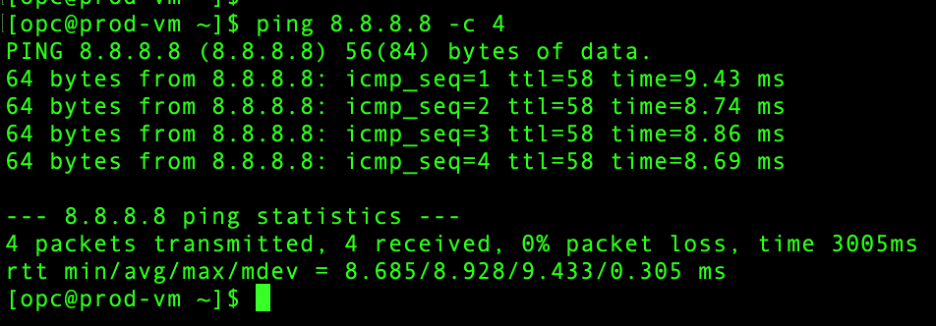
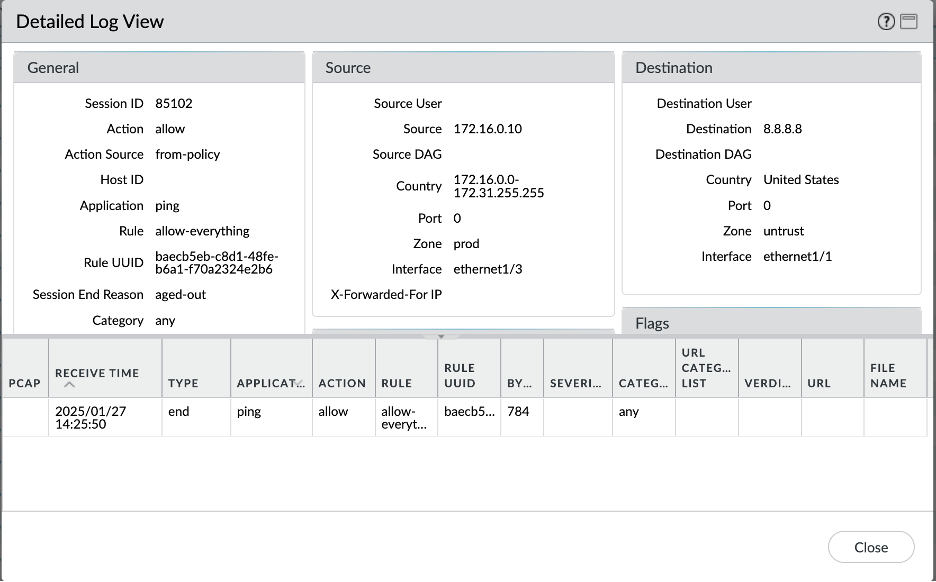
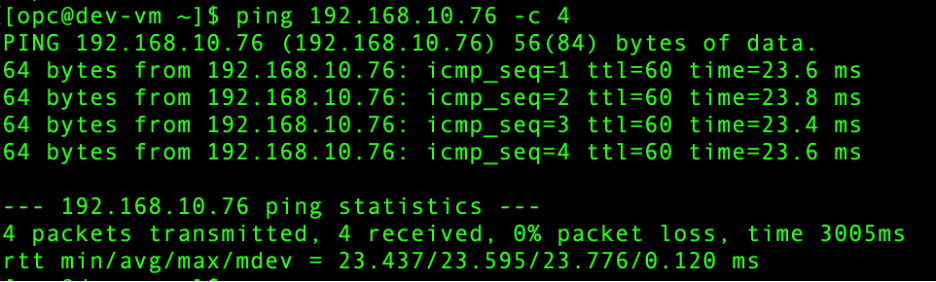
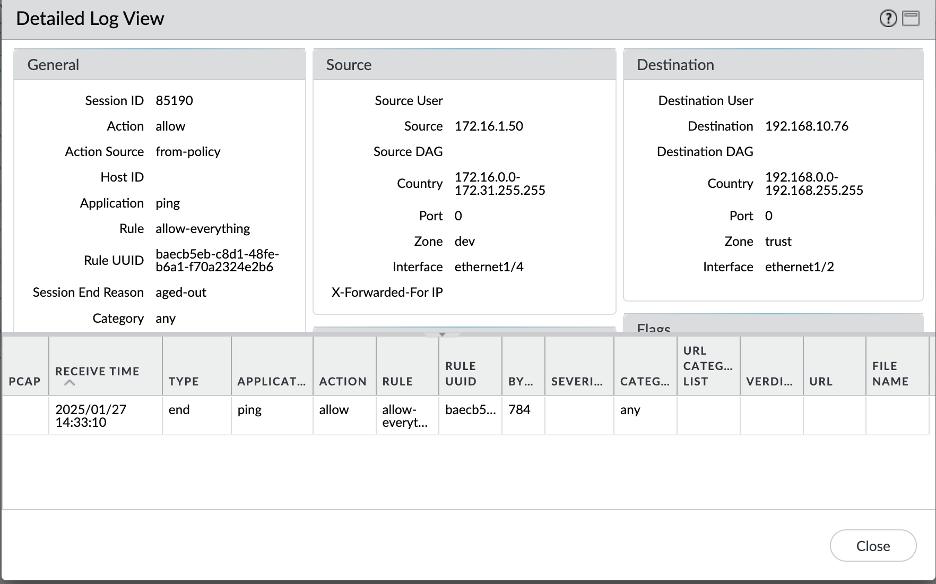
Let’s verify all the scenarios one by one. Connectivity screenshots are followed by the Palo Alto logs screenshots to verify that the intended traffic is being passed through the Palo Alto for inspection:
- On premises – Prod VCN:
- On premises – Dev VCN:
- On premises – Object Storage:
- Prod VCN – On premises:
- Prod VCN – Object Storage:
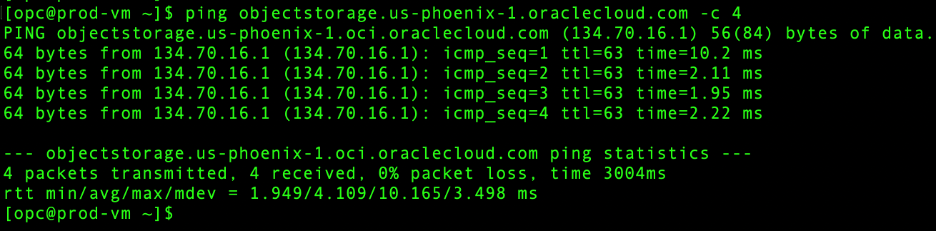
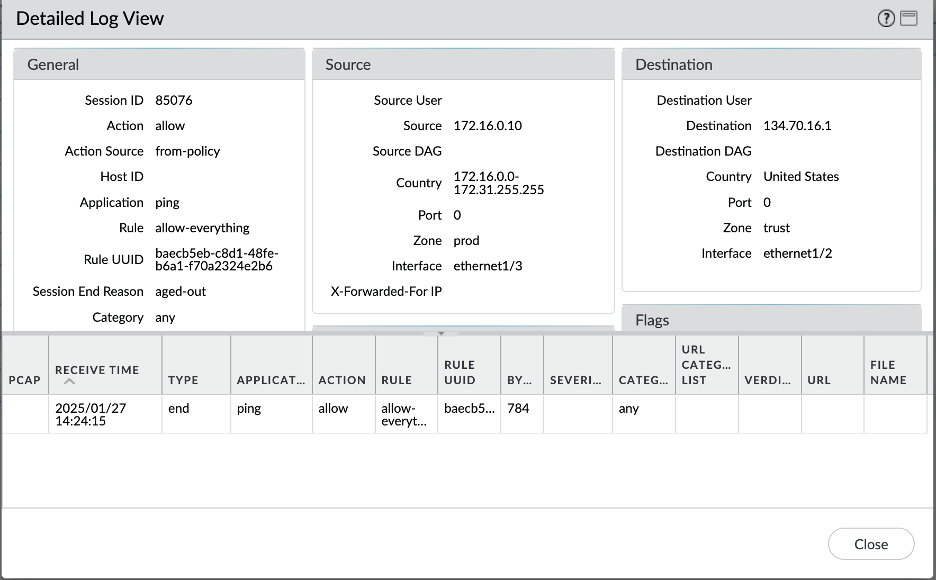
- Prod VCN – Internet:
- Dev VCN – On premises:
Conclusion:
This concludes the blog series for Palo Alto Hub and Spoke model deployment.
We discussed the basic configuration required for the implementation on both OCI and Palo Alto side. Also, we explored with an example, 2 different models which are most used by OCI customers for various use cases.