
We are quite familiar with what a WAF does: at a high level, it inspects incoming HTTP requests and depending on the evaluation of various rules configured, it either allows the requests to proceed to the backends or blocks them. Although most of the focus is on the incoming requests, and rightly so, the OCI WAF can also be configured to control backend responses to the client. This it does by inspecting the HTTP attributes of the backend responses. This feature of OCI WAF is called ‘Response Control’ and it is achieved by defining ‘Response Access Rules’. There can be many use cases of response control. In this blog post, we will look into the use case described in my earlier blog post ‘Building HA, secure websites with static content in OCI with Load Balancer + WAF, API Gateway, Object Storage and Service Gateway‘ which uses OCI Object Storage to serve static content of websites.
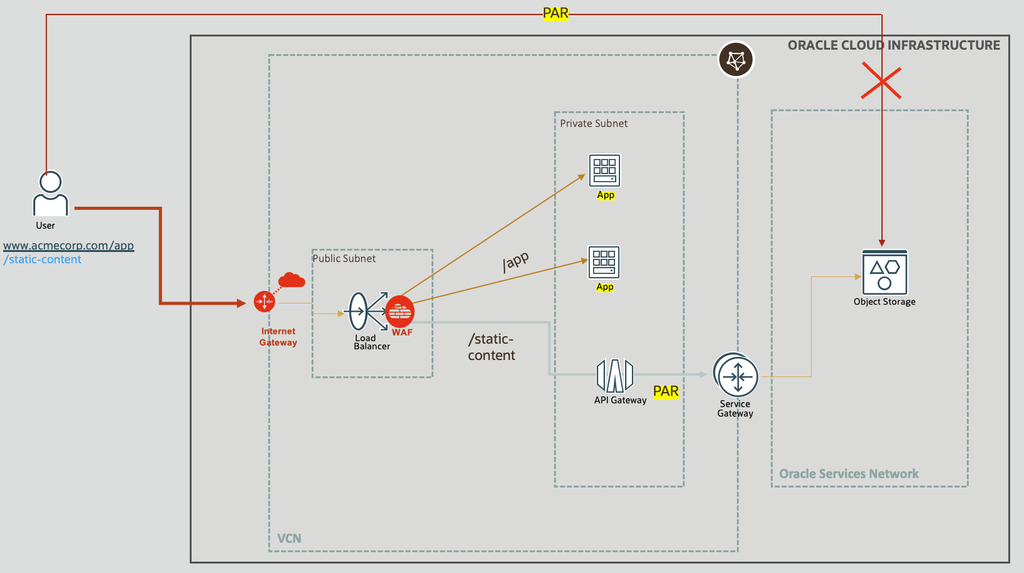
Fig 1
That blog post described the happy use case – basically, users able to get content from the servers. However, what about any errors? What happens if the object storage cannot serve the requests? What kind of error responses the user will get?
Object Storage Errors
While accessing the static content from the object storage, the call may fail. There could be multiple reasons, may be the PAR used started having issues or some other issues. In such cases, the object storage can return the following error to the caller. There could be other error responses from the object storage, but for now let us focus on the following. You may note that the error message gets displayed on the browser; that is what the end user sees!
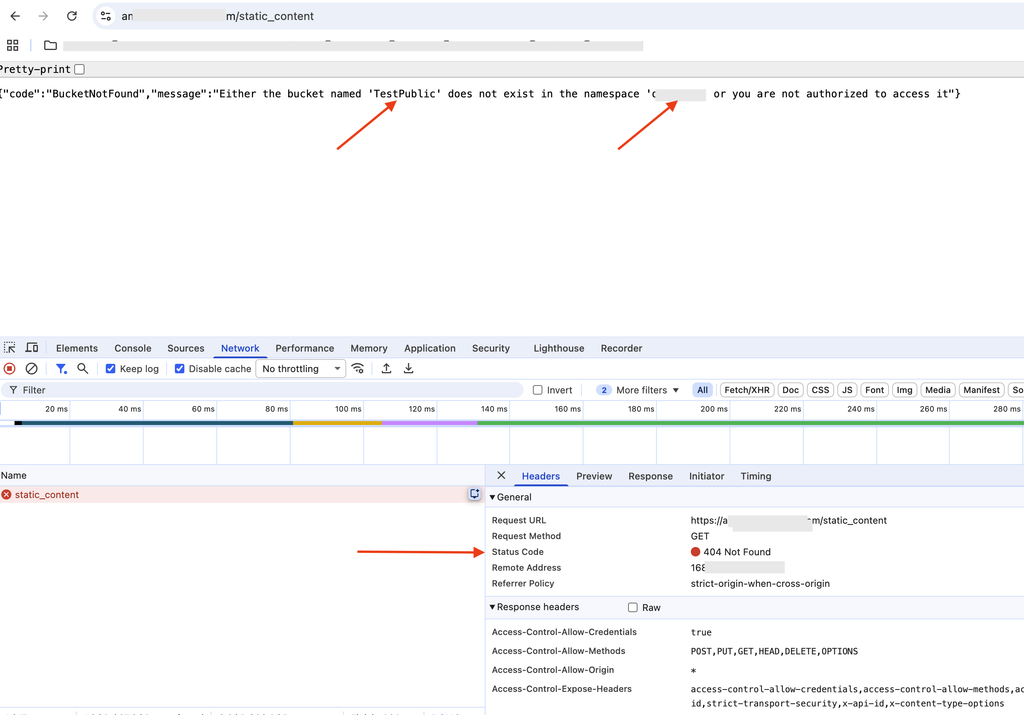
Fig 2
Few things about the above response – i) the HTTP status code is 404, ii) the error message refers to the bucket ‘Test Public’, and the namespace. The response is very specific to object storage which the end user need not be concerned about. For the user, the server processing should be all black box. Instead, the above error message is revealing the internal architecture of the server side implementation.
If the web apps in Fig 1 are internal apps, you can have control over the error message construction, hiding implementation details. However, that may not be possible with third party services. So what should we do?
WAF Response Access Rules
WAF can come to the rescue.You can use the WAF response access rules to intercept responses from backends and replace them with custom messages. To do that define a response control rule and the associated action.
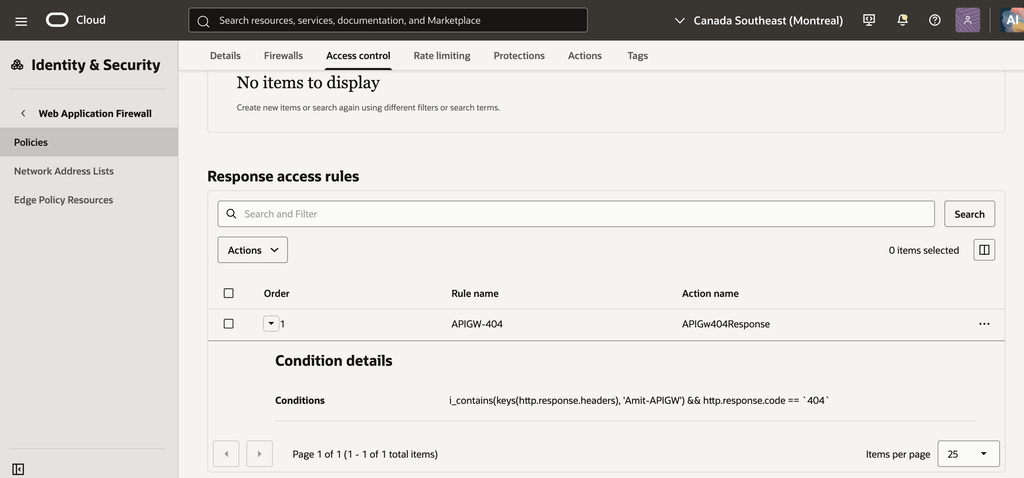
Fig 3
Notice that the response control rule has a condition attached to it. In the above figure there are two conditions, one of them is about HTTP status code being 404. Both the conditions have to be satisfied for this rule to trigger. The 404 status code matches the one which is received from the backend, Fig 2. We will talk about the first condition later. When the conditions match, the action APIGW404Response triggers. Let’s have a look into this action.
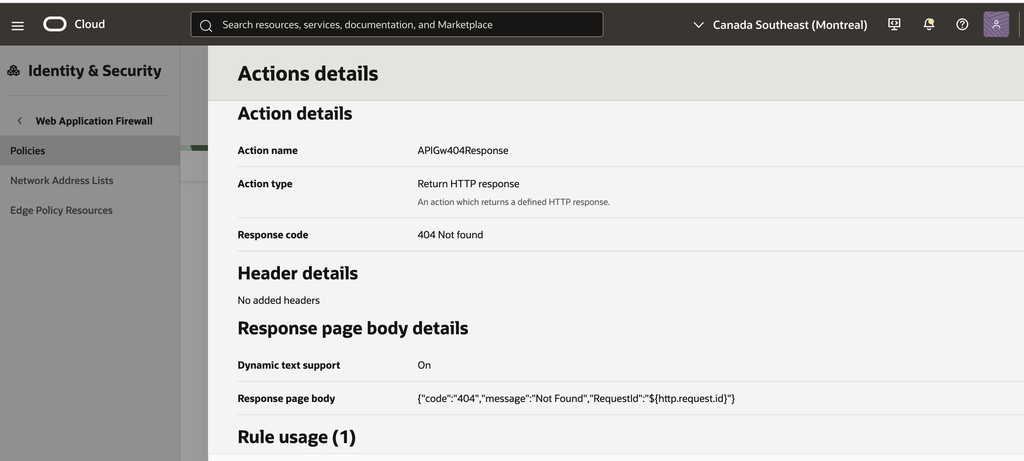
Fig 4
This action sends the same status code 404 to the client, but the body is now a custom one.
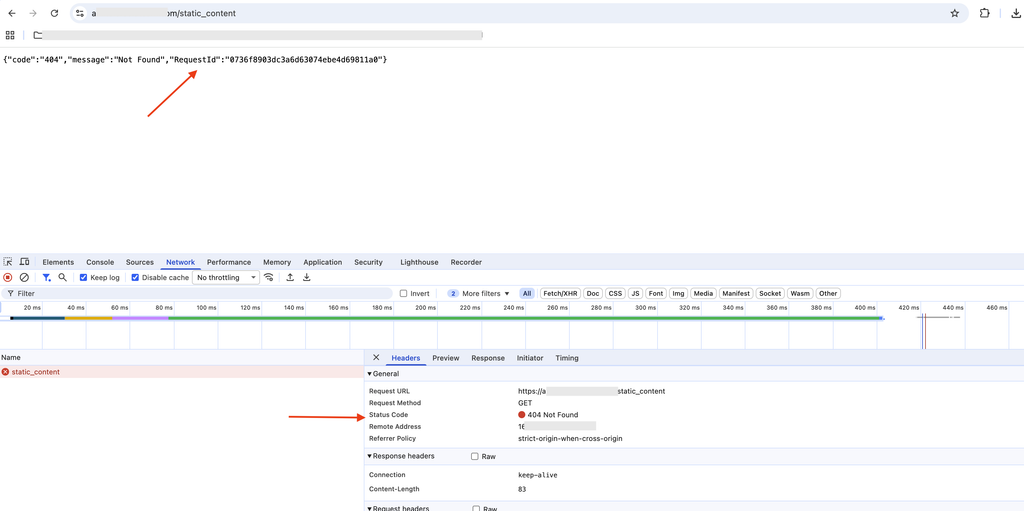
Fig 5
Note that the response code and the body message in Fig 5 above match as defined in the action (Fig 4).
Rule Condition
So let us recap what we done – during the happy case, the user is able to get valid responses for different URLs, including the static_content. If the object storage returns 404 (Fig 2), the WAF intercepts the response and crafts a custom response (Fig 5).The net effect is that the WAF’s response successfully hides the implementation details of the backend, i.e., object storage. But what happens if the two App in Fig 1 also send HTTP status code 404. We would like the WAF not intercept them. We can do that by sending an indicator to the WAF when the object storage path is taken. That indicator can be a HTTP response header. If this response header is present in the error response with status code 404, only then the WAF will intercept. That is exactly what the ‘Conditions’ is saying in Fig 3.
Who inserts this response header in the response message? We can leverage the API Gateway (Fig 1) to do that.
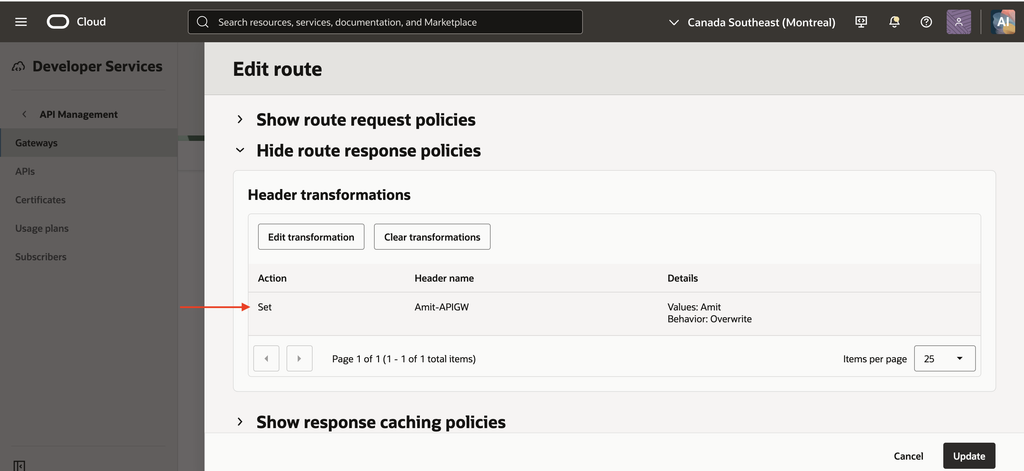
Fig 6
In the API Gateway deployment, we can add the response header ‘Amit-APIGW’ as shown in Fig 6 above. Presence of this header is checked by the WAF in the response control rule (Fig 3).
Summary
In this blog post, we looked into a very specific use case of using the response control access rules in the OCI WAF.