

A practical way to move CIS checks out of one-off scripts and into a repeatable workflow.
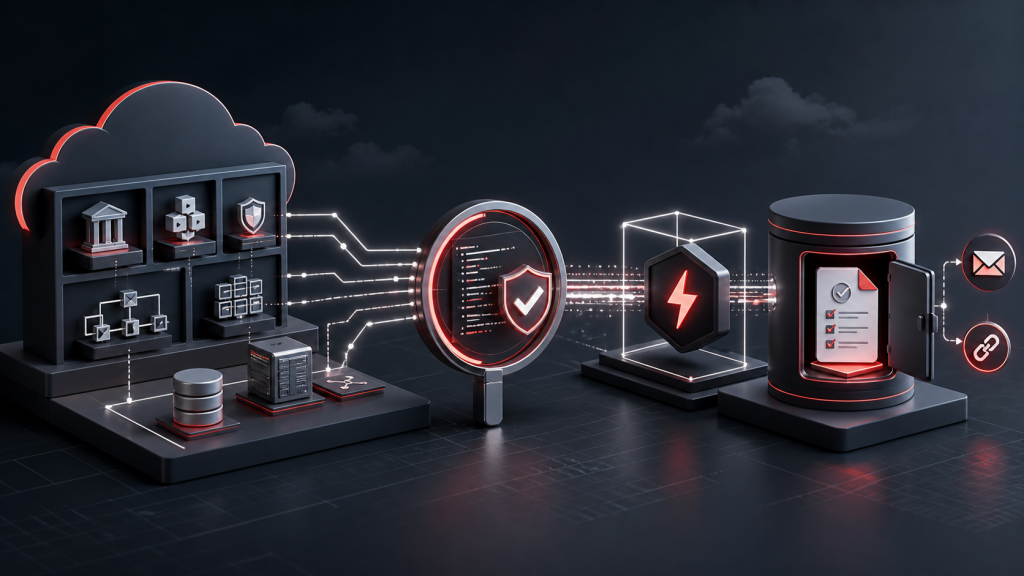
Today, many customers run the OCI CIS Compliance Checker as a one-off activity in their tenancy—often from Cloud Shell when preparing for a security assessment, posture review, or audit. The CIS Compliance Script evaluates a tenancy’s configuration against the CIS OCI Foundations Benchmark, producing a summary of compliance and detailed findings for recommendations that are not met. (GitHub)
The OCI CIS Report Function Stack turns that point-in-time process into a repeatable service. Using Terraform, the stack deploys the OCI resources needed to run the CIS checks as a Function, build and store the function image in OCI Container Registry, retain report output in private Object Storage, and optionally schedule execution and notify stakeholders when new results are available.
At first glance, much of this may look like plumbing—and that is precisely its value. By automating the infrastructure and workflow around the CIS Compliance Checker, organizations can move from running an assessment when someone remembers or needs evidence to running it routinely and retaining the results consistently. This provides a more sustainable way to track security posture over time and strengthen ongoing alignment with the CIS OCI Foundations Benchmark.
Five details worth calling out
1. The function runs with resource-principal authentication
The function does not need embedded runtime credentials. It uses resource-principal authentication and gets access through OCI IAM. That is the right direction for a recurring cloud security task, because the permissions can be reviewed and managed like the rest of the environment.
2. The stack works with both new and existing environments
Not every team wants the same deployment shape. One customer may want a clean compartment and fresh supporting resources. Another may need to reuse an approved subnet or an existing policy model.
The stack accounts for that. It can create the pieces it needs, or it can fit into resources that are already there. That makes adoption much easier in larger environments where networking and IAM decisions are rarely made by one person.
3. Report output is handled with care
The stack can create a private Object Storage bucket for the reports, and the function can send an email only after it confirms that cis_summary_report.html exists. When notifications are enabled, the email includes a four-hour ObjectRead pre-authenticated request link for that exact HTML object.
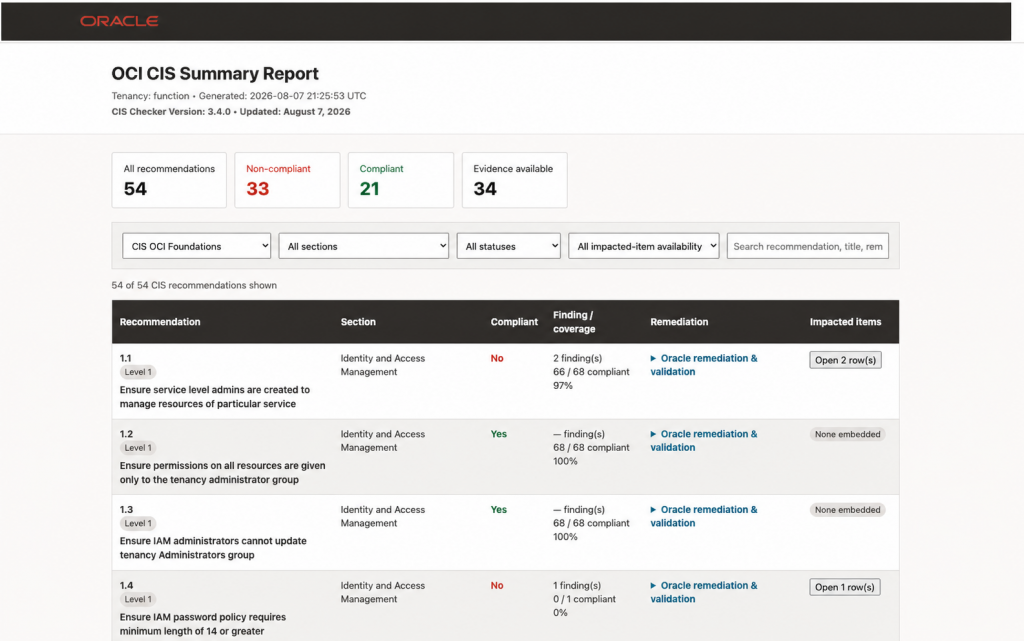
Example report view: the function stores evidence in Object Storage and can email a time-limited link to the HTML summary.
4. Scheduling is built in
The Resource Scheduler support for ICAL or CRON cadence. This is where the stack starts to feel less like a helper script and more like something a team can put on a calendar.
That matters because evidence gets stale quickly. A scheduled report gives teams a better starting point for recurring posture reviews, audit prep, or internal governance meetings.
5. The README is practical guide with the real deployment choices
It walks through the choices a real team will care about before the first run: where Terraform will run, whether the stack should create or reuse IAM and networking, how the function image is built and pushed to OCI Registry, where the auth-token Secret lives, which regions are in scope, and how reports, email notifications, logs, and schedules fit together.
The documentation provides teams a way to start conservatively: pick the regions that matter, keep longer-running experimental checks off until they are needed, confirm the notification subscription, enable logging, and add Resource Scheduler once the team is comfortable with the report output.
What gets deployed
Depending on how it is configured, the stack can cover:
- compartment, dynamic group, and policy setup
- private networking with VCN, subnet, NAT Gateway, Service Gateway, and security rules
- OCI Registry repository creation
- function image build, tag, and push
- OCI Functions application and function resources
- private Object Storage output
- function logging
- Resource Scheduler automation
- email notification for the HTML summary report
Where to get the code
The stack source and deployment README are available in the OCI Landing Zones repository here:
For most teams, the next decision is the deployment path: Oracle Resource Manager, Terraform CLI, or OCI Cloud Shell.
Final thought
The important thing about this stack is not that it makes a benchmark check possible. Teams could already run scripts. The value is that it makes the work easier to repeat and easier to govern.
That is what turns CIS reporting from a periodic scramble into a habit. And in security operations, habits are where a lot of the real progress happens.